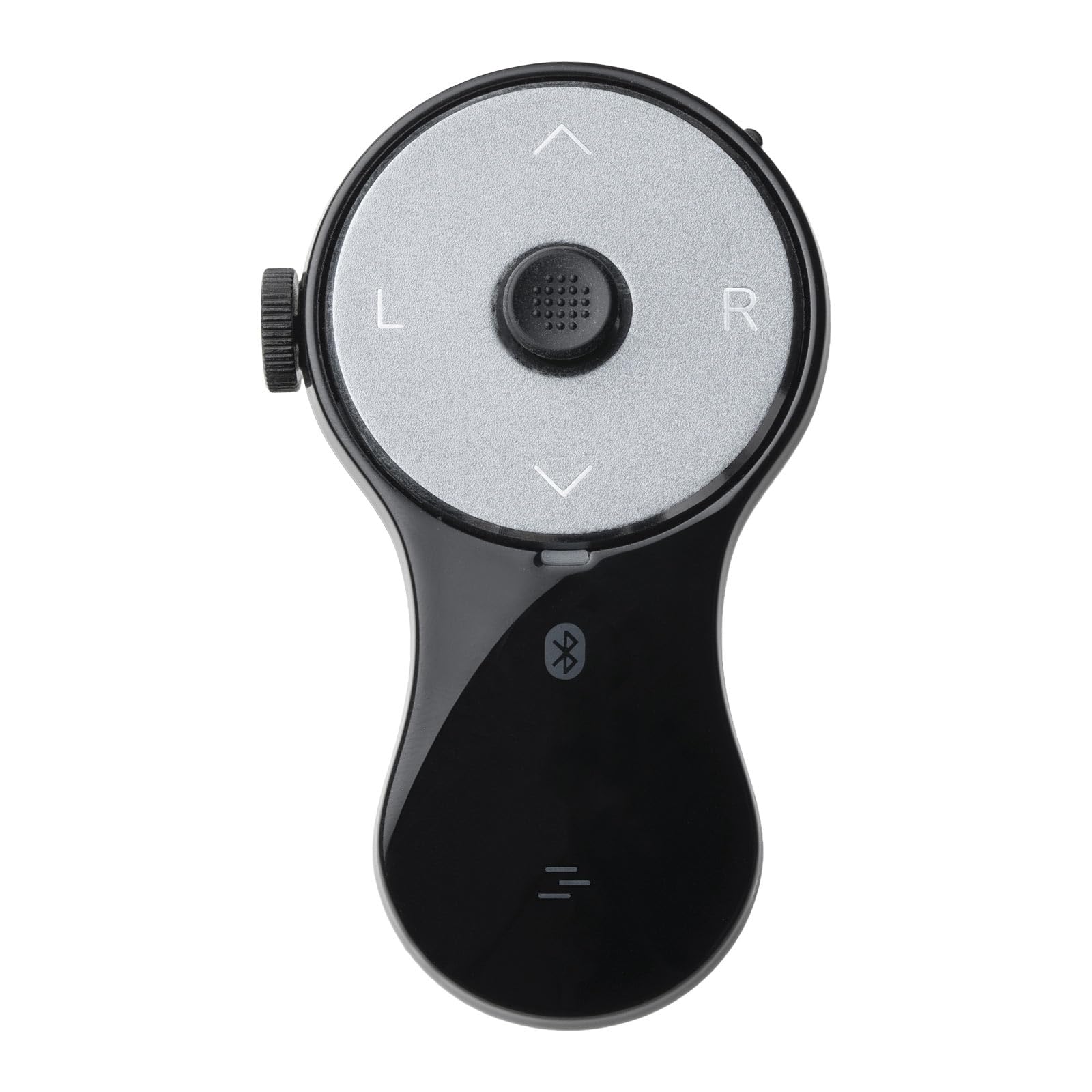
🖱️ Wear the future of productivity on your finger!
The SANWA 3-in-1 Bluetooth Finger Ring Mouse is a compact, rechargeable wearable device combining a mini mouse, wireless presentation clicker, and video scroller. Featuring Bluetooth 5.0 for stable 32-foot connectivity, an ergonomic silicone ring design to reduce wrist strain, and up to 34 hours of continuous use per charge, it empowers professionals to control multiple devices seamlessly during meetings, presentations, and leisure activities.


| ASIN | B0DLGK55CD |
| Best Sellers Rank | #82,127 in Computers ( See Top 100 in Computers ) #2,297 in Computer Mice |
| Item model number | GMABT156BK3 |
| Manufacturer | SANWA SUPPLY |
| Product Dimensions | 7.19 x 4.29 x 0.25 cm; 21 g |
A**R
I bought this specifically to use as a mouse alternative for the PC to prevent RSI. It sits nicely in my hands, but I could see it being a bit too large for women/people with slender fingers. The construction is solid and the Bluetooth connectivity works flawlessly. The cursor sensor is responsive to very light touches and is easy to get used to, but it's closer to using a joystick than it is to a mouse - it's not as quick or precise as a mouse, but its speed does respond to the level of pressure you put on it, which is a nice improvement over using a joystick. The scroll wheel is also neither too tight nor too loose, and spins easily to light touches. However, it's awkward to reach with my thumb when using the ring mouse left-handed, which is a bit disappointing because I like to swap hands around to avoid repetitive movement. My biggest gripe with using this thing as a mouse is that the default Page Up/Page Down buttons are a waste of potentially useful button spots since that functionality is easily covered with the scroll wheel. I had to install AutoHotkey for Windows 10 to remap those buttons to something useful, namely mouse buttons 4 & 5 to navigate back and forward on webpages. I think you might be able to remap them natively with the built-in mouse and keyboard control center in Windows 11, but I haven't used Windows 11 yet to know for sure. Either way, it seems like a missed opportunity to make this thing a full mouse alternative right out of the box. Overall this is a handy little device for my purposes. If I could design a new one for myself, I'd add a second scroll wheel on the opposite side of the existing one to make the device more ambidextrous-friendly. I'd also add a single button perpendicular to the disk face at the top of the device, which would make click & drag much easier and faster to do if you wear the device on your middle finger. I'd also map the default function of the Page Up and Page Down buttons to mouse buttons 4 & 5 for mouse mode. I think that'd make it absolutely perfect. It's very nice as it is though.
H**E
It feels really good on my hand and I do know it’s just a learning curve but I would much rather have had a ball on the top rather than this joystick thingy I just don’t know if I can get used to it for what I do also it’s almost impossible to use it one handed because of the joystick but other than that it works exactly as its supposed too and setup was very easy. It was a replacement for my finger trackball but I think I should have stuck with what I was used too. I do wish this mouse had this same design but with the ball instead, maybe one day.
M**G
I bought this because I built my first computer for my livingroom and wanted a couch potato experience without having to use a mouse and a table. This handheld mouse is almost everything I wanted (mostly an Apple TV remote type feel) but they missed 2 features, 1: having a usb dongle since Bluetooth doesn’t wake up computers from sleep, and 2: pretty big design flaw, they should’ve added a trigger button for the left mouse click. It becomes apparent and annoying having to let go of the thumb pad to click the left button, and even MORE annoying when you need to highlight, or drag a file. A trigger button would solve this and I was surprised when I opened the box to find out there was no button on the bottom.
B**T
Simply Perfect. This device functions flawlessly, and is an absolute 'Quality of life' needed item. The controls and functionality are intuitive and very easy to use. Buttons are large enough to hit easily, and are very responsive Easily connects to my devices Battery life is excellent and recharge is simple and fast. The mouse has been subjected to drops and being stepped on, still works perfectly It is light and very durable, but does not feel cheap. Wish it came in different colors (*wink*wink) Only negative I have is I did not read the instructions and thought it was broke because I had it on the scroll function mode and not the mouse function mode. And it is rather small, which is nice, but it can get lost easily. I bought this mouse in Feb 2025, and am writing this as of Nov 2025. I shall return with an update if I remember
H**E
Works like I wanted it to work. Easy to connect and operate.
TrustPilot
2 周前
2 个月前



