
下载应用程序


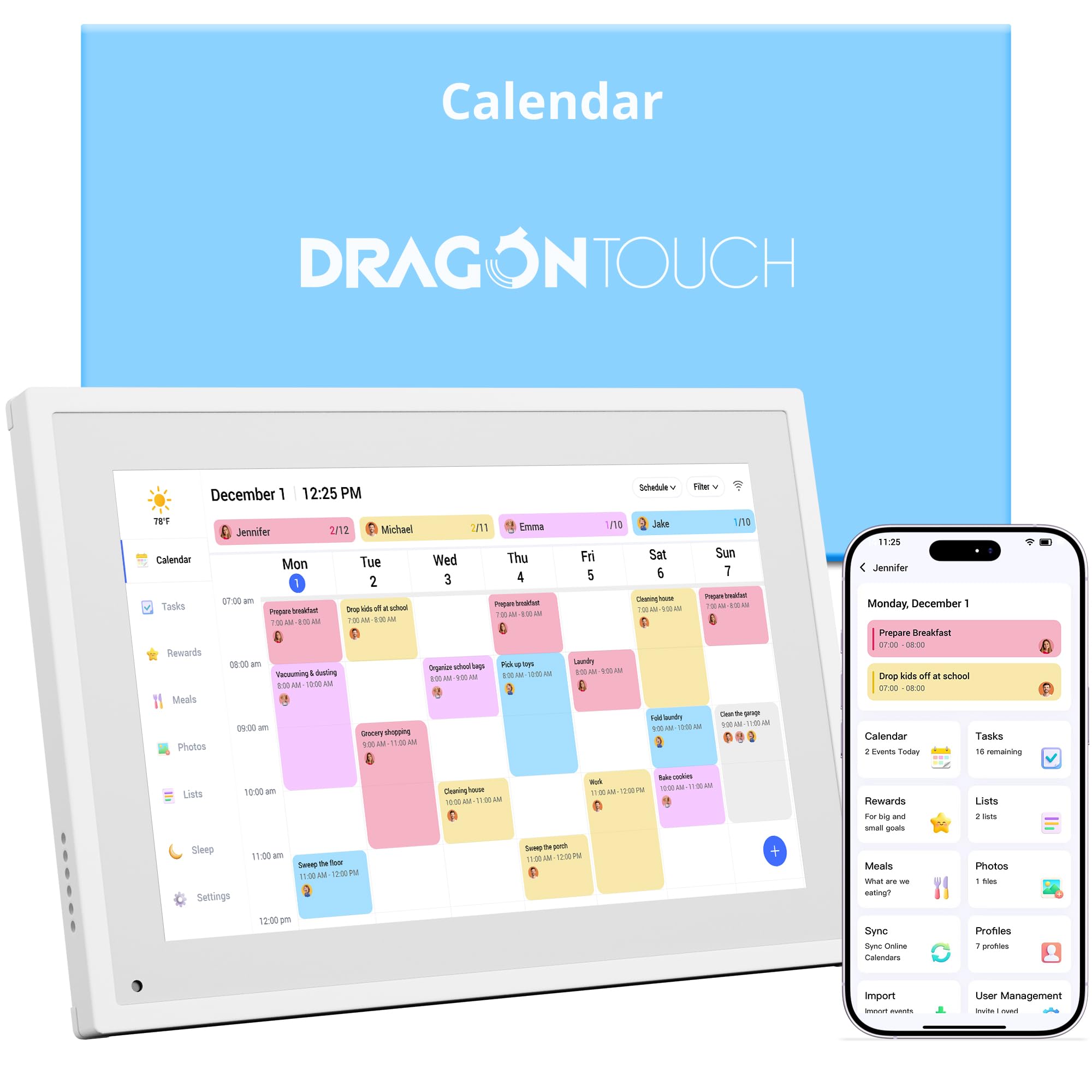
📅 Turn chaos into harmony with the ultimate smart family planner!
The Dragon Touch 10.1" Digital Calendar Chore Chart is a sleek, touchscreen smart planner designed to unify family schedules, chores, and meal plans. Featuring seamless multi-calendar sync, an interactive chore chart, and remote management via a dedicated app, it doubles as a stylish digital photo frame, making it both a functional and elegant addition to any modern home.


| ASIN | B0DQ7TQVBW |
| Best Sellers Rank | #13,728 in Office Products ( See Top 100 in Office Products ) #17 in Wall Planners |
| Brand | Dragon Touch |
| Color | White |
| Cover Material | Plastic |
| Customer Reviews | 4.3 4.3 out of 5 stars (551) |
| Date First Available | 12 December 2024 |
| Item Weight | 1.1 Kilograms |
| Manufacturer | Dragon Touch |
| Manufacturer Part Number | TM10 |
| Material Type | Plastic |
| Model number | TM10 |
| Number of Items | 1 |
| Product Dimensions | 26.75 x 18.62 x 2.51 cm; 1.1 kg |
| Size | 10.1 Inch White |
G**S
Only worked for a couple of days and then stopped
Zero points It stopped working
M**E
Bought this to help our daughter be more accountable for tracking her activities and chores, and also help me track meal prep better. We were using calendars and lists on our phones to do all that, which kids didn't all have access to. This has been a game changer. No excuse for DD not getting ready in time for dance when it's right in this calendar! Highly recommend if you want to simplify the way you track and organize daily life todos for the fam. Pros: - Excellent display quality - Doubles as a digital picture frame - Extremely easy to setup - 2 places for power adapter - Can wall mount or use on table top - Well built, quality materials - Super easy to sync calendar on phone with device - Can use it to track meal prep and chores - Straight-forward user interface - Perfect size not too big/not too small (screen size approx 18.5" x 10" with 1" frame) Cons: - No samsung calendar but can use Google calendar instead - Doesn't seem to sync back to phone when adding items directly to calendar
S**W
My husband and I run a farm and needed something to organize our lives. We were very wary about spending so much money, but we found a dragon touch on warehouse for a really good price so decided to just go for it. We’re glad we did. The 21 inch is actually huge. We were worried the 15 inch would be too small, but I think we could have gotten away with it. But the 21 inch is awesome. It’s very easy to add events, plus you can add tasks to complete for each person in your house, and there’s a to do list and grocery list. I also love that you can upload photos and have them play on a slide show. The app works fine, besides a couple of glitches. And more than one person can’t be logged in at the same time, and as soon as someone else logs in it kicks you off and how have to log in again. Irritating, but it’s a minor thing. You don’t need the app to use the calendar, but there are some features on the app that are not available in the calendar. Like adding stars to tasks. Our calendar did not come with the mounting hardware, which it was supposed to. I assume because we bought it from the warehouse this was just overlooked. I contacted the company directly and they sent me the hardware free of charge and very quickly, so that was awesome. It also looks very nice on the wall. It’s not bulky or ugly. Overall I would recommend this calendar for busy people. It’s pricy but very useful and customer service is amazing.
B**.
This calender is perfect for our family. We are able to sync up with our phones with the calendar app. That allows us to easily see what's going on, what meals are planned, etc. Then it's awesome seeing our pictures scroll through when it's standing by.
C**L
It’s in USA power cord so useless to me in Australia and app never says that.
J**N
We absolutely love the Dragon Touch 10.1” Smart Digital Calendar. It has completely replaced paper calendars and endless reminder notes in our house. The screen is large, bright, and easy to read from across the room. Setup was straightforward, and syncing multiple Google calendars was seamless. I especially love that we can color-code family members, switch between week and day views, and manage both events and task lists in one place. The shared family view has been a lifesaver — everyone can see what’s coming up without asking. It’s perfect for busy households, homeschooling families, or anyone juggling work, kids, and appointments. Overall, this feels well-designed, intuitive, and actually useful (not just another smart device that gets ignored). Highly recommend!