Some deliveries may take a little longer than usual due to regional shipping conditions.

下载应用程序



✨ Light up your life, sync your vibe 🎶
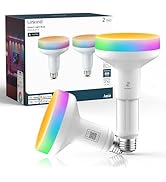
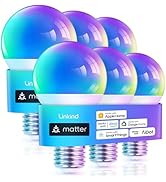
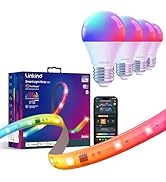
The Linkind Matter Smart Light Bulb is a 9W LED bulb delivering 800 lumens with millions of color options and advanced Matter protocol compatibility. Designed for seamless integration with Apple Home, Alexa, Google Home, and SmartThings, it offers voice and app control, music synchronization, and a natural wake-up light mode. Energy-efficient and eye-friendly, it lasts up to 22 years and supports group control over stable 2.4GHz WiFi, making it the ultimate smart lighting upgrade for modern homes.




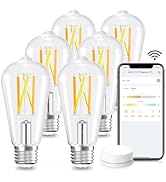
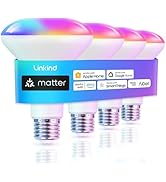


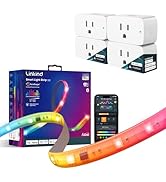

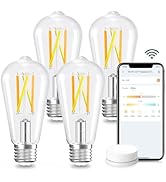
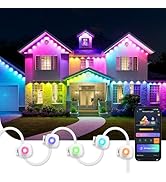
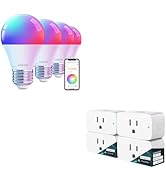
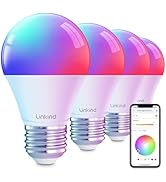
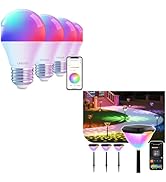

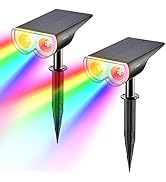
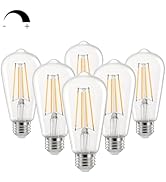
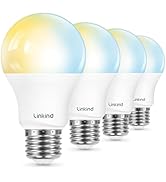
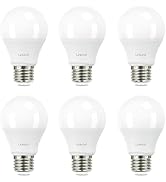
| ASIN | B0BHS1X2G7 |
| Accepted voltage frequency | 100 to 120 Volts and 60 Hertz |
| Average Life | 25000 Hours |
| Batteries Included? | No |
| Batteries Required? | No |
| Best Sellers Rank | #942 in Industrial & Scientific ( See Top 100 in Industrial & Scientific ) #73 in LED Bulbs |
| Brand | Linkind |
| Brightness | 800 Lumen |
| Bulb Base | E26 |
| Bulb Shape Size | A19 |
| Color | Color |
| Color Rendering Index | 90.00 |
| Color Temperature | 6500 Kelvin |
| Control Method | App, Voice |
| Customer Reviews | 4.3 4.3 out of 5 stars (2,361) |
| Date First Available | October 10, 2022 |
| Efficiency | 88.89 lumens per watt |
| Incandescent Equivalent Wattage | 60 Watts |
| Included Components | 2 Smart Light Bulbs and Instruction |
| Indoor/Outdoor Usage | Indoor |
| Item Weight | 3.84 ounces |
| Item model number | LS0101811266 |
| Light Color | Millions of colors, from warm white to cool white (1800K-6500K) |
| Light Output Maximum | 800 Lumens |
| Light Source Type | LED |
| Light Source Wattage | 9 Watts |
| Light Type | LED |
| Manufacturer | Linkind |
| Material | Aluminum, Plastic |
| Number of Items | 2 |
| Part Number | 2 |
| Power Consumption | 9 Watts |
| Power Source | Corded Electric |
| Product Dimensions | 2.3"W x 4.2"H |
| Shape | A19 |
| Smart Home Compatibility | Smart Home Compatible |
| Special Feature | Color Changing, Dimmable, Eye-Friendly, Music Sync, Seamless Interoperability |
| Special Features | Color Changing, Dimmable, Eye-Friendly, Music Sync, Seamless Interoperability |
| Style | 60W 2 Pack |
| Unit Count | 2.0 Count |
| Voltage | 120 Volts |
| Wattage | 9 Watts |
| White Brightness | 800 Lumens |
N**N
Easy installation
So easy to install and link to our Alexa. Thankful to not have to add another app just to get this to work. Smooth integration and took seconds to get functioning. Bright enough for all our rooms
A**A
Excellent Matter device
Very easy to connect to Home Assistant as a Matter device. No need for a separate app, they work so well with Home Assistant. There is no delay when changing colors. I have grouped two of these bulbs in a lamp and they work wonderfully. The light output is great. No flickering even with brightness level set to 1%. No noise.
R**.
Instantly Paired
I love these smart bulbs. So easy to set up and the price compared to others is hard to beat. I have them on my porch and in my living room and plan on getting more. No hub needed for them either. What a great product! 5 Stars!!
N**T
Seamless Setup & Smart Control – Great Value for a 6-Pack!
I installed this 6-pack of smart bulbs in both my bedroom and living room lamps, and I’m impressed with how easy the setup was. The key is to start with the AiDot app, which is the base app for these bulbs. Once installed, you can either scan the Matter QR code on each bulb or use the “search nearby” feature — I found the latter very simple and effective. After linking the bulbs to AiDot, customization is straightforward: you can name each bulb, assign it to a room, and adjust light settings. My Alexa app automatically detected the AiDot skill and added the bulbs without any extra steps. I created groups for my bedroom and living room, allowing me to control all lamps with a single voice command, while still having the flexibility to control individual bulbs. The color and theme options in the AiDot app are extensive — maybe even too many! I tend to keep it simple, but there’s definitely a theme for every mood or occasion. One feature I was excited about was music sync, which uses your phone’s microphone. While it works, I’d rate it 5/10 — it’s fun but not very precise, and it picks up background noise unless your phone is placed close to the sound source. Overall, I’m happy with the purchase. The bulbs are responsive, easy to control via Alexa, and my wife loves the ability to dim and change tones effortlessly. Great value and functionality for smart home beginners or enthusiasts!
K**.
Amazing alternative to expensive brands
Like most, our smart home setup is a bit of an ad-hoc combination of different brands. For this reason, I was hesitant to add yet another with these Linkind bulbs. That being said, I was looking to add color lighting to our finished basement for a kid's party, and the cost of the 6-pack from Linkind was close to what I'd have paid for one single HUE bulb. Cost savings aside, these bulbs perform close to, if not just as well as their HUE counterparts. At full brightness, I feel that the HUEs deliver slightly more luminance, however, there are a number of benefits (in addition to being a fraction of the price) that more than compensate for that! I was not thrilled when downloading the AiDot companion app, as I already have a collection of subpar "brand-specific" automation apps taking up space on my phone, but I was pleasantly surprised by this one. The UI is very well-designed and responsive - even more so than the native HUE app I tend to use at times in place of invoking Alexa. It also offers a great variety of pre-set color schemes, many of which feature interactivity with your music or television audio (a huge hit with the kids)! Aside from being "yet another" brand-specific automation app, my only gripe with the AiDot app is the prominence of its selling components. To be fair, these are not "ads", but rather a store function (which is found in many other manufacturer's apps); it just feels like it should be tucked away in a less "in-your-face" presentation. Integration with Alexa is essentially a non-issue. I installed all six of these bulbs in my basement, and by the time I was screwing the fourth one in, Alexa had already recognized the first two and was prompting me to assign their names and rooms. I'd like to say the process was intuitive, but in truth there really is no process at all - they really are plug-and-play as far as Alexa is concerned. My "configuration" really just consisted of creating Alexa routines so we can invoke the AiDot color scenes we liked using by voice. Apple homekit has been a different experience entirely, but I'm not prepared to fault Linkind in any way for that. My apple "automation" has never proven to be reliable in any way, and attempting to add these bulbs to homekit was no exception. To this day, I have not been able to have homekit recognize a single one of these bulbs using qr code, serial number, network address, mac IDs, back magic, or pleas to the gods of home automation. Again, I'm not blaming Linkind for this - these are really the first matter products I've owned, and I guess my hopes were that this feature would help with apple integration. This was not the case. The only comparative "con" I'll offer here is that apple integration is obviously a bit of a challenge, unlike my HUE bulbs which do appear in and can be controlled by homekit (presumably due to the presence of the latter's hub device). In summary, if your primary automation platform is apple-based, I'd recommend researching these before buying. If like me, Alexa is your go-to for smart home functionality, these bulbs are an exceptional value and perform amazingly well. If I could go back in time, I'd install these in place of the dozens of HUEs I have without hesitation! One thing I CAN say I've been happy with using HUE is their longevity, something for which I can't speak to with the Linkind product as I only installed them about a month ago. Hopefully, they offer an equally long lifespan, but considering that they are a fraction of the price, anything close can be considered a net win!
M**7
Halten lange und geben ein sehr schönes Licht ab!
A**A
Solo funcionaron bien un mes, después simplemente dejaron de funcionar, prenden pero solo la luz blanca, ya no puedes usarlas desde Alexa. No las recomiendo
F**O
Eficientes y buena calidad en pocas palabras
N**U
blanc froid très puissant avec un large angle d’éclairage
S**9
voir dans le temps