We remain fully operational. Our teams are working around the clock to ensure your deliveries continue safely.

下载应用程序


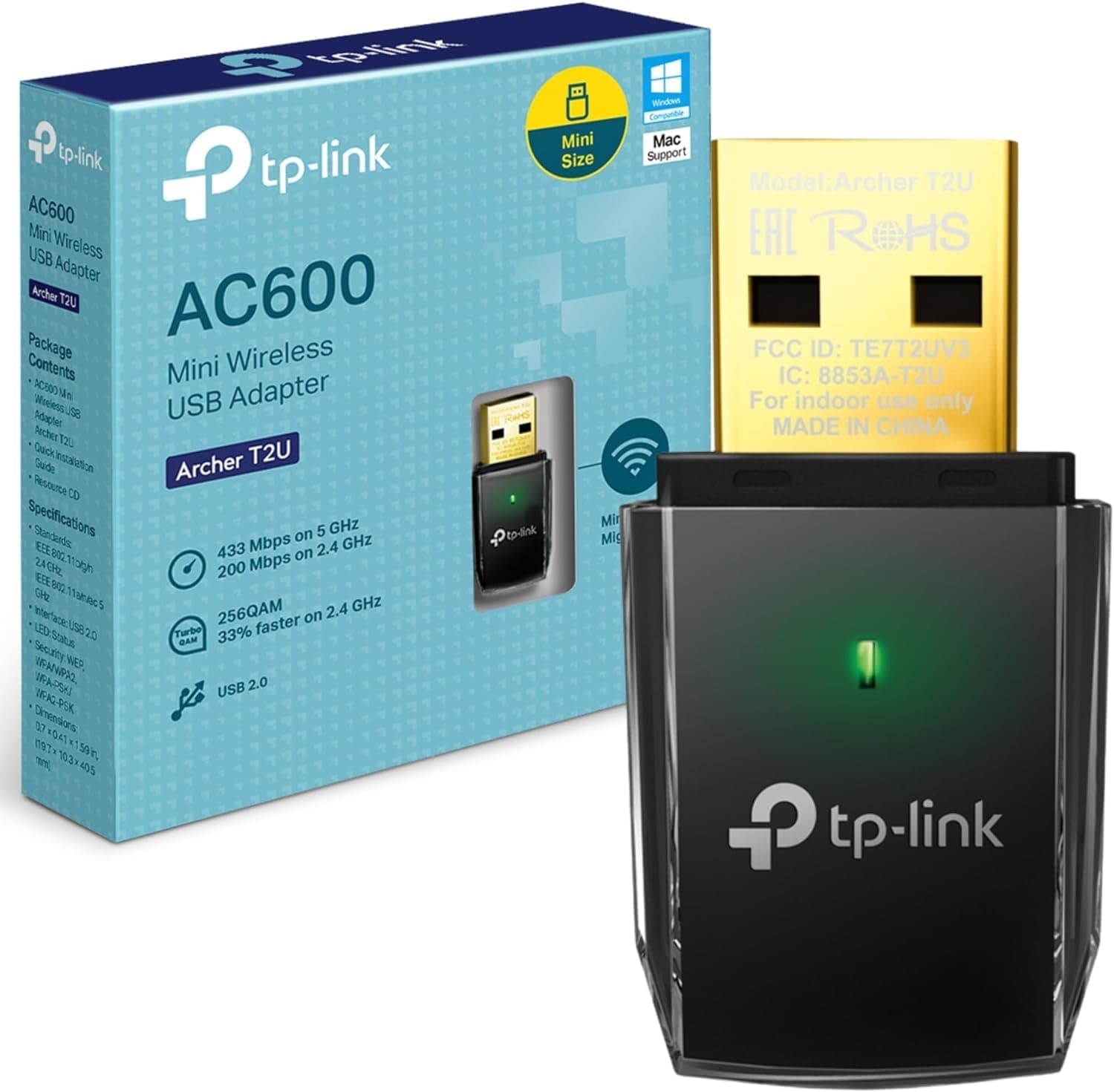
🚀 Elevate your WiFi game with speed and style—no compromises, just connection.
The TP-Link Archer T2U is a compact, dual band AC600 USB WiFi adapter delivering up to 600 Mbps wireless speed. Compatible with Windows and Mac OS, it offers easy plug-and-play setup, strong signal range, and secure one-touch encryption, making it an ideal portable solution for HD streaming, gaming, and everyday connectivity.


| ASIN | B00K11UIV4 |
| Best Sellers Rank | 1,986 in Computers & Accessories ( See Top 100 in Computers & Accessories ) 20 in USB Computer Network Adapters |
| Brand Name | TP-Link |
| Color | Black |
| Compatible Devices | Desktop, Laptop, Tablet |
| Compatible Operating System Family | Windows |
| Country of Origin | Netherlands |
| Customer Reviews | 4.4 4.4 out of 5 stars (11,269) |
| Data Link Protocol | USB |
| Data Transfer Rate | 600 Megabytes Per Second |
| External Testing Certification | Grau 1, Não aplicável |
| Hardware Interface | USB |
| Item Dimensions L x W x H | 41L x 19W x 9H millimetres |
| Item Part Number | 6935364089917, ARCHERT2U |
| Item Weight | 0.01 Kilograms |
| Manufacturer | TP-Link |
| Manufacturer Part Number | Archer T2U V1 |
| Minimum Required Operating System Version | Windows XP |
| Model Number | Archer T2U |
| Product Warranty | 3 years |
| Unit Count | 1.0 count |
A**R
Does the job almost perfectly
Positives: 1) The range on this is very good! I use it for my pc which is up one floor and through a room from my router and I get max signal strength. 2) Very easy to set up, literally just plug it into your computer, it should detect it automatically as a network adaptor. (right click the wifi logo on the taskbar, click 'open network and internet settings' and 'change adaptor options' to view the network adaptors on windows 10) I didn't have to install any drivers to make it work but you might need to if your computer does not detect it automatically. 3) Very small. No dongle or antennae and doesn't seem to affect the performance. 4) Reaches the max speed available (for me 100Mbps) Drawbacks: 1) I play a lot of games and sometimes the latency spikes to around 50/60 or even 400/500 or 1000 briefly before going back down to 20 in a few seconds which is annoying but its not that bad. The spikes vary, sometimes it happens every 5 minutes and the next day you wouldn't get a single spike and remain on 20ping. 2) This is a rare issue a couple times since owning it but sometimes the latency will spike to a stupid high number and stay there and the only solution is to plug and unplug it then its fine. For browsing the internet, streaming videos/music and general stuff I highly recommend this product, works almost flawlessly for this. If you're looking to use this for gaming then its very good for its price and size although its not ideal but most usb connectors won't be good for gaming. If you're strapped for cash then its definitely good enough to use for gaming.
A**T
Solid performance
Powerful compact dongle thats works straight from installation and has a good range. Easy to use and has not let me down. Keeps the speed for working
C**C
Compact and works as intended
Good product with a nice, compact size and well packaged. It was a bit unusual that it came with a CD, especially since my machine didn’t have internet access to download the drivers and also lacked a CD drive. I understand that including a USB stick would likely be more expensive than providing a CD. Fits well on back ports of machine.
B**S
good product that's never let me down
This TP-Link AC600 Wireless Adapter has never let me down! It’s been a great solution for improving my Wi-Fi connection, especially on devices that don’t have built-in dual-band capability. The adapter connects quickly, maintains a stable connection, and handles both 2.4GHz and 5GHz bands without any issues. For the price, it’s a fantastic value. The setup was easy, and it works seamlessly with my devices. I’ve been using it for a while now, and it’s always been reliable. If you’re looking for a good quality USB adapter at a reasonable price, this one is definitely worth it!
P**T
It works. Win 10 plus 7 year old laptop, it just self installed and worked. Took two minutes :)
The wireless network adapter in my laptop would not detect my mobile phone hot spot. It was also unable to detect hotel and other office networks. I bought the TP link as a possible solution. I had to disable the built in wifi adapter and enable the TP link using the device manage but this was very easy. The TP link was plugged into a USB 3.0 port. To my amazement it self installed and worked first time. WiFi speeds are comparable with the built in adapter and it solves a lot of issues for me. It's also very small with little risk of the USB port being damaged by the adapter if it was knocked. Excellent product.
M**M
good speeds but not great for a long term solution to wifi adapting
it worked well, but the speed of it depleted really quickly over the span of 3 months. this could be because it was used daily and could have dropped in quality from being so hot all the time. it couldnt sustain it and slowly the speeds went down and down.
F**R
Easy install. Fast connection.
Laptop internal WiFi was limited to 2.4ghz connection speed to the router and was also dropping out and losing connection regularly. Did some research and have used tplink stuff before so despite some negative reviews thought it was worth a go. One word of caution - you must get the newest drivers from the tplink website and install them. There is plenty of help and videos there to get you up and running. It's essential you download the drivers for your particular operating system and your Dongle version number. It will say on the Dongle whether its V 1,2 or 3. Once I had the Dongle and drivers installed I selected my 5.00ghz channel on my WiFi router and connected and my speed increased dramatically. Obviously it will depend on your Internet speed connection but this unit tops out around 400+Mbps so will be more than fast enough for most UK homes. So far it's been stable with no loss of connection so it's been a cheap upgrade and for me a definite positive purchase and we'll worth the £10.00. 👍
J**E
Amazing
Bought this for my grandad as a repair shop quoted him about £100 to fix his Wi-Fi card, i told him about this and ordered it for him and it works perfectly. Its small and unnoticeable the signal is great and it works perfectly fine with his computer. Simple plug and play, no noticeable power difference either. He is very pleased and saved £100
B**Y
Werkt erg goed en is snel
B**I
ok
E**C
A permis à un vieux PC portable Sony Vaio Z de retrouver un fonctionnement stable et un réseau performant. Le PC initialement livré avec Windows 7 avait été migré en Windows 8 (driver wifi OK) puis en Windows 10 (driver wifi partiellement supporté), et suite à cette dernière migration a été l'objet de nombreux plantages (BSOD) lors de gros transferts via le wifi. Après désactivation de la carte interne et l'installation de cette clé AC600, le PC a retrouvé un fonctionnement normal et profite désormais d'un accès réseau bien plus rapide. La stabilité du réseau est parfaite, mais je ne peux pas me prononcer sur la portée de connexion vu que le PC se connecte à un répéteur situé à proximité.
J**N
Servus, habe mir diesen AC Wlan Stick zugelegt um das 5Ghz Netz nutzen zu können und weil er der kleinste AC Stick ist den ich finden kann. Installation etc. läuft problemlos. Die Windows eigenen Treiber führen dazu dass das 5Ghz Netz nicht erkannt wird. Somit lädt man sich entweder die Treiber von der Website oder nutzt die mitgelieferte Mini CD. Das Problem ist allerdings, dass größere Datenmengen nicht an einem Stück ankommen. Weder auf 5Ghz noch auf 2,4 Ghz. Sprich: Downloads (egal ob Downloadmanager oder direkt über Internet Explorer oder FireFox) halten einfach an. Wenn es möglich ist die Downloads zu pausieren und fortzusetzen, dann kommt man evtl. am Ende an. Aber ansonsten halt nicht. Wer bestimmte Download Manager, nutzt wird beobachten dass der Download nach ein paar Minuten wieder von alleine anfängt, aber nach 10 Sekunden auch wieder aufhört. Bei Youtube äussert es sich so dass es zu einem gewissen Punkt lädt und dann aufhört. Man kann nun entweder neu laden und hoffen oder man setzt den Regler einfach ein Stück nach vorne, woraufhin das Video erneut anfängt zu laden. Ich hatte bereits Kontakt mit TP Link. Sie wissen leider nicht woran es liegen könnte. Ich habe 2 verschiedene Systeme geprüft und es kam dabei das gleiche raus. Die TP Link Entwickler sind wohl gerade wegen Nationalfeiertag in China einige Zeit nicht da und hoffe dass ich bald neues Berichten kann. Auf einem Win 7 Pro System konnte ich dieses Verhalten nicht feststellen, habe es aber auch nicht ausführlich getestet. Sollte hier jemand problemlos mit dem Stick und Win 8.1 arbeiten können, dürft Ihr gerne ein Kommentar hinterlassen. Wenn der Kram funktioniert, gebe ich auch die 5 Sterne her :) 25.11.14 edit: Nachdem ich das System neu installiert habe funktioniert der Stick auch wunderbar. An einem zweiten Win 8.1 System macht der Stick nach wie vor Faxen, was mich nicht weiter stören soll. Der Support war auch sehr zuvorkommend und hilfreich. (Auch wenn er mir dennoch keine Lösung bieten konnte). Woran das Problem letztendlich lag, konnte ich leider nicht rausfinden. Bezüglich -Hitzeentwicklung angeht: Der Stick wird zwar bei intensiver Benutzung warm, aber sicher nicht heiss -5 GHz Netz: Ich kann in den erweiterten Einstellungen problemlos den Kanalbereich auswählen. Zu beachten ist aber dass keine Einstellung das gesamte Spektrum zur Verfügung stellt. Dadurch dass ich meinem Router einen festen Frequenzbereich zugewiesen habe, habe ich auch kein Problem mit Verbindungsverlust bei Änderung des Sendekanals.
L**I
Funciona muito bem
TrustPilot
2 个月前
1 个月前