
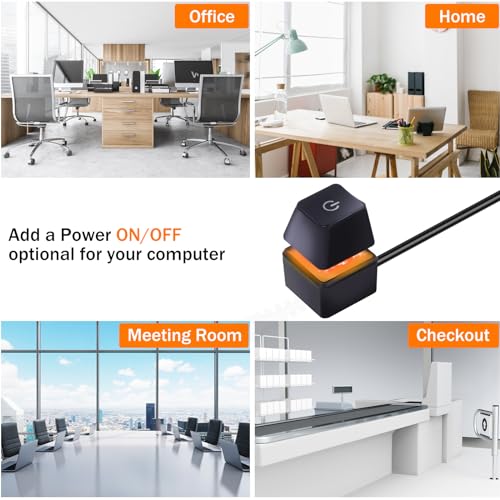


🔋 Power up your setup with style and ease—because your PC deserves a switch as smart as you are.
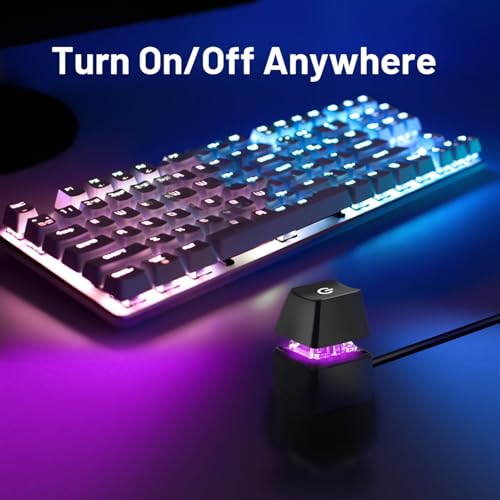
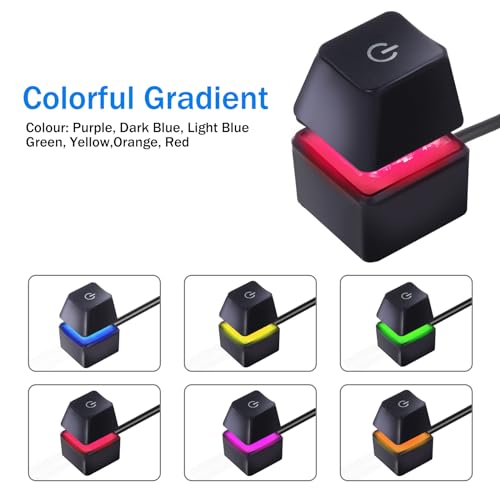
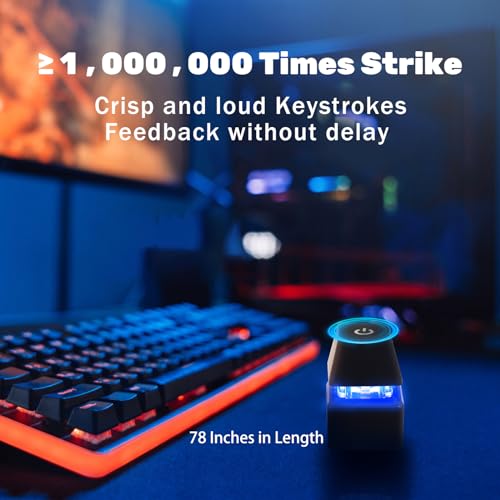
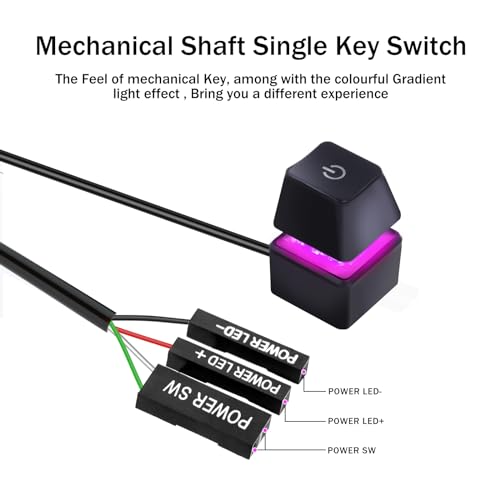
The AZMXDVP Desktop Computer Power Switch Cable is a 2-meter external extension cable with a mechanical push-button switch featuring colorful gradient lighting. Designed for easy motherboard connection and quick installation, it offers a sleek, portable solution to relocate your PC’s power button for enhanced accessibility and aesthetic appeal. Ideal for custom, wall-mounted, or hard-to-reach PC setups, this compact switch kit includes all necessary accessories for a seamless upgrade.


| ASIN | B09LTT3JRB |
| Actuator Type | Push Button |
| Best Sellers Rank | #35,598 in Electronics ( See Top 100 in Electronics ) #688 in Audio & Video Power Cables |
| Brand | AZMXDVP |
| Color | Black |
| Compatible Devices | PC |
| Connectivity Protocol | X-10 |
| Connector Type | Usb |
| Contact Material | Metal |
| Contact Type | Normally Open |
| Control Method | Remote |
| Controller Type | Push Button |
| Current Rating | 2 Amps |
| Date First Available | November 15, 2021 |
| International Protection Rating | IP40 |
| Is Discontinued By Manufacturer | No |
| Item Weight | 0.882 ounces |
| Item dimensions L x W x H | 78.74 x 0.59 x 0.59 inches |
| Item model number | M20 |
| Manufacturer | Shenzhen Moming Technology Co., Ltd |
| Mounting Type | Tabletop |
| Number of Items | 1 |
| Number of Positions | 2 |
| Operating Voltage | 5 Volts |
| Operation Mode | ON-OFF |
| Product Dimensions | 78.74 x 0.59 x 0.59 inches |
| Terminal | Through Hole |
| UPC | 646690470855 |
| Unit Count | 1.0 Count |
| Wattage | 5 watts |
J**N
Handy Power Switch Solution for Custom PC Setups
I recently got a Desktop Computer Power Switch Power Supply Cable for my wall-mounted PC setup, and it's turned out to be a neat little addition. This cable is a game-changer if you're looking to add a hidden or more accessible power button to your system. The main appeal of this cable is the flexibility it offers in terms of where you can place your PC's power button. For my wall-mounted setup, I wanted to keep the look clean and uncluttered, and this cable allowed me to discreetly place the power button in a more convenient location. It's like having a secret switch, which is not only practical but also adds a cool factor to the setup. The quality of the cable and switch is solid. It was easy to install, connecting seamlessly with my motherboard. The length of the cable is adequate for most setups, offering enough reach to place the switch in a variety of locations. In terms of performance, the switch works reliably, and I haven't encountered any issues with it. It's a straightforward tool but does its job perfectly, allowing me to power up or reset my computer without having to reach for the main unit. In summary, the Desktop Computer Power Switch Power Supply Cable is a simple yet effective solution for those who have custom PC setups like wall mounts and want to add a bit of convenience and flair. If you're looking for a way to hide your power button or just want it in a more accessible spot, this product is definitely worth considering.
A**Z
Easy to install.
Easy to install and works perfectly.
E**R
Easy to setup and nice clicky power button
If you’ve ever wished for a more convenient way to turn your PC on and off—especially if the case button is hard to reach—the AZMXDVP Desktop Computer Power Switch Power Supply Cable offers a simple, practical solution. It provides an external remote switch that you can place on your desk, under a monitor, or anywhere else that’s easy to access, eliminating the need to stretch or bend down to reach your PC’s built-in power button. Design & Build Quality Sturdy Construction: The switch typically comes enclosed in a small, durable plastic housing with a tactile power button. It has a decent weight so it doesn’t slide around easily. Generous Cable Length: Most models include a sufficiently long cable—often in the range of 1–2 meters—ensuring you can route it neatly around your desk setup. This is a bonus if your computer tower is tucked under a desk or in a cabinet. Installation & Setup Locate Motherboard Pins: You’ll need to plug the switch’s connectors into your motherboard’s power switch pins (commonly labeled “PWR_SW”). These are usually found in the bottom-right corner of a standard motherboard. Unplug Existing Button (Optional): If you have a front panel power button already connected, you can either leave it connected alongside the external switch or remove it if you only plan to use the AZMXDVP external button. Secure the Cable: Once connected, route the cable out the back of your PC case or through a spare PCI slot cover. Depending on your case design, you can find a neat path for cable management. Simple and Quick: Overall, installation should take just a few minutes, even for beginners with basic PC-building knowledge. Everyday Use Convenience: With the external switch on your desk, powering on or off your PC is as easy as hitting a button—no more awkward stretches or bending to reach the case. Durable Button: The AZMXDVP switch gives a firm, satisfying click, providing confidence that each press registers. Reset/HDD LED Options: Some versions may include additional cables for the reset switch or HDD LED; check the specific model if you want those features. Pros & Cons Pros Enhanced Accessibility – Perfect for setups where the PC tower is difficult to access. Easy Installation – Straightforward plug-and-play into standard motherboard headers. Sturdy Construction – The button and housing typically feel solid and durable. Flexible Usage – You can still keep your case’s built-in power button functional if desired. Cons Cable Routing – Depending on your case, you may need to carefully plan where the cable exits. Limited Extra Functionality – This add-on only provides power button functionality (or, in some models, reset/HDD LED); it won’t provide more complex features. Potential for Accidental Presses – If placed on a crowded desk, there’s a slight chance of hitting the power button accidentally (though the button usually has enough resistance to minimize this). Final Thoughts For anyone who finds themselves straining to power on or off their PC, or for those who just prefer the convenience of a desktop-mounted power button, the AZMXDVP Desktop Computer Power Switch Power Supply Cable is a straightforward, cost-effective solution. Installation is a breeze, the build quality is solid, and it delivers on its promise of making computer power control more accessible. Highly recommended if you want a quick, hassle-free way to extend your computer’s power button right to your fingertips.
S**G
Works but missing small detail
Worked great but quality control might need to improve details. One box came with 2 splitter cables and the other only with one. Every box should have 2 for LED and for Power Switch. I couldn't find a way to contact the seller.
D**R
Very nice switch with an added bonus
I do not usually write reviews. I order what I have researched and so long as it meets my expectations, it is exactly what I ordered. Which is the way it should be. However, I have to hand it to the vendor of this item for thinking ahead. The switch does exactly as shown in the images and works like a champ. The bonus part is that the vendor includes a splitter cable so that the switch can be used in tandem with any case switches. I got this switch due to the location of the switch for my case being a bit difficult to access, but due to that splitter cable, I can use either the extended switch I ordered or the case switch. Both work properly. To many times manufacturers or vendor cheap out on doing something proper. Not in this case. Well done!
R**.
Lazy champ
Works as advertised, the cord rips from the module easily so be careful not to pull it with too much force - user error - but otherwise it perfect for the lazy person who shoves their desktop pc under the desk.
C**E
Great addition to help with basic power needs
Works great as a power switch! Saves me from bending down under my desk to turn my computer on and off!
J**.
Works fine
Very simple and easy to install. 100% works
D**Y
Just installed this into my Dell home pc, but needed another part for it to work.
A**N
Parfait, se connecte simplement au front panel avec un câble suffisamment long pour pouvoir le disposer où l'on souhaite. Il est autocollant (style 3M) sur le dessous pour adhérer partout.
J**N
¡Una maravilla! Tenía la torre del PC bajo el escritorio y me resultaba muy incómodo agacharme cada vez para encenderlo. Con este botón externo lo tengo justo al lado del teclado y es comodísimo. El montaje fue facilísimo, trae todo lo necesario y el cable es largo, así que puedes colocarlo donde quieras. Además, la luz RGB le da un toque chulo sin ser molesta. Funciona perfecto desde el primer día. Si tienes el PC lejos o simplemente quieres comodidad, lo recomiendo 100%.
F**Z
Tal cual es una extensión de botón sin embargo trae un divisor para que puedas mantener la opción de seguir encendiendo el equipo con normalidad sin embargo solo aplica a eso ya que también utiliza las luces del botón de encendido y para este no trae el divisor para tener ambas
S**S
Facile d'installation. Fonction parfaitement. Les accessoires sont complet comme le petit manuel.
TrustPilot
1 个月前
1天前



