We remain fully operational. Our teams are working around the clock to ensure your deliveries continue safely.

下载应用程序


🚀 Elevate your home network to pro-level speed and security — don’t get left buffering!
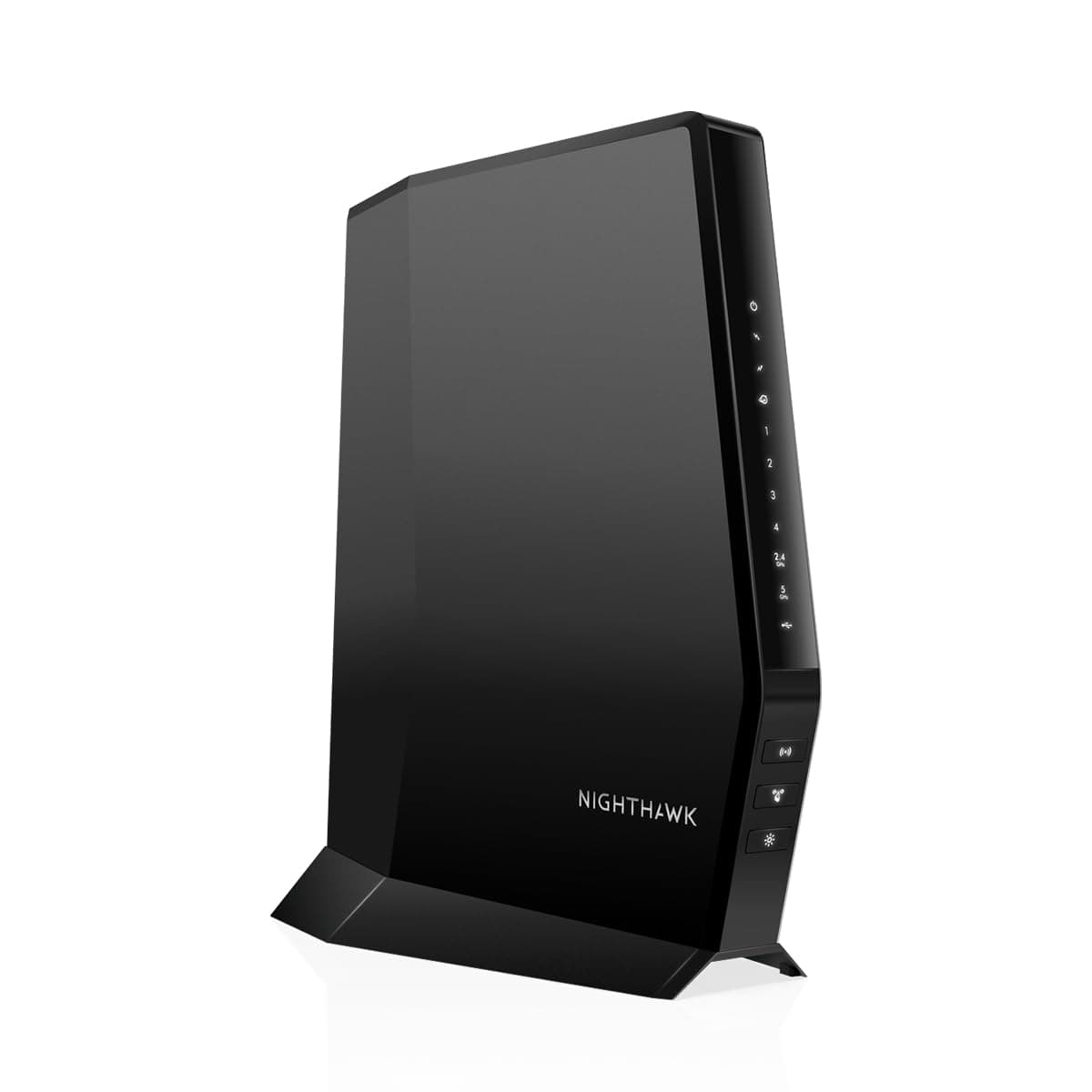
The NETGEAR Nighthawk CAX30S is a cutting-edge modem-router combo featuring DOCSIS 3.1 and WiFi 6 (AX2700) technology. It delivers multi-gigabit speeds up to 6.0 Gbps, covers up to 2,000 sq. ft., and supports 25+ devices simultaneously. Compatible with major cable providers like Xfinity and Spectrum, it replaces separate modem and router units, saving rental fees. Enhanced by NETGEAR Armor cybersecurity and managed via the Nighthawk app, it offers a seamless, secure, and high-performance internet experience tailored for modern connected homes and professionals.





| ASIN | B092VZBNCC |
| Antenna Location | Home |
| Antenna Type | Internal |
| Best Sellers Rank | #7,007 in Electronics ( See Top 100 in Electronics ) #5 in Modem Router Combos |
| Brand | NETGEAR |
| Built-In Media | Nighthawk AX6/6 Stream WiFi 6 Cable Modem Router, Ethernet cable, Quick start guide, Power adapt |
| Color | Black |
| Compatible Devices | Personal Computer |
| Connectivity Protocol | Wi-Fi |
| Connectivity Range | 2000 Square Feet |
| Connectivity Technology | Wi-Fi |
| Control Method | App |
| Controller Type | App Control |
| Coverage | 2000 square feet |
| Customer Reviews | 4.2 4.2 out of 5 stars (2,061) |
| Data Transfer Rate | 800 Megabits Per Second |
| Frequency | 120 |
| Frequency Band Class | Dual-Band |
| Has Internet Connectivity | Yes |
| Has Security Updates | Yes |
| Is Modem Compatible | Yes |
| Item Dimensions L x W x H | 8.3"L x 2"W x 10"H |
| Item Weight | 2.1 Pounds |
| LAN Port Bandwidth | 1000 Mbps |
| Manufacturer | Netgear |
| Maximum Upstream Data Transfer Rate | 800 Megabits Per Second |
| Mfr Part Number | CAX30S-100NAS |
| Model Name | CAX30S-100NAS |
| Model Number | CAX30S-100NAS |
| Number of Antennas | 4 |
| Number of Ports | 3 |
| Operating System | Netgear OS |
| Other Special Features of the Product | Internet Security |
| Router Firewall Security Level | High |
| Router Network Type | WiFi 6 |
| Security Protocol | WPA2-PSK |
| UPC | 606449156416 |
| Unit Count | 1.0 Count |
| Warranty Description | 1 year warranty |
| Wi-Fi Generation | Wi-Fi 6 |
| Wireless Compability | 802.11ax |
D**S
Excellent in All Three!
As an IT Pro, there are three main areas that I look for in a quality piece of network gear. Ease of installation, functionality, and stability. If these are 5 stars, then I will rarely, if ever, have to rely on the vendor support team. This Nighthawk CAX30 is excellent in all three categories. While this is a retail product, and I did install it at my house, I do work from home, so it’s every bit as important to me as any high end network core switch! Why? Because I have to have all the same reliability, throughput, and stability as when I am in the office building. I have gone through many DocSis modems over the last 25 years. Motorola and Arris have had the market share, but I always found them to be challenging to get activated, less than stable (needing to be reboot regularly), and usually would only last about 2-3 years before needing replaced. Enter the CAX30! I’ve used a lot of Netgear products in the past, but never their Cable Modems. Until now! I don’t know why I never tried them? I guess just thinking Motorola and Arris had the market share for a reason. Boy don’t I feel stupid!? This product was gravy to install, integrated seamlessly with my mesh wireless, and has been stable and serving up gigabit speeds ever since I fired it up and got it configured. And since my wife works on the same network, it was critical that I get that Motorola replaced quickly! The CAX30 did not disappoint. Take me at my word, this cable modem is everything advertised and then some. I’ll gladly post anything negative that occurs, but thus far, I’m getting line speed (1gb) on the Ethernet ports in my home office, I’m getting from .5 - 1gb on WiFi, depending on location throughout the house, and the security footprint on the entire network is the best I’ve seen on a retail device such as this. I actually think I may pay the annual fee for the Armor Plus protection. It’s already caught several DDOS and other attacks on my network that other routers have never been able to identify. I’m very happy with this product and recommend it fully!
K**A
Outstanding Modem Router Combo!
We had a Motorola modem router combo for the past 18 months. It replaced a Netgear unit that after 4 years became inoperable due to a serious home power surge. The Motorola was a recommendation from our internet provider. Had to add 3 wifi extenders to cover our 2300 square foot home. The unit often dropped wifi, could only use WPS after a reset and was very unreliable. Coould not even received a signal on our patio. Installed the Nighthawk 3 weeks ago and it has been operating flawlessly. Removed the 3 wifi extenders and even receive a strong signal outside our home. Installation was very easy using the Netgear app. There are numerous options with the unit that can be changed by the app to customize for individual requirements. I have continuous and strong wifi. We are getting a stronger signal than I have even had with the previously recommended unit. I wish I had my neighbors recommendation 18 months ago as it would have saved us time, money, and lots of agrivation. Thank you Netgear for a great product! I am a Netgear customer for life.
I**W
Disappointed, so far.
I have owned this product for two weeks and have spent several hours on hold and talking with tech support. Set up was easy but then the router decided to block several of my devices. The solution provided by tech support was to reset the router/modem and set it up as if it was new. This meant all connected devices (I have 16 smart plugs plus computers, cameras, bridges and smart TVs) would be lost and I would need to connect them again. That did solve the issue but the very next day it started all over again. Solution again provided by tech support was to reset the modem and set it up as if it was new again meaning I would need to connect all my devices. That worked for awhile until I moved the router to connect a hardwire. The router just shut off, lost all power, and when I wiggled the power cord at the back of the router it came back on. Once it was back up I had no internet, solution provided by tech support - reset the router/modem and set it up as new again. I don’t want to keep resetting the modem. Very frustrating. Nov 2023 - Continue to have the aforementioned issues. Tech support has been no help. There solution continues to be to reset the product/update firmware. This has to be done every time I lose or am disconnected from power. Resetting it each time a power outage occurs is too much of a hassle. I got a different brand of modem router and have not had any issues. I tried to return this one and they basically said "tough luck".
TrustPilot
2 周前
2 个月前