We remain fully operational. Our teams are working around the clock to ensure your deliveries continue safely.

下载应用程序


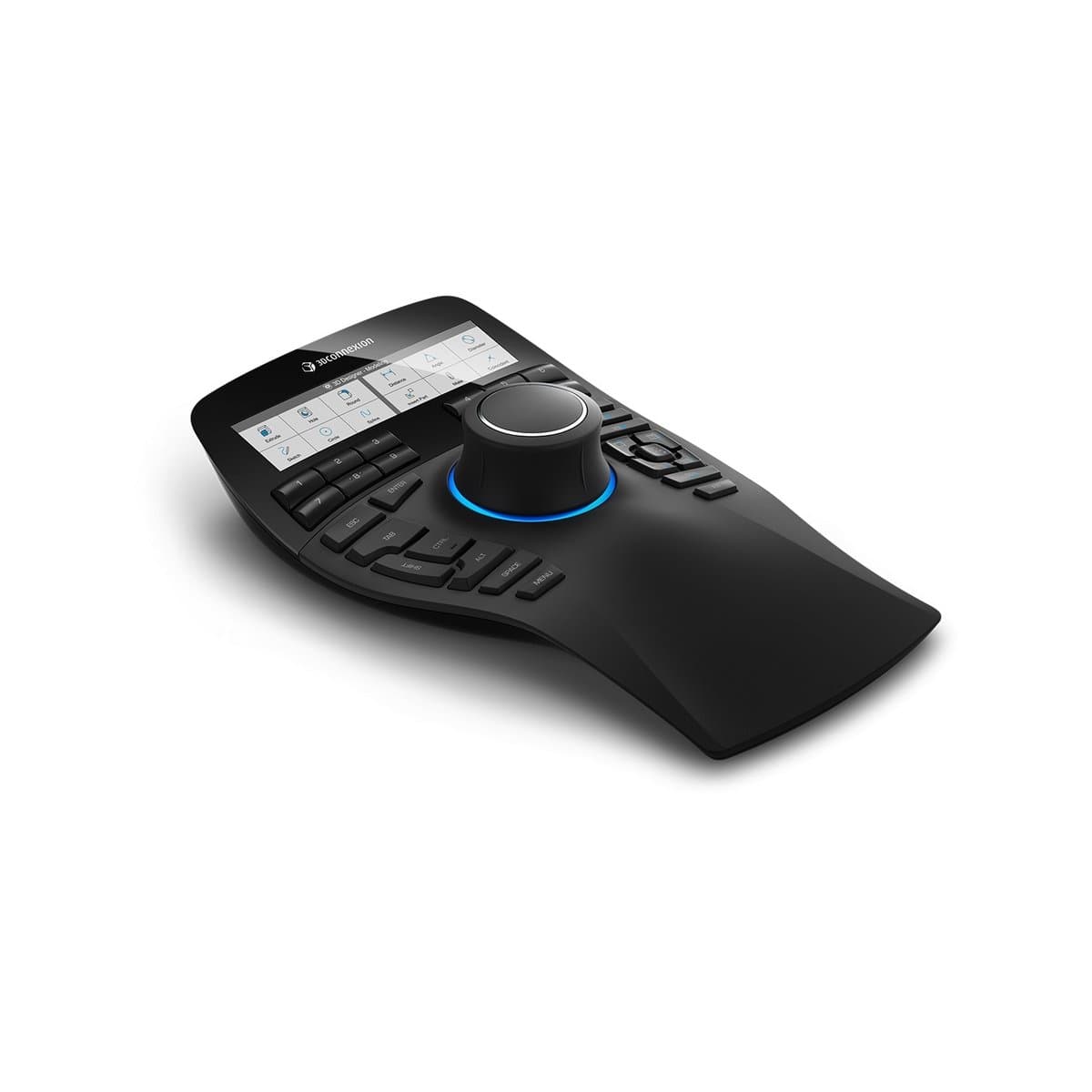

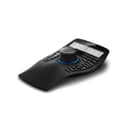
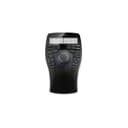
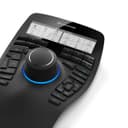
🕹️ Elevate your 3D workflow — because your models deserve the best spin.
The 3Dconnexion SpaceMouse Enterprise (3DX-700056) is a premium 3D navigation device featuring a six-degrees-of-freedom sensor for intuitive model manipulation, 31 programmable keys with 12 intelligent function keys that update dynamically, and a color LCD that displays real-time toolbar icons. Designed for professionals, it offers ergonomic precision, seamless software integration, and a robust 3-year warranty, making it the ultimate tool for accelerating complex 3D workflows.
| ASIN | B01F9TR3KG |
| Best Sellers Rank | #873 in Computer Mice |
| Brand | 3Dconnexion |
| Color | Black, Transparent |
| Customer Reviews | 4.6 4.6 out of 5 stars (159) |
| Date First Available | May 5, 2016 |
| Hardware Platform | PC |
| Is Discontinued By Manufacturer | No |
| Item Dimensions LxWxH | 11.9 x 8.6 x 3.7 inches |
| Item Weight | 2.8 pounds |
| Item model number | 3DX-700056 |
| Manufacturer | 3Dconnexion |
| Number of Processors | 1 |
| Number of USB 2.0 Ports | 1 |
| Operating System | Windows |
| Power Source | Corded Electric |
| Product Dimensions | 11.9 x 8.6 x 3.7 inches |
P**T
The Secret Weapon for 3D Workflows
3DConnexion continues to deliver truly premium, rock-solid hardware and software. This particular unit is no exception—while it may not be for everyone, it’s a powerful tool for those who work in 3D. The SpaceMouse dial feels ergonomic and precise, and once your brain adapts to the control scheme, navigation becomes second nature. The programmable buttons are thoughtfully placed and can dramatically speed up your workflow in modeling environments. After a short learning curve, it’s hard to imagine going back to a traditional setup.
J**D
New users on the fence
First off... To help anyone new to these, they are great for manipulating the model in space. Secondly, to help anyone using it for the first time, figure out how your mind works in that space. Are you they type to visually spin the model, or are you the camera navigating around? Once I figured out that I am the camera that glides around the manual it became way easier to setup and use. As for the build quality it is very well made and the joystick is smooth precise. It has great weight to it and stays planted on the desk. The programmable keys are nice and the software included makes it very easy to setup and use and it effortlessly transitions between different software's. I mainly use this for Solidworks and it is very nice to rotate about the model and select my fillets or various other features.
M**Y
I should've gotten it sooner!
Wow, I love this thing. I have had the wireless small version for years and it worked, but this is sooooo much better. Unlike the wireless one, you don't have to worry about constant disconnections (obviously), or it shifting around because it is larger and your hand will be anchoring it down so it won't be moving all over the place. I have a couple Stream Decks too and a Shuttle Prov2 (I'm big into productivity gadgets), screen tablet & pen, and this is a great addition. I love the 12 buttons with the screens, and the best is the front/right/top/etc. buttons and even better are the 3 View Saving and Recalling buttons. I use this in Blender (I had to make my own plugin for the 3 views to work though, but in all other 3D apps I use the View Saving works flawlessly), 3DCoat, Rhino, Substance Painter, Unreal and I even use it in non 3D apps like vscode for shortcuts and stuff, and even music apps like Reaper, Dorico ...basically everything. The View Saving 3 buttons are the best in 3D though, time saver! 6/5 stars!
A**E
Cat expert dream
Revolutionized my way of CAD designing
K**U
Replacement Space Mouse
Bought as a replacement for an existing space mouse, worked exactly as it should. Very happy with the purchase and it returned full functionality of the space mouse.
D**N
lOVE IT
LOVE IT!
J**E
Makes CAD development a lot easier.
Always wanted one of the puck type pointing devices with many buttons that allowed dedicated CAD station operators to keep the pointer hand off the keyboard and avoid switching back and forth. Now I'm retired but still spend a significant amount of time designing for 3D printing, and I can finally afford one. Merry Christmas to me. No big problem getting it up and running. Plug and play, but I did have to use the default driver, not the specific one called out in the instructions. I'd appreciate yet another row of programmable buttons but having the assignments change not only with the app but the context of the app provides a lot of functionality. Most of the commands needed on a regular basis can be covered by one of the customized buttons. Handy one button selection menu provides access to customization and training any time. Not portable by any means, and tethered by a USB connection, but that is understandable with all the illumination involved on the device. Having a screen to show the current purpose of the dozen primary programmable buttons is great, since they change as noted above. Almost all of the other buttons that default to keyboard special keys can be reprogrammed also if desired, but there is noting to prompt the user of the change. The traditional mouse is still available in all its functionality, so unless the user is entering text, the user can leave the keyboard alone. Note that I have only used this with AutoCAD and MS Office apps. Reminds me of my righthander keyboard from the 70's that was just a plastic hemisphere with enough buttons to allow selecting characters in binary from the ASCII table. No mouse available in those days, but no GUI either.
P**K
I like it, it works...
Been using 3dconnexion products since the early '90s. I bought this to replace my aging my space navigator. The base is a major improvement ergonomically, my old space navigator had a tendency to move around on my desktop and the enterprise remains firmly planted. The hot keys are actually useful, configuring them to behave how you want them to is easy enough and the device easily detects what software you're running. Overall it's a pretty solid device and really handy although overpriced. But... there's not a huge demand for this device so I get it. If you're a 3D CAD modeler like me... this is a must have device. Don't let the price scare you away, it will pay for itself.
R**A
I received a faulty product. When zooming in or out, after a while it gets caught in the motion. So if you're zooming out it'll keep zooming out indefinitely and there is nothing you can do to stop it except pull out the USB cable. Not sure if this is a common fault as mine was an amazon warehouse purchase and things from there are sometimes not 100% reliable. Was a cool paper weight for a few days and that was about it.
U**E
J'aurais dû l'acheter avant. Depuis que je l'utilise, j'ai grandement évoluer dans mon travail. Je dessine plus vite et mieux. J'estime un gain de 300% de productivité.
A**R
SpaceNavigatorをキーボードの左に置いて使用していますが、キーボードのSHIFT、CTRL、ALTキーを押すために左手が頻繁に行ったり来たりしてました。できればあまり左手は動かしたくないと思い本品を使ってみました。 キーボードの左側にあるキーがまとめて3Dマウスのすぐ左に位置しているので、握ったまま小指や薬指がすぐ届いて使いやすいです。ボタンの硬さはもう少し軽い方が私は好みでした。3DマウスはSpaceNavigatorと同様、どっしりと安定していて、動き出すこともなく快適です。 カスタマイズ可能な12個のファンクションキーは内容が常に液晶に表示されており、何を登録したかを忘れることがありません。SolidWorksやInventorなどではアプリケーション内のアイコンまで表示されるのでさらに分かりやすくなると思います。私はRhinocerosを使っていますが、アイコンの表示までは対応していないようでした。(追記:最新のバージョン6では対応しています) バックライトの明るさ調整はドライバである3DxWare側からできるので、部屋の明るさに応じて変えた方が見やすいです。 3Dマウス自体の良さはもう体に染みついていてもう抜け出せませんが、それに加えて本品の美しい曲線のデザインは、末永く使いたいという気にさせてくれます。
K**S
MacBook Pro (15-inch, 2018) macOS Catalina 10.15.3 SketchUp2019にて使用。 ドライバのインストールにもたつきましたが動作はします。使用感は人それぞれかと思いますが、私のような3Dマウス初心者には慣れが必要なのは言わずもがな、使いこなせたら仕事はかなり楽になると思います。高価な商品ではありますが購入を決断してよかったです。
R**.
For years I have been considering buying one Space Mouse to use with 3D Softwares for modeling. The reason I was on a fence was because ZBrush was not compatible with it. This changed recently and, since ZBrush 2021.5.1, it is finally compatible so I ordered mine and I've been using it for a few months now. It is very intuitive and it feels great for sculpting either on ZBrush or Blender. If you can't make up your mind or spend as much with the enterprise model, I recommend any Space Mouse model. What really matters is the knob. I got the enterprise model because I liked the idea of using the buttons 1-12 for my brushes and most used commands and it is totally customizable for any workflow. Just open any program, ZBrush, SketchUp, Blender, Clip Studio, Notepad, whatever, and the 3DConnection software will detect it and the configuration settings defined will be set for the opened application profile. The software comes with a training mode and a mini-game to help to get used to it faster. It took me few hours as I'm used to playing games with different joysticks so the knob feels like some kind of very sensitive D-pad. I found just two things I was expecting to do with it that it doesn’t do. The first thing is that I use a Stylus pen for sculpting. The space mouse knob can rotate the object indefinitely if you want, so I had the idea of rotating the object using the space mouse and at the same time, while it is rotating, holding the pen on top to create a spiral, like what you would do in manual hand and clay sculpting. If you are rotting the object and clicking the pen on top of the model at the same time, the rotation stops immediately because if you are sculpting/pressing the stylus pen, it will not let you rotate at the same time. I'm getting used to it and speeding my workflow little by little. The second thing is, you cannot (at least not easily), customize the knob freely. For instance, you cannot do something like rotating the knob to increase/decrease the brush size by pressing "[" or "]" on Clip Studio or Photoshop, for instance. It is basically defined to be used as View Navigation, like zoom in and out, rotate, move up and down. It would be great to have these features available at some point as well, but no big deal. It is even possible to customize the LCD image buttons for macros (not easily though) by editing the configuration XML (manually) and using base64 images but not in an intuitive way as the current software/driver's user interface does not allow that out of the box. I don't know if Amazon would allow me to write it here how to do it due to the XML tags. But if you dig around a bit you will very likely figure it out as I did. Check it out the picture I took from the button icons I created for my ZBrush macros (and yes, I like keeping the original protection plastic as long as I can to protect the stuff I care about). It is an expensive investment. Totally necessary? NO. But man, It feels great! I'm extremely happy and satisfied with it and I totally recommend it to use it for 3D art. It makes things much more intuitive, especially on ZBrush. I wish there was a wireless enterprise version though. I totally recommend it and I would gladly buy another. I will never live without one (any) Space Mouse ever again.