We remain fully operational. Our teams are working around the clock to ensure your deliveries continue safely.

下载应用程序


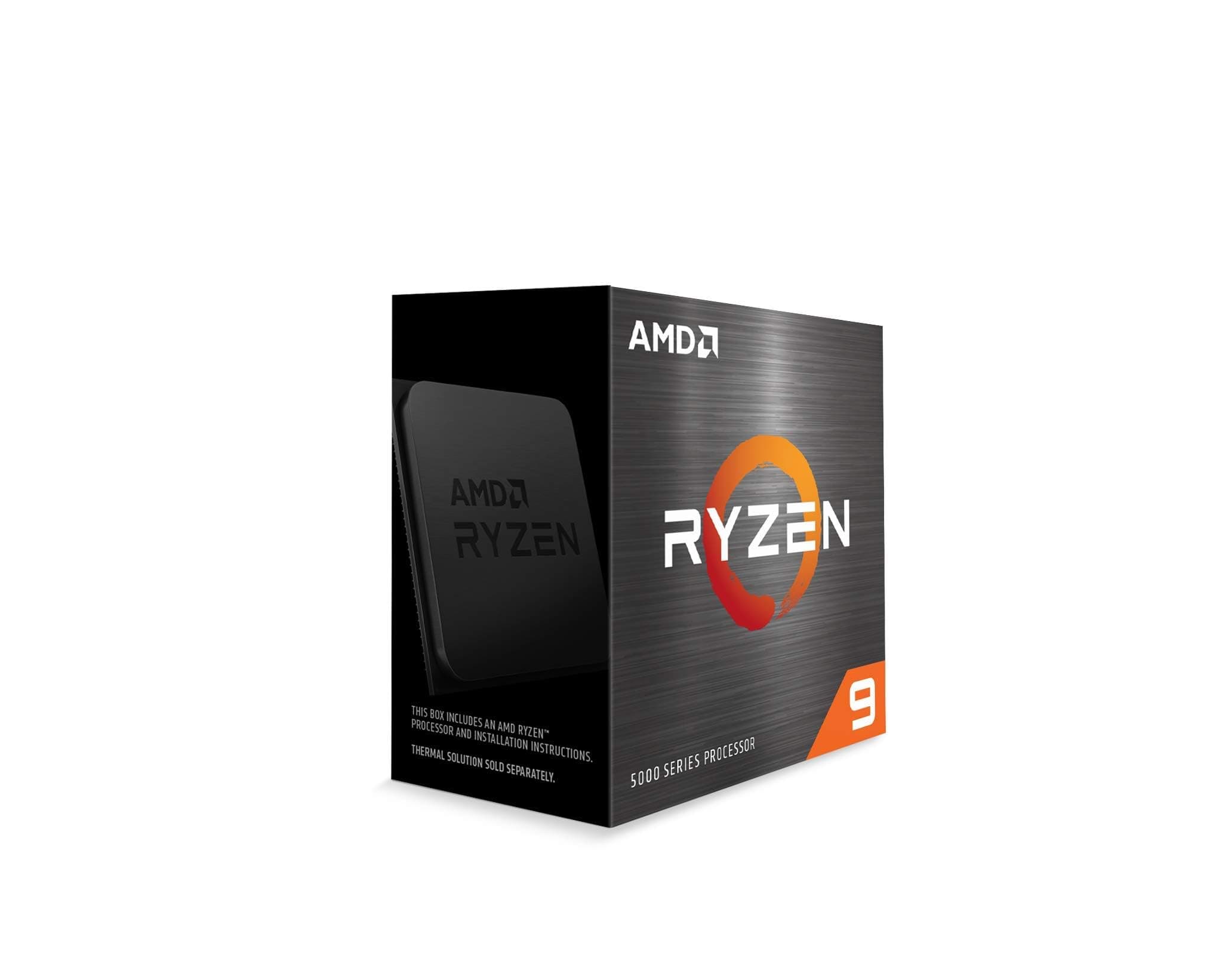

🔥 Ryzen 9 5900X: Power your ambition, dominate your game.
The AMD Ryzen 9 5900X is a 12-core, 24-thread unlocked desktop processor boasting a 4.8 GHz max boost clock and 70 MB cache. Designed for the advanced AM4 platform, it supports PCIe 4.0 and DDR4-3200 memory, delivering elite gaming and multitasking performance. Ideal for professionals and gamers seeking a high-performance upgrade that extends system life without breaking the bank.


| ASIN | B08164VTWH |
| Best Sellers Rank | #55 in Computer CPU Processors |
| Brand | AMD |
| Cache Memory Installed Size | 70 |
| Customer Reviews | 4.7 4.7 out of 5 stars (13,324) |
| Global Trade Identification Number | 00730143312738 |
| Item Dimensions L x W | 1.57"L x 1.57"W |
| Item Type Name | Desktop Processor |
| Item Weight | 2.8 Ounces |
| Manufacturer | AMD |
| Model Number | AMD Ryzen 9 5900X |
| Platform | Linux, Windows |
| Processor Brand | AMD |
| Processor Core Count | 12 |
| Processor Count | 12 |
| Processor Number of Concurrent Threads | 24 |
| Processor Series | Ryzen 9 |
| Processor Socket | Socket AM4 |
| Processor Speed | 4.8 GHz |
| Secondary Cache | 4 MB |
| UPC | 730143312738 |
| Unit Count | 1 Count |
| Warranty Description | 3 year manufacturer |
| Wattage | 105 watts |
C**Y
Upgrade
The Ryzen 9 5900X is hands down one of the best processors I’ve ever used, and I’ve built more PCs than I can count. From the moment I powered it on, the performance jump was obvious — lightning-fast boot times, seamless multitasking, and instant responsiveness no matter what I threw at it. This chip handles gaming, streaming, video editing, and multitasking all at once without even breaking a sweat. I paired it with a good cooler, and the temperatures stay surprisingly stable even under heavy load. The boost clocks hit consistently high speeds, and every game I’ve tested runs buttery smooth with zero lag or stutter. Where this CPU really shines, though, is in content creation and streaming. I use it as part of my streaming setup, and it absolutely chews through encoding tasks while maintaining flawless game performance. It’s the ideal processor for anyone who needs both power and efficiency — especially if you’re running OBS, multiple monitors, and browser tabs all at once. If you want to see what this processor is capable of in a real-world streaming setup, check out SassieJoXO on TikTok and Twitch — her streams run on a Ryzen 9 5900X system, and the smoothness and clarity are next-level. It’s a perfect example of what this CPU can do when properly configured. AMD really nailed it with this one. Between the 12 cores, 24 threads, and insane speed, the Ryzen 9 5900X is the sweet spot for serious gamers, streamers, and creators who want top-tier performance without going overboard on price. I couldn’t recommend it more — this CPU is a powerhouse and worth every penny.
S**G
Wow!
This is an absolute beast of a CPU. I bought this to upgrade my B450 system from a Ryzen 5 2600. First thing I did was check my boards compatibility with this chip, luckily, the BIOS was quite a lot newer than when support was added, so I didn't need to do any updates. If you do though, make sure you do it before you install this CPU. I, really, didn't think I'd feel that big of a performance improvement. Boy was I wrong... I put the CPU into "eco mode" through the BIOS (it was under AMD Overclocking on my ASUS Prime B450 board), as I'm only using a Noctua NH-U12S as a cooler. I plan to eventually get a more capable cooler, but this is working just fine, CPU is peaking out at 65C in eco mode with the single tower Noctua, pretty impressive if you ask me. My Ryzen 5 2600 ran around the same temps under load, and idled in the 40s, this idles a bit higher, but it doesn't really get much warmer than idle from what I can tell, at least with my system configuration. While I was removing my previous CPU it was actually "stuck" to the cooler. It actually popped right out of the socket... at first I was a bit worried that I may have accidentally broken something but... i apparently got very lucky. No pins were damaged on the old CPU, and it booted up fine in another system I tested it in. New CPU installation was very easy, just line up the triangle to the corner on the socket with a triangle, after opening the clamp bar of course. The clamp bar easily went back into place, and held the new CPU just fine. *Whew* At first I thought I may have damaged the motherboard, but... I took this as a chance to do a good cleaning of the inside of my case, and when I put the system back together... I forgot to plug in the GPU power cable *doh*. After plugging that back in, the system rebooted about 1000 times (got to love ASUS boards!), and then asked me if I wanted to overwrite the fTPM settings. I did, I run Linux and I don't use the fTPM. If you're running Windows 11, you may want to go through whatever procedure you need to go through to save this. You'll need it. You need to do this while your old CPU is installed though, or you'll have to go through the whole process of putting it back in if you don't! Luckily, I didn't need to, but be aware of this. After wiping the fTPM settings and a few thousand more reboots (exaggerating a bit, it was probably 10 total, ASUS boards really like to do that), I was presented with a screen that said a new CPU was detected, and that all BIOS settings were cleared. Cool! So far so good! I spent some time going through and reenabling my RAM speed profile (got to make full use of the 128GB of 3200MHz RAM I installed yesterday!), turning virtualization back on, and enabling eco mode (I didn't want to get a new cooler right now if I could get away with it). Enabling eco mode did bring the CPU temp down about 10 degrees in the BIOS, and from reading around the internet, doesn't really seem to impact performance *that* much. Easier than fiddling with undervolting settings I'd say... After finally getting booted back up into my OS... I was actually kind of impressed already. Just from the increase in boot speed alone I already knew this was going to be good. It wasn't *slow* on my 2600 at all, it's still a very capable chip, but wow, this blows it out of the water. I've been working on a rust project lately, it compiles in about... 45-55 seconds on my 2600... I did the same project compile on the 5900X? 6 seconds. Even in eco mode. Wow oh mighty. The power of 6 more cores and a dozen more threads. I also run a Windows VM for several income producing applications (y'know, we all got to work, otherwise we can't buy these fancy new pieces of sand we send lightning through), and wow. Oh boy wow. Like I said, the 2600 wasn't *slow* by any stretch of the imagination, but the responsiveness and speed now is just absolutely incredible. The VM boots so much faster, every application is up and running almost instantly... and that's with only 6 cores dedicated to it... If you've got an older AM4 system. Buy this. Buy this before they stop making them. Buy this, and upgrade your BIOS if you need to. Just get it. Seriously. This is a monumental leap in performance that will *absolutely* extend the life of your AM4 system by several years. This is *far* cheaper than building a new AM5/DDR5 system, and you will be absolutely blown away by the performance increase. For $350 as of the time of this writing... it's worth every penny. Best performance upgrade I've ever made, for sure.
J**F
The sweet spot right now for a general-purpose CPU
The AM4 platform is getting a little long in the tooth these days, to say the least, but AMD has continued supporting it long after we probably had any right to expect them to. One reason for that is that modern motherboards have gotten crazy in terms of price - it used to be that a "good" motherboard would run you maybe $100, but now to get anything decent you really need to spend *at least* three times that, and then you'll need a new CPU and RAM on top of that. So AM4 has remained popular even with AM5 having been on the market for several years now, and AMD has continued producing processors for it. Many of us are just resistant to spending a large amount of money on a new motherboard when there's no real reason we should have to, and honestly no real reason they should cost that much to begin with. I've been rocking the same motherboard for about 7 years now (an MSI B350 PC Mate), and luckily it's been updated over the years to accept both modern CPU's like this one (yes, that means Ryzen 9's too, which the B350 chipset did not originally support) as well as faster RAM, so I have no need to upgrade to the AM5 or equivalent Intel platform just yet. A used PC Mate or Tomahawk (the gaming version of this same board) would not be a bad investment if you're on a budget and new to AM4! One caveat is that updates on older AM4 boards to support newer CPU's have to be done on older CPU's that they already support - a CPU like this one just won't work at all on a non-updated or older AM4 board. Ask me how I know. (I had to reinstall my old CPU to update my motherboard, then install the Ryzen 9 a second time.) So if you're upgrading from an older CPU, make sure you check for your motherboard's CPU compatibility and update as necessary *before* installing this processor. If you're on a budget and buying from scratch into this platform - and that's still not a bad idea, since price/performance ratios on AM4 are very good these days - make sure you get a motherboard that's either already been updated to support this processor, or did from the start, because you won't be able to update your board without a CPU it supports already in it. The Ryzen 9 5900X is among the fastest CPU's you can get for the AM4 platform. The 5950X is slightly faster but you get diminishing returns for the price. The Ryzen 7 5800X3D is better for gaming, if that's all you want to do, but it's significantly slower for things like content creation or anything requiring basic floating point or integer calculations. I chose the Ryzen 9 5900X as most likely the last AM4 CPU I'll ever buy because it was at that sweet spot in price where I could justify an upgrade over my old Ryzen 7 3700X, and I do a lot of different things with my PC - not *just* gaming. You can see that in the Passmark results I've posted, the CPU is in the 93rd percentile. That's not bad for a $300 processor on an 8 year old platform. These processors do take to overclocking pretty well too, although I've had limited results with that on my old motherboard. I do think the B350 chipset is a bit of a limiting factor there - remember, this chipset originally didn't support the Ryzen 9 family at all. Multi-threaded performance on my machine is a little bit below average relative to others with this same CPU even after using AMD's Ryzen Master utility to try to wean as much as I can out of this chip. So your mileage may vary and on an X370-based motherboard, or just something newer than mine, you could probably do even better. You're going to need a cooler to go with this CPU, since even the high-end AMD processors no longer come with one. You *can* use an older AM4 cooler, and I tried using the Wraith Prism that came with my Ryzen 7 3700X on the 5900X for a little while, but it was painful to listen to. These CPU's do just use a lot more power and generate a lot more heat... and that heat ramps up super-quickly. You really need something with a dual heat pipe setup or better, or use water cooling (I use air). I looked around and found that the Thermalright Peerless Assassin was consistently ranked in the top tier of AM4 coolers in tests, despite only costing around $30, so that's what I went with. The others that perform similarly all cost a lot more. On that note, just check that you've got a power supply that will support this processor. Either add up all the power requirements for all the components you have, or just take a Kill-a-Watt device and see how much power you're using at boot (boot is when you're usually using the most electricity). Then add about 70 watts more for this CPU vs. what you're probably using now. Obviously it's not going to be hitting those peaks all the time, but you don't want to get into a high power draw situation and have your PC immediately crash. So just make sure your PC can handle it. I have a 600 watt PSU that's about as old as my motherboard and it is working fine, but remember that what really matters isn't the total wattage your PSU is capable of but how much it can put out on the specific rails that are asking for it. If you've got a 600 watt PSU with something like an RTX 3080, then I can almost guarantee you're going to have a problem if you install this CPU and don't upgrade the PSU. I'm running a 4060Ti, which uses a lot less power than Nvidia's 3000-series cards, or most of AMD's cards. So just be aware of the power requirements, and think about whether your PSU can handle this CPU given the other components in your PC. This platform is probably about at the end of its life but you can definitely wring a few more good years out of it with the 5900X. Maybe by then AM5 will be a little more affordable.
ا**ى
اعتذر عن طلب الاسترجاع . تبين لى ان المنتج ممتاز و يعمل بكفاءة ارجو الغاء طلب الاسترجاع
L**A
Excelente procesador. Es una CPU que tiende a ser caliente; sin embargo, con una refrigeración líquida de 240mm mantengo temperaturas estables entre 50°C y 65°C. Siguiendo tutoriales, le apliqué Undervolting (u optimización de curva) y ahora las temperaturas son mucho más bajas. Esto es clave, ya que aunque el procesador aguanta más, mantenerlo fresco evita que pierda rendimiento por calor (thermal throttling). A pesar de ser una plataforma de generación anterior (AM4), ofrece un rendimiento por vatio increíble. Incluso tras horas de tareas exigentes, tanto la potencia como las temperaturas se mantienen constantes. Calificación: 10/10.
J**V
I was waiting for the price of 16 core Ryzen to drop ( drastically ) , but then this ryzen 9 , 12 core was offered at an attractive price. (Very ) Easy install into [ASUS-TUFGaming-B450-Plus-II] mobo, with a stock wraith cooler, with two M2 drives , and 64 GB or RAM ( which is the max supported by this board) . The mobo required a bios update to support this, then everything just worked. First thing, I do not use this for gaming ( and my graphics card is several years old anyway ) , primarily for development business software purposes. Installed windows 11 x64 without any issues. The CPU runs at idle for the background tasks, with average CPU core temperature between 50 - 55 degrees centigrade. Installed sql server 2022 from the M2 drive. This took less than 5 minutes, which is incredible, as this process typically takes over 30 minutes . Installing other business development tools was completed in record time, although this is aided hugely by the M2 drives ( 3.5GB / s allegedly ) . If you want to really take advantage of the capabilities of this CPU, you need M2 drives , not spinny disks, otherwise the CPU will spend much of its life in a wait state for data. Installed Asus Armoury crate which provides comprehensive feedback on the hardware. The CPU runs between 3.5 - 4.5 Ghz ( does not really matter that much with this many cores) . For the price, cannot fault the processor The one thing that is a minor issue is windows 11, which does not always play nicely with drivers. By default need to install all the supplied drivers from asus ( including bios updates ) , then should be okay. So far, this is the smoothest processor that I have installed, and I have used AMD for several years now Would recommend ( if you can purchase from a reputable vendor , rather than stock pilers )
G**S
Ayant déjà au préalable une plateforme AM4 avec un Ryzen 7 3800X, il était logique de passer au niveau supérieur avec ce Ryzen 9 5900X. Le résultat est indéniablement au rendez-vous. Le multitâches n'est vraiment pas un problème pour ce processeur à 12 coeurs
S**.
Arrived, in good shape, no problems Remember to keep Microsoft credentials at hand when swapping ;)