We remain fully operational. Our teams are working around the clock to ensure your deliveries continue safely.

下载应用程序



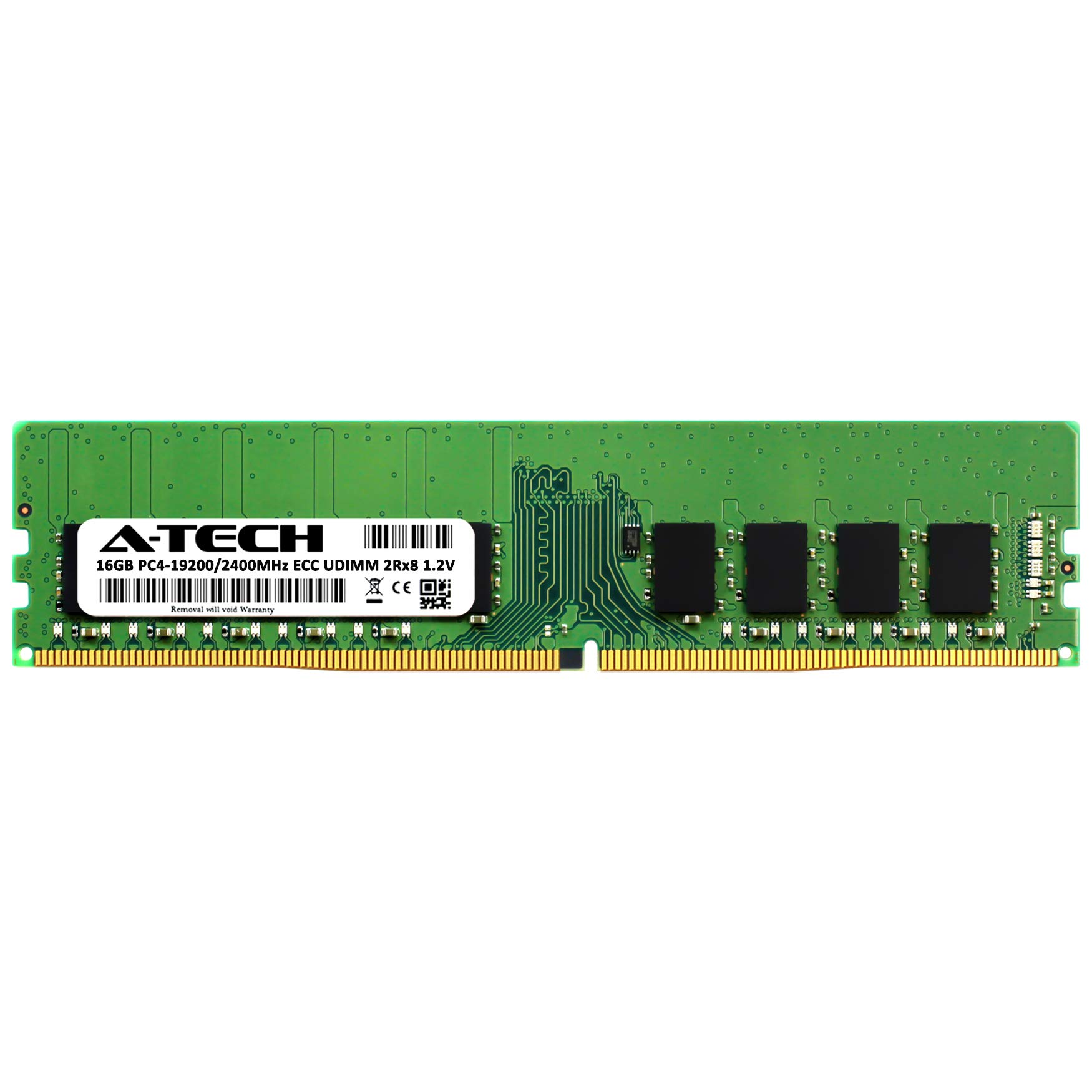

🚀 Elevate your NAS game with A-Tech’s powerhouse RAM upgrade!
The A-Tech 16GB DDR4 2400 MHz ECC UDIMM RAM module is a high-performance, reliable memory upgrade tailored for Synology NAS and SAN servers. Featuring error-correcting code (ECC) technology and unbuffered dual-rank design, it ensures data integrity and smooth multitasking. Compatible with a wide range of Synology models, it offers plug-and-play installation backed by a limited lifetime warranty and expert support, delivering a cost-effective alternative to OEM memory with proven user satisfaction.


| ASIN | B07RGM9T4L |
| Best Sellers Rank | #289 in Computer Memory |
| Brand | A-Tech |
| Computer Memory Type | DDR4 SDRAM |
| Customer Reviews | 4.6 4.6 out of 5 stars (348) |
| Date First Available | May 6, 2019 |
| Item Dimensions LxWxH | 5.25 x 1.23 x 0.15 inches |
| Item Weight | 0.01 ounces |
| Item model number | D4EC-2400-16G-ATCRS |
| Manufacturer | A-Tech |
| Memory Speed | 2400 MHz |
| Product Dimensions | 5.25 x 1.23 x 0.15 inches |
| RAM | 16 GB DDR4 |
| Voltage | 1.2 Volts |
S**3
Worked perfectly in a DS923+
Size: DDR4 2666MHz 32GB Kit (2 x 16GB)Style: SODIMM ECC Unbuffered Huge difference and fully compatible with DS923+ Going to echo some others, as they stated it well and saves me time (thank you other reviewers) The performance improvement this ram brought to my NAS is also remarkable. With a total of 32GB installed, my DS923+ shows a significant boost in multitasking capabilities and faster data processing. Pull ALL your drives and keep them in order!! They have to be re-installed in the same order after RAM install. Seating them is really tricky to do without pulling out multiple drives and putting the machine on its side. Bought two A-Tech 16GB ECC ram sticks for my DS923+ NAS system. Have to say that I am pleasantly surprised by their performance. These ram sticks exceeded my expectations. I installed them in my DS923+ without any compatibility issues, making it a user-friendly and seamless experience. The absence of warning errors about unofficial ram further confirms their excellent compatibility with the DS923+ system. Also, these are a steal for more than half the price of Synology-branded ram. BUY ECC if you want to protect your data bits on the way into your array and avoid "bit errors" Tips/Recommendation - I also recommend turning off "Memory Compression" (On DSM 7.2, it would be under hardware & power) if you have more than 8GB of ram, as it can further optimize the performance of DSM, allowing your DS923+ to fully utilize the increased memory capacity. I pulled the DS923+ OEM 4GB and used it elsewhere, then installed the 2X16GB ECC units. TL; DR, I highly recommend these 16GB sticks for the DS923+ NAS system, as they deliver a reliable and efficient upgrade with plug-and-play functionality, a lifetime warranty, seamless compatibility, and a huge noticeable performance boost (Disable Memory Compression)
C**S
Huge difference and fully compatible with DS923+
Bought two A-Tech 16GB ram sticks for my DS923+ NAS system. Have to say that I am pleasantly surprised by their performance. These ram sticks exceeded my expectations. I installed them in my DS923+ without any compatibility issues, making it a user-friendly and seamless experience. The absence of warning errors about unofficial ram further confirms their excellent compatibility with the DS923+ system. Also, these are a steal for more than half the price of Synology-branded ram. The performance improvement this ram brought to my NAS is remarkable. With a total of 32GB installed, my DS923+ shows a significant boost in multitasking capabilities and faster data processing. While I can't personally vouch for their longevity (will update the review if they fail), numerous user reviews report using these ram sticks for over three years without problems, highlighting their durability and reliability for long-term use. These rams come with a lifetime warranty, offering peace of mind in case of any issues. Hope they are in business long enough in case they do fail. Tips/Recommendation - I recommend turning off "Memory Compression" (On DSM 7.2, it would be under hardware & power) if you have more than 8GB of ram, as it can further optimize the performance of DSM, allowing your DS923+ to fully utilize the increased memory capacity. TL; DR, I highly recommend these 16GB sticks for the DS923+ NAS system, as they deliver a reliable and efficient upgrade with plug-and-play functionality, a lifetime warranty, seamless compatibility, and a huge noticeable performance boost (Disable Memory Compression)
T**Y
Worked perfectly in a DS1522+
These sticks worked perfectly once I finally got them seated properly. I thought I had a dead stick at first, but I realized that even though they appeared to be seated properly, they were not. Make sure the little tab in the middle is in contact with the notch in the stick. If they are not touching, they are not seated properly. If you think everything is good, but the power light continuously flashes blue (for more than 20 minutes per the 1522 manual), they are not seated. Seating them is really tricky to do without pulling out multiple drives and putting the machine on its side, but that is a Synology issue, not an A-Tech issue. I am really happy with the performance, and especially the price. Like others said, they just work. The machine instantly recognized them with no configuration, errors, or warnings.
T**T
Synology DS522+ Memory Upgrade
I purchased to increase memory on my Synology DS522+ and it works perfectly. Reasonable price for this amount of memory with a good warranty.
J**L
A-Tech 32GB (2x16GB) RAM Replacement for Synology DS1621+
Synology Ds1621+ NAS special memory. It was installed on first insertion without problems. It works wonderfully and is not rejected by the system. Much cheaper than the one recommended in Spain. Happy with the purchase.
T**I
Breathing room for my DS220+
Replaced my old antique NAS with a new DS220+ and realized I would likely be right up to the edge with the built-in 2gig of RAM with all of the apps I was planning to install. The Manufacturer 's "certified" RAM is priced at 3to4x a brand name SODIMM of same specs, so I was already planning to bypass their's for a more reasonably priced name brand. I found this and its claim as a replacement for a very small premium and figured why not? It arrived a day or two after ordering and I popped it into the slot on the NAS and powered back up. It was recognized immediately and has given me no reason to complain over the last 10 days or so since installation. As far as I can tell, this is the real deal, my NAS has the app space/cache needed with room to spare and I saved about $50-$60 in the process. What's not to like?
D**A
Great memory for my Synolgy DS-718+ NAS
This was the only memory I could find for my Synology DS718+. It works 100% Alhough the NAS as spec'd at 6GB, the 8GB is fully available.
M**H
Works perfect in DS224+
Works perfect in DS224+
A**O
Instalación fácil y sin error. Funcionando al 100
R**T
I have purchased memory for Synology DS923+ and it works fine as system does recognise 32GB.
G**Z
Totalmente compatible con el synology DS720+ sin problema, esperemos el rendimiento con el tiempo que pase la prueba de uso
P**D
Using in my DS923+ with no issues. I recommend this over the pricey Synology memory.
A**E
It works with my Synology DS 1522+. Definitely cost saving vs getting from Synology brand. Worth every penny!
TrustPilot
4天前
1 个月前