
下载应用程序



💡 Light smarter, live brighter—your home’s new glow-up starts here!
The Sengled Smart Light Bulb Starter Kit includes two 2700K soft white A19 bulbs with 800 lumens brightness and a smart hub supporting both 2.4G and 5G WiFi. Compatible with Google Home for voice control, these dimmable LED bulbs offer customizable wake-up and sleep modes, remote app control, and energy-efficient lighting designed for modern smart homes.
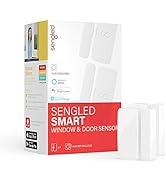
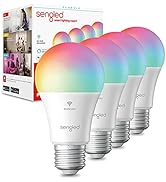
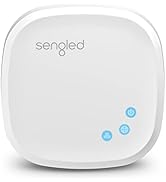
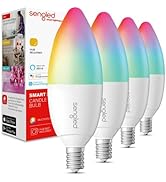


| ASIN | B07T4432YH |
| Accepted Voltage Frequency | 100 to 120 Volts and 60 Hertz |
| Additional Features | Dimmable |
| Best Sellers Rank | #13,452 in Industrial & Scientific ( See Top 100 in Industrial & Scientific ) #1,175 in LED Bulbs |
| Brand Name | Sengled |
| Brightness | 800 Lumen |
| Bulb Base | E26 |
| Bulb Shape Size | A19 |
| Color Rendering Index | 90 |
| Color Temperature | 2700 Kelvin |
| Connectivity Protocol | Wi-Fi, Zigbee, ethernet |
| Connectivity Technology | Infrared, Wi-Fi |
| Control Method | Voice |
| Controller Type | Amazon Alexa, Google Assistant |
| Customer Reviews | 4.1 out of 5 stars 10,096 Reviews |
| Efficiency | inefficient |
| Global Trade Identification Number | 00840696101809 |
| Incandescent Equivalent Wattage | 60 Watts |
| Included Components | Ethernet Cable, Power Adapter, Smart Hub, Smart LED Light Bulbs |
| Indoor Outdoor Usage | Indoor |
| Item Dimensions W x H | 3"W x 4.5"H |
| Item Height | 4.5 inches |
| Item Type Name | Zigbee Smart Bulb B4 |
| Item Weight | 0.39 Kilograms |
| Light Color | Soft White |
| Light Source Operating Life | 25000 Hours |
| Light Source Type | LED |
| Light Source Wattage | 9 Watts |
| Light Type | LED |
| Manufacturer | Sengled |
| Manufacturer Warranty Description | 3 year manufacturer. |
| Material Type | Plastic |
| Model Name | Smart Light Bulb Starter Kit, Smart Bulbs that Work with Google Home, 2700K |
| Model Number | E29-NA03A |
| Number of Items | 1 |
| Package Quantity | 1 |
| Power Consumption | 60 Watts |
| Power Source | Corded Electric |
| Shape | Globe(G) |
| Specific Uses For Product | Home, Lighting, Personal |
| UPC | 840696101809 |
| Unit Count | 1.0 Count |
| Voltage | 120 Volts (AC) |
| Wattage | 9 watts |
| White Brightness | 800 Lumens |
H**E
Great bulbs, wouldn't hesitate to buy again!
I purchase those mainly because they were one of the only affordable bulbs that would integrate with Samsung Smartthings hub. They are very reliable and I have been using them for about a year and a half. So far not a single one has failed. They are only a 60w replacement so not very bright if that is what you are looking for. But as a general use bulb works great. I have also integrated them with Google home and can control them with voice commands as well. Only time I ran into an issue where the light would not turn on was because someone shut off the light switch powering that bulb, but that is not a reflection on the bulb by any means, just got to make sure this bulb always has power. Also if you come into the room where the light is off and the switch is turned on, instead of pulling out the phone to use the app or yelling "hey google/Alexa turn on the light" you can flip the switch off and then on again. Just a quick flip will turn the light on for you. It will also retain the dim settings, so if you had the light at full brightness before the light was turned off, next time it comes on it will be at full brightness as well. Great bulbs, wouldn't hesitate to buy again!
P**Y
Smart bulbs become regular dumb bulbs when the company stops supporting them.
I’ve been using these bulbs throughout my house for a number of years. They were relatively easy to set up and worked well. However for the last two days none of them are responding and I’m unable to log into the app receiving a very unhelpful message (This operation failed, try again later). After a lot of wasted time trying to connect to the app to reconfigure and searching the internet I finally used ChatGPT which directed me to a Reddit forum where hundreds of people claim this is happening to them. I suspect this company has either gone out of business or is suffering server issues. To leave customers in the dark in either scenario is very bad practice. I will change all my bulbs to ones that don’t rely on external support/servers. You might say ‘they last several years with no issues’, but what’s the point of buying led bulbs that end up in the landfill long before regular bulbs? In short I don’t recommend these bulbs because the owners are forever reliant on the company for functionality.
M**M
Great price, and these work with Vera Plus, no hub required
First of all, I am a VeraPlus user, using these Sengled zigbee LED bulbs without the Sengled hub. WHY I CHOSE THESE: I bought these looking for cost effective smart bulbs for the various free standing lamps we have around the house. I do not use these in any situations were I have multiple bulbs connected together and controlled by a single switch (or 3-way switch) such as the living room because a rooms with multiple bulbs are more cost effective to just change the single switch and... I like to retain the normal operation and manual dimming control from the light switch. Ok, back to the free standing lamps. For example, in our bedroom we have a bedside light on each side of the bed, a lamp sitting on a table across the room and a lamp at the top of the stairs next to the bedroom door. We use these every evening and I like them to come on at dusk as well. In this case I previously had a GoControl Z-wave dimmer module on each one. The GoControl modules are rather large (bulky/ugly) and at $20 each cost double the price of a these Sengled LED bulbs. DETAILS ABOUT PAIRING WITH VERA PLUS: Details on Pairing these Sengled E11-G13 bulbs with your Vera Plus: The first bulb I tried paired OK using the Zigbee generic device template, but soon after it stopped responding. I tried multiple times with multiple bulbs after this and could not get any of them to pair again. Reading on the Vera forum I came across a thread (Credit to author "Nameless" who recommended setting these up using the Sylvania/Osram Zigbee bulb template (just type Sylvania in the search bar when adding a new device and it will show up. The Veraplus instantly found each bulb using the method and knew it was not a Sylvania but said it was ok and proceeded. This is discussed further at the Vera forum in thread number 47407 Also note that after pairing each bulb, it took a few minutes for the device to show correctly in My Devices. At first, the variable dimmer slider did not show but after a few minutes and a Control+F5 refresh of the screen they are all showing correctly. OPERATION AND PERFORMANCE: Granted I just paired these, they seem to be responsive; my controller is 2 stories below them. These support ON/OFF and DIM with 0-100% gradient. The light output is a nice moderate warm color and they are low power 0-9watts. One thing to note is that the lowest setting of 1% is still brighter than when I was using a GoControl zwave lamp module with an incandescent bulb and I do miss that really warm dim setting for our bedside lighting. I recommend these Sengled LED bulbs as a cost effective option for smart control of free standing lamps in conjunction with VeraPlus.
R**G
Extremely easy to install do not go by bad reviews
Pay no attention to the people who are having these ridiculously outrageous complicated problems. It is them not the lightbulbs or the hub or the app. Trust me I am no genius. I got these on Christmas Day and we are in January and I finally got enough guts to put them in because I was so worried about what the bad reviews were and how daunting of a task it looked to be. It took me five minutes for four lightbulbs Once you do the initial pairing with your router you can unplug the little hub that the lightbulbs come with and as long as you keep it close enough that you can plug it in anywhere without having to plug it into the router so don’t get worried about having to stay in there if you don’t have an a porch because you don’t need to Listen I receive this is part of a Christmas gift to go with my Google hub. When I took it out of the box I said to myself what is this? What is this hub why is there an ethernet cable what is going on here. Pay no attention to the people who can’t seem to get this to work. I am no computer expert I have a google home and a hub Verizon FiOS I have an iPhone 7 not even a new one and I had absolutely no problem installing this. I actually was scared to install it or try because from the reviews that I was reading after I had already purchased this or actually it was given to me I was kind of scared to try to do it. Because when you open the box the directions are very weird looking it says you can call customer service but if you look at the reviews they said they don’t know anything either and that they had to send it back or they didn’t work or they couldn’t pair of them. I got four of them. All four of them were already paired with my hub it came with I just had to name them. Download the app it walks you through it step-by-step and if you plan on connecting this to your Google Hub or your Google home it is extremely easy to do. If you have to use the app I found no problems at all in using the app to control them. I don’t plan on doing that because that’s not why I got this but if I have to I know that is there and it is extremely easy. When I first looked at the app it gets like 2.5 stars and I said oh god here we go it’s going to be terrible. It’s not walks you through it take those little directions and toss them into the box you’re not going to need them. I am extraordinarily impressed with the quality of the lightbulbs they are very sturdy they are extremely bright and they do exactly what they are supposed to dim go bright turn on turn off with me saying hey Google If this is your first jump into the lightbulbs that are going to be controlled by your phone or your Google or Alexa I highly recommend them. They are an extremely cheap alternative to the Phillips which I am sure are much better they probably do a few more things a few different colors but guess what I don’t need that I’m 46 it is for a bedroom and office.
W**M
Worth the $$
I had issues with the bulbs turning on randomly (only the A19 bulbs - I have BR30 bulbs also). Sengled customer support was terrific and worked with me until the problem was corrected. #1 You need to use the red Sengled Home app, not the green Sengled Element Home app. #2 Don't use dimmer switches. The bulbs will light on a dimmer switch, but "the Sengled Element bulbs cannot be used on dimmer switches even if the dimmer switch is set to max. The wiring of the switch deprives the bulbs of consistent power and can cause them to, among other things, come on randomly. That is why the bulbs are dimmer incompatible." PROS: 1. Easy to install hub. You just connect the Sengled Hub to your router, following the detailed instructions, and you are ready to add bulbs to it. I'm not sure how many bulbs can connect to a single Hub, but I have 9 bulbs connected (a mix of A19 and BR30) to a single hub. I have another hub with 5 bulbs (a mix of A19 and BR30). I am guessing I could have used a single hub without issue, but I had two so I split the load. 2. SOMEWHAT easy to install bulbs. I still put this in the Pro section, but you may need to reset the bulbs to get them installed. The bulbs come with a QR code printed on them. As you add bulbs to the hub, for which the process is easy and explained well in the directions, you scan the code and then you put the bulb in place with the power on and let the app pair the bulb to the hub. However, sometimes they don't pair. If you buy your bulbs in a kit with a hub, the first thing I would recommend you do is delete those bulbs from the hub using the app and then add them back one by one. I had the best luck doing that. If you are buying extra bulbs, they aren't already added to the hub. So if you add a bulb and it doesn't pair, all you need to do is turn the light switch on and off quickly 10 times. Take the bulb to a different location if you have other bulbs on the same switch that you've already paired or you'll reset those too. If you've reset the bulb successfully, the bulb will blink. If it doesn't, walk away from it for about 10 minutes and try again. It needs to be a fast on and off. A power bar works great for this. Once it's paired, rename the bulb. 3. Works with Alexa. I have two Echo Dots and an Echo. You need to add the bulbs to the Alexa app, but that's easy. Then you can create groups. The great thing about groups is that you can have bulbs be in more than one group. For instance, I can say "Alexa, turn on Movie Room" and all of my spotlights turn on. If I say, "Alexa turn on Movie Back," only my back spotlights come on and I'm able to keep my screen area dark in the front of the room. By the way, I call the group "Movie Room" because Alexa doesn't understand me when I say "Theatre". Pick easy to understand words. 4. One light can be turned on that is connected to a switch that controls many. You can do this with Alexa, as mentioned above, but you can also do this from the Sengled Home app. It probably is more convenient with Alexa and if you want to turn on pairs of lights on a group switch, it's certainly easier, but just the capability is enough for me to love these bulbs. In my kitchen, for instance, I have five bulbs. I have three spotlights and two pendants all on a single switch. Now if I want only the spotlight over the sink to light, I can do so with just an, "Alexa, turn on sink". Or if I only want the pendants to light I can say, "Alexa, turn on pendants". 5. Lights can be scheduled to come on/off automatically. You do this in the Sengled Home app. If there is a way to schedule this through Alexa, I haven't found it. I know you can set up a routine with Alexa, such as when you say, "Alexa, good morning" it can be a trigger to turn on lights. I want them on when I wake, especially in my bedroom. You can set two different types of light schedules in the app - regular on/off schedules and a wake-up schedule. With the latter, you can set a time and day(s) and the bulb will gradually lighten. There is no auto off with this. With the on/off schedules, you can set the days and times to turn the bulbs on/off, as expected, but note that you can only create two schedules. 6. Lights can be controlled away from home. If your bulbs are connected to the Internet and you are connected to the Internet wherever you are, you can turn bulbs on/off, adjust dimming or adjust the scheduling using the Sengled Home app. You can also turn bulbs on/off or adjust dimming away from home using the Alexa app. 7. Lights are dimmable. It’s a pro that the lights are dimmable at all. It’s great to be able to say, “Alexa, dim kitchen to 50%”. (Incidentally, the way you un-dim is to say, “Alexa, dim ‘bulb name’ to 100%”). However, the dimming isn’t enough so that’s my one con. CON: Lights don’t dim enough. You can dim the bulbs as low as 1% and you’ll see a visible difference, but 1% isn’t really 1%. The dimming range is really from about 20% to fully on (100%). These bulbs are super bright, which is a plus for rooms where you want it, such as the kitchen; it’s not so great to have that brightness in other rooms. Usually I keep my living room at no more than 50%. If you dim all the way to 1%, my best guess is it’s about equivalent to a 20 watt bulb. It’s for sure not any darker than that and may be a bit brighter. If not for the dimming issue, I'd rate the bulbs 5 stars.
C**J
Great Value for the Money
I couldn't have been more excited to receive these bulbs. After reading the reviews I was worried that I would have defective bulbs and that they wouldn't be reliable. I live in Hawaii so these bulbs had to travel quite a distance for shipping. I ordered 12 and all of them work flawlessly. Setup using my Smart Things Hub couldn't have been simpler. Simply screw the bulbs into the socket, turn on the device and link them using the smart things app. I have 3 ceiling fans, each holding 3 bulbs and a bathroom fixture that uses 3 bulbs as well. My ceiling fan has a simple on/off switch with no dimmer functionality. The bulbs are working great and the built in dimming function works well. My favorite feature is that I can now use the ceiling fan or bathroom lighting and only turn on 1 bulb instead of all 3 which theoretically saves power. I setup low, medium and high routines in the Smart Things app so that I can easy specify via Alexa or the Smart Things app whether I want all 3 bulbs on or just one. The dimming function works well using intervals of 10 (10, 20, 30, 100...). I'm personally happy with the brightness though if you are looking for the artificially bright white that many bulbs have nowdays, these don't seem to offer that. I also feel that the lowest setting isn't as dim as I would expect. It's definitely dim but still seems bright for 10%. Alexa/Google Home will allow me to say dim to 1% but the bulbs don't seem to dim lower than 10%. This is definitely not a deal breaker for me. I am ordering bulbs for the remaining sockets in my home. If anyone cares, the 8 pk is simply 8 individual bulbs with preferred pricing. I was expecting the bulbs to be packaged together but they each packaged individually which makes the 4 or 8 pack great for gifts.
J**5
Device Unavailable :(
Update: I had to decrease my rating after realizing I have to set these up for the third time this month. We’ve had some storms lately and every time the power goes out you have to delete these from SmartThings and set them up again. That means in all automation routines and Alex app too. Otherwise when power comes back on the lights stay on 100% level until you reprogram, which is great if you have them in bedside lamps and the power flickers at 2 AM. There are many better smart bulb options than these. Initial review: I was pretty excited about finding these Sengled Element Classic A19 4 Pack bulbs. I have been converting my home to smart devices and these are very cost effective alternatives to smart outlets in areas where I want to use a lamp but I want to retain flexibility in furniture arrangement. I ordered 8 of these and was mostly happy with the ease of setup. There were several in the first box that took a long time and persistence to make connect to the SmartThings hub, but the rest connected fairly quickly. I love this technology, so I am very patient and forgiving. I learned that I needed to specify device and model in the SmartThings App and look away while it tried to establish a connection, rather than just tell the SmartThings App to look for smart devices and end up in an unsuccessful search loop. Once I had them all connected, I was able to program automated routines and dim bulbs without any difficulty, also the Sengled bulbs responded well to voice commands once they were added to the device list for Amazon Alexa, which is the best part of having smart bulbs. Within the first 24 hours, I started having a problem with 2 of the bulbs. Alexa keeps telling me that they are not responding. So I figure I should not worry, I'll just reset everything, the hub the bulbs, maybe something is out of sync? But, every day the same 2 bulbs are being reported as non-responsive by the SmartThings hub and the Amazon Alexa. I am able to get them back online by turning off the power for 30 seconds then reconnecting, but I realize that troubleshooting devices daily is hardly a reasonable solution to a device that is supposed to be smart in smart home automation. These needy bulbs have become more work than flipping the lamp switch, which ruins the smart house equation. Because I am stubborn, I have attempted to troubleshoot the bulbs: I have removed them from SmartThings and recreated and I have swapped the physical locations of problem bulbs with working bulbs to further eliminate environmental factors. Skeptically, but hopeful, considering one of the lamps is opposite a working lamp on the same dresser, I waited for the evening automation routine. Sadly, at 6:30 PM I sat in semi-darkness staring at one working bulb and one non-working bulb, feeling frustrated and regretful. I am beginning to think that I should have stuck with the plan and continued installing smart outlets. A consideration that negates the cost savings I thought I was getting per device, over buying the more expensive outlets, is that only 6 of the 8 devices are functioning properly. For the actual final per unit price of the 6 working bulbs I could have purchased some smart and reliable outlets, and currently be using my voice to turn them on and off, rather than writing this review I absolutely love living in a time that we can enjoy this technology in our homes and I don't want these bulbs to ruin that experience for me. I was planning on monitoring the bulbs for a couple more days before deciding what to do next, but maybe I need to move on. When I get home this evening, I might calmly place the 2 non-responding dream killers in the trash can, close the lid, then sit quietly waiting for the evening light automation routine to remind me how very lucky we are to experience this technology... but it has to work.
H**.
They work all four of them right out of the box!
First - I do not use a "Hub", instead I use HomeSeer with the Zigbee 2MQTT plugin. I had bought the bulbs as the price was attractive but questioned their reliability due to the price. I have been using and testing several brands of Zigbee bulbs and have found these to be excellent. They paired quickly, consistently and were ready to use immediately. As a note - they were in paring mode when first turned on which solves a lot of startup issues.