
下载应用程序



🚀 Elevate your WiFi game—never settle for dead zones again!
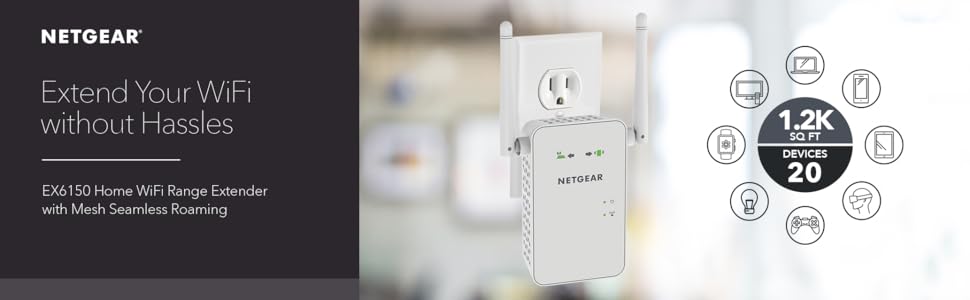
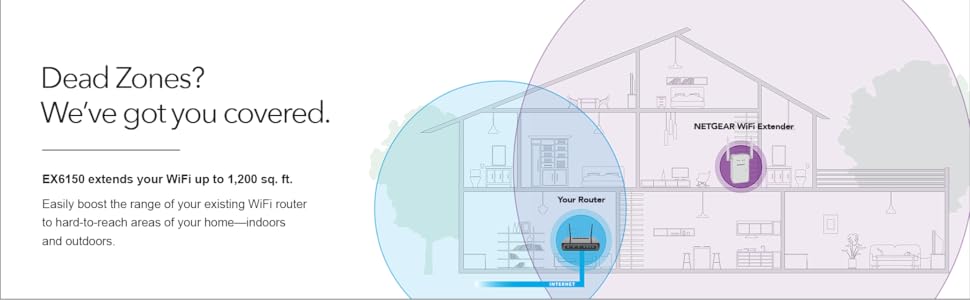
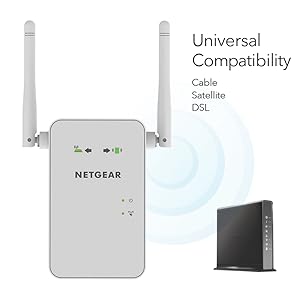
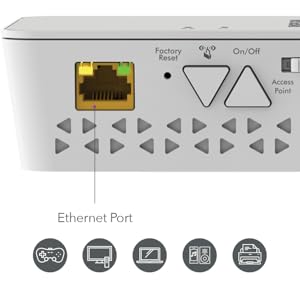
The NETGEAR EX6150 AC1200 WiFi Mesh Range Extender boosts your existing network by expanding coverage up to 1200 sq.ft. and supporting 20 devices simultaneously. Featuring dual-band speeds up to 1200 Mbps and patented FastLane technology, it ensures smooth HD streaming and gaming. Its Mesh Smart Roaming lets you move around without losing connection, while universal compatibility and a gigabit Ethernet port provide versatile, high-speed connectivity. Easy to set up and reliable, it’s designed to eliminate WiFi dead zones in homes and offices.








| ASIN | B00R92CLCW |
| Best Sellers Rank | #800 in Repeaters |
| Brand | NETGEAR |
| Color | White |
| Customer Reviews | 3.9 3.9 out of 5 stars (6,282) |
| Date First Available | January 6, 2015 |
| Is Discontinued By Manufacturer | No |
| Item Dimensions LxWxH | 4.8 x 2.91 x 1.5 inches |
| Item Weight | 13.6 ounces |
| Item model number | EX6150-100NAS |
| Manufacturer | Netgear |
| Operating System | PC; Mac |
| Product Dimensions | 4.8 x 2.91 x 1.5 inches |
| Voltage | 100240 Volts |
| Wireless Type | 802.11a/b/g/n |
K**G
Works as advertised so far
Before I leave my opinion about the product, I want to talk about Amazon, as I've brought it used from Amazon Warehouse deals. When I brought the item from Amazon, Amazon has it listed as Used - Like New, "Item is in original, pristine packaging." Now I'm not sure what Amazon consider to be pristine, but the item I've received can't be considered "clean and fresh as if new; spotless." The packaging for it was opened, the manual gone, the device has smudges on it and the box itself is beat up (box not a big deal, device itself is most important). Anyway, my point of leaving this message first if there are any potential customers that would prefer to buy it used, BUT "Like New" as Amazon would describe it, I wouldn't risk it, as this isn't my first time to be duped by Amazon's descriptions of their used products. All scores are subject to change as I use it more. Installation: 5 / 5, super easy to do and takes less than 3 minutes altogether. Now the thing was, I have brought my item used, so it was missing the manual to set it up. The box itself was old and didn't have any how to description on it. Luckily, it wasn't a big deal as NetGear themselves did a short guide on how to set it up themselves on their youtube channel. Search "NETGEAR WiFi Extender Setup: How To" on youtube if you happened to want to see how to set it up. It was simply plug it into a wall outlet, wait a minute for the red light on the device to turn green, click a button (WPS signal to router), go to router, click your router's WPS button, wait a minute for connect to set up... and you're good to go... for real... it is THAT simple. Wifi Extender: 5 / 5, Wow am I impressed (at the moment) since it works and works well. Now for those curious, how I am using it is having it connected in my basement. My router is on the second floor on my house. The NetGear itself is in the basement floor of my house. What was once my device struggling to receive one bar of wifi signal to absolutely no connection at all in the basement is now three bars of wifi. Of course, at the moment, I have only tested the 2.4Ghz band and haven't touched the 5Ghz connection. Will test it out when I decide I need that extra speed. Complaints: One thing I've noticed was that when I set up the connection with my router and the NetGear device was that I completely lost my internet connection for all my devices connected to the router for about 2 to 3 minutes. NOT SURE if it is NetGear related issue but I don't think it will be that coincidental. Either way, after that several minute of confusion, everything went back to normal. Also, when I plug the device into an outlet, it takes at least a minute, no more than 2 minutes for the device to connect to my router and become ready to extend the wifi range. Would I recommend: For the price of new, at of this review (~$90 + tax) but even then I've brought it used for around ($60 with tax) and I find it hard to justify that price (It should be more between the $30 - $40 range, but that is just my opinion). On hindsight, I should have gotten a cheaper device. All I really needed was the 2.4Ghz band wifi extension that supports up to 600 Mbps. The reason I brought it was to allow my grandparents and parents to get a strong enough signal on the ground level so that won't have to walk up two flight of stairs to get decent access to the wifi. So in the end, it isn't just about extending the wifi but how and why I am using it for. If you're using it to just extend the wifi, there are cheaper alternatives. Personally, I would wait til it dips into the $60 (new) range if I want to purchase another one, and yes, I would definitely buy this device (or newer versions) if I ever again come across a similar scenario.
A**R
Solid, efficient and reliable
I decided to switch to Netgear because my Linksys extenders were causing trouble in a couple of ways. I completely got rid of every problem with this extender. Right out of the box the extender looks pretty good. The design could very easily blend nicely in almost any wall. It doesn't really matter if you've used extenders before, you'll find this one extremely easy to set up. The manual is well explained and well illustrated. The web browser setup is so straightforward that you might not even need to look at the manual once in it. Now for the performance. The range is great; enough to cover an entire floor of an average house and a little bit more. I got this for the first floor of my house and now I have Wi-Fi in my garage and garden too. It deals great with concrete walls (I would imagine wooden walls shouldn't be any problem). The speed has been consistent no matter how many guests are connected from their cellphones or how many computers are streaming a movie; this router will extend your signal with no quality loss. No crashes so far. No need for re-configuration due to network errors. No problems with any kind of security protocol. I only have one complaint. The power plug is ideal for walls where the router can rest vertically. But all of my house sockets are placed horizontally. The design of the router is remarkably solid; however the router weighs on the sockets with a rotational force because I can connect it only horizontally. I can't help to feel the sockets may come a little loose as a result of this. However, you would have a very similar problem with the majority of routers out there because no manufacturer seems to address the issue. This router will meet the needs of most houses. I am very satisfied with the product so far and recommend it.
F**H
Mesh update is a game changer
Range extenders as a group are a bit dodgy. I've had four different ones over the last few years including buying this EX6150 once before in 2017. All of the ones I've tried had great reviews and none worked for me until now. My problem is not one of range, but of masonry with a dash of interference from the neighbors. Specifically, our doorbell camera has had inconsistent connection to the network even though the router is only about 30 feet away from it. In that 30 feet are two masonry walls and a fireplace/chimney. I had all but given up on buying another range extender, but when I saw a review of the latest firmware update to the EX6150 that essentially changes it from a run of the mill extender to a universal mesh extender, I thought it worth another try. And, so far, it has worked brilliantly. I won't pretend know enough to explain why this extender works better than the other Netgear and TP Link extenders I've tried, but it simply does for me. And, to be clear, when I bought an EX6150 in 2017, it was the worst. Now, however, I get a reliable if not blazing fast 2.4ghz connection to my doorbell cam even through those three masonry walls. Additionally, the original SSID is used rather than having another network name (i.e. the SSID + "EXT" at the end). On the negative side, there is no documentation to cover this last update. The user manual is from before the last update and there is no mention of setup with the new firmware. This wasn't a big problem for me and the setup wasn't difficult. However, I still have a few minor questions that are not yet covered by Netgear's online info. I can't say that your experience would be as good as mine and if you are looking for speed, the EX6150 is only so-so. However, for my purposes, this is the first extender that did what I needed. Also, I bought a "used" one from Amazon for about half the price of a new one. At the current full price, even as much as I like it, I'd say it's over-priced. Good luck.
M**E
Works perfectly and does the jobs. Very easy to connect. Unfortunately it doesn't have an Australian plug so it arrived with a very flimsy travel adaptor. I didn't trust this adaptor (it was really unstable) so I went to Officeworks and purchased my own surge protected adaptor. It was unfortunate that I incurred another purchase for this product. Other than that, all was well.
B**N
This product is the US version and comes with an AUS wall plug adaptor, wasnt happy about that seeing as the model number AC1200, EX6150-100AUS clearly should be an Australian version. The product itself does what its meant to do otherwise but save yourself some drama and buy the approved Australian version. I was offered a refund after a few back and forth exchanges but i would be out of pocket for the postage and have no wifi extender and then wait 8 weeks for a refund. I couldnt see the point to that, i think its pretty unsafe to use an adaptor like that so i cant leave it plugged in all the time its a nuisance.
D**.
I have been using this product as a wi-fi extender for nearly 2 years now. My home office is on the second level at the other side of the internet router (thank you NBN for being so inflexible on the location of my utility box), it is not that far but the signal simply becomes too weak for online meetings for work. This Netgear Wi-Fi extender really makes it all possible for me to work and play (video chat with friends and family overseas) from every corner in my unit. However one major issue is that it regularly stops working, all the settings are lost, I then have to log on to Netgear website to re-setup the extender from scratch. It has happened at least four times so far, so it happens almost every 6 to 8 months. With Netgear's Smart Setup, it is not hard to set up again, but it is unnecessarily annoying and inconvenient.
L**N
Initially i was a bit unhappy with this wifi extender because the connection kept cutting out and restarting especially when i was watching streams online which caused videos to be buffered constantly. I had also ruled out any issues with my NBN router / setup so i knew the problem was my wifi extender ... until i discovered the FastLane technology option in the extender's options AFTER you set it up. It basically optimises your connection for streaming and/or gaming, and now my internet NEVER cuts out, and i download at the highest rate that my ISP allows. I also watch videos online without ANY buffering issues as well. To the manufacturer, have FastLane enabled by default or give users the option to install it when they are setting up the wifi extender for the first time. At the very least, mention it in your product manual. I can imagine a lot of customers have returned this product by mistake because they thought it was not functioning very well... OR they blame NBN! :)
N**Y
Works well, easy to install, compact. Set it up about 20m from router in my shed outside and relayed the signal with full wifi strength.