
下载应用程序


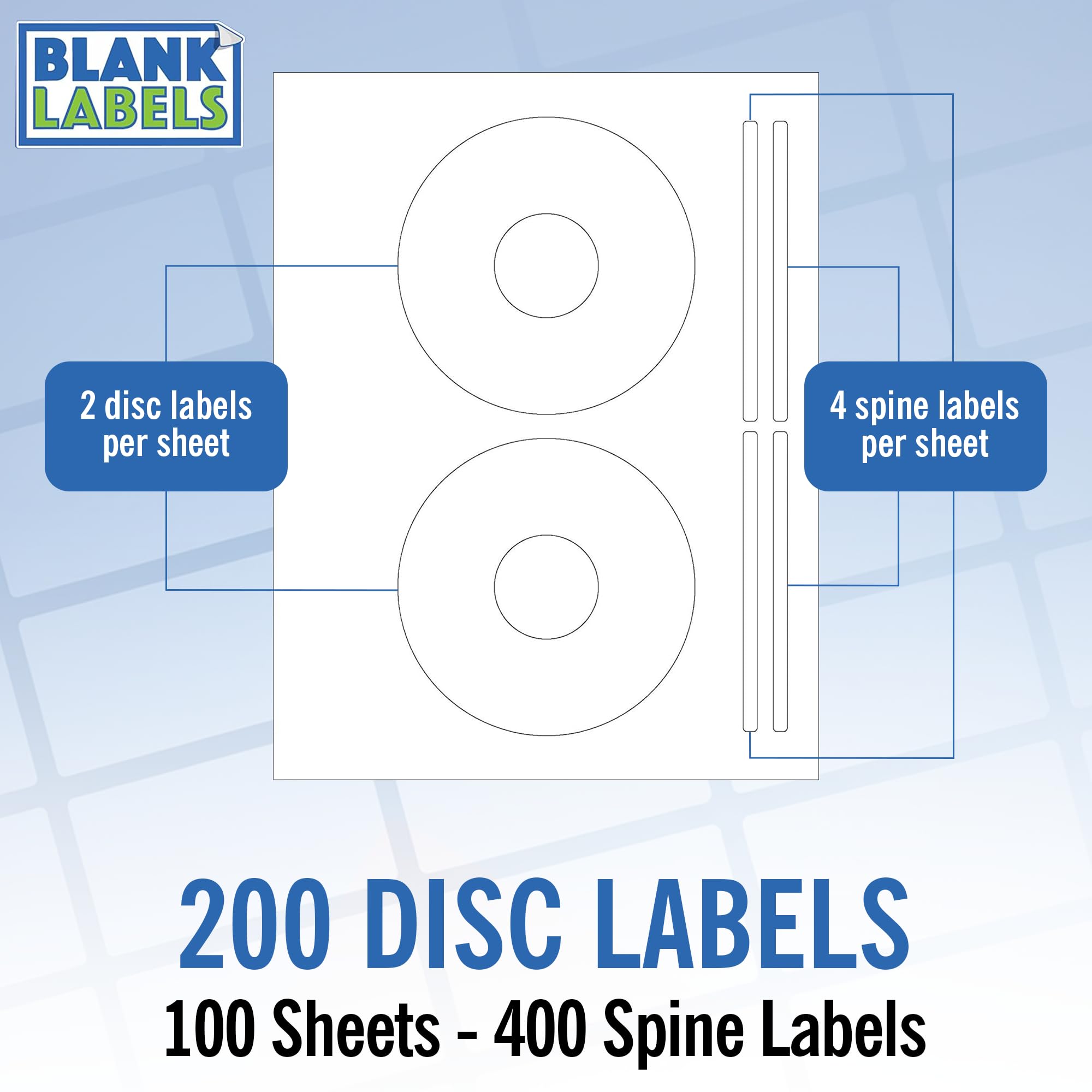
🎨 Stick with the best — label like a pro, every time!
These premium CD/DVD labels offer 200 durable, easy-peel matte white labels across 100 sheets, proudly made in the USA. Designed for flawless compatibility with inkjet and laser printers, they deliver smudge-resistant, professional-quality prints ideal for personal and business media organization.


| ASIN | B00HNIQRUY |
| Best Sellers Rank | #57,086 in Office Products ( See Top 100 in Office Products ) #559 in Laser & Inkjet Printer Labels |
| Brand | Blank Labels |
| Color | White |
| Customer Reviews | 4.5 4.5 out of 5 stars (263) |
| Date First Available | January 3, 2014 |
| Is Discontinued By Manufacturer | No |
| Item Weight | 2.25 pounds |
| Item model number | LL*CDM*100 |
| Manufacturer | Blank Labels |
| Manufacturer Part Number | BL-CDM-100 |
| Material Type | Paper |
| Package Dimensions | 10.9 x 8.5 x 0.8 inches |
| Shape | Rectangular |
| Size | 200 Labels |
K**N
Top quality product
Completely satisfied. They feed, print, apply, and adhere with no problems.
E**)
Memorex Compatible CD/DVD Labels
I am very happy with this product! It is a great bargain in price and quality! From time to time, I work on CD and DVD projects for myself and for family and friends. These really come in handy and help out so much in giving those projects a finished and professional look! Thank you very much for your very fine service! I look forward to doing business with you in the future!
G**K
WELL....
I think this product could benefit from a couple of improvements. In the illustration, it kind of looks as though the label guidelines are printed on the paper. This is not the case. One of the things you'll need to get used to is holding the sheets up to the light to make sure the right side goes into the printer. You may also find that the paper is a mite thin. Coupled with a VERY strong adhesion, it's a Learning Experience to peel the label from the sheet and get it on the disk without bumps, creases, or tearing it completely. I think I completely destroyed half a dozen labels in trying to get the hang of it (slow learner!), and I think it is a task that should not consume THAT much attention. All this being said, I use them, but I'm not happy about it. In fact, if anyone can suggest a viable alternative, I'd appreciate it.
D**N
Toner not sticking well
Excellent. I just use the round CD label part. Worked great with Avery Design&Print software form 98101 for me. Got this as lower cost replacements for Memorex brand. My only minor complaint is the perfs are so fine, I have to look very close to find them. They do allow the inserts to tear off easy though, so function better than the original. UPDATE2: Working Great now that I set printer to use HEAVY PAPER setting on my Laser. Thanks for the feedback from vendor. Will definitely purchase again. UPDATE: Toner doesn’t stick well with my Laser printer. Double checked with Avery brand and it had no problem. Going to search for alternatives (i.e. AV 28669 / 5931) that will be more cost effective for my use.
W**?
Good for the price.
I’m only giving the product a four star because there is no available template for the 100 count. Otherwise, it was overall fine for the money.
T**M
Labels
Labels fit perfectly
B**.
Great Label
I looked at so many labels and finally asked the question. Do these have a blue stripe on the back? Mainly because I used some before that had that stripe and the color was by far better than anything I have ever used. Several people answered me and I also got an answer from the Manufacturer. I would recommend these over any others.
T**Y
Great Buy !!!
Great Labels. When used with exPressit SE3.1 software, the pattern you need is the 1st one to load. I used a cd-stomper applicator and it worked perfectly. Very easy to tell which is the cut side so I could put it face down in my laser printer tray.