We remain fully operational. Our teams are working around the clock to ensure your deliveries continue safely.

下载应用程序


🤖 Unlock your child’s future coder and engineer today!
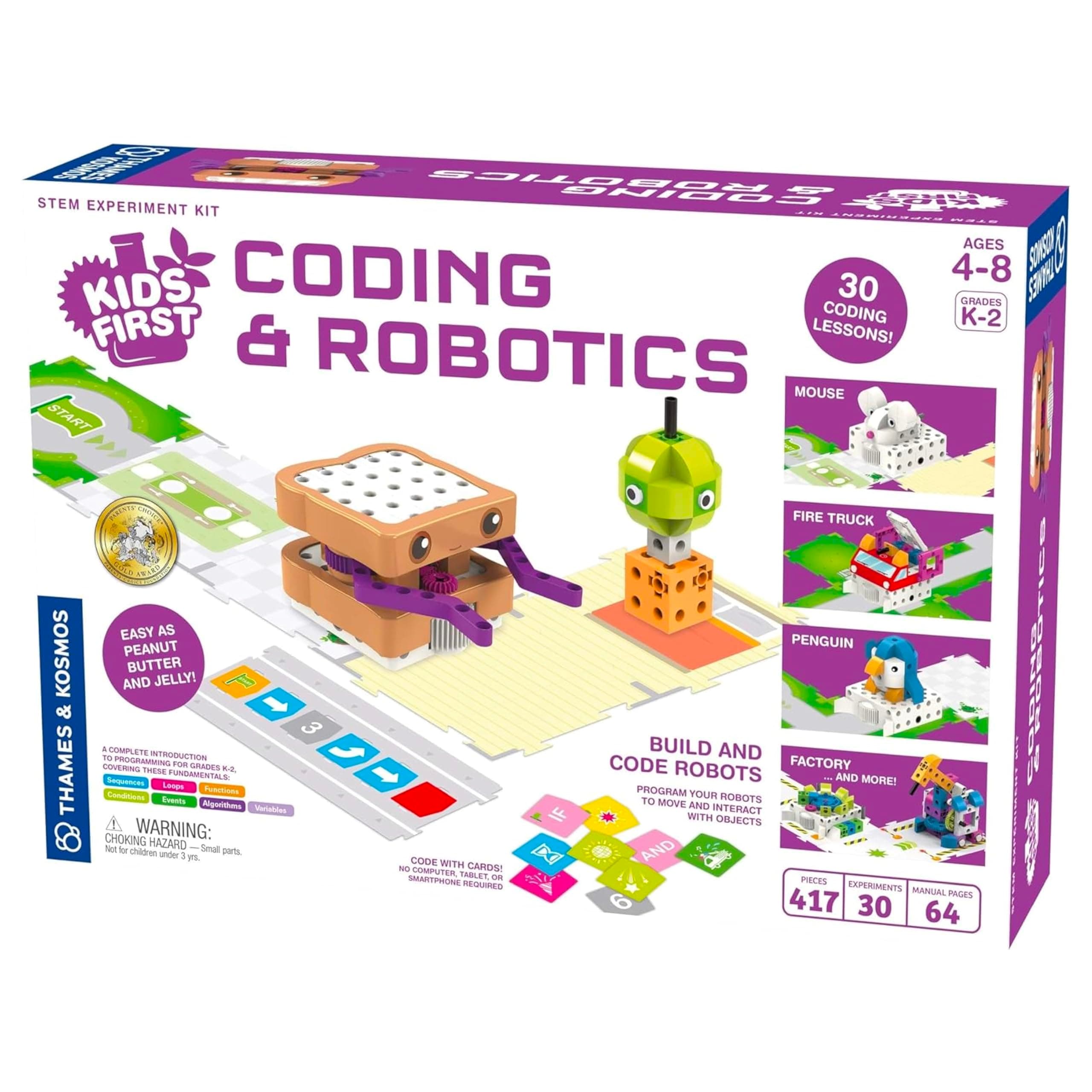
Thames & Kosmos Kids First Coding & Robotics Kit offers a screen-free, hands-on introduction to coding and engineering for children aged 4-8. Featuring 30 standards-aligned lessons and interactive robot models, it fosters early STEM skills through tactile play and story-based challenges, making complex concepts accessible and fun under adult supervision.


| ASIN | B07B7SWPZJ |
| Age Range Description | Kid |
| Age range (description) | Kid |
| Battery Description | None (not applicable) |
| Best Sellers Rank | 112,280 in Toys & Games ( See Top 100 in Toys & Games ) 1,158 in Educational Science Kits |
| Brand | Thames & Kosmos |
| Brand Name | Thames & Kosmos |
| Country Of Origin | Taiwan |
| Customer Reviews | 4.5 out of 5 stars 412 Reviews |
| Educational Objective | Coding Skills, STEM |
| Global Trade Identification Number | 00814743013490 |
| Included Components | Robot with OID optical scanner, LED, and speaker, code cards, story cards, building pieces, full-color experiment manual |
| Is Assembly Required | Yes |
| Item Dimensions | 42.7 x 8.1 x 29.2 centimetres |
| Item Type Name | Thames & Kosmos Coding & Robotics, Stem Experiment Kit, 30 Coding Lessons/Experiments, Build and Code Robots, Ages 4-8 |
| Item Weight | 142 Grams |
| Item dimensions L x W x H | 42.7 x 8.1 x 29.2 centimetres |
| Item weight | 142 Grams |
| Manufacturer | Thames and Kosmos |
| Manufacturer Part Number | 567012 |
| Material Type | Plastic Paper |
| Maximum Age Recommendation | 1200.0 |
| Minimum Age Recommendation | 48.0 |
| Model Number | 567012 |
| Set Name | Experimental Kit |
| Size | Mittel |
| Sub Brand | thames |
| Subject | NON-CLASSIFIABLE, Thames & Kosmos |
| Theme | Robotics |
| UPC | 814743013490 |
| Unit Count | 1.0 Count |
D**T
Well made learning toy
Beautifully boxed and packaged. Well made, educational toy. A little pricey, but there's a lot gone into designing and making. If I had anything negative to say at all it would be that the instructions are really for adults, far to complicated for a child to understand.
S**A
Best product for young kids
Our son loves sammy the robot. The first base was faulty but when I inquire about it, they send a new base without even asking questions. Thank you!
S**K
Almost perfect coding for young children
Bought as a present for my young son. This is a really good fun introduction to coding and robotics. To make it work you use cards to 'code' the robot. Place them in a card 'track' and the robot reads them, then you place the robot on the grid-map, built like a jigsaw of large card squares. The robot calibrates itself before heading off, and continually calibrates itself on the squares, so there's no veering off course. There are bricks which you use to build different robot characters and its friends. The instructions are also a storybook which keeps children engaged. I downloaded the instructions from the manufacturers website before buying. Batteries last well. Positives: Cards make coding very easy and visual. Different robot designs keep things interesting and fun. The different sounds, movements and lights are cute and fun. The robot continuously checks and stays on course, so this is fine for playing on a table. Really good instructions. Negatives: The cards are too thin. They become disconnected too easily on anything but a hard surface.
V**A
Good learning opportunities
Bought this for grandsons. Apparently it’s a good product for them to learn on at different levels so worth buying
N**.
Coding concepts without adding to screen time!
Great way to introduce coding concepts to young kids. Many models and tracks to make, woth detailed instructions and guide book to help your little one explore the power of programming. Within minutes my 5yr old was learning how to fix bugs in his programs and even creating his own unique ones. We picked this toy as we wanted him to learn in a more hands on way, rather than pushing buttons on a controller/ipad. This pack also seemed the most comprehensive in its scope e.g. directional movements, lights/sounds, mechanical interactions, for loops, logic statements. The only negative point is that the grey track used to hold the coding cards is paper thin and very flimsy, in contrast to the good build quality of the rest of the set.
R**I
Got broken after an hour of use
Bought it for a 4yo, played for about an hour, but it was too early - the child didn't enjoy it. So it stayed packed for about two years. Two years later tried it again and to our surprise it didn't work - it couldn't even read a program as only right wheel was spinning. No matter what we do, it just doesn't read the cards. So now it is just a piece of expensive garbage that cannot be used.