We remain fully operational. Our teams are working around the clock to ensure your deliveries continue safely.

下载应用程序


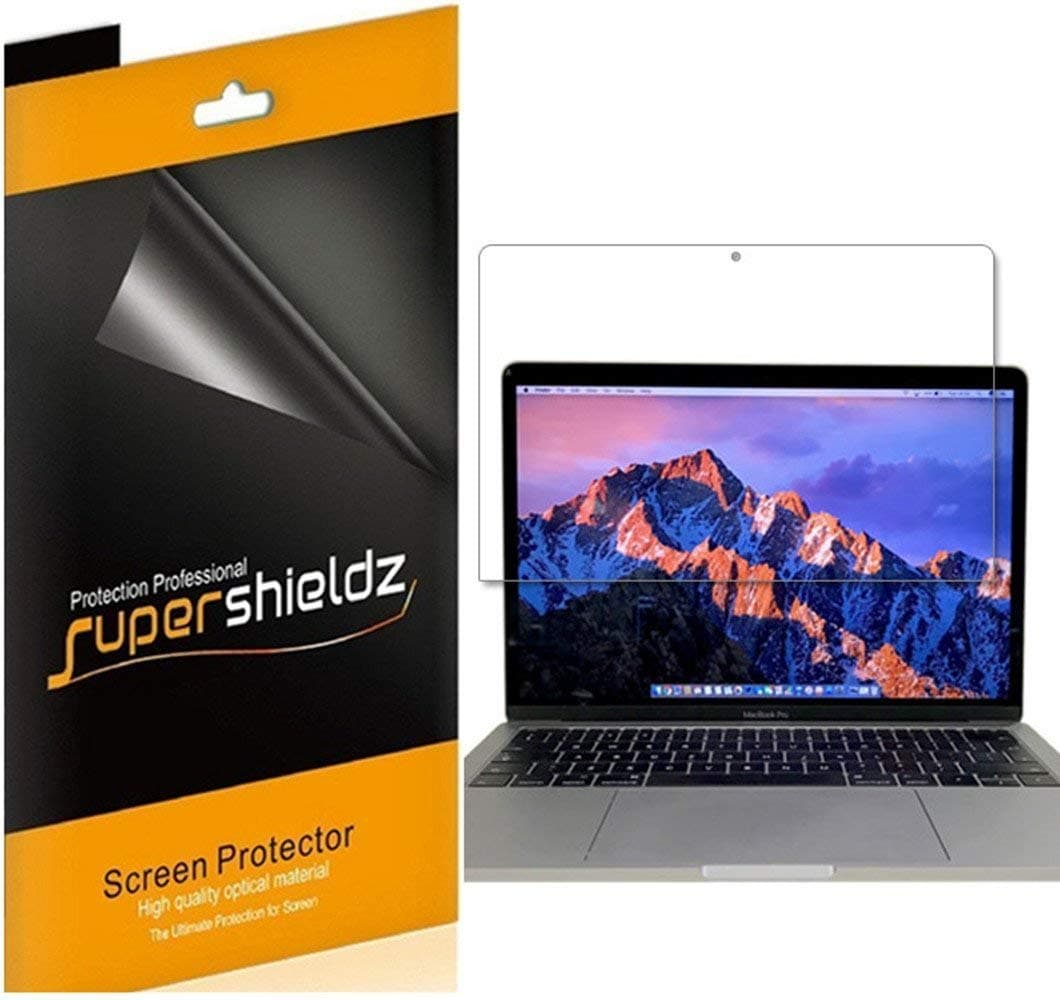
🖥️ Elevate your MacBook Pro’s screen game—glare out, clarity in!
Supershieldz 3-Pack Anti-Glare Matte Screen Protectors are custom-designed for MacBook Pro 15-inch models (2016-2019, A1707 & A1990). Crafted from high-quality Japanese PET film, they deliver 9H hardness scratch resistance, reduce glare and fingerprints, and preserve flawless touch sensitivity. The adhesive-free, bubble-resistant installation ensures a pristine screen experience without residue, making it the essential upgrade for professionals demanding both style and protection.


| ASIN | B07P79NJ9M |
| Best Sellers Rank | #29,101 in Computers & Accessories ( See Top 100 in Computers & Accessories ) #506 in Laptop Screen Protectors |
| Brand Name | Supershieldz |
| Clarity | 100 |
| Compatible Devices | Laptop |
| Compatible Phone Models | Apple MacBook Pro 15 Model A1707 A1990 |
| Customer Reviews | 4.3 4.3 out of 5 stars (344) |
| Finish Type | Matte |
| Item Dimensions L x W | 13.58"L x 8.8"W |
| Item Hardness | 9H |
| Item Weight | 3.2 ounces |
| Manufacturer | Supershieldz |
| Material | Polyethylene Terephthalate |
| Model Name | MacBook Pro 15 |
| Number of Items | 3 |
| Part Number | SS-ASP-A-Macbook Pro 15" (2016-2018)-3P |
| Screen Size | 15 Inches |
| Screen Surface Description | Matte |
| Special Features | Adhesive-free application |
| Unit Count | 3.0 Count |
S**K
Great screen protectors!
The installation for these is a bit backwards, you install it from the bottom first & up. I found this incredibly strange since if it isn't aligned correctly you'll cover up your camera. But I took my time with the installation & got mine relatively straight, it's only off a smidge so really not a big deal. The anti-glare quality if really nice for these & works perfectly! It does not obscure any picture or color quality at all either. Definitely recommend, just take your time with installation.
T**F
Bubble free
Great product easy to install
A**R
It fits great.
Honestly these are never easy to install, but once installed they are great. It helps me with eye fatigue and keeps my screen from being scratched. It is also a great fit.
M**.
Good but not great.
Does the job and fits right but much harder to get the bubbles out than most screen protectors. I’ll prob eventually swap out.
K**P
Say goodbye to fingerprints+smudges & HELLO to effortless, clear screens!
Does distort the vivid Retina display, as is expected/the norm with matte screen protector. The only reason I purchased was trying to find a solution to fingerprints, which are unavoidable just from opening/closing MacBook. It irks me having those all over + trying to keep the screen clean in general. While I prefer the crystal clear quality of Retina display, it’s worth the trade off because after having installed for about 2 months now, I’ve not once had to deal with a smudge/fingerprint/etc. STRESS FREE computer use for 2+ months & going strong! 🙌🏻🤓🤩😬
M**S
BUBBLE CITY
DIDN’T FIT. THERE WERE GAPS ALL THE WAY AROUND. NO EASY WAY TO INSTALL. BUBBLES CITY. MORE LIKE A VINYL OVERLAY VS A SCREEN PROTECTOR. ONLY POSITIVE WAS IT WAS A MATTE FINISH. THREW ALL 3 IN THE GARBAGE.
M**N
Don't be intimidated by bad reviews
This was much easier than I expected. It looks great and hides fingerprints pretty well. The video on the website is 2min and worth the watch. If you make sure the screen is completely dust free (I used a microfiber towel because it was easier to use than the included little cleaning cloth) and take your time with the bubbles it ends up looking seemless.
D**N
Pros and Cons, but I'm mostly disappointed
First I must say that this was not easy to install. They put the 1 and 2 labels on what I would consider the worst corners to start out on. I would start up top where the webcam is but the 1 and 2 tabs are at the bottom, no where near the webcam. Next, the good things: Does this eliminate fingerprints? Yes Is it matte? Yes Does it do the job for a cheap price? Yes and Yes However, my biggest issue that I was not expecting was the way that it makes the screen look after installation. Like I said, it's matte, but boy does it make the screen look crappy. Any website or whatever is on your screen that is white will show these really bad little red and green particles. It looks really bad, like I turned chroma subsampling off or something. It just makes the screen look bad. You just can't go about doing what you're doing without seeing green and red pixels that didn't exist beforehand. Is this just something that comes along with a matte screen protector? Maybe, but I just wanted to share so that no one else will make this mistake. I'll be returning them.
A**N
Me gusto!! Es medio complicadito de instalar porque no trae sticker para agarrar el film sin tocar la parte que se pega, pero en general muy buen producto, viene con 3 films por si el primero lo instalas mal o con muchas burbujas o particulas y viene con un paño chico con un carton para empujar las burbujas.
S**D
Its alright. Easy to spot but the product was slightly damaged
J**N
I had since day one a screen protector on my mac , but last month i removed because it was old and scratched . Looking in amazon i saw this product and i read the reviews . I give it a chance and I’m surprised about the quality , really great . Maybe for the installation you have to do it with patience but not problem at all .
A**R
The anti-glare coating on the screen of my MacBook Pro started shedding off in the middle. which was irritable. Antiglare cannot be requoted, thus I must use Listerine to remove the coating like other people do. But for me, that was a risk. I conducted some research and bought this screen protector as a result. Although the screen protector's quality is outstanding, installing it is difficult because bubbles appeared during installation process. Amazingly, it effectively reduces reflection and barely dims the LCD's brightness. The screen fits perfectly. Three screen protectors are included in the packaging, so I'll try to install them without bubbles next.
P**N
I've read all the negative reviews complaining about how bad this thing is and how it gets lots of bubble and blah blah blah. If you take your time, thoroughly clean your screen with a lint free cloth and take your time things go quite smoothly. I've installed a gloss one and now the matte one and had zero issues with either one. Line up the bottom edge and work your way towards the outside. If you get bubbles, which you will, just push them out. It does take time but in time you will be able to get 95% of them out and the remainder will work themselves out in a couple days.
TrustPilot
1 周前
1 个月前