Desertcart purchases this item on your behalf and handles shipping, customs, and support to Malaysia.
📍 Stay ahead of the pack with pinpoint precision—because your route deserves the best!
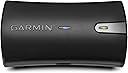
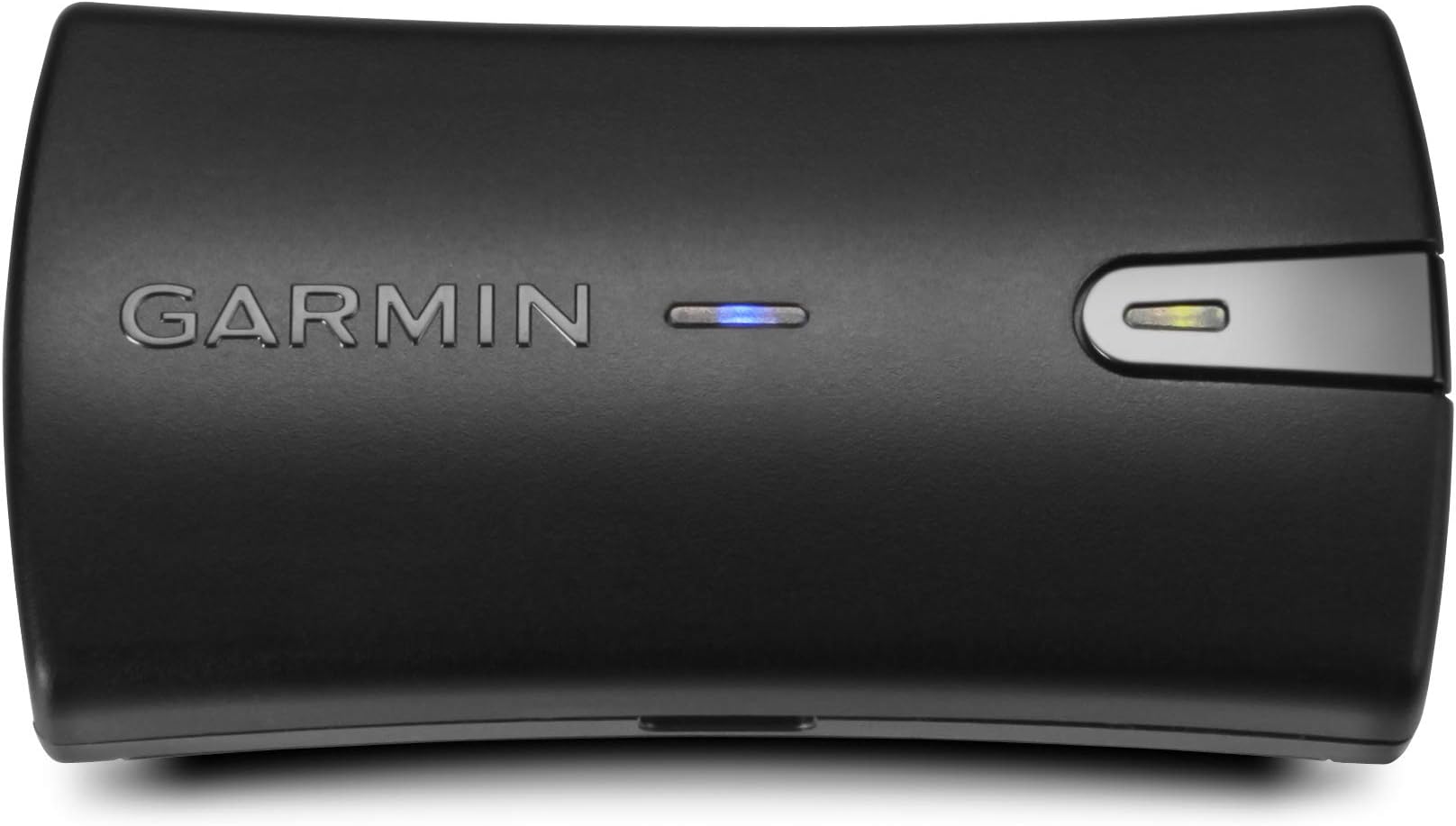
The Garmin GLO 2 is a compact, Bluetooth-enabled GPS and GLONASS receiver that wirelessly connects to smartphones, tablets, and laptops. It delivers faster satellite lock-on by accessing up to 24 additional satellites, updates position data 10 times per second, and offers up to 13 hours of battery life. Ideal for pilots, mariners, cyclists, and drivers, it enhances navigation accuracy on mobile devices, supported by versatile charging and mounting options.
| ASIN | B07M9CZYTD |
| Additional Features | Bluetooth |
| Audio Output Mode | Digital |
| Battery Average Life | 13 hours |
| Best Sellers Rank | #48 in Vehicle GPS Units & Equipment #710 in GPS System Accessories |
| Brand | Garmin |
| Built-In Media | Glo 2,CLA Adapter |
| Compatible Devices | Smartphone |
| Compatible with Vehicle Type | Car |
| Connectivity Protocol | Bluetooth |
| Connectivity Technology | Bluetooth |
| Control Method | App |
| Customer Reviews | 4.4 out of 5 stars 2,140 Reviews |
| Display Type | screen |
| Global Trade Identification Number | 00753759220952 |
| Human-Interface Input | Buttons |
| Item Dimensions L x W x H | 2.99"L x 1.65"W x 0.7"H |
| Item Weight | 40 g |
| Manufacturer | Garmin |
| Map Types | Worldwide |
| Mfr Part Number | 010-02184-01 |
| Model Name | GLO 2 |
| Model Number | 010-02184-01 |
| Model Year | 2019 |
| Mounting Type | Dashboard Mount |
| Number of Items | 1 |
| Number of Packs | 1 |
| Operating System | Android |
| Screen Size | 2 |
| Special Feature | Bluetooth |
| Sport Type | Cycling |
| Supported Satellite Navigation System | GLONASS |
| Touch Screen Type | Capacitive |
| UPC | 753759220952 |
| Unit Count | 1 Count |
| Vehicle Service Type | Car |
C**I
The Garmin Glo 2 This is a great addition to the NAV system.
The Garmin Glo 2 works great, connects instantly and is reliable. It is a great addition to the iPhone maps app for increased accuracy, especially when driving cities with many tall buildings.
D**E
It works with MotionX-GPS on an old iPad
I bought the Garmin GLO2 for use with a six year old non-cellular iPad to provide navigation. I first thought Apple would allow the GPS signal from an iphone to be sent to a non-cellular iPad but of course they do not and there is no way of using the iphone GPS data that Apple is willing to disclose. After seeing a couple of other solutions I went for the Garmin because of their GPS history and experience. The instructions are not comprehensive. The unit pairs easily enough over Bluetooth. The blue LED goes from flashing to solid when it is paired. The flashing green LED took five minutes to find a satellite fix the first time I turned it on. When it had found the fix it turned to a solid green. On charging the amber light flashes until the battery is fully charged . If like me, you put the device on to charge and it's hunting for satellites then the green and amber lights flash alternatively. It's both charging and hunting for satellites. Makes sense. But the instructions say that green and amber flashing alternately means you either have a faulty battery or a system error. So there was five minutes of buyers remorse until the green light turned solid. Now there's a solid green and a flashing amber until fully charged. After pairing I brought up Motionx-GPS - surely the best navigation app on the market at the moment. I use it for navigating around on some of the nearby lakes. The app allows you to choose the method of location fixing: GPS, WIFI or manual. I turned off the WiFi and then I hit the GPS soft button and within a couple of seconds the signal strength for GPS appeared and fixed my position within 98 feet (the app said). I'm not sure where the accuracy number is coming from. However I have left the tracking function working on the app for 30 minutes and the app is showing movement of about 40 feet in a straight line even though the device is sitting on my desk. In terms of the specifications I would probably have given it 2 stars. Cold Start 60s - no - more like five minutes. Accuracy 3m - no - 30 minutes of use shows a track deviation of 40 feet and my app, however it is getting the accuracy data, says 98 feet. BTW turning on Wifi on the iPad improves the accuracy to 33 feet. I'll take the unit on road trip to see if that changes as soon as we are out of WiFi range and let you know the result. But for $99 i now have a working navigation system on a big screen and a new use for an old iPad. I'm happy enough it works with a non-garmin app. Edit on October 15th 2019 - I've used the GLO 2 for a few months now and it's performed well. For whatever reason the Motion-X app now shows the accuracy is 16 feet. I've written to Motion-X asking them how they calculate the accuracy but I've not received a reply. I agree with one of the other posts that it really needs an accurate battery level indicator. I would pay an extra $10 if the device had this. On another point I don't understand why Apple doesn't allow the export of the GPS location over Bluetooth - any clever people out there who could explain if this is achievable?
R**Y
The Garmin Glo2 - Simplicity and performance. Recommended.
Very happy with the Glo2. All I had to do was charge it and turn it on. It did the rest. I paired it with an ipad and have used it with 5 or 6 different mapping apps. It is seamless and very accurate. It is small and lightweight. I would absolutely recommend.
A**R
Great GPS quirky Android phone setup
This is a fantastic GPS device it works great, big issue is working with Android 12+ Garmin does NOT provide support for this and it will ktn work out the box. And will not be as simple as you'd like to use if replacing your phone GPS but not bad. HOW To: Connect Garmin to PC and UPGRADE it yes must do this... The upgrader is buggy just keep doing it until it works Then connect you phone with it on Bluetooth but it won't stay connected but it will remember it. Then download a GPS NMEA reader app for Bluetooth. I used Drooger it is free. Use this app to connect to the GPS (You'll have to connect the GPS this way every time you want to use it) during this process you will allow tons of privs to Drooger and you will have to put you phone in developer mode (the secret tapping menu) and leave it there the. You will have to find the mock GPS app menu item and select Drooger. (Also turning off wifi and bt sharing for location will help) Now your Google maps and other apps should read the Garmin as the GPS for your phone. If it was plug and play or at least Garmin had their own streamlined app I would give 5 stars. If you are connecting to not a phone device and a device designed for BT GPS it would work perfect I am sure. Also for some head units for it to work with Android auto you will need to set android Autos privs on your phone for Location to Never allow (This is on a Pixel 6 Pro that I did this on for reference)
D**C
Good for boat navigation with iPad
I bought this to use with a WiFi-only iPad on which I am running Navionics for boat navigation. I recently sailed from Miami to Gulfport, MS both across parts of the Gulf and the ICW. This unit paired seamlessly with the iPad and was accurate enough for my use. I mounted it at my helm with some doublesided Velcro and even under the bimini I had no reception issues. It isn’t waterproof or maybe even water resistant so I need to rig up some sort of waterproof case for it that won’t reduce reception. Otherwise no issues. Battery life was pretty good - sometimes 12 hours. Usually 8-10. But there is no real battery meter so I would just charge it up with a battery pack while still using it when the low battery light started to flash. This plus a WiFi iPad made for a good primary nav setup for my 34’ sailboat. That said I also bought an android tablet as my backup, which comes with built in GPS, and it worked great too (see my other reviews). I’m partial to the build quality of Apple products and for something I was literally trusting the existential safety of myself and my boat with I used the apple + garmin combo and can recommend it. That said, you can buy three android tablets for the price of one apple+garmin and have redundancies. But I digress. This Garmin is a good product.
J**S
Love it so far (
I’ve used this for two days and so far so good. I have a basic 2017 iPad that is WiFi ONLY so I bought this device to help out with accurate navigation to use in my car. Connects fast once you select it on your iPads Bluetooth list. Then mounted it with one of those CD player mounts, used a slanted style charging cable so it doesn’t stick out so much while plugged in, and then turned on my phones hotspot to connect to my iPad so it can run off of my phones data which is great because I love using my maps navigation and Spotify side by side in Split View kinda giving off a sort of CarPlay feel (but better). I then used small sticky cable holders to mount the rest of my iPads charging cable neatly so it doesn’t look like a mess. One thing I want to point out is using Apple Maps isn’t the best since I started using this garmin device. It showed my location more on the right side of the road like I was driving on the sidewalk which bummed me out so I decided to give GOOGLE MAPS a try before sending it back and everything worked SO MUCH BETTER!!!! I was never a google maps guy but now I am since I started using this with my iPad. Some people said you have to put your garmin on your dash or with sun practically hitting it and not to bury it in your car but for me it works fine leaving it on, charging and laying it in my center console in front of my cup holders without an issue. Just to be safe you should also download your daily routes/trips on your iPad & phone in OFFLINE mode on your google maps app incase your phone reception sucks ass and still wanna have an accurate route to take. I drive a 2012 Honda civic and it looks 100xs better now. Happy with this purchase.
A**M
Gps
Works like a dream
C**R
Won't connect to Android
I have a pixel 6 pro running android 13 and this device will not connect. I also have an old phone running android 11 which will also not connect. I tried updating the firmware per Garmin's instructions and it Sill won't connect. However, it connects to my iPad just fine. This is not what I wanted to use it with. I'll be returning the unit. *** Update *** I contacted Garmin support and they said I need to download a 3rd party GPS app for Android devices. I finally got it connected using an app called GPS Connector. In the app, you can see how many connected GPS and GNSS satellites you're connected to. To my surprise, when using the Garmin, I was connected to 4 satellites only. I disconnected to compare my internal phones signal and I was connected to 18 satellites!! I've attached some screen shots. I'm no GPS expert, but wouldn't more connections mean the triangulation would be more accurate? After asking chat GPT, the short answer is yes: "Yes, a device that is connected to more GPS and GNSS (Global Navigation Satellite System) satellites generally tends to have greater positioning accuracy compared to a device that is connected to fewer satellites. The accuracy of GPS positioning is improved by receiving signals from a larger number of satellites for several reasons:" It then goes into detail about several reason why (Multilateration, Error Mitigation, Geometric Dilution of Precision, and Signal Strength and Redundancy). My recommendation: I would test your phones internal GPS before purchasing this device as it might already have better technology in it. This device may work well for older devices but in my case it was a complete flop.
G**S
I am beyond satisfied.
This product is Incredible. I was struggling with my phone constantly losing tracking while im driving and I got lost driving multiple times because of this, it was horrendous. I talked to a technician saying if he could fix my gps issue on my phone, he said the problem might happen again in a month or two if he fixes it. I was about to buy a used phone until I saw this and it was the right choice. It is flawless, working perfectly and never lost its tracking once. The gps tracking is better than any phone on the market right now because of its 10 HZ refresh rate (how many times it updates its position per second) compared to most phones which is 1 HZ. Which means it scans your position 10 times per second compared to a phone which is typically 1 time per second. More satellites which is more accurate and a much stronger signal. I literally have no complaints, this is one of the best products I've bought this year and if you have a similar issue on your phones gps like mine or just need a good gps device in general, look no further, this product is your solution.
M**P
Great solution for wireless only iPads
I purchased this to use with a wi-fi iPad Mini 6, which does not have GPS to use it in a motorhome and give me a decent sized screen for navigation maps such as Google. Only the cellular iPad supports GPS fully. I charged the GOL 2 fully and, after powering up, my iPad found its bluetooth connection easily and paired to it without needing to enter any codes. The GOL 2 locked on to satellites quickly when placed on the dashboard. I used the supplied USB cable to link it to an adapter in a 12v socket. I could easily have left it unplugged to run just on battery for @13hours quoted runtime. A longer dedicated 12v cable terminated in a 12v plug could also be used. The first test was a 130 mile return journey. I found the accuracy for using maps notably superior to the GPS on my Samsung phone with pinpont location, very fast re-routing after a wrong turn and all live traffic updates, such as congestion, shown. Others have reported that it's best used with an offline map, which may sacrifice these updates, but for me it worked perfectly in live mode. For that it's still necessary to have some form of internet connection for the device that is using the GOL2 + mapping.app I have this available via a Vision Plus Status 570 with built in wi-fi, but you could just as easily use a phone as a hotspot or a mi-fi unit. The price may seem a bit on the steep side, but I can now set up a screen on my iPad that just has the apps & widgets I need when driving and even configure a split screen to display maps + a BBC Sounds radio channel. All that has saved splashing out hundreds of GBP to have a new multimedia head unit with DAB radio fitted to a 10 year old vehicle.
S**.
Ultra précis, rapide et simple à utiliser
J’utilise le Garmin GLO 2 depuis plusieurs semaines, principalement pour améliorer la précision GPS sur smartphone et tablette (iOS et Android), et je suis très satisfait. Le jumelage Bluetooth est rapide et stable, et la précision de positionnement est excellente, y compris en environnement difficile (forêt, ville dense, cockpit…). ✅ Points forts : Double constellation GPS + GLONASS : acquisition rapide des satellites et précision accrue, même en zone mal couverte Taux de rafraîchissement 10 Hz : très utile pour les activités où la réactivité compte (navigation, aviation, drone, relevés de terrain) Autonomie solide : environ 12–13 heures d'utilisation en continu, se recharge via USB Compatibilité iOS/Android/Windows : fonctionne parfaitement avec Google Maps, Strava, ForeFlight, etc. Format compact et léger, se glisse facilement dans une poche ou s’attache avec un clip ceinture (vendu séparément)
S**T
Bra med Ipad utan Cellular
Bra att använda till ipad
G**I
ricevitore gps/glonass garmin glo2
Dopo averlo provato per diverso tempo, scrivo questa recensione, più per precisare vari aspetti che sono di difficile reperibilità in rete, e che mi sollevavano dubbi prima e subito dopo l'acquisto, sperando di essere utile a qualcuno. Il ricevitore bt riceve sia gps che glonass, "vedendo" tipicamente 13-15 satelliti e utilizzandone una decina. Come prima connessione impiega un 30 secondi circa per stabilizzarsi dopo qualche minuto. Conviene accenderlo perciò qualche minuto prima di entrare nel bosco, per esempio. L'accuratezza generalmente è sui 3 metri (con una decina di satelliti in uso) , in campo aperto non è raro ritrovarsi con 1 metro di precisione. Per utilizzarlo con android è necessario cambiare un'impostazione nelle opzioni sviluppatore e scaricare un'app gps bluetooth, lasciando il resto delle impostazioni del telefono come stanno. Quando ci sarà il ricevitore collegato in bt tramite l'app, lo smartphone utilizzerà in automatico il ricevitore esterno, altrimenti userà quello integrato. Si trovano numerosi tutorial in rete. Il manuale è ridotto all'osso, i led di stato all'inizio sono di difficile interpretazione, e può addirittura sembrare guasto. Bisogna prendere alla lettera le specifiche sulle istruzioni (esempio: c'è differenza tra arancione e verde alternati e arancione e verde lampeggianti... ve ne accorgerete dopo l'acquisto che per come sono disposti, è una finezza!). Quando si mette in carica, si accende e non è possibile spegnerlo. Il segnale è molto stabile, molto di più di qualsiasi smartphone che io abbia provato. Io lo utilizzo spesso con wikiloc; facendo un percorso e poi ripercorrendolo a ritroso quasi sempre i due tracciati si sovrappongono, indice dell'alta precisione. Anche se in uso il ricevitore esterno, il navigatore (o l'app che sta usando il gps) continua ad usare la bussola dello smartphone per indicare la direzione. Funziona anche se tenuto dentro lo zaino, ma per la precisione massima si può usare la clip (acquistandola a parte) e attaccarlo per esempio sullo spallaccio dello zaino. La ricarica non è velocissima ed avviene tramite mini usb (un cavo è incluso nella confezione). In condizioni "difficili", ad esempio dentro un canalone stretto e profondo, oppure in una strada stretta con edifici molto alti sul ciglio, perde qualche colpo, ma rimane comunque agganciato e continua a fornirti una posizione, questo quando altri gps integrati si sganciano proprio. Detto tutto questo un ottimo gps, stabilissimo e molto preciso, di cui consiglio sicuramente l'acquisto.
Trustpilot
5 days ago
1 month ago