🚀 Elevate your print game with speed, color, and wireless freedom!
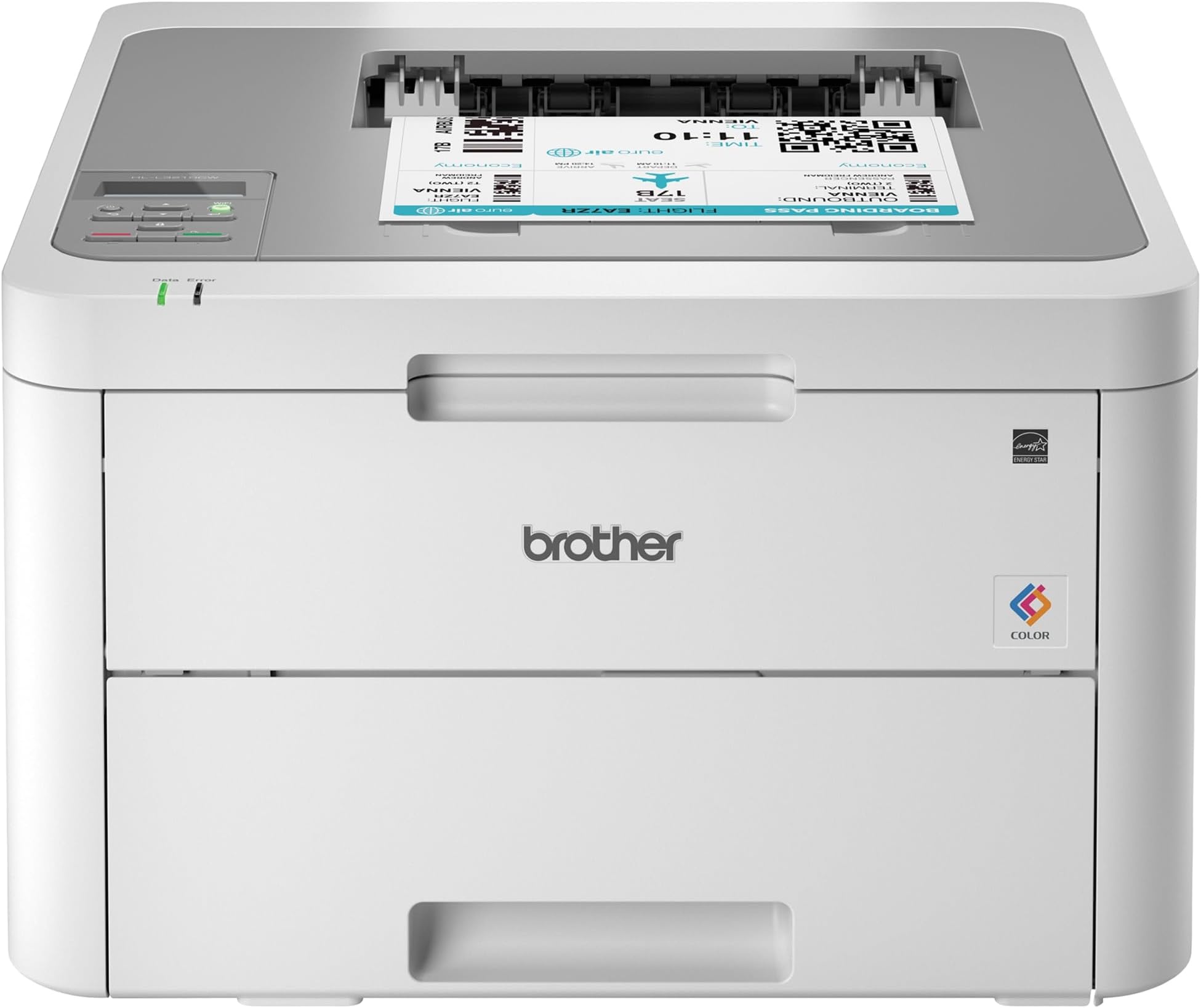
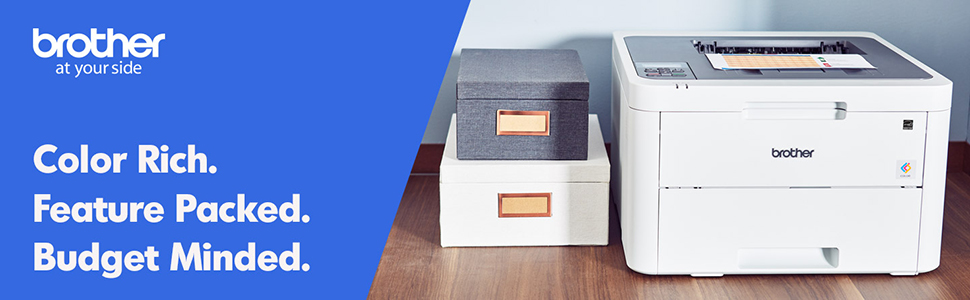
The Brother HL-L3210CW is a compact digital color laser printer designed for home and small office use, offering fast 19 ppm print speeds, professional-quality vivid color output, and versatile wireless connectivity options. Its 250-sheet adjustable tray supports multiple paper types, making it a reliable, space-efficient solution for busy professionals seeking affordable, high-performance printing.


| ASIN | B07FMS1DMX |
| Additional Printer Functions | Print Only |
| B&W Pages per Minute | 19 ppm |
| Best Sellers Rank | #157,515 in Office Products ( See Top 100 in Office Products ) #187 in Laser Computer Printers |
| Brand | Brother |
| Built-In Media | CD-ROM Includes Printer Drivers, HL-L3210CW Starter Black Toner Cartridge (1,000 pages),Starter Cyan Toner Cartridge (1,000 pages), Quick Set-Up Guide, Starter Magenta Toner Cartridge (1,000 pages)DR223CL Drum Unit Set (18,000 pgs)**, Toner Cartridges |
| Color | White/Grey |
| Color Pages per Minute | 1 ppm |
| Compatible Cartridge | Arthur Imaging compatible Brother HL-L3210CW Toner Cartridges |
| Compatible Devices | Laptops, PC |
| Control Method | Voice |
| Controller Type | Amazon Alexa, Vera |
| Customer Reviews | 4.2 4.2 out of 5 stars (3,481) |
| Display Type | LED |
| Dual-sided printing | Yes |
| Duplex | Manual |
| Global Trade Identification Number | 00012502651741 |
| Hardware Interface | USB |
| Ink Color | Black |
| Item Dimensions D x W x H | 16.1"D x 18.1"W x 9.9"H |
| Item Type Name | Brother HL-L3210CW Compact Wireless Digital Color Printer with Mobile Device Printing Ideal for Home and Small Office Use |
| Item Weight | 37.8 Pounds |
| Manufacturer | Brother Printer |
| Maximum Copy Resolution Black and White | 600 dpi |
| Maximum Copy Resolution Color | 600x600 dpi or higher |
| Maximum Copy Speed Black and White | 19 ppm |
| Maximum Media Size | 8.5 x 14 inch |
| Maximum Print Resolution Black and White | 600 dpi |
| Maximum Sheet Capacity | 251 |
| Maximum print Resolution Color | 600x600 dpi or higher |
| Model Name | HLL3210CW |
| Model Number | HLL3210CW |
| Model Series | HLL3210CW |
| Number of Drivers | 1 |
| Number of Trays | 1 |
| Other Special Features of the Product | Epeat Qualified |
| Output sheet capacity | 251 |
| Paper Size | 5-x-8-inch |
| Power Consumption | 390 Watts |
| Print media | Card stock, Envelopes, Glossy photo paper, Paper (plain) |
| Printer Connectivity Type | wired, wireless |
| Printer Output Type | Color |
| Printer Type | Laser |
| Resolution | 600 x 600 dpi or higher |
| Scanner Type | Sheetfed |
| Specific Uses For Product | Home, Office |
| Total USB 2.0 Ports | 1 |
| Total Usb Ports | 1 |
| UPC | 012502651741 |
| Unit Count | 1.0 Count |
| Warranty Description | 1 year |
| Warranty Type | Limited Warranty |
| Wattage | 365 watts |
A**.
Exactly What I Needed
This printer is truly plug and play. It took me less than a 1/2 hr to print a photo from my phone (which I’ve never done before). Installation and setup: this printer is heavy. The hardest part was getting the thing out of the box. It only had the printer itself and the power cord. If you are planning on connecting it directly to your computer, you will need to buy the cable separately. You have to take off all the blue tape and the orange protective bits, put the cartridges back in, plug it in, load paper, and then connect it to your network. It was a little tedious to use the up and down arrows to key in the network key, but it’s a one-time thing. I’ve previously only had inkjet printers, so I don’t know how it compares to other laser printers, but I’m very happy with the quality of the images. To really put it through its paces, I ran some different types of paper through it and the printing was spot on for almost all of them. I ran some labels through and it had some issues feeding some of the pages, but it did way better than any other personal printer that I’ve had. I kind of anticipated issues because the printer didn’t have a label option for paper type. All in all, I’m exceptionally pleased with this and am super grateful to have quick, reliable, quality printing.
C**K
Great so far with a small issue.
Using this to print regular letters and office graphics works well and print quality is just fine. With a little trepidation I decided to print a couple of greeting cards on standard greeting card 1/2 fold stock and to my surprise it printed just fine. Color was good paper feed (through the manual feed slot) was great with no problems as mentioned in other reviews or questions answered. The greeting card program I use set the printing options for this printer quickly and straightforwardly. I did set the paper type to thick before printing. So I decided to print the envelopes for the cards and this is where there was a little disappointment. The printing was fine and was handled OK through the manual feed just one issue....the envelope came out a bit wrinkled (only on the back side). Not enough to throw it away but it was noticeable. I didn't consider this to be a problem because I normally don't print envelopes, just write them out. Setting up the printer (drivers & wireless) you need to pay attention and follow instructions as it could be a little confusing to some. After doing this the printer worked fine with wireless printing. In closing I would recommend this printer having had brother machines in the past and found them to be well made and function properly not to mention the price was well suited to my budget.
A**R
Easy to set up and connect to my network
I found it very easy to follow the directions for removing the packing materials and installing the cartridges of toner. I also thought it was easy to get connected to my net work and had no trouble at all sending my first file to be printed. The first thing I tried to print with a color photograph. I was not aiming for high quality. I printed it on regular copy paper instead of photo paper. The picture came out good but I noticed that there were some shadows on certain portions of it that didn’t appear in the file when I looked at it on my phone. It’s quite possible that I just need to change the setting on the printer to “high-quality“. Once I have an opportunity to give that a try I will up this to a five star rating if the shadows go away.
N**R
Constantly updates firmware to prevent you using 3rd party consumables
After owning this for almost 3 years, here's the verdict: Brother make a good piece of hardware it prints well. But they have mastered fleecing their customers, spreading each new surprise expense out so you get deeper in financially. The printer was great. The toner cartridges it came with weren't massive, but bigger than the "trial" ink cartridges a lot of inkjets come with. Print quality was wonderful. It just worked. But slowly, they ran out. First black, then each color in turn. A couple months apart, so I forget about the pain of buying the last one. I sprung for the high capacity genuine cartridges. First, the genuine, high-capacity magenta started leaving ghost smears. It was getting clumps of toner on the transfer roller in the cartridge. I lived with it. I finally changed all 4 cartridges. I thought I was in the clear. NOPE! Replace the waste toner box now! It costs as much as a toner cartridge from Brother, and unlike the toners, it's not as easily available on Amazon. I finally decided to risk third-party. It's not TONER, it's just the receptacle for the toner that doesn't end up on the paper. It won't affect print quality, right? Ordered a well-reviewed third-party cartridge on here. Finally got around to putting it in the printer. It printed a test page. Cool. I finally diagnosed the magenta cartridge and cleaned the roller of its clumps. Print another test page? NO! Replace the waste toner cartridge! This printer gave me ONE page before rejecting the third party part. It's not even producing the stuff the printer uses! I did some network analysis with my hardware firewall. This printer calls home at LEAST once per day to get updates. It doesn't inform you of this when you hook it up to your wi-fi. It just helps itself to the internet when you're not using it. After some research, it appears that third party stuff works for a while, then stops working. I presume most of the updates to this printer are to disable your ability to use non-genuine consumables. If I replace this waste toner box, it's probably gonna complain about the drums in another month. I'm done. No more caring about the cost I've sunk into this. I don't care that I've got 4 expensive toner cartridges with >75% remaining. Not another dime. I'm deeper into consumables than I spent for the printer. I don't have that many pages through it, even (a few hundred in 3 years). Brother, if you're reading this: get over yourselves. If I ruin my prints with third-party consumables, that's my choice. I regret every dime I spent on your products. I'm done. Your behavior is anti-consumer, and I'm sick of it. I'll go research a printer brand that doesn't combat me to force more of my money into their pockets.
J**E
Great Color Laser Printer; Does NOT do duplex
I was looking for a replacement for my 9-year-old Brother HL-3170CDW which held up fairly well until the last 6 months. This printer was slightly slower but more inexpensive so ordered it. It was fairly easy to setup on our wireless network though it did take a couple of tries to find where to input our network password. What I failed to note was that this printer does not do duplex automatically. You can do it manually by using the front opening to the printer. So if duplex is important then find a different model. The colors look great and I look forward to it lasting as long as my other brother printer.
R**S
A qualidade da impressão em preto é muito boa, entretanto a impressão em cores de fotografias é razoável. De qualquer forma, essa impressora atende bem para uso doméstico e de trabalhos escolares. Ainda não troquei o toner, mas aparentemente, existe uma oferta boa de consumíveis com preços razoáveis. A instalação é tranquila, mas bem demorada. Outra coisa que pode incomodar é o grande espaço que ocupa (apesar que não existe milagre para ter 4 cartuchos de toner em um único aparelho. Até o momento, estou bem satisfeito com a impressora.
C**G
This printer came as factory refurbished, which is actually fine with me given the good price, but it wasn't listed anywhere in the details or description. According to the printer settings it had only printed about 55 pages, and also looks brand new.
C**R
Bought this about a year ago now, and have been extremely satisfied with it. Honestly I don't print often, and so far this printer probably has not "paid" for its self yet for the hefty initial investment, but I can already tell it was well worth it. For the 4 years prior I had been using an HP Inkjet printer. As mentioned I dont print super often, so what I was finding is that my ink was constantly drying up and gunking up the printheads. Overtime this got worse and worse, and I was going though ink constantly, which is so expensive! Don't get me wrong, new toner (4x cartridges) for this new printer is insane at first glance, but you get so so many more pages for your money. Quality is sharp and crisp. Colors not as deep as an inkjet, but this is not designed to be a photoprinter. I'm able to go weeks without printing, send a page to it and have it print in moments, without any worry of the printheads getting clogged or drying out. I had so many issues with my last printer so constantly, but have yet to have any problems in the year I've owned this. Prints pretty close to the margins on the top and sides, but there is a solid chunk at the bottom it has issues printing on. If you an find this printer in stock, its absolutely worth replacing your old inkjet. The initial sticker shock feels like a lot, but this is definitely a long term investment!
A**O
La compré para mis impresiones en la universidad y sobre paso mis expectativas. Es para una oficina mediana, ahora vendo impresiones a mis compañeros para aprovechar lo más que pueda este equipo. Silenciosa y muy rápida. Llegó como nueva ningún detalle a simple vista.
A**N
This is the third laser printer I've tried and I finally found one that works really well and is easy to setup. All the other printers had issues with wireless printing and didn't work well with Mac. This one was the first one where setting it up took less than 15mins to setup. It works great on Mac and Windows. Wireless printing is effortless and works really well. The print quality itself and color looks fantastic. Only downfall is that it's not very feature rich. It doesn't print double sided, which I was surprised when I fount out. It's alittle bulky and heavy. All that aside, if your looking for a simple and reliable laser printer this is a good choice.
Trustpilot
2 weeks ago
2 weeks ago