Desertcart purchases this item on your behalf and handles shipping, customs, and support to Malaysia.
๐ฏ Own the retro revolution with wireless precision!
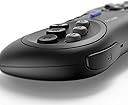
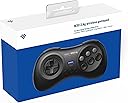
The 8BitDo M30 2.4G Wireless GamePad is a sleek black controller designed to evoke the classic Mega Drive feel while offering modern wireless freedom. Compatible with Sega Mega Drive, Genesis, Nintendo Switch (wired mode), and Windows PCs, it features a 14-button layout including turbo functionality for enhanced gameplay. The package includes a wireless receiver and USB charging cable, making it a versatile and ready-to-play accessory for retro and contemporary gamers alike.


| ASIN | B07HB1XFQW |
| Amazon ๅฃฒใ็ญใฉใณใญใณใฐ | ใใฝใณใณใปๅจ่พบๆฉๅจ - 151,321ไฝ ( ใใฝใณใณใปๅจ่พบๆฉๅจใฎๅฃฒใ็ญใฉใณใญใณใฐใ่ฆใ ) USBใขใใใฟ - 3,503ไฝ |
| GTIN (Global Trade Identification Number) | 00193885950499, 06922621500834 |
| UPC | 193885950499 |
| ใใใใๅบฆ | 5ใคๆใฎใใก4.6 1,378 ใฌใใฅใผ |
| ใซใฉใผ | ใใฉใใฏ |
| ใณใณใใญใผใฉใผใฎ็จฎ้ก | ใฒใผใ ใใใ |
| ใใผใใฆใงใขใใฉใใใใฉใผใ | Sega Genesis |
| ใใใฑใผใธๅๅๆฐ | 1 |
| ใใฉใณใ | 8Bitdo |
| ใใฉใณใๅ | 8Bitdo |
| ใใฟใณๆฐ | 14 |
| ใกใผใซใผๅ | ใจในใปใขใผใซใปใใญใธใงใฏใ(SRPJ) |
| ใกใผใซใผๅ็ช | 6922621500834 |
| ใฆใใใๆฐ | 1.0 ๅ |
| ไบๆๆงใฎใใใฒใผใ ๆฉใขใใซ | SEGA Mega Drive |
| ๅๅใฎ้้ | 0.2 ใใณใ |
| ๅๅๆฌไฝใตใคใบ | 14.4 x 2.6 x 6.3 cm |
| ๅ็ช | 6922621500834 |
| ๅฏพๅฟใขใคใใ | PC, ใฒใผใ ๆฉ |
| ๅฏพๅฟใใใคใน | PC, ใฒใผใ ๆฉ |
| ๆฅ็ถๆ่ก | USB |
| ๆฅ็ถๆนๅผ | USB |
| ็นๅพด | ใฏใคใคใฌใน |
| ็นๆฎๆฉ่ฝ | ใฏใคใคใฌใน |
| ่ฒ | ใใฉใใฏ |
ใช**ใณ
ๅฃฒใๆนใซไธๆบใ
ๆฌๆฉ๏ผ2.4G็๏ผใ่ฒทใในใใฆใผใถใผใฏใใใกใฌใใฉใคใๅฎๆฉใซ็ก็ทใงๆฅ็ถใใใไบบใใซ้ใใใพใใ PCใใใณใใณใใผSwitchใซๆฅ็ถใใฆไฝฟ็จใใใๆนใซใฏใใ8BitDo M30ใใฎใBluetoothๅฏพๅฟ็ใใใๅงใใใพใใ ไฝๆ ใใจ่จใใจใBluetoothๅฏพๅฟ็ใฎๆนใ็ก็ท็ฐๅขใซๅน ๅบใ้ฉๅฟใใฆใใไปใ ใใใใ้ใใใใกใผใ ใฆใงใขๆดๆฐใใๅๅญใใฟใณๅ ฅๅๆนๅผใฎๅคๆดใชใฉใๆฉ่ฝๆงใๆใใใซไธไฝไบๆใ ใใใงใใ ในใใขใฎ่กจ่จใไธ่ฆชๅใงใๆฌๆฉใจBluetoothๅฏพๅฟ็ใฎ้ใใ่ชฌๆใใชใใฐใใใใ ใฌใทใผใใผใฎๆฅ็ถ็ซฏๅญ๏ผใกใฌใใฉใคใๅฐ็จ๏ผใๆ ใใชใใฎใฏใ่ชค่งฃใ่ชใฃใฆใใใใใซใใๆใใใใชใใ ใใใใๅใใ8BitDo M30ใใชใฎใซใไฝๆ ใใผใธใๅใใฆใใใฎใงใใใใ๏ผ ้กไผผใฎ่ฃฝๅใซ่ชๅฐใใใใๆฉ่ฝใๆ ผๆฎตใซๅฃใๆฌๆฉใฎๆนใBluetoothๅฏพๅฟ็ใใ้ซ้กใชใฎใ็ดๅพใใใชใใ ๆ็ทๆฅ็ถใชใไฝฟใใใฎใงใณใณใใญใผใฉใผ่ชไฝใซใใพใไธๆบใฏใใใพใใใใๆฌๆฉใฎๅฃฒใๆนใซใฏไธๆบใๆใใพใใ
J**A
EL mejor para la mega
El mando esta muy bien y se siente muy bien, la cruceta y los botones son muy comodos Algunos juegos como por ejemplo aladdin no funcionara, es necesario actualizar el firmware tanto del mando como del receptor. Para actualizar los firmwares dirijete a la pagina oficial y descarga el de 2.4ghz, son 2 archivos. Para el mando manten pulsado l+r+start y conectalo al usb del ordenador con el cable que viene, dale click a update y elige el archivo. Para el receptor debes abrirlo y dentro habra un mini usb, conectalo al prdenador con un cable y sigue el proceso de update. Algunos juegos homebrew no funcionara
T**N
With updated firmware: THE BEST Genesis controller on the market and at a great price
I am going to write my review at the top, but if you are looking for information about the disconnection glitch and the firmware update supplied by the manufacturer than skip down, or search for <firmware update> With that out of the way, I want to highlight how awesome the controller really is. It has a very solid design, an amazing D-Pad similar to the classic 6 button Sega controllers, and great feeling buttons. The shoulder buttons function as extra "C" and "Z" buttons, meaning your thumb never has to move across more than one button at any time. This is great for games where reaction time is important. The 2.4GHz model feels as responsive and lag free as a wired controller. Testing has shown that this model is actually more responsive than its Bluetooth counterpart. The receiver supplied with the 2.4GHz model has a smaller form factor than the Bluetooth model. This is actually very important on the Genesis which uses an array of pins for the controller connectors. Too much wiggling or force applied from the sides can cause those pins to bend and break and the likelihood and potential for damage is significantly less with the smaller and lighter receiver. I also think it looks a lot nicer. Even though it uses 2.4GHz RF, you can connect this controller to a PC via USB, and it makes an excellent controller for playing older games, or newer games like Sonic Mania, Cuphead, etc. It uses standard X-Input controls which works out great because A, B and X, Y are in the same positions on this controller as an X-Box controller. My one current complaint is that there is no "home button"; similar to the "home keys" on a computer keyboard, on the original Sega 6 button controllers there are small bumps on the B and Y buttons, so you know without looking where your thumb is. These are missing from this controller. However, I do not deduct this from the review because the shoulder buttons actually solve this issue by allowing you to keep your thumb over the four left buttons and use your index fingers for C and Z. But it would still be nice to have. The battery life is fantastic, 35 hours off of a single 1-2 hour charge. Overall, this is the best Genesis controller on the market and a crazy deal at $25. The only downside is that if yours has the original firmware you will need to update it. Below I have documented my experience as well as the fix supplied by 8Bitdo. - - - <firmware update> - - - After reaching out to 8Bitdo support (they were very fast and very helpful), I was sent an email containing Beta firmware drivers to try out. The ones that I was sent were labeled as version 2.00, along with a README that was a DOC formatted file with embedded pictures (so open this with Word or similar). I have uploaded an image of the files. IMPORTANT! The only firmware updates currently listed on their support website are for the Bluetooth version of the M30! You cannot use these for the 2.4GHz model, and you cannot use the auto-updater from their site for it either (i will talk about this more soon). You will need to get the new firmware files either from 8Bitdo support, or wait for them to be made available. So, if you are having similar issues - please email their support team! There are separate drivers for both the controller and the receiver. This is VERY important because the receiver has a Micro USB port that can only be accessed by unscrewing the shell. I have attached pictures of this to make it as clear as possible. YOU WILL NEED A SMALL STAR SCREWDRIVER TO OPEN IT! Another VERY IMPORTANT piece of info, you do not update the firmware for the 2.4GHz controllers the same way as you do with other 8Bitdo controllers and receivers. As of this review - you have to put the controller into "update mode" by holding the shoulder buttons and then start. Once in this mode you connect it to your computer with the included USB cables. The controller will show up as a very small drive, complete with a drive label (on a Windows machine). This is where you copy the controller's firmware files, "V2.00_GamePad". Make sure to securely disconnect it, and then remove the USB cable. You then can connect the receiver (a blue light indicates a connection) and copy the retro receiver firmware files to it the same way as you did the controller. Be careful, as the instructions I was sent had a typo and asked for me to copy the controller firmware over twice, first to the controllers and then again to the receivers - however for the receivers you will copy the receiver specific file, in my case the file named "V2.00_RR". After that you are all set! My controllers were dropping connections regularly after around ~1 hour of playing on the original firmware. Now I have tested them both well past that limit with 0 dropping and 0 lag. I really hope the controllers will begin shipping with an updated firmware already installed, but if you need to make the update I hope that this has been helpful.
D**9
Croce direzionale perfetta, accoppiamento immediato
Nessun minimo problema di sincronizzazione tra il ricevitore ed controller, si sono accoppiato immediatamente senza alcuna procedura. Ho provato il dispositivo sia su un megadrive originale che su Genesis 2 clone della Retroad e funzionano benissimo su entrambi! La croce direzionale รจ ottima soprattutto per i picchiaduro: le mosse "entrano" perfettamente al primo colpo sia su street fighter 2 che mortal Kombat!!
B**D
Good Response, Easy to Pair, Instructions Poor!
Have used this on my Megadrive 2 to spare the original wired controllers from wear and tear. Had previously bought a wired controller but the directional button broke after two weeks, so was wary of buying another. The instructions are quite poor and leave things out. For instance, pressing the start button on the controller turns it on. Pressing and holding the start button (for around 3 secs) turns it off. Very useful to know! The controller itself is excellent though and is very responsive with no lag in my experience. It feels more robust than the controller I bought previously but intend to revisit this review in a few weeks once I've played more with it. It is easy to pair and should not need to be paired again once set up. Simply turn on the Megadrive with the receiver installed and press the start button on the controller. I like that you can switch between 3-button and 6-button modes as I found some games more challenging in 6-button mode. That may just be me though. I also like that you have two buttons on the front of the controller which can be used as a C button (right) and Z button (left). I've found these useful. Charge is lasting a long time so far and very happy with it.
M**E
Nothing will rival a wired original but in the absence of those...
Seen some mixed reviews on this on various media platforms but I can tell you as a die hard MegaDrive/Saturn d-pad fan(only the PS Vita rivals it) this one works as intended. Some say it didn't work as good as they thought it might and some say it worked perfectly. One I really trust mentioned that all directions can be pressed at once if pushing down on the middle of the pad. I did not experience this(yet anyway) and what else I can say is this: Upon delivery I immediately got my copy of Street Fighter II Special Champion Edition, plugged it in and completed a run through with Ryu and the pad did not miss a beat(and I'm a bit rusty on this game). Fireball, Dragon Punch, Rising Dragon Punch ;-) all worked no misses. I was sat maybe 2.5 meters from the MegaDrive and had no dropouts. The inherent lag from WiFi is as good/bad as any modern pad and is to be expected. A younger me would probably tell the difference between its input speed and an original wired one but I haven't noticed it yet. Streets of Rage 2 will test that but I haven't got to it yet. I would say if your original pad is on the way out or worn out this is a worthy replacement.
Trustpilot
1 month ago
1 week ago