

❄️ Stay Cool, Perform Hot – The Ultimate M.2 SSD Heatsink Upgrade!
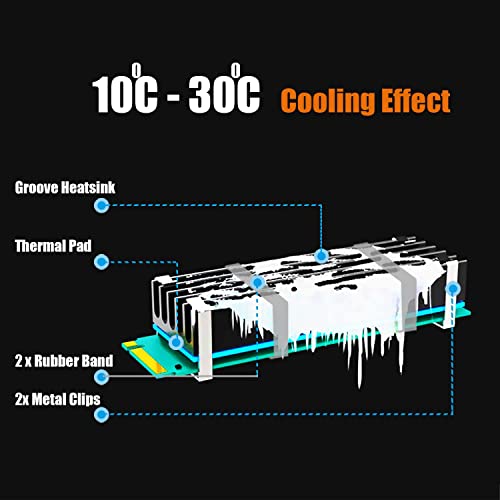
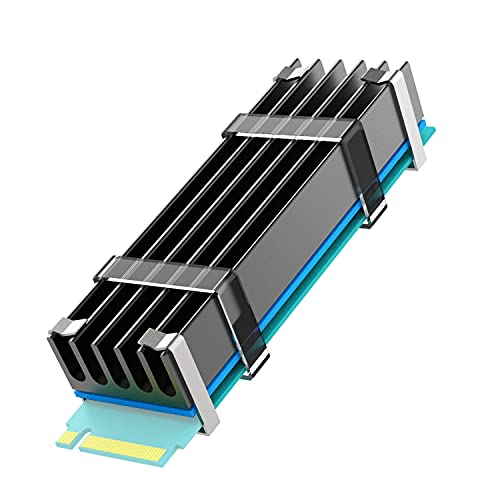
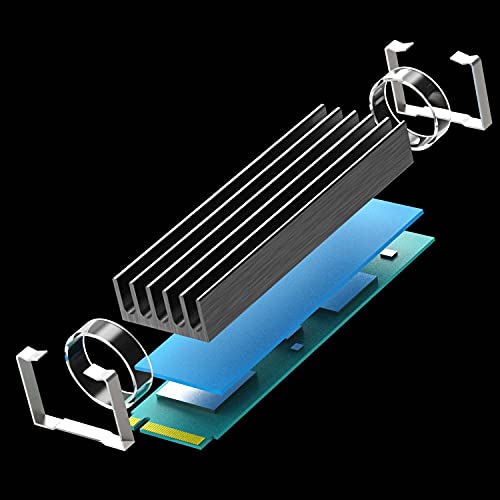
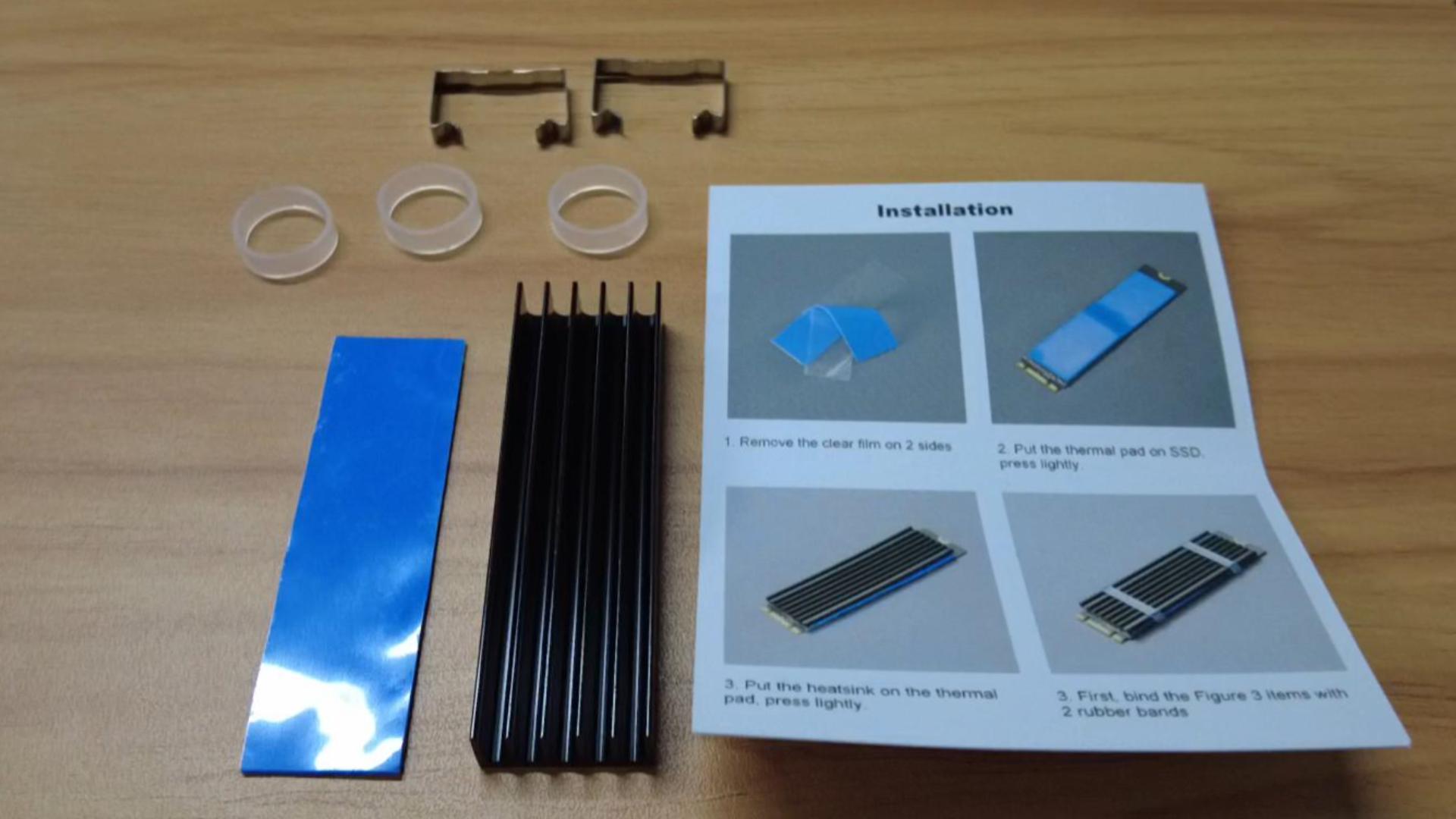
The GLOTRENDS M.2 Heatsink Kit is a sleek, aluminum cooling solution designed specifically for 2280 M.2 SSDs in desktop PCs. Featuring a 5-30°C cooling effect, flexible mounting with metal clasps and rubber bands, and a high-performance thermal pad, it effectively lowers SSD temperatures to maintain peak performance and extend device lifespan.


| ASIN | B07LCQLC8Y |
| Best Sellers Rank | #46 in Heatsinks |
| Brand | GLOTRENDS |
| Cooler Heatsink Compatibility | Desktop PC Installation |
| Cooler Heatsink Material | Aluminum |
| Date First Available | December 14, 2018 |
| Is Discontinued By Manufacturer | No |
| Item Weight | 0.704 ounces |
| Item model number | 22x70x10mm |
| Manufacturer | glotrends |
| Mounting Type | PCB Mount |
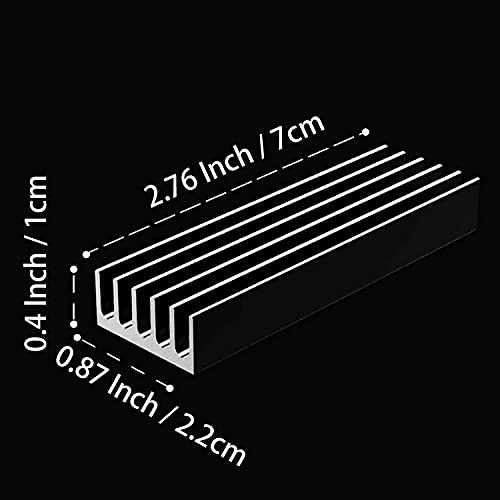
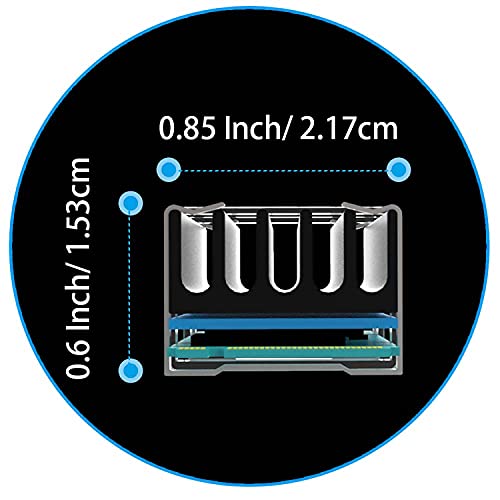
| Product Dimensions | 2.76"L x 0.87"W x 0.4"H |
T**N
Easy to install and efficient.
This M.2 heatsink is well made - no sharp edges, nice finish, nice accessories. The thermal pad is essential to couple the SSD to the heatsink and seems to do a great job. The clips are not so tight it feels like they will damage either the SSD or the heatsink, and certainly hold well to keep this thing in place. The silicone bands are a nice alternative or addition for those who are paranoid. Overall, it keeps my drive cool and works well. Also, the price can't be beat.
M**.
Satisfied
I use these for the secondary drives in me and my wife's gaming laptops. Fits great. Works like it should. Will buy more if needed.
A**R
Does the job!
I ordered this for my WD Black NMVE drive that was idling at 58c and would exceed 70c under sustained loads and start to throttle. Installation was easy but make sure you dont place the thermal pad/heatsync too far back or you won't be able to screw the drive to the motherboard. After install, I immediately noticed an improvement in temps. The drive now idles at around 47c and only reached 53c under load with Crystaldisk benchmark. Pros: Cheap, Easy to install, nice black finish. reduced temps by 10+ degrees at idle and 15+ degrees under load. Cons: the instructions are lacking. I wasn't quite sure what to do with the metal brackets as there is no instructions for them and they didn't seem to fit on my drive. I just used the rubber bands. overall this product works as intended and for just $5, it's a no brainer. Buy it.
D**E
Easy to place on, does what its supposed to do.
Anyone who PC games knows heat is everything when playing. I had never considered, however, adding a heat sink to my m2 drives. When I purchased my newest computer (which has 4090 rtx) I figured if I could shave a few degrees off, that would be great. Overall I've noticed a drop in temp of between 5 to 6 degrees C, which may not sound like much but when the first several hours of my gameplay stays in the 40 to 50 C degree range it makes for a better experience, and since I now have only the one kidney after buying this monstrosity I want it to last. The set comes with actual brackets or you can use the silicone bands that come with it to attach to the top of the M2 drives. Thermal pads were easy enough to fit even with my fat fumble fingers. I highlly recommend. Happy gaming.
A**Y
Works great
Works great for laptops
M**G
10mm Heatsink Solved Roku Stick Overheating Issue
Attached the heatsink to my Roku Stick after it started overheating with out new Samsung TV. It never overheated with our other TV, but the new Samsung OLED seems to drive the Roku hotter. Since updating the TVs software and the Roku's software didn't fix the issue; I had to resort to plan-B. Adding this heatsink was relatively easy, even though the Roku is not flat. Enough of the heatsink made contact to bring temps down from 116C to 101C. Not as low as I'd hoped for, but the annoying message about my Roku overheating is gone. I'll probably buy another one to attach to the other side of the Roku to see if it can bring it down further.
A**R
Clips will scratch the PCB
The clips included with the heatsink are sharp enough on the edges to scratch the PCB and they're difficult to get on without doing so. Do yourself a favor and get some single sided foam tape, about 1/8" thick, and cut to size to adhere to the clips (on the inside metal surface). They may fit a little tighter, but that's good since they need to hold the heatsink in place anyhow, and it won't risk damaging the SSD. You can see where the clip scratched the PCB and exposed part of the trace in the photo toward the middle and also the left of the photo. Surprised the manufacturer doesn't provide foam tape or have some sort of rubber surround on the clip. Thankfully the SSD is fine and it was somewhat inexpensive, but be extremely careful with something you saved up a lot to buy and looking to keep it in good shape. On a side note, the first question about this product is probably the best question on the internet.
K**N
Heatsink
Very easy installation but has a very tight grip around ssd Nvme
P**1
houdt temperatuur gemiddeld onder de 35 graden. Eenvoudig te monteren
L**L
pod obciążeniem spadek 6-8 stopni w idle nie ma zmian. Px700 pod obciążeniem przed 60 teraz około 52.
M**M
Simply nothing bad to say! My SSD stays perfectly cool, and installation was super easy. I mostly bought it because the original factory heatsink kept coming off, and this one has been totally worth it.
R**N
c'est super ma play se chauffe plus
J**N
parfait
Trustpilot
4 days ago
1 month ago



