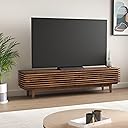
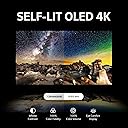
🔥 Elevate your viewing game with LG OLED evo C3 – where AI meets brilliance!
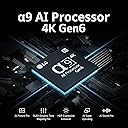
The LG C3 Series 65-Inch OLED evo Gallery Edition Smart TV (2023) features a cutting-edge Gen6 a9 AI processor for stunning 4K visuals, enhanced brightness booster technology, and Dolby Vision & Atmos support for immersive entertainment. Its ultra-fast 0.1ms response time and 120Hz refresh rate make it perfect for gamers, while the sleek bezel-less design seamlessly integrates into any modern living space.


| ASIN | B0BVXDPZP3 |
| Bluetoothバージョン | 5.0 |
| UPC | 195174050255 |
| USB2.0ポート数 | 3 |
| USBポート数 | 3 |
| おすすめ度 | 5つ星のうち4.4 845 レビュー |
| アスペクト比 | 16:9 |
| カラースクリーン機能付き | はい |
| コントラスト比 | High |
| ディスプレイの最大輝度 | 4000 ニットコーティング |
| ディスプレイ技術 | 有機EL |
| ディスプレイ方式 | 有機EL |
| ハードウェアインタフェース | HDMI, USB, イーサネット, ブルートゥース |
| ブランド | LG |
| ブランド名 | LG |
| ポータブル | いいえ |
| メーカー型番 | OLED65C3PUA |
| モデル名 | OLED65C3PUA |
| ユニット数 | 1.00 個 |
| レスポンスタイム | 0.1 ミリ秒 |
| レンズマウントの種類 | テーブルマウント |
| ワット数 | 115 W |
| 商品の追加説明1 | AIアップスケーリング, AIピクチャー, HDR(ハイダイナミックレンジ), ダイナミックトーンマッピング, ドルビービジョン, ピクチャープロセッサ, フィルムメーカーモード, 調光技術 |
| 商品の重量 | 40.8 ポンド |
| 型番 | OLED65C3PUA |
| 接続技術 | USB, Wi-Fi |
| 推奨ネットサービス(Youtube、streamnado) | Amazon Instant Video, Netflix, YouTube |
| 特徴 | AIアップスケーリング, AIピクチャー, HDR(ハイダイナミックレンジ), ダイナミックトーンマッピング, ドルビービジョン, ピクチャープロセッサ, フィルムメーカーモード, 調光技術 |
| 現在までサポートされているソフトウェアアップデート | 不明 |
| 画面サイズ | 65 インチ |
| 画面サイズの単位 | 65 インチ |
| 発売年・モデルイヤー | 2023 |
| 解像度 | 4K |
| 通信・接続インターフェース | USB, Wi-Fi |
| 電圧 | 120 ボルト |
| 電池の数 | 2 単3形 電池 |
U**C
My new PC monitor
I'm using the C3 as a computer monitor. I had purchased the G9 Neo a couple years back and have been using that as my main display coupled with a G8 - it was TONS of real estate, but media consumption was mediocre as the vertical space was the same as a 27" screen, so I decided to migrate to a singular large format screen. I went back and forth on size and brand between this and the equivalent Samsung offering. I checked them out in stores, read reviews and the C3s only issue was the protection LG uses to prevent burn-in, so when the C3 was recently on sale I sprung for it. I was aiming for the 55" since it was going to sort of be on my desk (wall mount), but the 65" was actually a better price at the time. It actually was the EXACT same width as my desk and is surprisingly aesthetically pleasing. In terms of performance I've had a couple things to work through. First there are NO Displayports and you pretty much NEED an HDMI 2.1 cable, so I was back on Amz fast tracking a new cable after trying to setup. I'm powering it currently with a 3080 TI. Playing content at 4k 60hz has been terrific, but when I bumped my refresh rate to 120, the screen itself started having issues - not my PC or what was on screen, but the menu system started choking HARD and slowed down greatly. This is actually pretty worrisome to me, I've dealt with Samsung putting a cheap processor in a screen before, and the smart stuff starts to crap out over time - so I'll be watching this, maybe it is a firmware issue, I can't call it yet. In terms of practical use and gaming, mostly Helldivers 2, Brotato, and Fortnite - all maxed out - it looks fantastic and is a much better experience than my ultrawide despite being close to the same width and it having a 240mhz refresh rate (and technically costing less than the G9 when not on sale). I was worried about text sharpness, but text has been perfectly sharp - the biggest IMO difference between a "tv" screen and monitor. Recently did taxes with wife at the same time on it and even with different forms and documents opened all over the screen at once (FancyZones for the win) she was able to read everything easily, despite needing glasses and being on the far right side. It doesn't sound like a big deal, but that is kind of huge. Media consumption such as Youtube has been a mixed bag - simply put there aren't THAT many content creators posting in 4K, so everything is being upscaled - with the results being mixed - hard to say who's fault that really is. Finally color and burn-in. I've had no burn in, but I've left the device to take care of self-dimming, I've kept it off when not in use, and I use animated backgrounds along with hidden task-bars, so I'm actively defending against it. So good so far. One of the differences touted between this and the Samsung equivalents is that the Samsungs are brighter - I worry not only will that lead to more burn-in, but it wouldn't be as comfortable as this has been, to use as a monitor - I'm sitting a few feet from a 65" screen, I don't need the full brightness of the sun pouring into my eyes. However, and in a good way, the darkness hs made the contrast look even better to at least me, and that makes the colors look even better. Helldivers 2 is not super colorful, but I can CLEARLY see all the details. Playing Rainbow 6 Siege, I've never felt at a disadvantage due to people blending in (or had issues with latency). Fortnite is super colorful and just 'pops' off the screen to my delight. Brotato as a 2D game doesn't tax the screen resolution, but speed that game can move at in later levels has not been affected by latency at ALL and it looks better than it did on my Steamdeck and the colors at least "feel" better than m G9, though I struggle to separate the color performance here from the scale. It was a weird decision buying this screen as a monitor, but I've ENJOYED using it so much, like I've actually smiled just playing games like L4D2 because the experience has been so good.
K**N
Great TV
I was very impressed with the quality. Crystal clear picture with great contrast. Highly recommended for gaming.
R**.
Cut the cord and WOW, just WOW
Pictures and Video are right out of the box shots and taken on a old Samsung Phone so obviously not 4K. We just last month 'cut the cord' and decided replace our old Plamsa TV w/ our first Smart TV. After much researching we decided to go w/ the 65" LG C3 OLED. We watch TV in what is basically a Theater atmosphere so the brighter LG G3 was not needed and much more expensive. That said, this TV is plenty good in bright room light. There is also NO drop off as you move around the room like that on a LED. Out of the box.... and just 41 pounds.... the picture on the C3 AMAZED Us! Sharp, clear, seamless video w/ gorgeous color on a 4K HDR Fish Tank Video. I am a photographer and so a fanatic on picture quality. LG's Picture Wizard does a darn good initial setup! Researching reviews/settings for the TV recommends turning off Energy Saver. Also a few tweaks for Contrast, Brightness, Color Saturation, etc. and we were good for watching 4K HDR. I didn't care greatly for the SDR as I like lifelike not 'punchy' Video. After some research I found a site (RTINGS) that had recommended settings for watching the C3 in SDR. THIS tweaking made a world of difference in the quality of the Video. This was especially noticeable on the Video from our old SDR TiVo Video Recorder. You can then tell the TV to apply these HDR and SDR settings across All Inputs. I can't really speak to the Sound Quality as I run all my sound through an Onkyo AVR and Mission Speakers/Sub. If you are coming from a 'Dumb' TV setup, where everything runs First to your AVR then uphill/out to the TV/Monitor, you will need to do some research on ARC/eARC HDMI. This and all Smart TV,s run downhill. Cable Box, Gaming, Blueray, etc go first to your LG TV through HDMI in Ports. Then an ARC/eARC HDMI transmits signals from the TV to an ARC/eARC Port on your AVR Receiver. It also, in my and in most cases, turns on and sets the AVR as I turn on the TV or Inputs through the TV. The LG C series has a GREAT Menu for helping this and ALL setups. As my old HDMI cables were 10 years old I did buy new 8K HDMI Cable 2.1 cables for ARC, XBOX, TiVo . The Remote has a Cursor/Pointer Feature that comes on when you shake/pickup the remote. THIS takes a bit of time to get used to, but is easily turned off. ALL IN ALL We LOVE this TV and after only a week have just scratched the surface on the user interface.
M**W
Amazing picture quality, with the chops to game.
I have been waiting to buy one of the 4k OLED TVs for almost 4 years, since the C1 was rolled out, and man am I glad I waited! Let me start by saying the crisp picture quality, full color range and LG trumotion functions built into the TV are great. I use FILMMAKER mode mostly and it does a great job of not oversaturating colors with HDR on, and getting the best looking picture for most media. I can't say enough about how much I love turning on this TV and seeing the bright, bold colors with better brightness than previous models. In addition to the great picture though, is the great gaming platform it is. I usually game on a 2k screen that is 144hz and 99% RGB with my PC, which looks great. However being able to game at 4K at 120fps with all the pop of OLED is something to behold. Single player games especially shine such as Resident Evil 8 on Ultra-High settings, Dead Space, Final Fantasy remake, God of War, etc. The high framerate is great if you can take advantage, but that requires a serious investment so may not be worth it for everyone. Overall I have no complaints. Yes this model could be cheaper overall, but you seriously get what you pay for and I know I will have no problem using this TV for the next 10 years, 4k has truely matured to produce a near perfect product.
2**T
Not the Seamless Smart TV Experience I Expected
When light reflects off the screen—such as from a lamp—it becomes clear that the panel surface is slightly warped rather than smooth and uniform. It lacks the crisp, clean finish I’ve seen on comparable models like the Bravia. The TV is also surprisingly difficult to manage. The primary issue is the software (webOS), which feels unintuitive and outdated for a modern smart TV. I had high expectations for LG’s proprietary operating system, assuming it would be an improvement over Google TV, which I previously found frustrating. Unfortunately, that wasn’t the case. Despite its flaws, Google’s interface is far more intuitive, feature‑rich, and user‑friendly. By comparison, LG’s system feels clunky and inefficient. Most modern TVs are essentially plug‑and‑play: connect a device via HDMI, and the TV automatically recognizes it, identifies the brand, and allows you to rename the input with ease. This TV does not. Many settings are buried in menus that don’t follow a logical structure, and several LG‑specific features are difficult to use in practice. The digital audio connection has also been problematic. It’s possible I’m missing a step, but clear, step‑by‑step instructions are nowhere to be found. The IR Blaster is another example. It arrives with no instructions, yet it’s intended to control external devices like DVD players or sound systems through a universal remote. While the concept is appealing, the on‑screen menus don’t align with the available documentation, and the guidance provided is minimal. As a result, the feature is extremely difficult to set up or use effectively. App support is another limitation. There is no Spectrum app, and PBS is limited to PBS Kids. While these services can be accessed through an external device like Apple TV, Spectrum’s integration remains inconsistent, which adds to the frustration. Customer support was also challenging to locate. I had to search extensively online just to find the correct phone number. Once I reached an agent, the interaction went smoothly, but the process to get there was unnecessarily difficult. The picture quality is decent, but the overall user experience has been disappointing. Based on my experience, I would rate this TV below average. If returning it were an option, I would do so.
Trustpilot
4 days ago
2 weeks ago