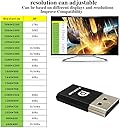
🖥️ Never settle for pixelated remote sessions again!
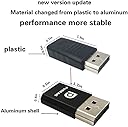
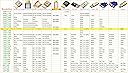
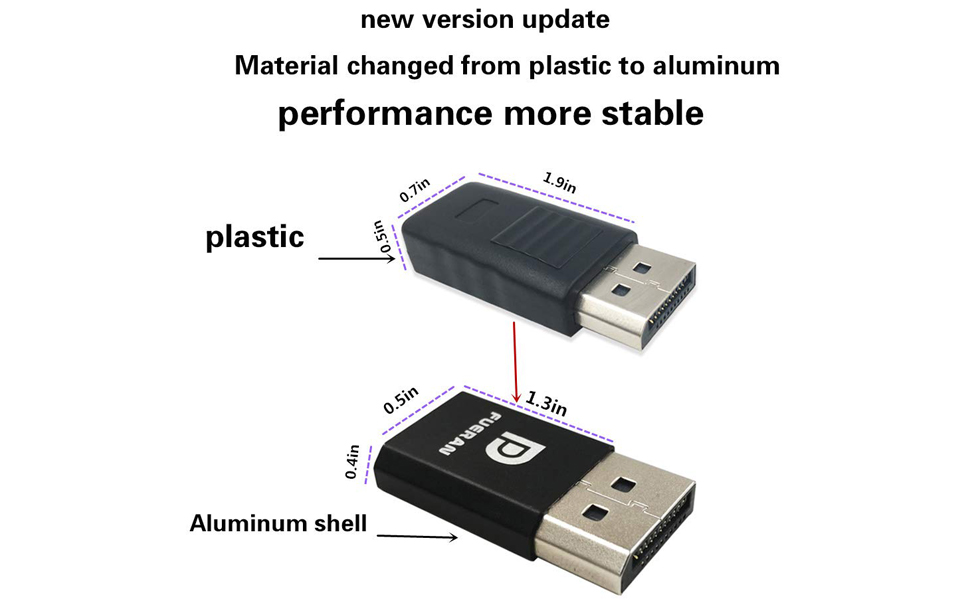
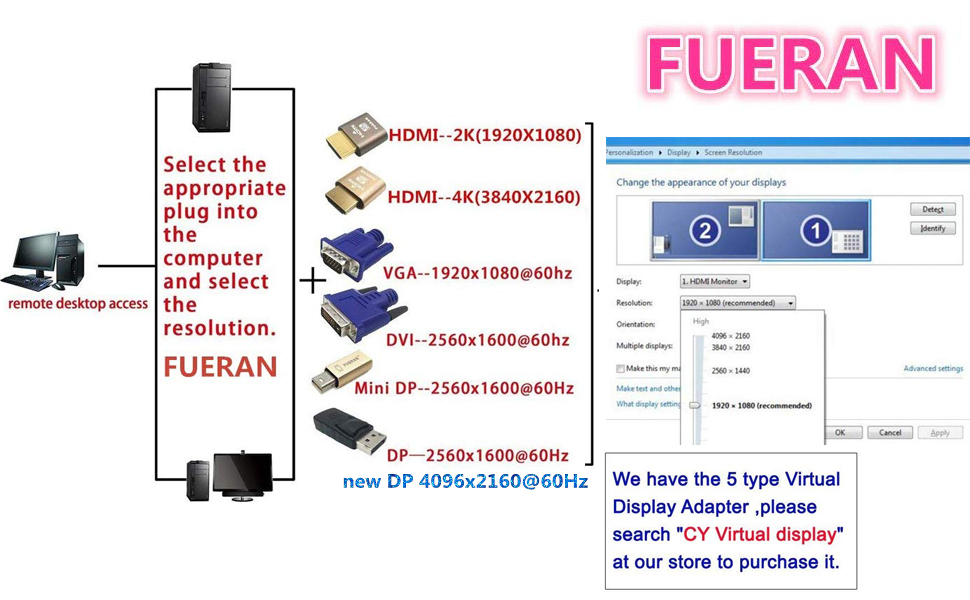
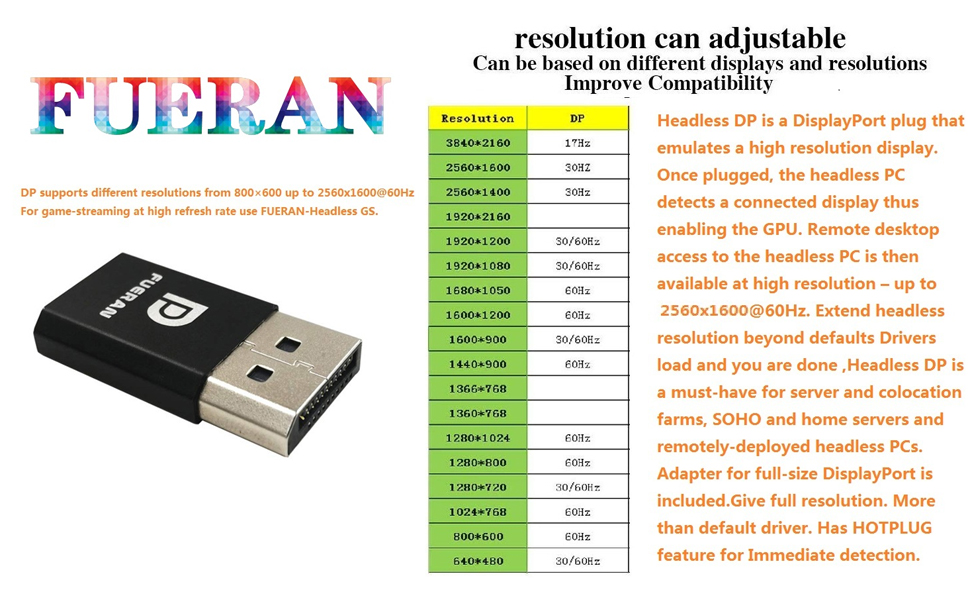
The FUERAN DisplayPort EDID emulator is a compact, driver-free plug-and-play device that simulates a high-resolution monitor (up to 2560x1600@60Hz) on headless systems. It ensures stable, high-quality remote desktop and gaming experiences by preventing resolution drops on Mac, Windows, and Linux without requiring additional power or configuration.


| ASIN | B07D5GWXQ7 |
| Best Sellers Rank | 7,383 in Computers & Accessories ( See Top 100 in Computers & Accessories ) 22 in DVI to HDMI Adapters |
| Colour | DP 3P |
| Connectivity technologies | displayport |
| Customer Reviews | 4.6 4.6 out of 5 stars (2,576) |
| Date First Available | 17 May 2018 |
| Item Weight | 20 g |
| Item model number | 88985 |
| Package Dimensions | 13 x 5.8 x 2 cm; 20 g |
D**Y
Works perfectly.
Works perfectly. I needed this because I have a computer I need to access remotely and Windows 11 always reduces the resolution to 640 x 480 for some reason, when the monitor is turned off and I access it remotely. Really annoying. So I bought this USB monitor emulator which fools Windows into thinking there is a 1080p monitor connected to it all the time, meaning my remote session uses the correct screen resolution.
K**E
Works Really Well
I recently upgraded my GPU and for one reason or another, my old GPU (a GTX 970) did not seem to care that it was headless with nothing plugged in, but my new GPU (a GTX 1660 Super) seemed to care an awful lot more. I got green screens whenever I tried to launch games, my remote desktop would constantly freeze and crash. Stumbled across this and thought I'd give it a go - plugged it in and sure enough all issues were resolved. Automatically detects it as a 1080p display at 60Hz. Really good little device, especially for the same price as a coffee! Would highly recommend to anyone running any kind of headless set up (a set up with no display plugged into the machine).
T**E
Emulates EDID as described.
It's exactly what it claims to be. It feeds a given EDID back to whatever you plug in as an "HDMI source", making it believe there's something attached on the other end. If you're in the situation that an HDMI splitter, audio extractor, or your graphics card (or anything like that) "won't behave because there's no display attached", this will _probably_ convince it otherwise. Useful for headless Windows and Linux machines where you want to RDP/VNC in and it refuses because there's no physical display attached. Also useful for certain HDMI splitters which get grumpy they're powered up before at least one display is turned on (or if it insists on "copying" the EDID from a given HDMI output). You can also get this in a "passthrough" arrangement, which keeps the HDMI output free for chaining onto something else too.
D**D
not able to output 1920x1080 on server 2019?
Bought for use on headless servers, it has increased display to 1600x1200 but my monitors are 1920x1080 or 4k so not as clean as i would have liked.... maybe it is my setup running on server 2019... i would like to note, if i connect a full HD monitor to either display on these machines 1920x1080 is available, so i know the machine can output.. is there a driver needed? If i can get these working as desired, then i will be purchasing more for the other servers i manage, if not will have to investigate other options.
M**T
Good for headless home lab servers
Keeps my home lab server from going to sleep when running headless
W**T
Great product
I have a couple of these now for headless servers that I remote onto using VNC clients. Without any display connected some linux distributions can exhibit strange laggy behaviour in the UI when connected via VNC. Plugging one of these into the server resolves the problem instantly. Product is compact and sturdy, doesn't clash with nearby ports etc.
L**9
Worked perfectly. Needed for server that needed screen to boot and this sorted it.
A**.
Great for chrome remote desktop
Bought this due to running a gaming server without a monitor connected. Using Chrome remote desktop the display would default to 640x480 without a monitor. This makes using the remote app very difficult. Plugged this HDMI dongle in, and now running at 1920x1080, making it much easier to manage seeing the whole screen. Excellent value for money, for something I wasn't aware existed until a few days ago!
S**M
Funkar utmärkt för att simulera att en skärm är inkopplad på min server. Inga drivrutiner eller krånglig konfiguration, bara att plugga in och köra. Perfekt när man behöver hantera en dator "headless" via fjärrskrivbord. Att det dessutom är ett prisvärt 3-pack är ett stort plus. Rekommenderas varmt till alla som behöver en enkel och pålitlig lösning för sina headless-system!
C**0
Come intenditore di tecnologie e attrezzature informatiche, ho trovato il Dummy Plug senza testa HDMI DDC EDID un accessorio incredibilmente utile e versatile. Questo emulatore fantasma monitor si dimostra essenziale per simulare la connessione di un display senza bisogno di un monitor fisico, il che è particolarmente vantaggioso in configurazioni di server headless o ambienti di test. Il design del Dummy Plug è semplice ma efficace. Grazie alla sua capacità di emulare un monitor, consente di evitare errori di risoluzione e di mantenere le impostazioni video corrette, anche quando non è presente realmente un display fisico (SERVER). Questo è fondamentale per garantire che le schede grafiche e le impostazioni di visualizzazione rimangano stabili, senza causare problemi di compatibilità o di visualizzazione errata. La compatibilità con HDMI e il supporto per il protocollo DDC EDID garantiscono che il dispositivo funzioni senza intoppi con una vasta gamma di hardware, rendendolo ideale per utenti avanzati e professionisti IT. Anche se il prezzo è contenuto, il valore aggiunto in termini di funzionalità e affidabilità è notevole. In sintesi, il Plug è un accessorio indispensabile per chiunque lavori con configurazioni di server o di test, offrendo una soluzione elegante e pratica per la simulazione di monitor.
ひ**ん
古いMac mini 2018をヘッドレスで起動するために購入。 ちゃんと解像度1920x1080のディスプレイが接続されているものとして起動して使えています。
R**.
come sperato
T**L
ben monitöre takıp ekran varmış gibi kullanabilirim diye düşünerek almıştım ama monitörü aktif hale getirmiyor. benim işime yaramadı ama ürün ekran kartına taktığımda monitör varmış bilgisini veriyor yani işini yapıyor.
Trustpilot
2 months ago
1 week ago