Desertcart purchases this item on your behalf and handles shipping, customs, and support to Malaysia.
🖨️ Print Anywhere, Impress Everywhere — Your Portable Powerhouse
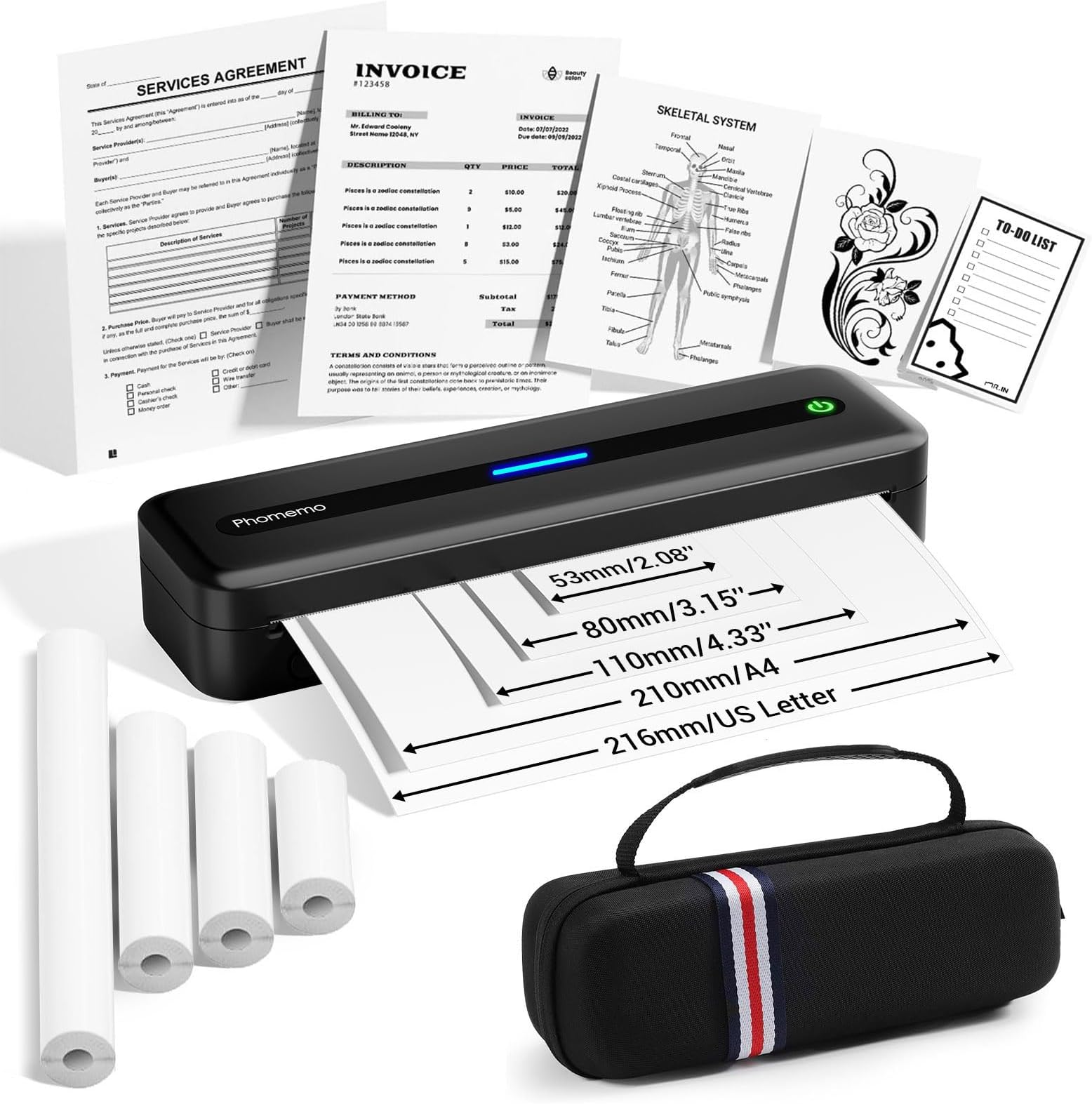
The Phomemo M832 is a lightweight, portable thermal printer designed for professionals on the move. It supports multiple thermal paper sizes up to 8.5"x11", connects wirelessly via Bluetooth or wired via USB-C, and delivers sharp 300 DPI prints without ink or toner. With a robust 2600mAh battery, it prints up to 150 pages per charge, making it ideal for business travelers, students, and mobile offices seeking efficient, cost-effective printing anytime, anywhere.


| ASIN | B0D545SG5J |
| Additional Printer Functions | Print Only |
| B&W Pages per Minute | 3 ppm |
| Best Sellers Rank | #27,067 in Office Products ( See Top 100 in Office Products ) #36 in Portable Thermal Printers |
| Brand | Phomemo |
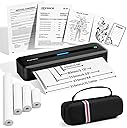
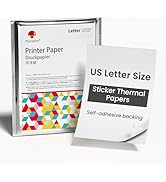
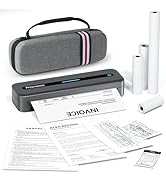
| Built-In Media | 1x Carrying Case Black, 1x M832 Portable Printer Black, 1x US Letter Size Thermal Roll Paper (in the printer paper bin), 1x 4.33'' Width Thermal Roll Paper, 1x 3.15'' Width Thermal Roll Paper, 1x 2.08'' Width Thermal Roll Paper, 1x USB-C Charging Cable, 1x Type C Adapter, 1x User Manual |
| Color | Black |
| Color Depth | 1 bits_per_pixel |
| Compatible Devices | Laptops, PC, Smartphones, Tablets |
| Control Method | App |
| Controller Type | Android, iOS |
| Customer Reviews | 4.2 4.2 out of 5 stars (716) |
| Dual-sided printing | No |
| Duplex | Simplex |
| Hardware Interface | USB Type C |
| Ink Color | Black |
| Is Electric | Yes |
| Item Dimensions D x W x H | 10.39"D x 3.07"W x 1.77"H |
| Item Type Name | Multifunction Printer |
| Item Weight | 700 Grams |
| Manufacturer | Phomemo |
| Maximum Copy Resolution Black and White | 300 dpi |
| Maximum Copy Speed Black and White | 3 ppm |
| Maximum Media Size | 8.5 x 11 inch |
| Maximum Print Resolution Black and White | 300 Dots Per Inch |
| Maximum Sheet Capacity | 150 |
| Maximum print Resolution Color | 300 dots_per_inch |
| Model Name | M832-BK-Kit |
| Model Number | M832-BK-SNH-A1 |
| Model Series | M832 |
| Number of Drivers | 1 |
| Number of Trays | 1 |
| Other Special Features of the Product | Built-in Paper Bin, 300DPI High-resolution, Large Battery Capacity (2600mAh), Wireless Bluetooth Printer, Inkless Thermal Printer, Travel Printer, Compatible with iphone Android Phone & Laptop, Lightweight, Portable |
| Output sheet capacity | 150 |
| Paper Size | 8.5" X 11", A4, 4.33" (110mm), 3.15"(80mm), 2.08"(53mm) Inches |
| Print media | Thermal Paper |
| Printer Connectivity Type | Bluetooth |
| Printer Output Type | Monochrome |
| Printer Type | Thermal |
| Processor Count | 1 |
| Resolution | 300 x 300 |
| Scanner Type | Portable |
| Series Number | 832 |
| Specific Uses For Product | Business Travel, School, Vehicle, Home, Office |
| Total Usb Ports | 1 |
| Warranty Description | 1 Year |
| Warranty Type | limited warranty |
B**D
Thermal technology has limitations, but it's implemented well in this printer
Despite seeing only sponsored Vine reviews, I went ahead and decided to give this printer a shot since I knew Amazon would make returning easy if I needed to. The printer doesn't quite give the quality I'd dream of, but it definitely is usable and is a worthy competitive option. Before I get too far into my review, let's review the leading printing technologies as of Dec 2023: --- Inkjet. If you've ever printed in color, this is probably what you've used. It's really the only color game on the market, that's its selling point. This technology works by spraying your paper with finely controlled jets of ink. It works well, but I personally am daunted by needing to have 3 consumables just to keep them running: color ink, black ink, and printer paper. I also don't love that printer companies make it so difficult to purchase these consumables from 3rd parties, and hate that some are even trying to put arbitrary expiry dates on said consumables to keep you trickling your income their way. --- Laser. The black and white backbone. These printers work by depositing toner on your paper and curing it with a laser. As you guessed, these only have 2 consumables: toner and printer paper, but this comes at the cost of limiting you to black and white printing only. However, this tech also works well (good quality) and abusive business policies aren't quite as rampant here. --- Thermal. The backbone of manufacturing and operations teams everywhere. When you get a receipt for your groceries or your hamburger, chances are it was printed on a thermal printer. These work by using heat to cause chemical reactions in special paper (not printer paper) which cause them to darken, creating (again) a black and white image. The detail possible with thermal printers is notably lower than the other two technologies, but it's still serviceable. The big selling point here is that you drop down to only a single consumable: thermal printer paper. That, and because there are no moving parts required to move any nozzles or lasers around, the devices can be quite small (think of the size of a home printer vs a receipt printer at a fast food restaurant). Thermal printing has been historically targeted at businesses and is a growing market for consumers. A few years back, if you wanted an 8.5 x 11" printer, you could really only choose between inkjet and laser. If you wanted color, you wanted an inkjet. If you didn't, you wanted a laser. That decision tree is mostly still the same, except nowadays you have two options if you don't care for color: still laser, but also thermal. So, between the two, how do you know which is right for you? Well, there are three larger items to consider: --- Quality. As I mentioned, the quality of prints you get on this thermal printer are in line with thermal tech, but thermal tech is not as great as laser tech. Prints you'll get from a thermal printer are definitely usable. If you want to print return labels, simple documents, etc, a thermal printer is totally fine. However, if you want very presentable print quality, I would personally go for a laser. I do sometimes need this, but very rarely. In those rare situations, I personally am totally fine going to a print shop and paying a small fee to use their printer. --- Size. Thermal printers can be very small. They just need to be big enough to move paper across a thermal print head. That usually only requires one motor with a few other supporting components. Laser (and ink jet printers) have to be a bit larger. They're slinging other things around and they need some space to do so. They also need space to store toner/ink. I personally live in a fairly small apartment and am super interested in keeping things as small as possible. --- Consumables. Thermal printers only need one consumable: thermal paper. Laser printers need two: printer paper, and toner. If you run out of paper, you can't print. If you run out of toner, you can't print. Storing backup quantities of those things also takes up space (linking back to the size topic). I personally enjoy the simplicity of thermal printing - if I have paper, I can print. If I don't, I can't. Thermal paper is usually in rolls (it is for this printer), and so storing backup quantity is pretty easy. Some other things you might consider are: ---Your support of consumer abuse. Many big printer companies are trying lots of "innovative" ideas to keep consumers sending cash their way. If you buy their printers/consumables, you fuel their crusades. Thermal printers are pretty safe in this regard today (big companies haven't figured out how to strangle this yet). Phomemo, for example, (the brand of this printer) seems to be pretty respectable (as of Dec 2023). If you decide a laser/ink printer is more up your alley, I'd recommend the brand Brother (as of Dec 2023). They seem much more reasonable in their respect for consumers than some other ink/laser brands. ---Portability. You can use a thermal printer on the road (literally in a moving vehicle if you wanted, but also in a hotel or other location after traveling). You'll struggle to do the same with inkjet or laser. ---Maintenance. Printers are pretty solid but simpler systems are usually more reliable. There's only some many things that can break in a thermal printer. There are quite a few more things that can break in an ink/laser printer. If you've read through all this and decided thermal is right for you, then I do recommend this M832 printer. I've only printed a few pages on it but it seems to work well. Getting it setup took ~3min (feed paper, install driver, click print). One feature I like about the M832 vs some others is that it supports printing on both internally-stored rolled paper and external-fed precut sheets. Internal roll is pretty common for most thermal printers (again, think fast food receipt), but it's not always a given once you get to large 8.5x11 sizing. Some may prefer external feed paper, as it means your sheets all have very clean edges by default (to remove a sheet from a roll print, usually you tear it using the built-in tearing blade which leaves a zigzag edge - you could alternatively cut it off with scissors but I personally don't care). I like roll printing as it means everything needed to print is all stored in the printer - much easier to store and use and store again. By the way - this printer also supports smaller sizes (again, think of receipts). This said, I'm not sure if roll diameter is a concern for other sizes: the 8.5x11 rolls seem to be a fairly modest diameter which I think is smaller than some other thermal roll diameters. I plan to test this. I also appreciate that this printer uses USB-C (all other USB style connectors are becoming obsolete, for good reason). Although I bought a grey unit, I also think it's fun that there are colors available. I could see myself buying a colorful unit if the right color mix was available. Lastly, I appreciate that I can use this connected to a PC like a normal printer. The only negative I could think of is that, personally I could have done without the printer having a built-in battery (everyone has USB battery banks these days if mobile printing was needed). I think the cost reduction of pulling the battery and supporting components out could have made the printer able to reach the budget of more consumers, all the while making it a more environmentally friendly device, but product development is complicated so it's hard to say if I'm right or wrong (maybe some consumers don't want to use USB battery pack for that purpose).
R**E
I like this one!
The Phomemo M832 Thermal Printer is a very useful, elegant, adaptable, and high-quality gadget for those who require a compact and portable printing solution. The M832 produces crisp, sharp prints for a wide range of applications, including labels, receipts, and even photographs. Here are my findings.Build:THis printer is very portable. Despite being a little larger than some other portable printers in this category, you can safely put it in a backpack or bag and carry it with you. Performance:300dpi! That says all that anyone can say. The outputs are crispier, and clearer than lower resolution printers. Text and images are amazing, despite the shortfall of thermal paper. The thermal printing does appeal to those who prefer low cost printing solutions.One of the standout features is the speed—the M832 can print labels or documents quickly, without any noticeable lag or delays, which is crucial in fast-paced environments. You can also print a variety of paper and label sizes. Connectivity:Bluetooth! The companion Phomemo app is intuitive and easy to use, providing a range of templates for receipts, labels, and photos. The app also allows users to create custom prints and access a variety of print modes, making the M832 versatile for both personal and business use. It supports printing via mobile devices, but it also works with a PC when using the appropriate software, further enhancing its flexibility. Battery Life:With a 1,200mAh battery, the Phomemo M832 offers a decent amount of usage time, lasting for several hours on a full charge. For light to moderate users, the battery life should be more than sufficient, and recharging is done via a standard USB cable. It’s a great choice for those who need a portable solution without worrying about constantly being near a power source. You won't go wrong with this device.
B**P
Phomemo M832 Portable Printer
The Phomemo M832 is a compact, portable thermal printer designed for those looking for a versatile, on-the-go printing solution. Here’s a detailed review: Design and Build Quality The M832 is sleek and lightweight, weighing just under 1lb, making it easy to carry around. The minimalist design is user-friendly, with simple buttons for operation and an intuitive interface. It's small enough to fit into a backpack or a large purse, making it highly portable. It also comes with a carrying case, adding an extra layer of convenience for users on the go. Print Quality As a thermal printer, it doesn’t require ink, which is a huge advantage for low-maintenance, cost-efficient printing. The print quality is better than the previous version, offering sharp text and good clarity for basic images, barcodes, and receipts. The print speed is reasonable, though not as fast as some larger printers. For small print jobs, such as receipts and invoices the M832 performs admirably. Connectivity The Phomemo M832 supports both Bluetooth and USB connectivity, giving users the flexibility to print from smartphones, tablets, or computers. Bluetooth setup is easy, allowing users to print directly from the Phomemo app. Ease of Use Setting up the printer is straightforward, and the Phomemo app (available for Android and iOS) provides extra features like label templates and design tools. It’s simple enough for beginners, yet offers enough versatility for more advanced users. The app supports various templates and customization options, making the printer suitable for a wide range of tasks. Battery Life The M832 is equipped with a rechargeable battery that lasts around 3-4 hours of continuous use, which is more than enough for typical tasks. Charging is quick, and the battery holds up well over time, making it a reliable option for travel or field use. Compatibility The printer works well with iOS, Android devices, and Windows PCs. It supports various paper sizes and types paper rolls, so you’re not limited to just letter-size paper. This flexibility makes it ideal for multiple applications. It also comes with sample rolls of different sizes, allowing users to try various options before committing to purchasing more paper. Price At an affordable price, the M832 offers good value considering its features. Compared to other portable thermal printers, it strikes a solid balance between performance and cost. Pros: -Lightweight and portable, perfect for on-the-go printing. -Affordable thermal printing solution with no need for ink. -Easy Bluetooth and USB connectivity. -Good print quality for receipts, invoices, and notes. -Long-lasting battery life, ideal for use during travel or at events. - Compatible with iOS, Android, and Windows devices. - Supports a variety of paper sizes, not limited to just letter-size paper. - Comes with sample rolls of different paper sizes for testing before buying more. -Carrying case included for added convenience when traveling or attending craft shows. -Perfect for craft shows, small businesses, or students who need to print invoices, receipts, or notes on the spot. -Improved print quality compared to previous versions of the printer. Cons: -Paper Separation Issues: When using letter-size paper, the printer doesn’t cut evenly or properly, which can be frustrating. - Charging Issue: When plugged in for charging, the printer turns on instead of just charging. After unplugging, you must manually turn off the printer, which can be inconvenient. -Specific Paper Requirements: The printer requires a specific type of thermal paper, which adds an ongoing cost over time. The need for proprietary paper could make it more expensive in the long run. -Memory Retention with Roll Paper: Because the paper comes in a roll, prints retain their "memory" from being rolled, meaning they don’t fully flatten after printing, which can affect the appearance and handling of prints. -No Color Printing: Limited to black-and-white printing, which may not be sufficient for users needing color output. Conclusion The Phomemo M832 is a solid portable thermal printer that offers reliable performance for everyday print jobs such as receipts, invoices, labels, and notes. Its compact design, ease of use, and improved print quality make it a great option for small businesses, crafters, students, or anyone who needs to print on the go. The added benefits, like the carrying case and support for different paper sizes, further enhance its practicality. However, some design quirks, such as issues with paper cutting and charging behavior, may be inconvenient for certain users. Despite these drawbacks, the M832 provides excellent value for the price, especially for those primarily printing black-and-white text and simple graphics.
K**T
Excellent customer service!
I really like this printer. It's a bit fussy, or rather the app you have to use is a little challenging. The printer itself just has one button to turn it on. Can't get easier than that. I wish I didn't have to use an app at all, but I figured it out and have always been able to make it work. The printer uses thermal paper in a roll. I wouldn't plan on printing out chapters of a book, and I probably wouldn't use it to print a resume, but if you need a paper printout when you're on the road like I do, it works exceptionally well and the carrying case keeps everything contained that you need to print a document. The print quality isn't what you get with a desk top printer, but it's adequate, and keep in mind this is a printer you can realistically carry in a backpack. I've learned there is a fragile point on the printer, and that's the little hooks that keep the lid closed. I don't know how it happened, but one of them broke and the printer won't work unless the lid is closed and latched. Ugh. The broken clip is what prompted my review because through that I learned the company has excellent customer service. I purchased the printer nearly a year ago and didn't really expect much when I inquired about a solution to the broken clip. I sent an email and in about a week I had a new printer - no questions asked! Wow! Did I break the printer? Maybe. I don't really know. I suspect it fell. They didn't ask. They just sent me a new printer and followed up until I had it in hand and was satisfied it was working. I'm happy to recommend this printer to anyone who needs to print while on the road or anywhere else portability is an issue. Just know that it can be broken.
J**N
not worth it, cheap and better options available
literally the exact same as the 35 dollar one from ndyin. just a rebrand and a little bit of a style change. functions the exact same. you have to only charge it with a 5v charger which they don't supply. you cant print either while charging. most of the time the battery is dead so when you want to print you have to wait. also the ink fades. theres not a better model out there right now, just rebrands of the same product. Im just going to use the 35 dollar one. theres no point in buying any other model from phomemo. its all the the same hardware stylized a bit different
O**4
Another Useful Sleek Machine with a Powerful Print
This is my fourth Phomemo printer and each one has been top quality in printing and usefulness to my crafting business , this M832 is no different in quality , I like that it can be very versatile in printing a number of different sizes and not only works with paper, but with sticker paper as well. The design is beautiful, sleek, compact and comes in different colors that look very pleasing in a workspace or wherever you take it , (I chose the purple style). I like that you have the option to get a bundle with a case , although I wish the case were a color match to the printer it fits , but in no way hinders things for me , it fits perfectly and has space for some rolls of paper, The printer loads easily as there is no spool , and you can adjust to fit the other paper sizes, so you can easily switch to your needs. The printer is very lightweight too and very portable. My only negatives beside the color of the zip case, are the instructions need to be clearer in which side of the paper needs to go face up. And the thermal paper is a bit thin but seems durable , not sure how it would hold up to like a water or coffee spill , but overall this is a very useful machine.
G**X
Scared This is Only Economical for Short Term
I've had the printer a couple of days. I was able to print one or two documents off the amount of battery charge the printer had when it arrived. Then it shutdown and needed to charge up for few hours. I found that annoying as I quickly wanted to text all the functionality of the device since it was new. It doesn't have a power cord so you have to charge it apparently? (It doesn't have power cord but can charge up a little off my computer usb-c to usb using the provided adaptor cable usb-c to usbc but it not enough power to charge it up when it's under a certain level). I love the look and color. I got the lavender one. I just wanted the printer and one roll of paper, but for the lavender color the only option was to purchase the package that had it with 3 rolls of paper and a case. Not sure I need the case especially since I will probably only use the printer at home connected to my computer. And the rolls of paper were not 8.5 x 11 but rolls of much smaller dimension which I don't foresee being needed. The printer prints decent quality from my Lenovo PC (directly from Microsoft Word, Windows) my iPhone, and my iPad. I just simply use the usb to usb-c cable that's provided in the box and when I select print, I can choose the M832 printer like any other printer for printing. That option doesn't seem to be available from my iPad (13 inch 2024) or iPhone (12 Pro Max). It appears that ONE MUST PRINT THROUGH AN APP. On my other two devices, documents must be downloaded through an app in order for them to be printed. Since these are the 2 devices that I would most likely use with the printer if I needed to be mobile and take it places, I find this extremely inconvenient, time-consuming, and suspect. I'm extremely uncomfortable with my documents having to "go through" an app--especially one that is trying to upsell you stuff like other features, subscriptions, etc. When I try to print directly from my phone or ipad without using the app, my devices say something like, "NO AIRPRINT" capability. So I looked to see if the upgraded M832 allows for more direct printing across all apps and I read people's reviews. It seems a good number of people there also complain about having to download an app to print, the the Bluetooth can be a bit shoddy, and that the constant onslaught of marketing and promotions of Phomemo through the app can be extremely concerning and irritating. Some people even said that some features stopped being available after some time and became only reinstateble/usuable after they committed to some Phomemo subscription based service(s). Frankly, all the upselling and the cheap price make me suspect that the company has too much control over how long you I be able to use the printer (it's life span and fuctionality). I think they app and therefore the printer ask for the customer to do too much and the way it's set up does not build privacy or trust for the customer which makes me suspicious of of how Phomemo might be surveilling customers and gathering and analyzing data about customers and what they are printing. So, all the above being said, I will probably use the printer mostly with my computer since I can skip using the Phomemo app to print from it. When I have a bit more money in a few months to spend on a printer, I will look into buying a more expensive portable or compact one that has full air-printing capabilities through wifi and bluetooth for all types of devices, a power cord, and a paper bin.
P**A
The easiest printer everrr
Let me tell you that I LOVE this little thing!!!! I wish I had discovered it TWO PRINTERS AGO!!! It’s so easy to use that even a 62yr old can do it and I still type with one finger!!! It’s like magic!!!
K**G
mobila Drucker
mit den Drucker habe ich wohl Pech gehabt, keine schuld an Amazon ist mal so, aber auch danke dafür,
S**E
OK
L'impression est de qualité... Facile a utiliser
A**2
Awesome home printer!!!
This printer is awesome! For home use, its absolutely perfect!!! It's so small, you can take it anywhere! It doesn't printer color, obviously, but that's okay! How many times do you actually NEED color? Take it to the printer! Otherwise, this is all you need! You can actually do quite a bit, scan, print, the app has a ton of different thong you can do, it's fantastic! If you just have small things to do, this is the printer for you! Don't forget to get some paper for it though!
S**A
Mooi en superhandig
Echt een top dingetje! Moest wel even goochelen voor ik de juiste stekker had gevonden. Uiteindelijk werkte bij mij mijn iphone snellader stekker in combinatie met de bijgeleverde snoertjes. Handzaam apparaat met prima printjes. Echt blij mee
T**R
ماشتغل
مره كنت متحمستله و ماشتغل معايا
Trustpilot
1 day ago
1 month ago