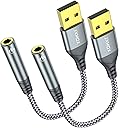
🎧 Elevate Your Sound Game—Plug In and Tune Out!
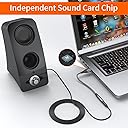
The JXMOX USB to 3.5mm Audio Adapter (2-Pack) is a versatile external stereo sound card that adds a 3.5mm TRRS aux port to your USB-enabled devices. With plug-and-play functionality, high-fidelity sound quality, and a durable design, it’s perfect for music lovers and gamers alike. Compatible with a variety of systems, this adapter ensures you can enjoy your audio without hassle.


| ASIN | B0D3M4TCXW |
| Best Sellers Rank | #172 in Audio & Video Connectors & Adapters #251 in Computer Cable Adapters |
| Customer Reviews | 4.4 4.4 out of 5 stars (810) |
| Date First Available | May 8, 2024 |
| Item Weight | 1.13 ounces |
| Item model number | 2-Pack |
| Manufacturer | JXMOX |
| Package Dimensions | 4.45 x 3.46 x 0.28 inches |
M**N
Simple, Affordable, and Reliable – A Must-Have for Newer Laptops!
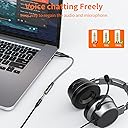
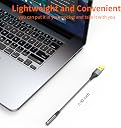
The JXMOX USB to 3.5mm Audio Adapter is a perfect example of a simple tool that solves a common modern problem. With many newer laptops and desktops phasing out the traditional headphone jack, this 2-pack is an essential accessory. It converts a standard USB-A port into a 4-pole TRRS 3.5mm jack, meaning it supports both high-quality audio output and microphone input simultaneously. One of the best things about this adapter is its plug-and-play simplicity. There are no drivers to download or complicated software to install—your system recognizes it instantly. The build quality is surprisingly rugged for the price; the nylon braided cable adds a level of durability that prevents fraying, and the aluminum alloy shell feels solid and dissipates heat well. Having a 2-pack is incredibly convenient, allowing you to keep one at your desk and toss the other in your laptop bag for travel. The sound quality remains crisp and clear, without the annoying "hiss" or static that often plagues cheaper, unbranded adapters. Whether you’re using it for gaming headsets, video calls, or just listening to music, it delivers a stable and lag-free connection. If you need a reliable way to keep using your favorite wired headphones with a USB-only device, this set is a fantastic, budget-friendly choice that works exactly as promised.
A**R
Audio Adapter
Quality part. Worked perfectly.
F**O
Excellent
Works perfectly. The shipping was super fast and the quality is great.
J**N
Some weird quirks, otherwise works great
Needed a replacement for an audio jack that was going bad. Found this as a good cheap replacement to get decent audio output again. The build quality feels nice and the gold plating is nice for preventing oxidation and corrosion, some of what I notice on non-plated connectors even on other new out of the box devices. Overall it does sound great, but I did notice some weird tonal changes in the output while listening to music, specifically audio that has electronic instruments that are supposed to be a solid tone, but it wavers a bit. Similarly affects other instruments like a piano, like someone's playing with the tone dial a bit. Have never experienced this before in my life and I can't figure out what's causing that. To test this yourself, I find that the test tone in Windows is good for replicating this. When it rings each speaker, you can hear the tone rise up a bit at the end which is extremely odd. I don't notice it on most things, but there are cases where it randomly occurs and it's jarring. One other thing I noticed was that Windows doesn't appear to allow selection of 24bit/96khz as specified in the listing, though it doesn't make a huge difference. The audio sounds super clear and punchy as is besides the issue I mentioned above. It's easy to use, just plug and play, and sounds good enough for most things.
H**R
A Satisfied Customer!
The product works great. I'm a very satisfied customer.
E**N
Work-around for a defective audio port.
The 3.5mm audio port on my computer was flaky and only had the R side. Rather than dig in to find that loose connection, I used this device with a USB port. Worked great. I have to add that my computer runs Ubuntu and I saw a weird thing happen where the volume spontaneously ran down to -0- . I can't fault the adapter, since the system volume slider moved, so I believe it is Ubuntu not an adapter. Did it early on, no issue since. Solved by reboot? Perhaps.
N**R
Produces / susceptible to audible "snow" interference
I'm not sure my three star rating is completely fair, but what I do know is that using this adapter on a Dell Optiplex 7080 desktop running Windows 11 produces audible "snow" in my external speakers. I've been unable as yet to determine whether the issue is in the adapter, the physical layout (the rear USB ports on the machine are bunched closely together, and in close proximity to the network and video connectors), or is a Windows 11 problem. When the external speakers are plugged into the headphone jack on the front, there's no audio interference so it's something related to the adapter. The adapter does work as advertised, insofar as it's plug-and-play and does enable the external speakers to produce sound, but it's not acceptable sound due to the interference mentioned above.
J**D
Easy 3-pole audio port expansion
Easy way to add a 3-pole 3.5mm audio jack to a USB port (on the front of your desktop, for example). Sound quality seems fine to me.
S**S
Funciona perfeitamente, o cabo é de bom tamanho
Trustpilot
3 weeks ago
1 week ago