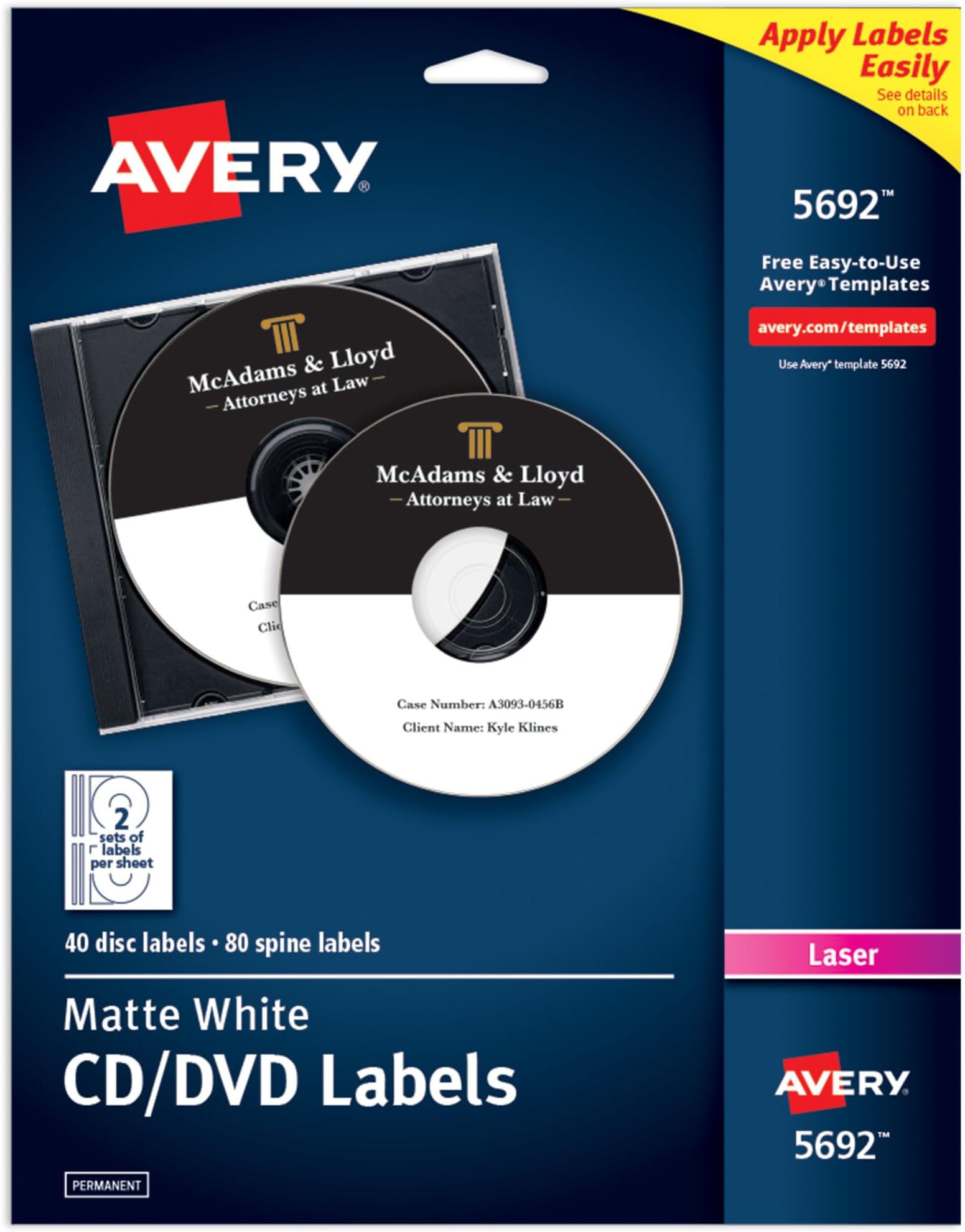
🎨 Elevate your media game with labels that stick and style that clicks!
Avery Printable CD Labels (Matte White) offer 40 high-quality, laser-optimized labels plus 80 spine stickers with strong permanent adhesive. Designed for professional-grade customization using Avery’s free online design tools, these labels deliver crisp, smudge-free prints and a sleek matte finish that resists peeling and wrinkling—perfect for organizing CDs, DVDs, and jewel cases with a polished, lasting look.


| ASIN | B00006B8G2 |
| Best Sellers Rank | #46,647 in Office Products ( See Top 100 in Office Products ) #443 in Laser & Inkjet Printer Labels |
| Brand | Avery |
| Brand Name | Avery |
| Color | Matte White |
| Customer Reviews | 4.6 out of 5 stars 347 Reviews |
| Finish Type | Uncoated |
| Global Trade Identification Number | 00072782056926 |
| Included Components | CD Labels, Laser, Permanent, (a) CD Labels, White Matte |
| Item Shape | L Shaped |
| Item Type Name | CD Labels, Laser, Permanent, (a) CD Labels, White Matte |
| Item Weight | 0.52 Pounds |
| Manufacturer | Avery |
| Material | Paper |
| Material Type | Paper |
| Number of Labels | 40 |
| Shape | L Shaped |
| Size | 4 5/8" diameter |
| UPC | 072782056926 |
| Unit Count | 1.0 Count |
| Warranty Description | No |
D**I
Great stickers, but also great editing software!
Why did you pick this product vs others?: I just got this brand to try out first because it was the Amazon choice. I was not disappointed! The stickers work and printed with a color laser printer superbly, but the main reason I think Avery is so awesome is because of their website! The templates are perfect, but the app to edit images on is made so well! I have photoshop but I thought I'd just try their software first. I used photoshop to make some better fonts and png titles, and then just drag/drop to the Avery creator. To my surprise, the program works flawlessly with plenty of options! And no bugs! AND you can save your designs to print somewhere else if you don't have a printer at home. Here's an example of some dvd backups I made (I have an old school dvd player in my car I like to make separate copies to keep in a hot car). The only thing with the software is I think they should add an outline and color option for font... that's it really.
G**J
Good Label
I like these CD labels. They were easy to print and design on. The print came out nice and didn't smudge. The label was made on a good quality paper, and sticks nicely on a cd.
D**R
Great disc labels !
They work Great !
M**L
Good CD Labels
Don't get much call for labeling CDs anymore, but these labels work great when I do. They take ink or toner well, and haven't jammed in any of my printers.
J**8
Great product; application instructions could be improved
I think this is an excellent product, and I took a star off only because I think the instructions for applying the label could be improved (more on this later). It works very well with my laser printer. I haven't tested photos, but text works well. Here's the technique I use for applying the label: 1. Detach the Slimline label guide along perforations. (The label guide will remain attached to the CD label until the very end.) 2. While holding onto the label guide, peel the rest of the label off the main sheet. (You will now have 2/3 of the label curling back and exposed as sticky.) 3. Put the CD in an open slimline case. 4. Hover the label over the CD and align the label guide with the non hinged edge. 5. Push the label down, starting from the label guide and smoothing it with your finger towards the hinged edge. 6. Peel back the label guide and push the rest of the label down by smoothing it with your finger towards the non-hinged edge.
B**8
GREAT PRODUCT AND EASY TO USE
Took a couple of minutes but follow the instructions on the packaging and go to the website on the back and set up an Avery account. Have the image to be put on the sticker and you can print directly and your CD's or DVD's will look professional and done correctly. WILL BUY AGAIN!!!!!!!!!
K**B
Worked great on CDs, DVDs, and blu-rays
Some of the other reviews of this item make no sense and are factually incorrect when they say that these can not be used on DVDs. I just used them on some CDs, DVDs, and blu-rays tonight and they worked great on all three. I will say that they are a bit see-through, so some discs might have stuff that shows through. For example, my blu-ray discs had some lines on them for hand writing and those lines show through these labels. My solution was to put graphics on the label over the parts that would show through. It worked very well. I've got a black and white laser printer and experienced great results. I tried making labels with Nero and Microsoft Word, but I'll advise you to skip those and go straight to Avery's website, which is written on the packaging, and make labels there. You do it right in the browser for free and it worked way better than the other methods I tried.
M**A
They worked great
I love this brand.
Trustpilot
1 month ago
1 month ago