
🚀 Compact Powerhouse: Elevate Your Workspace, Maximize Your Flow
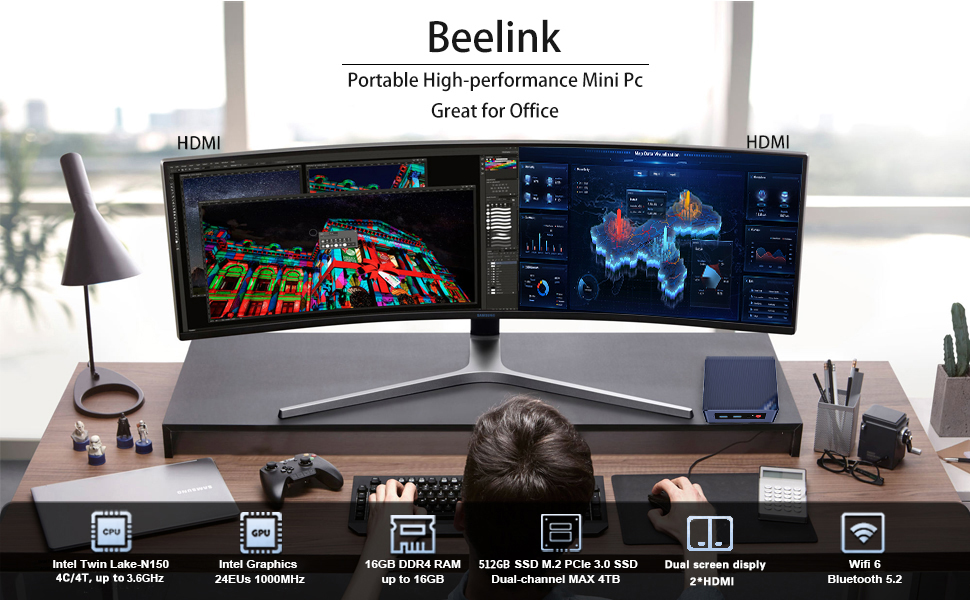
The Beelink Mini S13 Pro is a sleek, ultra-compact mini PC powered by a 13th Gen Intel Alder Lake-N150 quad-core processor clocked up to 3.6GHz. Equipped with 16GB DDR4 RAM and a 512GB PCIe SSD, it delivers fast, efficient performance ideal for multitasking, creative work, and everyday computing. Dual 4K HDMI outputs enable seamless dual-monitor setups, while WiFi 6, Bluetooth 5.2, and Gigabit Ethernet ensure lightning-fast connectivity. Its advanced cooling system keeps noise and heat minimal, making it perfect for professional environments and home offices running Windows 11 Home.







| ASIN | B0BW8JSQCH |
| Additional Features | Mini pc |
| Aspect Ratio | 16:9 |
| Best Sellers Rank | #1,555 in Computers & Accessories ( See Top 100 in Computers & Accessories ) #50 in Mini Computers |
| Brand | Beelink |
| Built-In Media | Monitor |
| CPU Model Number | Intel Alder Lake-N150 |
| CPU Model Speed Maximum | 3.6 GHz |
| Cache Memory Installed Size | 6 MB |
| Color | Black |
| Compatible Devices | Monitor, Television, Projector, Keyboard, Mouse |
| Connectivity Technology | Ethernet, HDMI, LAN, Wi-Fi |
| Cooling Method | Air |
| Customer Reviews | 4.4 out of 5 stars 221 Reviews |
| Display Resolution Maximum | 3840 x 2160 pixels |
| Display Type | LED |
| Graphics Card Interface | Integrated |
| Graphics Card Ram | 16.00 |
| Graphics Coprocessor | Intel UHD Graphics |
| Graphics Description | Integrated |
| Graphics Ram Type | DDR4 SDRAM |
| Hard Disk Description | SSD |
| Hard Disk Interface | PCIE x 4 |
| Hardware Interface | Ethernet, HDMI, USB 3.0 |
| Human-Interface Input | Keyboard |
| Item Weight | 0.71 Kilograms |
| Keyboard Description | Ergonomic |
| Keyboard Layout | QWERTY |
| Manufacturer | Shenzhen AZW Technology Co., Ltd. |
| Memory Slots Available | 1 |
| Memory Storage Capacity | 512 GB |
| Model Name | Sei12 Minis pro N150 |
| Model Number | MINIS |
| Model Year | 2023 |
| Native Resolution | 3840 x 2160 |
| Number of Component Outputs | 2 |
| Operating System | OS |
| Personal Computer Design Type | Mini PC |
| Power Consumption | 10 Watts |
| Power Plug Type | Type A - 2 pin (North American) |
| Processor Brand | Intel |
| Processor Count | 4 |
| Processor Series | None |
| Processor Socket | FCBGA1264 |
| Processor Speed | 3.6 GHz |
| RAM Memory Installed | 16 GB |
| RAM Memory Technology | 16 Gb |
| RAM Type | DDR4 SDRAM |
| Ram Memory Maximum Size | 16 GB |
| Resolution | 3840 x 2160 |
| Screen Size | 25 Inches |
| Specific Uses For Product | Personal |
| Specification Met | True |
| Style Name | Minimalist |
| Total Number of HDMI Ports | 2 |
| Total Usb Ports | 4 |
| UPC | 810131890100 |
| Video Output | HDMI |
| Video Output Interface | HDMI |
| Video Processor | Intel |
| Wireless Compability | 802.11ac, 802.11ax, Bluetooth |
| Wireless Network Technology | Wi-Fi |
| Wireless Technology | Bluetooth, Wi-Fi |
N**7
A perfect low noise, low power home virtualization server
This little powerhouse is a perfect home virtualization server. I bought this and an SSD to run proxmox in my home. The main goal was to get a low power, high feature device for a reasonable price. This absolutely fits the bll. Adding an second SSD to this was very easy, 4 screws. I installed proxmox and have been running 4-6 containers on it without issue for about a year. I added a second one and use the second interfaces on each device to do clustering. they're low power and low noise. Pros: Great price point Upgradable with an additional internal SSD Able to run virtualization without issue Low power draw Low noise Comes with a licensed copy of windows 11, if you want to use it. Cons: Processor is a lower class model, so it's not a powerhouse, but it works well for a handful of containers.
M**O
This Mini PC is very impressive
After reading a bunch of reviews on different Mini PC's, we decided on this little guy. We wanted a portable backup PC for the house and a space saving unit for my RV. Although we have tablets and laptops, we wanted a PC with that would have a larger screen without having to screen cast to TV. 1. We use our computers for everyday computing (internet, email, word processing, online streaming, video cloning/editing and converting to save to a portable hard drive and Network attached storage). 2. This Mini PC has a 4 core processor (up to 3.4GHz), 16GB ram, 500GB SSD (upgradable), Wifi6, Ethernet port, 4 UBS ports, 2 HDMI ports and a one year warranty (extended warranty can also be purchased). It comes with a 5 volt, 3 amp power adapter and installed Windows 11. We use a wireless keyboard and mouse and mounted the unit to the Vesa mounting holes on the back of a Fire 1080 TV. 3. Every aspect of this Mini PC works flawlessly. It is comparable to a Desktop PC. It processes very fast, boots very quickly, has great HDMI picture quality and takes up no desk space. It is so impressive that all of this is packed inside such a small unit. 4. As for intensive gaming, this Mini PC probably isn't the best choice. You would want a faster processor and video interface. But for everyday computer chores, this unit would work very well for most users. 5. Keep in mind, if you buy this unit, you will need a keyboard/mouse (wired or wireless) and a display unit of some kind (computer monitor, high resolution 1080 TV, etc.). 6. This is what I spent for everything: this Mini PC ($159.00), 24” Fire TV ($90 on sale), wireless keyboard and mouse ($35). Now I have a complete portable desktop PC (with TV) for about $284.00. If you already have a compatible TV, keyboard or mouse, then you won’t need to buy any of that.
W**Y
Good Compact Unit
The pc mini is potentially very portable and can be screwed on the back of a monitor. It has an N100 Intel chip which has 8 threads running at 0.8ghz. The ghz is oddly slow, but it has a turbo boost of around 3.6ghz which makes it run reasonably fast. It can handle multiple functions. I am happy with its functioning. I did find out one problem and it has to do with it having preloaded Windows11. This is that it has more security functions than W10, and W11 prevented me from loading a DAW software into the memory. It prevented the update of the registry and gave me a code 2506 error. I had to go to the company and fix this issue manually, after the W11 tool also failed. I did succeed, but I feel it is a potential issue worth mentioning. I also did a return on the unit, but solved a problem that would have been a deal breaker.
M**C
Linux Caveat
***Update: Installing the 6.4 Kernel did get the AX101 Wi-Fi card going just great.*** My daily driver is an iMac, but I needed a cheap computer so I could still get some stuff done when I'm batching gobs of images. I got this and immediately installed a 2.5" SSD for dual boot Linux. I did go through the Windows setup process, but I just don't even want to mess with that. I got it to boot the Linux drive first, and all is well except for one thing. The AX101 wireless on board is not yet supported in Linux, and I cannot find a patch, so I'm having to use a (gag) dongle until that happens. Wi-Fi did work immediately with Windows. Cool little computer, very cheap and pretty much problem free. No complaints regarding the hardware itself.
H**S
Good unit
Received the unit on time. Well packed. Connected it to a keyboard and mouse (both wireless with USB receivers) and wired it to a monitor (HDMI). Turned it on and the system booted to Win11 Pro. Then, I went through the normal Windows startup sequence. Connected to the 'guest' network on my home network, downloaded a 'virus/malware' scanning app and ran a full system scan, as some similar units have had problems with included malware. The system checked out with no virus or malware found. Then, spent the morning watching the computer downloading and installing all of the updates for Win11 Pro. When finished, I loaded an app to monitor my home security cameras (24/7) and connected the unit to my wired security network. Once setup, the unit has worked fine except for one glitch after the first 24 hours (do not know what happened). Since then (3 days), no problems. The unit came with a mounting bracket that enabled me to mount the unit with ease (two screws). The unit does seem to run a little bit hot. Waiting to see its longevity.
M**T
Good for SmartHome HA
Picked up two of these to integrate into my smart home. One is running the core home assistant and the other is running a kiosk screen. It has been compatible and able to run touch screens and has plenty of ports to run accessories. Runs virtually silent and has a small footprint.
A**R
Completely failed after less than two weeks
tl;dr Save your money; buy something made by a reputable company. Bought this for a low-power always-on system. Worked fine for a week and a half. Came home from work to find it unresponsive over the network, to keyboard or mouse, and with the graphics scrambled. While it will still turn on, the graphics never initialize, the BIOS never POSTS, and it turns off after about 30 seconds. It isn't immediately apparent from a quick search, but if you spend the time to dig into things (more than I initially did), you'll find Beelink has a history of issues including poor quality control, failing hardware, and useless technical support. If you still want to take the chance on getting a unit that doesn't spontaneously fail, for the week and a half it worked, it did well running Proxmox VE with a handful of virtual machines and containers. I never got around to stressing it all; CPU load baseline was around 3%, and it never had a chance to get hot so I don't know anything about how well it handles thermal load.
S**L
Great Little Item
This is the second one I own. I replaced my other desktop with this unit and not only is it faster but has more memory and works better than the hp unit it replaced. Fantastic item and with the extended Asurion warranty the total cost was under $200.00. A great item at a great price.
Trustpilot
2 weeks ago
2 weeks ago



