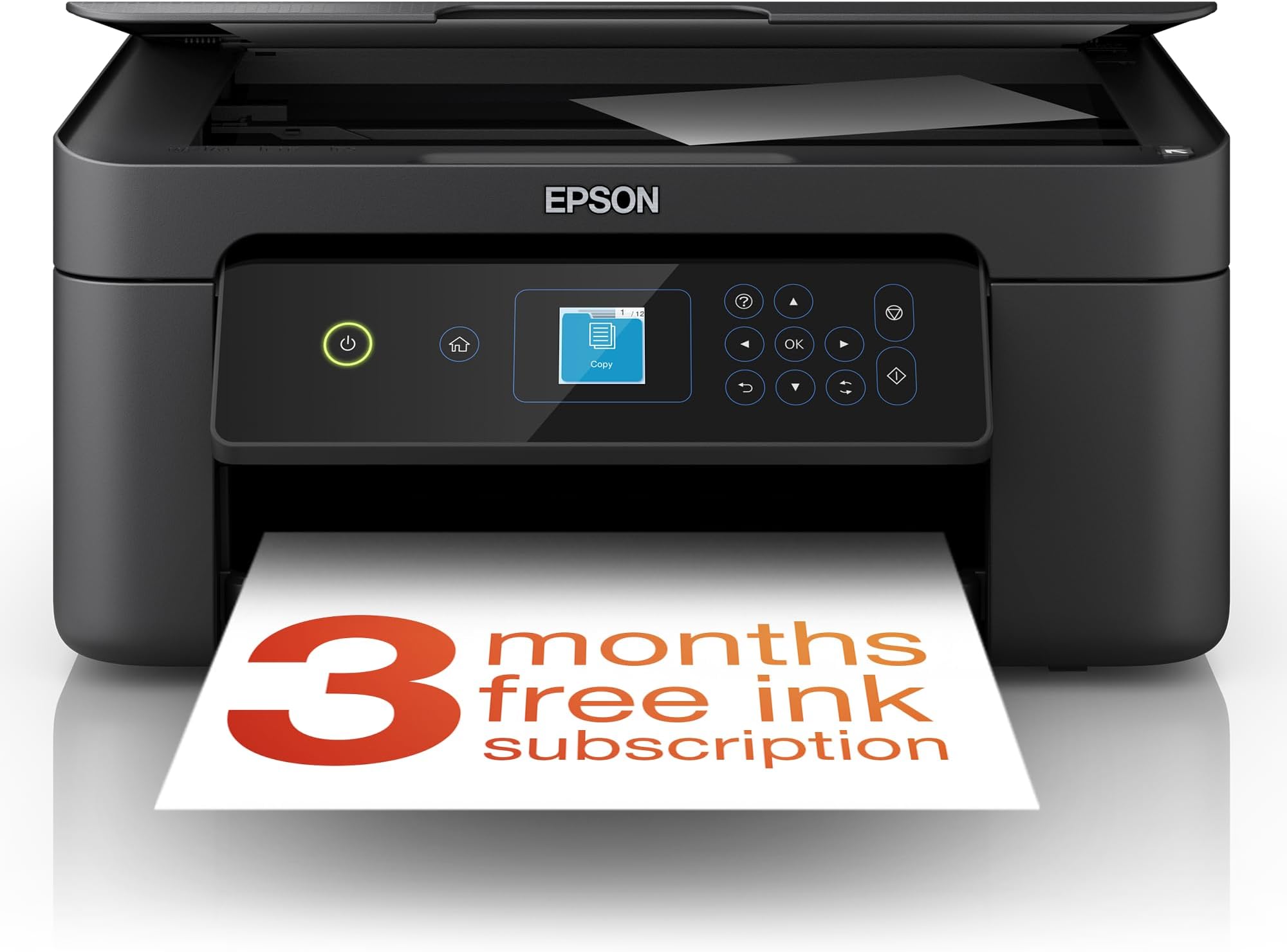
🖨️ Elevate your home office game with smart, stylish, and sustainable printing!
The Epson Expression Home XP-3200 is a compact 3-in-1 inkjet printer offering high-resolution 1440 dpi printing, wireless connectivity including Wi-Fi Direct, and automatic duplex printing. Featuring a 1.45-inch LCD for easy operation, it supports printing, scanning, and copying with flexible ink options and eco-friendly double-sided printing, making it an ideal affordable solution for home and small office use.


| ASIN | B0BB7CPCSK |
| Best Sellers Rank | 636 in Computers & Accessories ( See Top 100 in Computers & Accessories ) 6 in All-In-One Printers |
| Colour depth | 24 bits_per_pixel |
| Compatible devices | Smartphones |
| Connectivity Type | Wi-Fi |
| Controller type | Android |
| Customer Reviews | 4.2 4.2 out of 5 stars (756) |
| Date First Available | 19 Aug. 2022 |
| Dual-sided printing | Yes |
| Form Factor | Printer |
| Guaranteed software updates until | unknown |
| Included components | Printer-Power lead -Inks |
| Item Weight | 4.3 kg |
| Item model number | C11CK66401 |
| Manufacturer | Epson |
| Max copy speed (black and white) | 27 ppm |
| Max input sheet capacity | 100 |
| Maximum Supported Paper Size | A4 |
| Maximum black and white print resolution | 5760 x 1440 dpi |
| Maximum colour print resolution | 5760 x 1440 optimized dpi |
| Maximum copies per run | 100 |
| Print media | Paper (plain) |
| Product dimensions | 17D x 37.5W x 30H centimetres |
| Scanner type | Photo |
| Sheet size | 9x13 / 10x15 / 13x18 / 20x25 |
| Warranty type | limited warranty |
| Wattage | 1 watts |
M**Y
So easy to set up
I am not a computer whiz Kid, and I am not knowledgable on Apps etc, just wanted a basic printer/scanner to run off my computer after my very old printer gave in. I took a chance on this printer concerned that most reviews were about linking to mobiles etc. In fact I just plugged the mains lead in and connected the printer to a USB port on my computer, turned on and the printer did the rest. It installed without any reference to downloading off the net etc and even the small screen for 5 minutes showed what was happening, then it just atomatically ran, the only thing I had to do was put the 4 inks (supplied in the package) into the machine, but even the small screen covered this. I have only had it 3 days, prints are excellent and are produced reasonable quickly, scanner works perfectly. Not tried double sided print outs yet nor connected to apps on phones (don't want to). I will keep count of copies to comment at a later date on the life of the ink cartridges supplied. If you want a reasonably priced printe/scanner, very very easy to set up, looks strong and not plasticky then I can recommend the xp3200. Lastly pleased I went for this with the small screen for just £15 more, well worth being able to see what is happening and receiving instructions, there is no manuel but one is not needed. (I suppose I could download one, but no need) .
A**R
The XP3200 is a good printer but it doesn't come with much ink
Since my trusty XP322 decided to cease to work I needed a similar replacement and having always used Epson printers decided on the XP3200 as a close match. The printer has virtually the same capabilities as my old XP322 but annoyingly they don't seem to come with full ink cartridges these days. The supplied cartridges are just for Setup and Configuration as shown on the cartridge. I managed to get a few pages of print out of them. After that I used some third party inks which work just as well. Installation wasn't too hard. Since this has Wifi and can work with a smartphone and can also take part in Epson's Readyprint ink subscription service, it initially wants to connect to the your network and internet. Since I didn't want this I ignored that option and just continued to set it up using a USB cable. Windows 10 immediately found the printer and installed a defaut print driver but this has limited capability so its better to download the setup utility fron Epson's web site - once again I declined any attempt to connect to the internet and also disabled automatic updates. The printer itself feels a little more plasticy than my old one and the paper movement mechanism is a lot noisier. One feature the SP3200 has that my old XP322 didn't have is automatic double sided printing. To be honest it might seem like a nice convenient feature but its a lot slower than turning over the paper manually. It prints, scans and copies just like my old printer and the driver options look just the same, so it was an easy switch over. Good quality print and scan but genuine inks are expensive and you'll need something to get going as those supplied are only for setup.
L**S
Good printer!
After reading mixed reviews, I was a little hesitant to purchase this printer. However, it does the job! It’s not too noisy, easy to set up to my laptop, wireless connectivity is seamless! The quality is lovely, very compact, you can open it up when in use and also fold down the screen and paper trays for when it’s out of use. Can’t comment on how long the inks last as yet as I haven’t used it enough. I think this is a really good budget printer!
A**R
Amazing print
A quality printer with prestige colour quality, with plenty information on its lcd display. Almost a quiet printer with an average speed which is useful for home users. Not sure yet how long ink cartridges last long, but it does print a photo, brilliantly.
A**R
Good product
Arrived quickly, well packaged, set it up, works well for the money
R**Y
Poor print quality, uses a lot of ink
I've owned this printer for a year now and I'm finally giving up with it. Every time I come to use it, the print quality is poor with horizontal lines running through. So of course I go through the process of cleaning the print heads and realignment, which seems to use almost all the ink, because then I get warnings that ink is low. So I replace the cartridges, get the pages printed at print quality I could only describe as average. Then a week or so later, next time I want to print, the quality is again dreadful with lines running through it, and the whole cycle repeats. I honestly think I must have printed less than 150 colour pages in a year, but I've replaced the cartridges 4 times (at nearly £40 a set) so this printer is too expensive to run, costing me literally more than £1 per page. In summary: Colour quality, very poor. Print quality very poor overall. Time to print first page is really slow. Expensive to run. Uses a LOT of ink. See photo to see just how dreadful the print quality is. On the plus side (ha ha) it was easy to set up and it supports Apple Airprint. Good scanner.
M**8
Simple home/office printer+scanner, works fine
Initial impressions as per other reviews were that the build quality was not so good, the paper feed is a bit cheap and plasticky but works ok. The panel appears cheap but is usable and works fine. Setup easily enough using a usb cable and laptop, app wouldn't work initially. After setup on the PC printing and scanning was easy to achieve via the desktop application. I was also able to use the app to print and scan, it seems the initial setup via the pc connected the printer to the WiFi network to allow WiFi printing via the app. The mobile app works fine though doesn't look very clean and professional. Print quality is decent and acceptable though photo quality is not amazing. Scan quality is much better and very easy to use. - Note Alexa integration doesn't seem to be available for the UK, but not a big issue. - Overall a decent basic printer/scanner for home/office use.
A**R
Great all round printer
This printer is excellent, good value and a great price. Ideal home printer.
S**O
As above!
I**E
Nice little unit, copies and prints very good
R**N
Eventually worked out how to install . Not very tech savy
T**1
The smartphone app was very helpful for the installation. What surprised & disappointed me was the printer has no hidden paper tray.
M**L
Grand for black and white prints. It's busting my chops trying to get head aligned. Nearly out of ink before I've started. Hopefully because it's new it might print itself out of this
Trustpilot
2 weeks ago
2 weeks ago