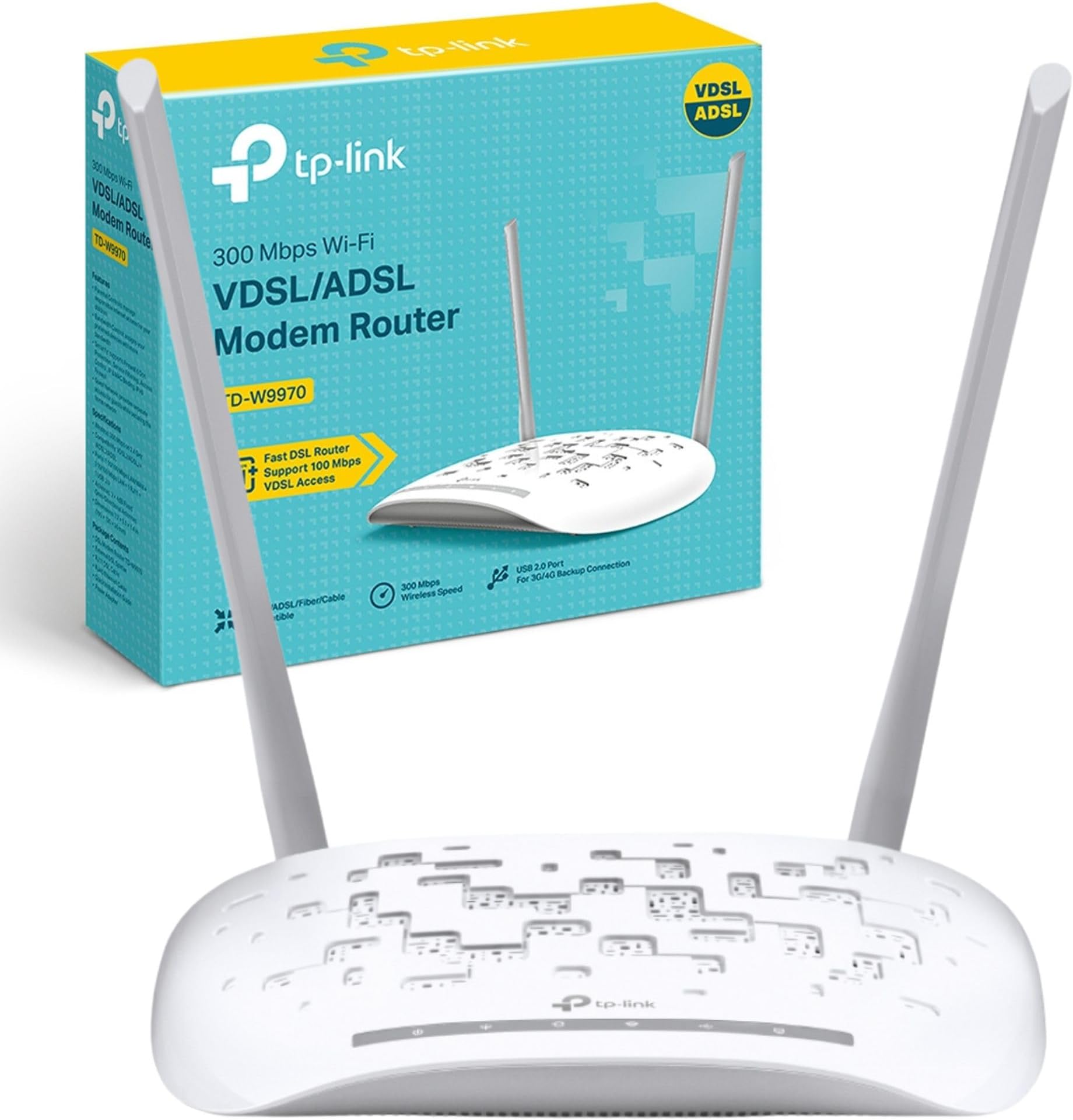
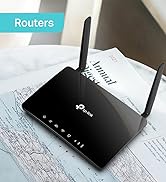
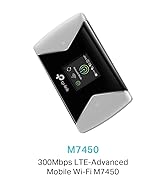
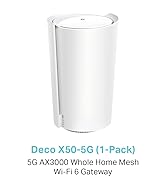
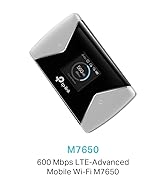
🚀 Upgrade your connection game with TD-W9970 — speed, security & simplicity in one sleek device!
The TP-Link TD-W9970 is a robust all-in-one VDSL2/ADSL2+ modem router delivering up to 300 Mbps wireless speed on a 2.4 GHz band. Featuring a USB port for versatile device sharing and a one-touch WPS button for quick encrypted setup, it supports guest networks and parental controls to tailor your connectivity. Ideal for professionals seeking stable, fast internet with easy management and comprehensive security, backed by a 3-year warranty.


| ASIN | B013OXVA6M |
| Antenna Location | Gaming |
| Antenna Type | Fixed |
| Best Sellers Rank | 8,087 in Computers & Accessories ( See Top 100 in Computers & Accessories ) 1 in Modems 66 in Routers 125 in PlayStation Legacy Systems |
| Box Contents | TP-LINK 300Mbps Wireless N USB VDSL/ADSL Modem Router; Cables included: LAN (RJ-45), Phone (RJ-11); Power Adapter; Quick Start Guide |
| Brand | TP-Link |
| Brand Name | TP-Link |
| Colour | White |
| Compatible Devices | WIRELESS |
| Compatible devices | WIRELESS |
| Connectivity Technology | 802.11b, ethernet |
| Control Method | App |
| Controller Type | Ios |
| Country of Origin | China |
| Coverage | Extensive coverage |
| Customer Reviews | 4.0 out of 5 stars 2,064 Reviews |
| Data Transfer Rate | 300 Megabits Per Second |
| Frequency | 2.4 GHz |
| Frequency Band Class | Single-Band |
| Frequency band class | Single-Band |
| Global Trade Identification Number | 06935364092542 |
| Is Modem Compatible | Yes |
| Item Dimensions L x W x H | 19.5L x 13W x 3.6H centimetres |
| Item Weight | 2 Grams |
| LAN Port Bandwidth | 10/100 Mbit/s |
| Manufacturer | TP-Link |
| Maximum Upstream Data Transfer Rate | 300 Megabits Per Second |
| Model Name | TD-W9970(UK) |
| Model Number | TD-W9970 |
| Model name | TD-W9970(UK) |
| Number of Antennas | 2 |
| Number of Ports | 4 |
| Operating System | Proprietary Router OS |
| Other Special Features of the Product | WPS |
| Product Warranty | 3 YEARS |
| Security Protocol | WPA2-PSK |
| Special feature | WPS |
| Unit Count | 1.0 Count |
| Voltage | 220 |
| Wireless Compability | 802.11n |
| Wireless communication standard | 802.11n |
J**N
Ditch the BT 'Smart' Hub and go for a stable connection with this...
If you're after a reasonably priced, stable and fast VDSL2 (FTTC) router like me, this is perfect. It has all the latest standards like G.INP (be sure to get the V2 model for these, as V1 does not support them) and is a breeze to set up, taking me less than 10 minutes. I'm using mine with BT Infinity 2 and it works perfectly connecting at the same speed as my BT Smart Hub - which had to go, as after EVERY firmware update it crapped out and had to be reset to factory, set back up, etc.; I was done being a beta tester for BT! My old BT OpenReach modem acted as a backup for a short while, however it is too old to last much longer, doesn't support the latest standards and I can't get line stats... I use the modem in 'bridge' mode (see instructions in product description) connected to my firewall, and with the wireless disabled (which I never intended to use), so I can't comment on the wireless functionality. I have the Smart Hub set up as my wireless access point instead, and in this regard it works very well. I did notice that this has a lot of security functions like built-in firewall, wireless guest network, and SPI, but I don't need these; nice to see though. I can get line stats fairly easily by connecting my laptop to one of the free LAN ports on the modem, and it wall mounts. Frustratingly, since I won't be using the wireless, I can't easily remove the antennae as they are moulded, and just get in the way. It would be great if these could be detached without tearing the thing apart, but since I don’t want to invalidate the 3 year warranty I’ll have to live with it - for 3 years at least! Still 5 stars though, as all things considered, this is a fantastic bit of kit that fits my needs more than adequately. I hope you found this review helpful! Update: MY set up above may confuse. For a typical home set up, you don't need any additional equipment, it will serve fine as your modem, firewall and wireless access point, just like a BT Smart Hub. I believe this is the default set up mode too, so should be easy to configure.
L**C
Had this model for around 6-7 years and had to buy a new one
Well, i had this router for about 7 years. not this very one though as it has been updated to a new style and the router software is much more modern and easy to use than the old version. Also i find that the range is not quite as good as the old one and you cant take out the antenna ether. but its not bad and it giving me internet, hopefully for another 6-7 years. had to buy a new one as the old one reset itself and lost all data including ISP login... it reset to factory. also there was a bad brown spot where the old one got hot so i knew it was on its way out for a while now. Anyways if your not on fibre or cable and still on the old ADSL this router is fine for the home. The software on this new one has a quick setup which is much nicer than the old one and is much easier to navigate. Make sure you pick the correct ISP on the settings as it will not work if you dont and make sure you know your login details for the ISP otherwise it wont work. Most ISPs send routers to their customers so i guess this is a dying item to purchase now. But the EE router was the same price as this so its all good. Anyhow i am moving house within a year and will be running a 4G router instead of paying for line rental and putting up with terrible speeds (8.5mbps AVG) with ADSL. i get 16mbps with EE around here so it makes no sense to have ADSL anymore. but its a good basic router if you are still on good old ADSL, it also has a usb so you can plug in a little 4G dongle as a backup or in place of ADSL if you wanted. but i dont recommend doing that as the speeds would be quite bad indoors, unless you live near a mast. All in all a good router with reasonable Wi-Fi range, nothing to shout about but it does the job if you are looking for a cheap router.
N**2
Very nice router that once set up is excellent
I don't normally bother to write detailed reviews but there is some info here that might help other people with this product so here goes I brought this to replace my BThomehub3 specifically because I wanted a modem/router with ARP table binding, Even as a tech savvy user my first attempt to set the router led to quite a bit of frustration with limited success as the router would constantly drop the DNS servers and loose internet access (see first picture). Despite much digging around and internet searching and changing many settings I could not get it to work and hold a stable connection. The next day still no success so went for a complete system reset to try again but not hopeful of success but... this time 1) Downloaded and installed the latest firmware from the tp-link webpage mine was version3 2) logged into the router web server directly using a LAN cable rather than over the wifi 3) was careful to remove all other devices including BT broadband extenders To my surprise this time the quick connect wizard worked first time and connected with no issue just by selecting the BT ASDL Quickstart option logging [email protected] no password needed **pretty sure it can be [email protected] as BT don't care and track via your telephone number you shouldn't need a password but if the router insists on one choose bt or whatever again it doesn't matter as far as I am aware This time everything worked ok with no other settings needing changing manually and the router has been stable and fast. anyway hopefully this might be of some use. According to BT the following details (see attached image) are needed if you have to set up the connection manually I didn't need this in the end but have posted them in case they are useful for others **update** I think there is a bug in the firmware running the diagnostic tool killed my connection and I had to reboot and start again not sure if this is specific to my connection or a general bug in the software** ***update 14/05/19*** - this is still giving a very unstable connection I am not certain if it is the router, our line or something to do with BT service buy with caution*** downgraded to 2 stars
M**S
TP Link Archer AC1900 (Replacing BT HomeHub)
Having spent the past 6 months or more rebooting, changing settings, on hold to BT Support and hours on web chat to BT, I was eventually sent a replacement BT HomeHub to 'fix' repeated WiFi & BB service drop outs. The replacement HH was much the same as the first, although admittedly the WiFi dropped out far less often (5 or 6 times a day versus 2/3 times per hour). Begrudgingly, I bought the AC1900 for £119 , primarily to stop the kids moaning and to be honest, didn't expect it to be much better than the HH. I was wrong and now wish I'd just bought this 6 months ago and saved myself a lot of hassle and time!! I only installed the AC1900a few hours ago this morning, so I will amend the review if my experience changes but my first impressions are that it is first class & a huge improvement. The following points would have helped me in making my decision earlier: 1. It is VERY easy to set up and configure. I'm no techie but have a very basic understanding of how these things work and anyone with a basic level of IT knowledge should not be worried about setting this up (with a BT BB service at least) 2. The set up has a pre-configured drop down list with the main UK BB service providers. I was only looking for BT, but noticed that PlusNet was on the list so would imagine it has been set up to cover the usual suspects. The fact that it will most likely be suited to changes in BB provider do make the cost a little more palatable. Not sure if SKY was listed (and should have checked) as I'll almost certainly scrap BT when my contract is up! 3. Setting up a Guest Network was incredibly easy. Never considered doing this before, but as it was so easy thought I may as well. It took longer to think of a decent password than it took to set it up! 4. When the BB service was up using the BT HomeHub, I thought it was actually pretty quick and would regularly get download speed of 60Mb. This has jumped to 73Mb with the AC1900 and more importantly, it is stable and consistent (so far at least). Furthermore, the difference is very noticeable. Websites and apps on laptop and mobile phones load and respond tangibly faster. Facebook was a regular annoyance on an iPhone as it would take seconds to load images and update, which I thought was a phone or app issue. It appears I was wrong about that too as it is FAR quicker with the AC1900 4. I use powerline adaptors to connect a Humax YouView box to the router. It took less than 10 seconds to reconnect to the router. No need to change any passwords, just selected autodetect and it was up and running 5. I used a TP LINK WiFi extender to strengthen signal upstairs (modestly 4 bed modern house) as the BT HH was problematic. I've not need to set this up for the AC1900 as the signal is much improved 6. 2 kids playing Xbox games at the same time over a wireless connection used to cause buffering and unhappy kids! So far, both are running with out any issue so that's a huge plus for the AC1900 over BT HH In short, so far so good and the BT HH is already in the bin!
V**P
Complicated and expensive alternative to the free ISP ones
Bought this one to replace the one provided for free by my ISP. This was due because I wanted better signal rate and a more reliable wifi signal connection between devices and the router (not to be mistaken by better internet speed). Setup was straight forward TBH...nothing overcomplicated (although I should mention that I am working in IT, so I have some idea about these things). The build quality is pretty good and I like how it looks as a piece of hardware. So why the low star rating? Well... the focus of the "bad things" will be about the signal. Which is exactly what I wanted to improve by buying this in the first place. Where to start... - poor signal -> considering this had 3 antenas...and from all things they were supposed to be better than my previous alternative, this thing could not supply signal to same areas and same devices as the old cheap one. It is a pain to get a good signal connection just 3 meters away from it on a first floor. Tested multiple positions for the antenas... still crap. - poor up time -> this does not have a proper auto health check (if any) and kept on dropping internet connection on random times. Connection recovery then takes ages. I have to mention that this is not an ISP issue as the previous router worked perfectly for over 4 years an not once dropped internet connection while being used. - does not recover by itself properly -> from time to time it just hangs and connection drops and does not recover untill you give it a full shutdown and start again. - too hot, and no, it is not located in a weird hot place, in fact it has it's own dedicated place on a shelf for routers -> compared with the old one this is heating up way way too high. Given it is only used for simple day to day internet connection and used at the same load as the old cheap one, this is just a complete WTF from me. I can probably write even more details (and I might edit the review and add more). But at this point I just can't recomend this thing to anyone that wants a good replacement for their existing cheap ISP router. I paid close to £100 for this one and it is just not worth the money. Don't buy it.
A**R
Promising but ultimately not as good as it could be (updated from original one star review)
Bought to upgrade my home wifi to a Mesh service. The setup was fairly easy and initially, it worked OK apart from a complete refusal to provide a WiFi connection to my OnePlue phone (the only device in the house that caused any problems at switch over). The Deco app is very basic and doesn't give any real insight into what the device is doing, but given the market, it's aimed at that's probably not an issue but the fact that the most useful features are hidden behind a paywall is. An optional web interface would be useful. WiFI coverage was nowhere as good as I'd expected (and certainly not 2700 sq ft) so I added an X50 and all was good for a while - decent speeds and a reliable WiFi connection. Then a few weeks in, it stopped talking to the DSL connection to my internet service provider, BT. After several frustrating hours of swearing and resetting the device repeatedly I managed to get it back online - not because of what I did, but BT eventually owning up to a service outage that they hadn’t published. Again, several weeks passed and it happened again, same fault, same frustrations and this time, in consultation with a BT help desk engineer, who was adamant there were no outages, decided it wasn’t compatible with their VDSL service, probably a firmware issue. A day passes and my backup router goes offline and low and behold, BT has two service outages now live, backdated nearly 48 hours. When I got the old router back online, I broke out the Deco and, surprise, surprise, it worked - nothing to do with firmware at all. I revised the rating to 3 stars - the device works OK, but seems to be very sensitive to service issues that my old Netgear router wasn’t, the user interface is very basic (can’t even change the base IP address) and the expanded management features are behind a paywall, but the mesh wifi 6 is good and speedy. It's worth pointing out that the Tech Support at TP-Link is useless and when I spoke with them, the operator had no clue what they were talking about (I'm an electronics engineer working in Telecoms, so I have some notion). Beware of this!
J**E
So far so good... lots of shiny new features too
I've had a TP link VDSL router for over 5 years now and it gave up the ghost recently. After some incredibly helpful webchat support from TP Link it was decided it was not savable. This new model comes in at a good price with some really solid modern network features. Setup: Setup was a breeze. The quickstart guide is simple and using the TP Tether app helps speed it all up. It also lets you monitor and manage the Router remotely which is a bonus as my most regular phone call from my other half when I'm at work starts "the internet is broke". It isn't usually! Wifi: 5GhZ and 2.4Ghz speed were a significant boost on my previous model, giving much better range also. I have a range extender in our old 1930's house to get to the loft extension but have no need for it anymore. With our fibre connection capped to 40Mbps I can comfortably get 30-38Mbps on 5Ghz anywhere in the house, including on the top floor. The Router user interface is also smartened up compared to my 5 year old model. It's slick and easy to understand, breaking out key functions. USB Storage: This is where it falls over a little. This router uses a protocol for transferring data on a shared network called SMB V1. Microsoft abandoned native support for this in Windows 10 in favour of SMB V2. It's a simple google search to enable it again, but you will need to do this before files sharing is nice and simple. After doing this the 64G USB thumb drive plugged into the side was right there in the windows explorer. Another nice feature is the button on the router that enables lights out. The Router is already better in that all lights are soft glow and static (as opposed to flashing). Pressing the button means the router has no visible lights on it. great if you want to put it in a room with people sleeping. Apart from that, it was boringly simple to setup and get going, and now we have super slick and much quicker access to our fibre. The Wifi channel hopping seems a little cleverer too, avoiding the neighbours wifi with ease. The router features a 2.4 and 5GHz guest network if you need it. I use ours for the kids so you can easily set a time window for access. You can also set access time for certain devices so that kids can't access the internet after a certain time. A few minor niggles. It only comes with a 1m phone line connection BT45 socket cable, and a 1m RJ45 LAN cable. 2m should be the bare minimum if you actually want to sit the router somewhere sensible. So far so good, and really happy with my choice. If I get another 5 years out of this one I'll be happy. The bonus is that TP link provide a 3 year warranty so if taking a gamble on a new device, this makes it an easier choice.
M**S
Surprisingly good for a basic router
I needed a new router to check out broadband problems I was having, as I tried to work out whether the issue lay with my old but expensive router or the antique and fragile copper my supplier pretends is suitable for the 21st century. I wasn't convinced it was the router, so I opted for the cheapest unit I could find, sure that my test would lay the fault at BT's door. I was wrong, and found that the new router not only returned data rates to where I thought they should be but exceeded my previous best figures. This is an impressive bit of kit, and given my previous router cost over £200 I was delighted to have got away with spending so little to replace it. Setup was a doddle. I just copied the settings across from the old unit and had it up and running within 10 - 15 minutes. It's got most of the important bells and whistles of the old one, so I can tie the MAC address of particular devices to an IP address or open up ports so that my IP phone works properly - though admittedly that took me a while to work out. Sure, the software interface could be a bit better, though if you wanted to you could flash a different firmware to the box. But you'd have to be pretty demanding to have to go that far. The wifi works well, there are four network connectors, and it even looks good! I probably wouldn't have bought this if I'd known I needed to replace my old router, imagining that I'd need something more expensive. That lack of certainty has worked in my favour, saved me a bit of money, and meant I've ended up with a very capable piece of kit.
Trustpilot
1 month ago
2 weeks ago