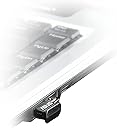
๐ Unlock seamless wireless freedom with ASUS USB-BT400 โ your pocket-sized Bluetooth powerhouse!
The ASUS USB-BT400 is a compact Bluetooth 4.0 USB adapter designed for reliable, low-latency wireless connectivity. Compatible with multiple operating systems including Windows, Linux, and macOS, it supports simultaneous connections to multiple devices and offers superior range compared to built-in Bluetooth modules. Its plug-and-play USB interface ensures easy setup, making it an essential upgrade for professionals and gamers seeking dependable wireless performance.


| ASIN | B00CM83SC0 |
| Best Sellers Rank | 2,518 in Computers & Accessories ( See Top 100 in Computers & Accessories ) 17 in Bluetooth Network Adapters |
| Box Contents | usb-bt400 |
| Brand | ASUS |
| Brand Name | ASUS |
| Color | Black |
| Colour | Black |
| Compatible Devices | Laptop, Desktop, Tablet, Smartphone, Printer, Headset, Speaker, Keyboard, Game Console, Network Camera, Web, Mouse, Smart TV |
| Compatible Operating System Family | Linux, Windows |
| Compatible devices | Laptop, Desktop, Tablet, Smartphone, Printer, Headset, Speaker, Keyboard, Game Console, Network Camera, Web, Mouse, Smart TV Compatible devices Laptop, Desktop, Tablet, Smartphone, Printer, Headset, Speaker, Keyboard, Game Console, Network Camera, Web, Mouse, Smart TV See more |
| Customer Reviews | 4.3 out of 5 stars 10,669 Reviews |
| Data Link Protocol | Bluetooth, USB |
| Data Transfer Rate | 3 Megabytes Per Second |
| Data link protocol | Bluetooth, USB |
| EU Spare Part Availability Duration | 1 Years |
| Global Trade Identification Number | 00886227342488, 04716659342489 |
| Hardware Interface | USB 2.0 |
| Hardware interface | USB 2.0 |
| Item Dimensions L x W x H | 20L x 8W x 16H millimetres |
| Item Type Name | USB-BT400 Nano Bluetooth Stick |
| Item Weight | 0.08 Ounces |
| Manufacturer | ASUS |
| Manufacturer Part Number | 112867 |
| Minimum Required Operating System Version | Windows 7 |
| Model Number | USB-BT400 |
| Product Warranty | 1 Year Manufacturer |
| Product dimensions | 20L x 8W x 16H millimetres |
| UPC | 886227342488 |
P**0
Reliable, Small & Well Priced - Perfect Bluetooth Upgrade to Older Computers
After upgrading my dated Lenovo X220 laptop to Windows 10, some of the onboard devices didn't work too well. Whilst the laptop connected via its internal Bluetooth to my BOSE mini sound link speaker, I found that the connection just dropped out after 10 or 20 mins. This only occurred after upgrading to Windows 10. The ASUS USB BT400 Bluetooth receiver was the solution, there are so many Bluetooth receivers out there and the main reasons for choosing the Asus was its trusted brand name and its price. A tiny neat slim package, similar size to a wireless mouse receiver. It plugs into any available USB port. Perfect for my docking station. Once plugged in, the internal Lenovo X220 Bluetooth was disabled via driver manager and the ASUS bt400 was enabled. It worked perfectly and solved my issue. No more drop outs. Working to the latest Bluetooth standards, you could say audio pass through quality sounds much better. Auto connect is seamless to all my devices and so far has been reliable without a single issue. An easy to use Bluetooth adaptor, couldn't have asked for more. Well priced and fast delivery from Amazon UK. Highly recommended
A**R
Great Bluetooth adapter
It worked very well. The connection was always stable. And it is discrete due to its size. I was very happy with this product.
S**N
Works almost perfect
Its a very small item but very easy to install. Just insert it into a device that doesnt already have bluetooth and boom you're done. However I feel the need to write some of my very negetive experiences with this. First of all I bought this because I have a Windows 10 computer that doesnt have built in bluetooth and I have a pair of Sony WH-CH500 wireless headphones. So I bought this, put it into the pc and bluetooth was enabled. HOWEVER, this device also comes with a CD with bluetooth software and I just have to say this as clearly as possible: DO NOT INSTALL THE SOFTWARE ON THE CD IF YOU WANT TO CONNECT BLUETOOTH HEADPHONES TO A PC. I installed the CD software and then paired my headphones while then later serverly regretting that decission. Long story short - the headphones did not work properly with the dongle. I had all sorts of problems like the audio quality being horrible, I had to manually connect the headphones in windows every time I turned them on and I even had a BLUE SCREEN at one point. After days of pulling my hair out trying to get the headphones to not sound awful (I also confirmed it wasn't the headphones fault by connecting them to my phone and they were crystal clear) I found and uninstalled the bluetooth disk software and the headphones have worked perfectly ever since. No awful sound quality and they automatically connect every time. So all in all a great device it does exactly what it says it does very simply. But for the love of god if you do try bluetooth headphones with this, make sure to just try the dongle by itself first.
S**R
Great bit of kit for any PC
Works great. Still use today many years on. So slim and tiny, it can be easy to misplace. It's amazing that the USB plug is bigger than the actual technology inside it, which boasts a massive range of about 10m. I prefer to just constantly leave it plugged into spare front USB port of computer that I use mostly for linking to my PS4 controller using DS4 software. Have also used it for streaming to bluetooth headphones. Has also worked on other devices like laptops and raspberry pi with no problems at all. Once again, another Asus product that just does it job at a great price.
T**O
Works perfectly fine and does its job, just make sure not to use it near USB 3.0 devices.
Adapter works perfectly well with both the DS3 and DS4. The PS3 controller pairs perfectly fine with this adapter after manually overwriting the bluetooth drivers with the MotioninJoy ones - but for a PC gamer wanting a controller, I'd highly discourage you from getting the DS3 if you plan to use it wirelessly, especially if you have multiple bluetooth devices. In my case, I use the DS4Windows app to pair my PS4 controller to this adapter, and can use the controller with no headache whatsoever. I have never had an issue with latency or interference with other wireless devices, and most importantly, with the DS4 controller I can pair my phone and other bluetooth devices at the same time. Please note that you should not attempt to use this device adjacent to a USB 3.0 port. USB 3.0 devices WILL interfere with this adapter as the bluetooth standard uses the same frequency band as USB 3.0 does. If you don't have a choice where the 3.0 ports are, buy a cheap USB extension cable to prevent any interference issues. This adapter DOES NOT suffer from interference issues - it is almost always the USB 3.0 device(s) causing issues.
D**N
works good/small difficulty setting up__ Instructions and images to my resolve below.
After installing the disc provided the adapter worked intermittently and then I couldn't connect to my headset at all. I checked in device manager and there was a yellow icon indicating outdated drivers, when I tried to update it just went on forever and my PC blue screened which I've never had happen before. I followed MS's advice and went into 'system protection' [configuration], and updated the disk usage from 1%-50% which made installing/uninstalling drivers instant. (in windows 10: win key + break___ or navigate from 'This PC' -> properties (top left/toolbar) -> system Protection(left panel) -> configure__ adjust dial from 1% -> back to 'properties' -> device manager (left panel) -> right click on Asus bluetooth device/ click update driver (WWW.search) )Software was the biggest problem for me the device worked fine. I installed the drivers, and noticed I had the same signal interference another customer mentioned where the signal dropped out past 2m. I changed the usb slot from the back to one of the front ports and since then it works without interference and my headset auto connects upon turning it on. It still has a limited range but works okay in front of the pc up to 3m. Same with any bluetooth device it doesn't travel hrough walls without some interference, as it is a short range signal, but the distance feels more infra red than bluetooth, turn a corner and it starts to break up.
A**G
Fantastic dongle for the price
This is a fantastic Bluetooth receiver for the price; it's able to connect to many different devices in my house, ranging from my new smartphone to some rather old Bluetooth speakers. This dongle is plug and play, meaning there's no driver installation, works right out of the box. The profile is small enough to plug into a USB port and forget about it, so there's next to no chance of an accidental breakage on a laptop, and it's by ASUS, so you know it will last. Currently using this on Windows 10, and have had no problems so far. For ยฃ10, this is a fantastic choice, and I would highly recommend to a friend.
J**N
Works exactly as expected, with no setup required.
I bought this to connect bluetooth headphones and a ps4 controller to my pc, which doesn't have any built-in bluetooth capability. I got the USB adapter on time, took it right out of the case and plugged in into the front of my PC, and windows 10 immediately recognised it as a bluetooth device. Then i put my headphones into pairing mode and searched for bluetooth devices on my PC, and within a few seconds my headphones were connected. My ps4 controller connected just as easily. No dropped connections at all, good audio quality on my headphones, I see no reason not to give this 5 stars.
Trustpilot
1 week ago
3 weeks ago