Buy anything from 5,000+ international stores. One checkout price. No surprise fees. Join 2M+ shoppers on Desertcart.
Desertcart purchases this item on your behalf and handles shipping, customs, and support to Malaysia.
๐ฑ Protect Your Tech, Elevate Your Style!
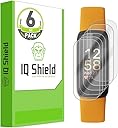
The IQShield Screen Protector for Fitbit Ionic offers a 6-pack of anti-bubble TPU film designed for easy installation and maximum protection. With features like scratch resistance, high durability, and a lifetime replacement warranty, this screen protector ensures your smartwatch remains pristine while enhancing your user experience.


| ASIN | B0BJ7Q64KZ |
| Best Sellers Rank | #20,650 in Cell Phones & Accessories ( See Top 100 in Cell Phones & Accessories ) #1,443 in Cell Phone Screen Protectors |
| Brand | IQShield |
| Brand Name | IQShield |
| Clarity | 10 |
| Compatible Devices | Fitbit Inspire 3 |
| Compatible Phone Models | Fitbit Inspire 3 |
| Compatible Wearable Computer Models | Fitbit inspire 3 |
| Customer Reviews | 4.3 out of 5 stars 22,814 Reviews |
| Finish Type | Glossy |
| Item Dimensions L x W | 1.5"L x 0.78"W |
| Item Hardness | 2H |
| Manufacturer | IQShield |
| Material | Thermoplastic Polyurethane |
| Model Name | IQ41698 |
| Model Number | IQ41698 |
| Number of Items | 6 |
| Part Number | IQ41698 |
| Product Dimensions | 1.5"L x 0.78"W |
| Screen Size | 1 Inches |
| Screen Surface Description | Glossy |
| Special Features | Scratch Resistant |
| UPC | 843475122712 |
| Unit Count | 6.0 Count |
| Water Resistance Level | Water Resistant |
A**Y
LITERALLY INSTALLED IN LESS THAN 10 MINUTES WITHOUT BEING PARANOID - CANNOT GET BETTER THAN THIS
So I need to start off with the fact that I LITERALLY have years of experience in applying different screen protectors for different devices over the past decade (2020 now guys lol). I have installed tempered glass to self adhesive mainly. I have never used or applied this kind of screen protector before - but usually applying tempered glass and self adhesive screen protectors make me PARANOID. I mean, finding the CLEANEST place possible, with adequate lighting, and telling anyone within a 10 foot radius of me to NOT DISTRACT OR DISTURB ME so I can make sure NO DUST, NO BUBBLES, AND NO HAIR gets underneath the screen protector I am attempting to apply. I watched the video on how to do this while on the toilet, then washed my hands thoroughly after I was done, went into the bedroom, didn't bother being paranoid about doing the installation on the bed, and in under 5 minutes, I had successfully applied this screen protector. I KNOW the video says it may take 20 minutes of holding down each side, and waiting 1 to 2 days for bubbles to go away. Don't listen to that crap. INSTEAD, literally follow what they say in the installation video about using the applicator to swipe from left to right and adjusting as you go until it's right. THEN JUST GO HAM ON THOSE EDGES! KEEP SCRAPING USING THE APPLICATOR AGAINST THOSE EDGES! LITERALLY! I'M NOT KIDDING. JUST KEEP USING THE APPLICATOR TO CONTOUR TO THE SHAPE OF YOUR DEVICE AROUND THE EDGES AS YOU SCRAPE AND KEEP MOVING THE LIQUID OUT FROM UNDERNEATH THE SCREEN PROTECTOR. Then voila, you will have a PERFECT installation of these screen protectors. I did it successfully on the FIRST TRY FOR BOTH MY VERSA 2 AND MY BOYFRIENDS! Ya know what the BEST part is? It looks SO CRISP and CLEAR! You can't even tell it's on the device - that is if you take your nail and try to see if you accidentally left a bubble and try to move it.... then you can see how it's self healing by accident.... Like I did while writing this review. Turns out, I did not have anything underneath the screen by the way, I was just double checking hahaha. ANYWAYS - these work GREAT for ANY case you plan on using with the device, whether it be one of those plastic ones that cover the screen too, like I have, or the STURDY SUPCASE like my boyfriend has! Or if you want it just without the case and alone, it's so flawless and unnoticeable, it's beautiful! I would buy these again and I've already suggested these to my friend for her Samsung Galaxy Watch Active!
M**W
It does the job well
I was all set to give this product three stars because I carefully applied it per instructions and squeegeed it, yet I still had air bubbles. The instructions say to wait 24-48 hours, but I had my doubts. Sure enough, about 24 hours later, the bubbles are completely gone. Now it's just a nice, solid shield of protection for my screen. It doesn't seem to affect the ability to tap or swipe the screen of my Ionic at all, and it's very easy to forget that it's even there. This product represents a great deal. It comes with six screen protectors, and everything needed for a clean install. There are two Ionics in my home. I was able to put protection on them, and still have four left over in the event that one of them needs to be replaced. For under $10, this deal can't be beaten. My only complaint is that the instructions included were sparse, except for a set of instructions on how to apply to curved devices. They have a link for YouTube videos, which is great, but more instructions included in the box would have been nice. The product, however, is very easy to apply. And I see in the instructions that they offer free replacements if the product is registered at their website. There's really no way to lose with this product!
E**R
Peels off quicklyโwon't stay adhered...Changing my review and recommendation several months later...
My Original Review I used IQ Shield Screen Protectors on my Fitbit Charge 2 for its entire life. I wore the Charge 2 every day, but did not wear it to sleep because I found through experience that the corners of the film would peel up after just one night's sleep. That being said, each IQ Shield Screen Protector would last months, so long as I didn't wear it to bed. To be on the safe side though, I cut the corners off the film before installing it, to rob it of any sharp corners to catch on clothing. I found little fault in the function or installation of the film. My Charge 2 screen remained well protected. So, when my Charge 2 died after three years of constant use, I recently upgraded to a Fitbit Charge 4 and had no hesitation ordering the IQ Shield Screen Protectors for it at the same time. I have not been satisfied with this product. Bear in mind that I have three years experience with this same product, so I am not a novice installing it. Nor did I have unreasonable expectations for how long it would last, etc. I've only had my Charge 4 for 2-1/2 weeks and have already needed to replace the IQ Shield Screen Protectors three times! The first film lasted about eighteen days and the second just two days. Two corners of the first film peeled up after just two days, but I was reluctant to change it out right away, so I waited to install another film until the first got really bad. Today is the first day I am wearing my Charge 4 after installing the third film and leaving it overnight to "cure" as I have always done after installing a new IQ Shield Screen Protector film. I am now looking for either another brand of screen protector similar to this IQ Shield Screen Protector, or perhaps another type of shield altogether. I will not be recommending this product. Updated Review! It has been several months since my last review of this product and I need to now revise my assessment. By the time I got to installing the fourth IQ Shield on my Fitbit Charge 4, I was ready to give up and purchase a different brand as I threatened to do at the end of my previous review. However, I am happy to report that with even more careful installation and leaving the Charge 4 untouched for 24 hours giving the shield even longer to "cure," the fourth shield lasted four months! I still do not wear my Charge 4 to bed in order to ensure that the bedclothes do not catch the edges of the shield. (I have another simpler Fitbit tracker that I wear when sleeping). I have also continued to trim the corners off the shield before installing it so that there are no 90ยฐ corners to catch on clothing. Hint: make absolutely sure that the screen protector film is well centered and that no edge is too close to the edge of the Fitbit screen itself, or it will surely catch on something later and peel that edge up. I think one of the major problems with these Charge 4 IQ Shields is that they are just a tad too wide and long, making it far more difficult to keep it away from the very edges of the tracker screen itself compared to the other one designed for use on the Fitbit Charge 2. A continuing quirk that I experience and have no real solution for lies in the Fitbit Charge 4 charging unit. Unfortunately, the charging connection clamps onto the back of the tracker and is supported by arms that clamp up over the screen edges. The clamps tend to damage the IQ Shield screen protector by crimping the edges of the film. It is nearly impossible to clamp on the charger without crimping the screen protector film. I wish that the charging unit just plugged into the Fitbit Charge 4 instead of using this clamping system. I can now recommend the IQ Shield again for those who have a lot of patience and attention to detail when installing onto your Fitbit Charge 4 screen.
D**S
Good screen protrector, incorrect installation instructions
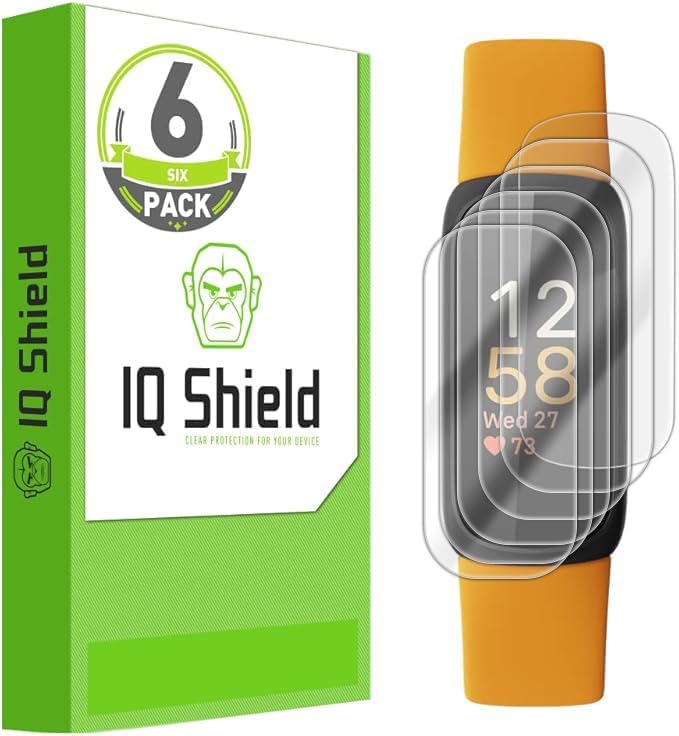
This Fitbit Charge 5/6 TPU screen protector is nearly invisible once installed, as shown in one of my attached pictures. Surprisingly for this type of protector, it is very smooth to the touch and responsive, almost like a glass screen protector. I am quite pleased with these so far, although I have only just installed one today so I donโt know the longevity of them. But they are a good value for the six pack. The six pack of protectors comes with everything you need for installing them, including alcohol wipes, a microfiber cloth, dust stickers, and a squeegee. However, the biggest problem I had is with them is the installation instructions. First, this screen protector DOES NOT use the liquid spray installation method I have used with other protectors from this brand. Unfortunately, the Amazon sales page for these has a video showing that method of installation, which is not what these use. Second, they do have installation instructions on the outside of the package for these, but they are for a phone screen protector and are at best confusing. I ended up ruining one of the protectors since the instructions really did not match the actual installation method. The instructions on the package, which are shown in another of my attached pictures, discuss partially lifting up stickers #2 and #3 and using the squeegee to push towards the end of the protector. However, labels for #2 and #3 are both on one sticker at the center of the protector, not two stickers projecting past the ends as shown. Second, you do not use the squeegee to push like they describe. Instead, you actually have to pull out and discard the thicker bottom layer from under each end of the protector so that the remaining actual protector now will adhere to the screen. So basically the proper steps are the following: 1. Clean the screen of your device with the included microfiber cloth and dust remover stickers. making sure that the screen is free of dust. debris and fingerprints. 2. Using the sticker labeled "#1." remove the bottom prolective layer. Once removed, align the screen protector to the screen of the device and gently press down on protector to secure it in place. Note that the bottom layer is not really adhesive, it is just a split rubber sheet that somewhat sticks to the screen, but only at its highest part. 3. Once you get the protector aligned, hold the bottom end against the deviceโs screen and gently lift up the top end of the entire protector. Carefully peel out the top half of the rubber layer from under the remaining layers of the screen protector, then press the protector back down securely onto the screen. 4. Now hold the top end of the screen protector against the deviceโs screen and gently lift up the bottom end of the entire protector. Carefully peel out the bottom half of the rubber layer from under the remaining layers of the screen protector, then press the protector down securely onto the screen. 5. Starting at the center of the screen, any bubbles can easily be pushed towards the edges of the device using the included squeegee. Finally, use sticker #4 to peel away the top protective layer. 6. Using your fingers or the palm af your hand, firmly press down on the edges of the screen protector. But once you get past the poor installation instructions, these are actually nice, high quality screen protectors.
R**N
Fitbit Versa 3 scratch shield!
IQShield 6-pack screen protectors deliver crystal-clear TPU film coverage for Fitbit Versa 3 and Senseโanti-scratch, smudge-resistant, and bubble-free wet installation preserves touch sensitivity while hydrophobic coating repels fingerprints. Ultra-thin 0.2mm profile maintains sleek aesthetics without bulk.
E**Z
Not as tough as I thought it would be
I'm rough on my things, I will say that from the get go. My old fitbit hr was held together by tape. However it had a great screen protector that for years did its job and looked great doing it. When I upgraded to the Inspire hr I knew I was going to need a screen protector. I've used this brand for phones and liked it so why not. I got the six pack and bought the one for the kids watch too so the whole family got some. The good: Super easy to install, dried quickly, doesn't let water get under (yes I went swimming). Did a good job protecting the screen. The bad: Since these are plastic, not glass, they scratch up and scuff ridiculously easy. I've gone through two in a week. The first one scuffed the second day. I wore it like that a few days more until I got annoyed with the scuff blocking info on the screen. The second scuffed within minutes of me putting on the watch after the 24hr curing period. Good thing I've got 4 more. I was going to give one to the hubby for his inspire but I'll probably end up using them all myself by the end of the month. I wanted to like these, but I think I'll be looking for a glass protector in the future. I will say that despite how bad the protector looks, the screen itself underneath was not scratched or scuffed so at least it did protect the screen. Oh, and my child's screen protector has held up just fine, however her screen also has a silicone frame acting as a buffer, where as my Inspire is completely exposed.
T**J
Not a ZAGG, but not a problem!
I just recently purchased a Fitbit Blaze. Since I work in an environment where getting bumped by various heavy objects is inevitable, I started looking for something that would make sure the Blaze's screen wouldn't be a casualty. These screen protectors are the answer. My first choice for screen protectors is usually ZAGG. Their products are readily-available both online and in big-box retailers everywhere, so it's not hard to bump into one of their products. I'm probably like many of you in that I've never heard of IQ Shield. However, these Fitbit Blaze screen protectors are just as much of a quality product as something ZAGG would produce, and IQ Shield is certainly not asking a ZAGG-level price for their product. If IQ Shield's prices are this reasonable, I just might have to check out what else they have to offer. They give you six of these screen protectors in the package just in case you scratch yours or you accidentally damage one in the install process. I doubt I'll ever use the other five, but it's nice to know I have them if I need them. Application-wise, these screen protectors are not hard to install. Just clean the face of the device with the included cloth, spray your fingers and the adhesive side of the protector with the installation solution, place the protector on the device, and squeegee out the bubbles. Done. It probably took me 60 seconds to complete the entire process, and the finished product looks perfect. I was going to go for the glass protector because these vinyl ones often look chintzy after they're installed, but I'm actually glad I ended up going for the regular ones instead. The "Clear Screen" option looks like the screen protector isn't there at all. That's exactly the look I wanted. I am perfectly satisfied with these screen protectors, and I'd gladly buy them again or recommend them to anyone who's looking for something to protect the screen of their Blaze. I don't think you'll be disappointed.
M**E
The best!
Oh yes! The best product for the Fitbit 5 or 6. Easy to install. Great fit. Superior protection. Doesnโt come off once in place.
M**A
10/10 easy to install
This was so easy to install, not bulky, and will protect the screen from scratches while keeping it small and clean looking. Love it! I applied it quickly, no bubbles, no problems!
H**R
Five Stars
Excellent product. Saw the video on YouTube, how to use it and then it was a breeze
A**R
Great product for curved screen, Fitbit Sense
Having followed the installation video to the letter, I have had absolutely no issues with the protector coming off, even to the extent where hard screen protectors for a Fitbit Versa, have under the same wearing conditions!
C**E
Find a better supplier
Product delivered did not contain IQ Liquid component which is vital to effective application - find a better supplier
A**R
Easy to apply
Very easy to apply screen protector and it provided a few extra screen protectors
Trustpilot
1 month ago
3 weeks ago