

Desertcart purchases this item on your behalf and handles shipping, customs, and support to Malaysia.
โจ๏ธ Elevate your workspace with the ultra-slim, multi-device Keychron K3 โ where style meets productivity!
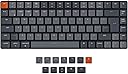
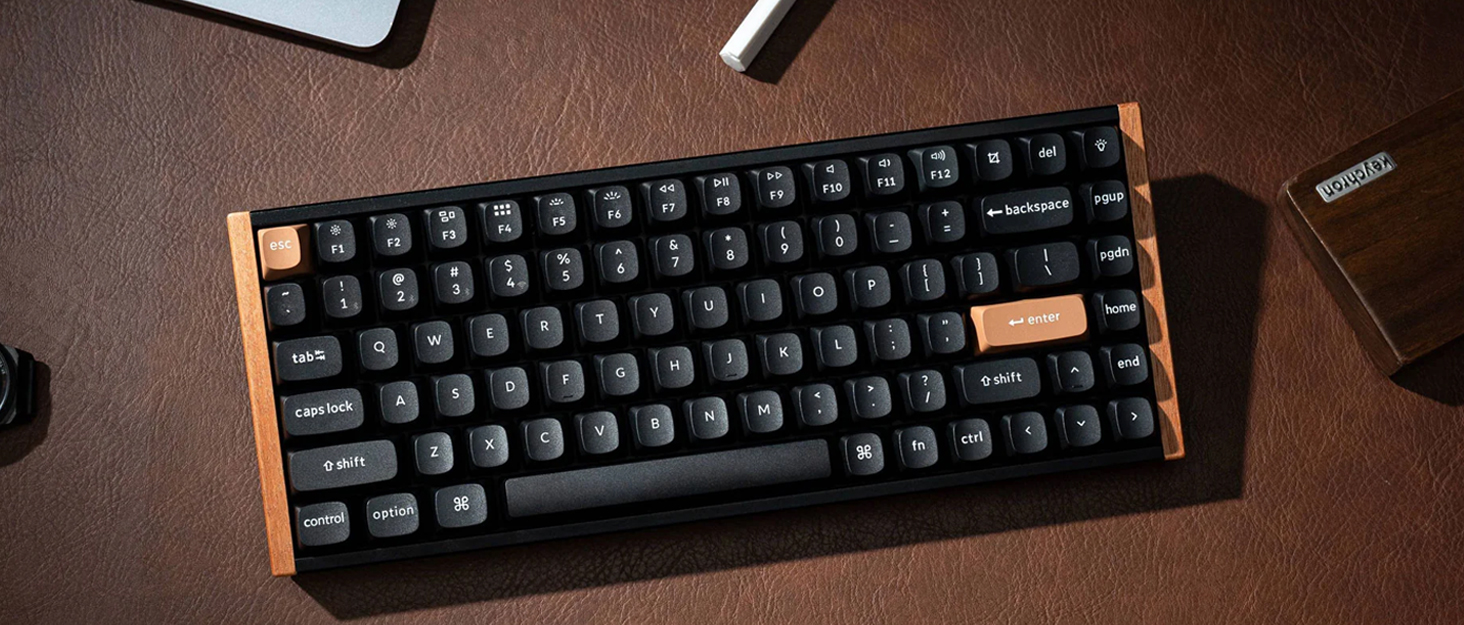
The Keychron K3 is a cutting-edge ultra-slim 75% mechanical keyboard featuring 84 hot-swappable low-profile optical switches, Bluetooth 5.1 connectivity for up to 3 devices, and a reinforced aluminum frame. Designed for Mac and Windows users, it offers a tactile, customizable typing experience with white LED backlighting and ergonomic support, making it the ultimate tool for professionals seeking sleek efficiency and seamless multitasking.


| ASIN | B09K3Z51KP |
| Antenna Location | Student |
| Best Sellers Rank | 14,046 in Computers & Accessories ( See Top 100 in Computers & Accessories ) 215 in Keyboards (Computers & Accessories) |
| Box Contents | Extra keycaps |
| Brand | Keychron |
| Brand Name | Keychron |
| Button Quantity | 84 |
| Colour | Brown Swich |
| Compatible Devices | Smartphone |
| Compatible Operating System Family | MacOS, Windows |
| Compatible devices | Smartphone |
| Connectivity Technology | Bluetooth, USB |
| Connectivity technology | Bluetooth, USB |
| Country of Origin | China |
| Customer Reviews | 4.1 out of 5 stars 108 Reviews |
| Enclosure Material | Aluminium |
| Hand Orientation | Ambidextrous |
| Item Dimensions L x W x H | 30.6L x 11.6W x 2.2H centimetres |
| Keyboard Backlighting Color Support | Single Color |
| Keyboard Description | Mechanical |
| Keyboard Layout | QWERTY |
| Keyboard description | Mechanical |
| Manufacturer | Keychron |
| Model Name | Keychron K3 UltraSlim |
| Model Number | K3 |
| Number of Batteries | 1 |
| Number of Keys | 84 |
| Number of Packs | 1 |
| Product Features | Lightweight,Wireless,Travel |
| Recommended uses for product | Student |
| Special feature | Lightweight,Wireless,Travel |
| Style Name | Modern |
| Switch Type | Mechanical with Optical Switch |
| Theme | Mechanical Keyboards, Wireless Keyboards |
| Unit Count | 1.0 count |
I**A
Great keyboard for a great price
This is my first mechanical keyboard and honestly it's great. It's lightweight, looks good and does everything that it says it does. I got the brown switches and they're not too loud whilst also still providing that nice clicky sound and feeling. The backlight works well and has many different modes to choose from. The title says it's the UK layout and whilst the pictures don't show it, it is infact the UK layout. The box comes with extra key caps so you can change it to match your system and typing layout (it comes in american MAC key layout by default but has the windows keycaps as well as other extra keys and a guide telling you where to put what). It also comes with a dust protector which is very useful for me as my room gets dusty. Overall solid product and would recommend. 100% worth the money.
L**I
Lovely keyboard
Loving this keyboard for programming. The optical blue switches are clicky and responsive - great for typing. Solid build quality, very good Bluetooth multi-device support, and wired mode if needed. The lighting looks great and can be customised or turned off. Comes with keycaps for both Mac and Windows. Very pleased overall.
N**N
Nice keyboard but returned
I bought this keyboard after many months of research and trialing different mechanicals. I really wanted a mechanical keyboard but found they were a little too clunky and big, so opted for this Keychron low profile option for the best of both worlds. Having previously used the Logitech MX Master, it was a tough act to follow for this Keychron K3. Overall I enjoyed the typing experience and the aesthetics of the board are awesome, but I had some issues when connecting to my PC via Bluetooth (there is a good 5 second delay before it recognises the keyboard when it goes to sleep, which did get annoying), and some of the keys started to repeat type and get โstuckโ after a couple of weeks use, meaning I wasnโt happy with the experience compared to my Logitech board and so ended up returning. You can swap the keys but I found it difficult to find low profile keycaps that would fit the board, and the switches felt much more flimsy compared to the standard MX Cherry style switches on a full size keyboard. I liked that it comes with the option to have Mac or Windows buttons, I use both so this is a good edition, and you can change the colours on the keycaps too for a few of the keys between the grey and orange options. Overall this keyboard had a good typing experience but with the issues I had, I wouldnโt recommend a purchase given the price.
V**R
What an excellent keyboard
As a long-term Apple user, I've only ever (apart from back in the mists of memory) used a membrane keyboard, but I decided to take a step to mechanical via this Keychron model. Apart from having to retrain my muscle-memory (a slightly different layout compared to what I was used to, and some additional keys - suddenly I have Page Up/Down and Home/End keys available) I have had little difficulty settling in to use it. The Keycaps have a very pleasant texture, and the keys themselves a positive feel. I really can't comment on where it fits into the huge realm of Mechanical keyboards, but I can safely say that, for me, this is a real step up from the membrane keyboards I was used to - and it looks good too :)
D**.
Great keyboard but useless after 2.5 years
The keyboard itself is great - slim, good key travel and great multi connection capabilities. Unfortunately my battery died after a little over 2 years of use. While it got weaker since I have had the keyboard it does not hold charge for more than a minute rendering the bluetooth capabilities basically useless. Would not recommend for using long term, have not experienced similar battery loss in any other keyboard.
T**R
I wish it has also 2.4 ghz doungle and more battery life
It is an amazing keyboard. keycaps require to get used to for some time but not much. My previous full-time keyboard was Kensington K75502UK low profile %75 slim keyboard. Which is a good quality keyboard for its price. Software features and macros on the keyboard is not important for me I can what I want with power tools on windows. tried Logitech MX keys and MX Keys mini to replace my K75502UK but they were not as comfortable to type as my K75502UK and the typing experience was not as I expected as their prices. Decided to go for a mechanical switch, especially to Brown ones like the old days, tried the Logi G915 TKL which seems like a space ship but it has a really annoying problem, the Keys are wobbly, which was a huge disappointment for that money. Anyways, I wanted to buy the NuPHY Air 75 but it does not have the UK layout, more expensive than this one and its key lights are not lightning the letters on the keys :S. Then I decided to buy the Keychron K3 V2 with brown optical switches. It is an amazing keyboard and I couldn't be more satisfied with the keyboard purchase. Hmm, Actually I could if it has an even optional 2.4 GHz adaptor and longer battery life while lights are open. Because if you need to go to bios and use this keyboard you need to connect the USB cable which is not a huge problem but it is the elephant in the room.
D**N
Could be better for the price
The keyboard looks great and overall feels great. It's taking quite a bit of time to adapt my finger placement however and I feel like the layout needs some optimisation Pros: -- Great feel and sound as you would have expected -- Extremely compact design which helps massively free up desk space while maintaining a great look and feel (something many cheap/compact keyboards fail to do) Cons: -- Probably not just me.. but the screenshot button's placement couldn't possibly be worse... It is directly above backspace. I have lost count of the amount of times I have prompted the screenshot app when I was typing and I'm honestly getting sick of it. The issue is caused by a combination (honesty helps) of adapting to smaller form factor personally, but at the same time, there's a reason the backspace is normally followed by a gap above it on all other keyboards. - Why not slightly increase the backspace size? or just sacrifice a tiny bit of size by making a larger gap between the function keys etc. and the next row of keys? -- a few keys are already squeaky and one key was squeaky right out of the box (E). As I was playing Starfield and spamming E to scan flora in the distance, you can imagine how quickly that became irritating...... thankfully, it was the actual switch causing the squeak and not the plastic key lid. So I just swapped it out with a much less used key. -- I'm an avid PC user / typist of MANY years now. I don't claim to touch type, but I do type without looking at my keyboard and there is something that just keeps happening that I cannot ignore anymore.... I am constantly typing letters that are hit quickly, in the wrong order... e.g. ou becomes uo, re becomes er (that literally just happened when I typed "anymoRE". I have googled around expecting to find it was just another muscle memory issue, but found zero results. I also type on a separate keyboard for work at home (normal form factor) and I NEVER make this mistake when typing. As much as the honest part of me blames myself, I am starting to think there is a fault and it comes down to time between key presses - which wuold (I left that typo in for effect) explain why it is happening so often and not really improving the more I type on this keyboard. Genuinely tempted to ask for refund/return at this point.
C**E
Perfect keyboard for creatives.
I use my laptop for graphic design and now have it on a stand. This is so its at the hight a monitor would be and I'm not hunched over my desk. After much research I went for the Keychron K3 (brown switch) and all I can say is that this keyboard is perfect. Straight out the box, connect and instant fun. It's slimline so was easy for me to adapt to after coming from a laptop keyboard and the keys give a tactile response and feel that makes working fun. It's solid built with aluminium body and has a decent weight to it. It doesn't feel cheap and plasticky. If you're used to working on laptops, and are looking for a keyboard for a desk setup then I would put this at the top of the list to look at.
Trustpilot
2 weeks ago
2 weeks ago