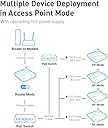
🚀 Elevate Your Connectivity Game!
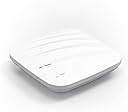
The GL.iNet GL-AP1300 (Cirrus) is a high-performance Gigabit Ceiling Wireless Access Point that supports dual-band AC1300 speeds, connects up to 100 devices, and offers remote management capabilities through GoodCloud. With OpenWrt/LEDE pre-installed, it provides users with extensive customization options, making it ideal for modern office environments.
| ASIN | B08TBYJWGJ |
| Antenna Location | Business |
| Antenna Type | Fixed |
| Brand | GL.iNet |
| Brand Name | GL.iNet |
| Colour | Wifi |
| Compatible Devices | Laptop, Personal Computer, Smart Television, Tablet |
| Compatible devices | Laptop, Personal Computer, Smart Television, Tablet |
| Connectivity Technology | Ethernet |
| Control Method | Remote |
| Customer Reviews | 4.2 out of 5 stars 4 Reviews |
| Data Transfer Rate | 867 Megabits Per Second |
| Frequency | 5 GHz |
| Frequency Band Class | Dual-Band |
| Frequency band class | Dual-Band |
| Manufacturer | GL Technologies |
| Operating System | RouterOS |
| Other Special Features of the Product | Access Point Mode, Remote Access |
| Recommended uses for product | Business |
| Special feature | Access Point Mode, Remote Access |
| Wireless Compability | 802.11ac |
| Wireless communication standard | 802.11ac |
I**V
Works with latest OpenWRT
I saw two reviewers that were complaining about not being able to install latest OpenWRT. The way to do this is to follow the "unbrick" method -- hold reset button while powering on, until the main LED stops blinking (5 blinks), then go to 192.168.1.1 and upload your firmware. That being said, I tried (with OpenWRT, haven't tried the stock FW) to get mesh networking to work and I gave up after a few days. It does set it up and connect initially, but the signal seems to be weak, and it would never reconnect once it disconnects. Also, even if they are 30cm apart, connected in mesh, if you run a big transfer across (via nc, for example) it will crash sooner or later. Seems to be kernel/driver related. Compared to a few other devices I own it doesn't have the strongest of signals, maybe the model with internal antennas would be better (mine is WiFi only). My walls are very tick so I chose the solution with multiple APs mostly serving 5GHz (one room) so now my signal strength is excellent (because there is a router hanging on the wall in every room :)). Another thing to point out is that the router case is sealed -- you can't open them. They have screws, which don't seem to do much. If you're really hell bent on opening it, you'll destroy the case (maybe the screws will hold it together). So I'd suggest it (for OpenWRT) unless you care about Mesh. I ended up laying a bunch of wires with a PoE switch, which works beautifully.
D**V
Excellent
Excellent
J**B
Old OpenWRT - Can't Update to OpenWrt 21
As another reviewer indicated, this model is based on OpenWrt 15. Normally gl.iNet products can be updated to the stock OpenWrt software but this one can't. It's a nice device for single-purpose single access point networks but not really much else.
N**T
Super Enterprise-PoE-Access-Point, kompatibel mit Mainline-OpenWRT
Endlich ein bezahlbarer PoE-Access-Point der vom Hersteller in OpenWRT integriert wurde. Wer die propritäre Oberfläche von GL.iNet (basierend auf QSDK) nicht braucht, kann bei diesem Gerät die neueste OpenWRT-Version (aktuell 21.02.3) über die Web-Oberfläche flashen. Damit ist dieses Gerät auch für Freifunk-Anwendungen sehr interessant. Im Reichweitenvergleich mit dem UAP-AC-Lite hat auch der GL.iNet (mit OpenWRT 21.02.3) deutlich die Nase vorn. Ein (cloudfreies) Open-Source Managementsystem gibts mit OpenWISP auch. Somit kann man dieses Gerät auch bedenkenlos in großen Installationen einsetzen. Die anderen Bewertungen hinsichtlich veralteter Software kann ich nicht nachvollziehen, da es sich (wie beworben) um ein Gerät mit Mainline-OpenWRT-Kompatiblität handelt. Daher wird es hierfür Updates geben, solange der Speicher ausreicht.
Trustpilot
2 weeks ago
1 month ago