
🚀 Boost Your Signal, Boost Your Life — Stay Connected Everywhere!
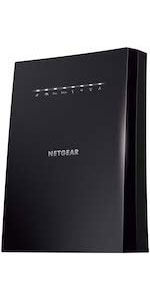
The NETGEAR EX2700 Wi-Fi Range Extender delivers up to 800 sq ft of extended wireless coverage and supports up to 10 devices with N300 speeds up to 300Mbps. Its compact wall-plug design fits discreetly into any outlet, while universal compatibility ensures it works with any router. Featuring a wired Ethernet port and simple WPS setup, it’s an ideal solution for eliminating Wi-Fi dead zones in homes or small offices.




| ASIN | B00L0YLRUW |
| Best Sellers Rank | #614 in Repeaters |
| Brand | NETGEAR |
| Color | White |
| Customer Reviews | 4.0 4.0 out of 5 stars (70,715) |
| Date First Available | July 5, 2014 |
| Is Discontinued By Manufacturer | No |
| Item Dimensions LxWxH | 2.6 x 2.1 x 1.3 inches |
| Item Weight | 8.1 ounces |
| Item model number | EX2700-100PAS |
| Manufacturer | Netgear |
| Operating System | PC; Mac |
| Product Dimensions | 2.6 x 2.1 x 1.3 inches |
| Voltage | 100240 Volts |
| Wireless Type | 802.11n |
T**S
LOTS of Coverage!
We use these to provide SOLID coverage over the ENTIRETY of our Mountain Top Ranch (about 10 Acres on Top of the "Plateau" where our Home, Recreational Areas, and Upper Pastures are located. We also use them "Daisy-Chained Together" to cover our DEEP Valleys surrounding our Mountain. Each Extender is named "(Our SSID Name)_(Area Of Coverage)".. Example: "Our-Router_West" is the extender that covers the Western Top Part Of Our Ranch. When we "Link" or "Daisy Chain" several of these together to provide WiFi coverage down in the Valleys surrounding our Mountain, We use a format like "Our-Router_West1" ("The FIRST 'Daisy Chained' Western Netgear Extender, Connected to the MAIN Netgear Extender that covers the Western Part of the TOP of our Ranch, Which is Connected Directly to our Home's Router"), "Our-Router_West2" ("The SECOND Netgear Western Extender, which is Daisy-Chain-Connected to the FIRST Western Extender, Which is connected to the Main Western Netgear Extender, Which is connected to our Home's Router" - That's a total of THREE Netgear Extenders, Covering the Western Areas Of Our Property, Up top, and down in the Western Valley) etc. etc... You start losing 'Throughput Speed' FAST when Daisy Chaining these units together, but at least you still have "More than Decent" WiFi Coverage, even (ESPECIALLY) in areas where Cell Coverage can be spotty (Like down in our Steep Valley to our North, Where our Natural Springs run, which is a pretty sheer 600 Foot Drop in Elevation, with only a few hundred feet of Width before Climbing UPWARD again to more of our property.. Cell Coverage down there is 'WISHFUL THINKING' at best, even with a Cell Tower Company Renting some space we don't use to place a Mini-Cell-Tower on our Property, so the Cell Companies can cut STRAIGHT ACROSS this HUGE Bowl of Mountains in the Area we live in, to provide Coverage to SEVERAL State Parks, WITHOUT having to run MULTIPLE towers on the Mountains that Surround us in the distance, 360 degrees.. Imagine a "Pound Cake Bowl"... The Edges of the Bowl would be the Mountains surrounding us in the distance, and the Plateau Sticking up in the center of the Bowl, is where WE live). Our iPhones will use "WiFi" to place calls, when they can't get Cell Coverage, so it works out GREAT for us! Recently, One of our Family Members built a home on land I gave them up here, about 900 "Air Feet" away from our house (So they don't have to see/hear us, and we don't have to see/hear them).. When I bought this mountain, NO Utility Company would TOUCH IT as far as "Providing Lines this far from Their Main Lines", So I had to buy all of the Power/Cable/Water/etc lines myself, and hire Contractors to run them all up here (Buried).. I sized ALL of the Utilities to be able to support 10 homes eventually, as our Children can afford to build up here once they are at a place in life where they can work from home if they wish, Or build a "Vacation Home" up here until they CAN live up here full time... I bought HUGE spools of BIG Fiber-Optic Cable Line from 'Corning', and had contractors run it a LONG way, to the Local Cable Company's Main Lines, that Carry Cable TV/Internet between Counties (Same for Power Lines, etc). So we have a LOT more High Speed Bandwidth than I need, Even working from home... Until our Family Member who just built a home here can afford to connect to our Main Fiber Line to get Cable Internet of their own, I bought Two more of these Netgear units, and Daisy-Chained them together toward their new house, which is East of ours. I Fully expected to need THREE Extenders to run 900 "Air-Feet", But TWO of them (One set in about the middle of one of our Upper Pastures, and the Second Unit Plugged into their Enclosed Screen-Room on their Back Porch) provides them with Decently fast WiFi Internet!!! We DO live WAY OUT in the middle of nowhere, without "Other signals everywhere to shorten the range of the signals WE produce" (for many different things), so YMMV if you live in a Suburb or something, but they work FLAWLESSLY up here for us. ALL of the FIRST "Main" Netgear Extenders are placed outside our home, in a Waterproof (But "Signal Transparent") Enclosure. Those First Extenders are simply used to grab the WiFi Signal from our Main Router inside our house (Going through "THICK Stone Walls" is TOUGH for even THE BEST WiFi Router!) and then "Extend The WiFi Signal Out Across our Property"... We have Four of these, Set North/South/East/West around the outside of our home, each about 50 Feet away from our Home. I've found it's easiest just to set up each unit by going to Netgear's site when you find the extender on your device, creating a login, and then you can change ALL of your Units from a Netgear Book-Mark TO EACH UNIT (You REALLY need to have a separate Netgear Bookmark for EACH extender!). From those bookmarks, You can rename each unit, set it's signal strength, see what's connected to it, AND how good the Signal Strength is, TO AND FROM, each unit, etc. I also found that if you just connect your iPhone (or whatever you may be carrying around) to EACH unit ONCE, let your device store that information, Then choose the option on your device to "Connect Automatically To Known Networks (with better signal strength)", Then we can walk, ride the Horses or ATVs, pretty much anywhere, and our iPhones switch from Extender Unit to Extender Unit without even hesitating! Our Devices connect to the Extenders with better Signal Strength as we travel around outside Seamlessly. We never even know when the device has swapped connections from one extender to another. Normally this is where I'd say, "For the Price These Can't Be Beat'... But I've Paid MUCH MORE for WiFi Extenders that didn't perform HALF as well as these do! "And For The Price", you can scatter them everywhere over large areas. "Tech Tip": Lightly MIST the INSIDE of a clear "Cake Platter" CD/DVD Bulk Storage Dome with WHITE paint (To reflect the Sun's Heat AWAY from the Cake-Platter, and keep UV OFF the Extenders), Run an Outdoor-Rated Extension Cord through a hole in the bottom of the Cake Patter Storage Case (created when you cut the Center Spindle out of the base), Hot-Glue the Extension Cord in Place close to the bottom of the case, AND to close up the Gaps in the Bottom Hole to keep the bugs out, And you have a HIGHLY decent "Outdoor, Weather Resistant, Signal Transparent, WiFi Signal Extender Dome" I simply set up each new unit here in the house, log in to the Netgear Website, Choose which OTHER unit I want the NEW unit to connect to (either our Main Router, OR one of the Extenders out further from the house), and let the NetGear Site set it up for me (Bookmark the Netgear Site Associated with EACH INDIVIDUAL UNIT!).. Then I unplug the unit, take to where I need it, Plug it back in to Power, and it's good to go! Once we allow ALL of our Devices (iPhones, Palm-Tops, etc) to connect to each extender and save it as a "known Network", I turn OFF the "Broadcast SSID" Option, so no one else sees the (Now HUGE) WiFi Network "Publicly" (without Special Software, or a Signal Sniffer, etc).. But even if someone DID happen to somehow get onto our Property, past all of our Security Fences, and Security Systems, and find the WiFi Signal, well, that's what STRONG PASSWORDS, Encryption, And FIREWALLS are for! It can be a pain, but our Main Router is Set-Up to ONLY allow use by "Devices We Specifically Allow". "Guests" are allowed to connect to a "GUEST ACCOUNT", which puts them on a Secondary Network, so if their devices are Compromised, or have a Virus/Worm/etc, it can't propagate through to other devices on our Main Network. And if their devices contain a Keystroke logger, then whoever is reading the Logger's Output only has a Guest Password, WHICH CHANGES EVERY 10 DAYS, and Each Guest has a PERSONAL password that identifies THEM.. We do it that way so that if a Month from now, someone we don't know starts trying to hack into our network using an old Guest Password [Like: "glenn-1s-C00l-0CT"] that was used by a friend that visited recently, we know to contact THAT friend and tell them they've been compromised ("glenn-1s-C00l-0CT", LOOKS like, "Glenn-Is-Cool-Oct", But what it ACTUALLY tells US is "It was "Glenn", "First Part" [1s] "Of October")... But even then Our Router wouldn't even respond to a MAC Address that's not CURRENTLY on the "Guest List" marked as "Allowed", so even someone Spoofing his MAC Address wouldn't work, since his Guest Access was COMPLETELY deleted the day he left. Probably 10 Times More than you Wanted to know, But nowadays Security Risks are VERY REAL, VERY possible, and that's even MORE of a Concern When you have WiFi COMPLETELY Covering Tens Of Acres. These are VERY useful Items!
P**D
Works better than I expected and fits my needs well
The set up was relatively easy ,I have WPS and I tried the easy set up with my FIOS Quantum Router without success .Using a Google Chromebook as the manual set up was easy with the step by step instructions .Once connected I unplugged the extender and placed it where I wanted for my problem.I plugged it in 60 feet from my router and it picked it right up. Now my reason for needing an extender,I have a long Ranch style house with a completely separate living area above the garage.There is a 6 inch Firewall separating the home from this apartment .I am using this room as a party room bar and have a Sony Blu-Ray player with internet connections to Amazon ,Netflix ,Crackle etc.This is about 85 feet from my Router but because of the wall the signal strength is only at 6% .This makes the device unusable and other devices are spotty in the room.The extender works great ,the streams are uninterrupted and the quality is fine, General Specs: My max speed per cable contract 75mps up and down Speed test with Router 70mps up /down Speed test of extender (60 feet away) 15mps up/down Signal Strengh of device (problem Blu-Ray ) at 85 feet away with Router 6% Signal Strength of device (problem Blu-Ray ) though wall at 30 feet from extender 48% Speed of streaming on Blu-Ray connected to extender 11-15Mps Take note this device states streaming up to 300 Mps and I lost 80% of my speed so if you only get say 25Mps speed at your Router, you are only going end up at 5Mps at extender (if you had my setup).You can't make your internet faster with a repeater ,I would think everyone knew this but I see reading reviews not everyone does.
R**R
Absolutely Fantastic Piece of Technology
Amazon Netgear Wi-Fi Range Extender I bought this Wi-Fi Range extender because the Wi-Fi emitting from my Comcast provided router at my house is abysmal at best. the thing you need to know is, this range extender is absolutely fantastic! Especially for people who are impatient when it comes to internet connection and want to improve their connection drastically such as college students or people with multi-level houses. This review is coming from someone who is the epitome of impatient on Wi-Fi connection issues and this delivered such good connection in spades. I have been making electronic purchases for years now and tend to find myself to be an expert in most internet based technologies even being a tech chair for two years in college. I can say without compromise that this one of the best $30 electronic purchases I have made. I have tried a Linksys range extender for a little over $80 at Best Buy and it did not work straight out of the box, thankfully this product was a huge improvement over the Linksys extender. The Good • Incredibly easy setup, took me about 3-4 minutes from unboxing to extending my Wi-Fi • Conveniently uses the same name as your Wi-Fi network in your home as to avoid confusion, however you can change it to something else. • Not only does it use the same name; you only need to put in your password for your secure network. • Extended Wi-Fi throughout my three story house to the basement farthest away from my router • Was able to get Wi-Fi on my Wii U console that had no Wi-Fi connection only because of distance, now full bars of Wi-Fi currently • Does not need an external power supply, has prongs on the back for direct plug in to the most useful outlet you would like to use for this device Aspects that could be improved • While setup is quick, waiting for the light to turn green after being connected to the Wi-Fi takes a bit too long, almost made me think the device was broken at first but given some patience the whole ordeal is done with relatively quickly. • Highly recommend you have a secure Wi-Fi connection, the device seems to get confused when I accidentally added an unsecure network but it found my secure network moments later. Just a little hiccup is all. Overall, I love this Wi-Fi range extender, the price is exceptional and its performance has been good for months now. This is for anyone who is frustrated with Wi-Fi performance in their house, especially if the router is a good distance away from the devices that use internet. If you have any further questions about my experience, feel free to email me at [email protected].
M**A
لا فائدة منه كأنه لايعمل
A**D
Solid build quality. Setup was very easy. For some reason the laptop i connected to set it up wont load the configuration page of the router. However, it was displayed instantaneously on my mobile. So i completed the setup on my mobile! It was very easy and just goes through the wizard in three or four steps. It has two LEDs, one which shows if signal to your main router is very weak (red) and green if its ok. Another is to show if any devices are connected to it (green). Initially i performed the setup very close to the main router, then i moved it to my intended location and found the signal was too weak (red led) and hence had to tweak the location. I finally placed it at a location where i was getting two bars of signal from the main router and it was good to go! The range is very good too! I get four bars of signal even through three concrete walls! This one has better range than older belkin router i use as my mains.
M**T
Very effective. Pros: 1. Simple and rapid installation. Plug it in close to WiFi router for setup and power it up. Press the WPS button on the side. Go to your router and press the WPS on it. Wait for green lights and plug it in elsewhere within range. 2. Lights indicate signal strength. 3. Good range (Tested through walls at my house and gave me a good range of 30 feet.) 4. Compact 5. Has an Ethernet port. Cons: None yet. No bugs or quality issues detected. I used it to extend my router to the basement and garage. Router is at one far end of the house. Placed this about half way and it has performed very well with Android boxes as well as security cameras. I use DHCP and have 4 Android boxes, 2 wifi cameras, 3 phones, 3 DVD players and a combination of laptops and pcs connected to my network. 25% of these use the extender. Had the Android streaming and was viewing my camera at the same time to see if it could handle the volume. It did. I do not bother with the MAC filtering so I can't comment on how it works with that. I used to use it but with so many devices it became a nuisance to manage instead I rely on firewall and security software to protect my systems.
B**N
I bought this range extender to strengthen our Wi-Fi signal on our back deck. Wow, what a difference. I am seeing speeds that are nearly as fast as the room with the router in it. Set up was super simple and I was up and running in less than 10 minutes. Speeds are good enough that we can have friends over and anywhere from 6-8 devices are supported easily, some even streaming video, without caching or disconnects. 2 features of this unit that I absolutely love, are the following: 1) this unit creates a seperate network name, to your main network. In my case, it used the name of my home network but added the suffix "_1". This is an excellent option, to ensure that devices closer to your main router, will be able to choose the stronger signal and not wrestle for the additional network created by this range extender. 2) This unit has a network port on it, so that a wired connection can be established to this extender box for any device that might not be WiFi capable. That is awesome feature that I have yet to see on any of the other range extenders that I had seen prior to making this purchase. I am super impressed with the security, features, construction and price of this unit. If you need or want a range extender, I simply do not know how you could do any better. I STRONGLY recommend this product to you, as I already have to a number of my friends.
S**A
Gets The job done. I am using Apple Airport Express as primary router. I guess its getting old and I see a drop in the signal strength in my study/work room. I was looking for a range extender at an affordable price. I came across this device. Its fairly easy to setup (took me 10 minutes). Significantly improved the Wi-Fi signal strength. I am on ACT 100 mbps connection. However my apple router is only giving around 50mbps on an average. The range extender is getting me around 30mbps which is more than enough( I was getting 3-4 mbps earlier without the extender). Overall I am satisfied with the product. Gets the job done. (I could have ordered a higher version to support 5ghz as its only delivers 2.5ghz band. 2.5ghz is the most common and congested as we have probably 20-25 devices at home operating in this bandwidth). Bottom line - Huge Thumbs up!
Trustpilot
2 months ago
1 month ago



