🚀 Build, Code, and Conquer the Future!
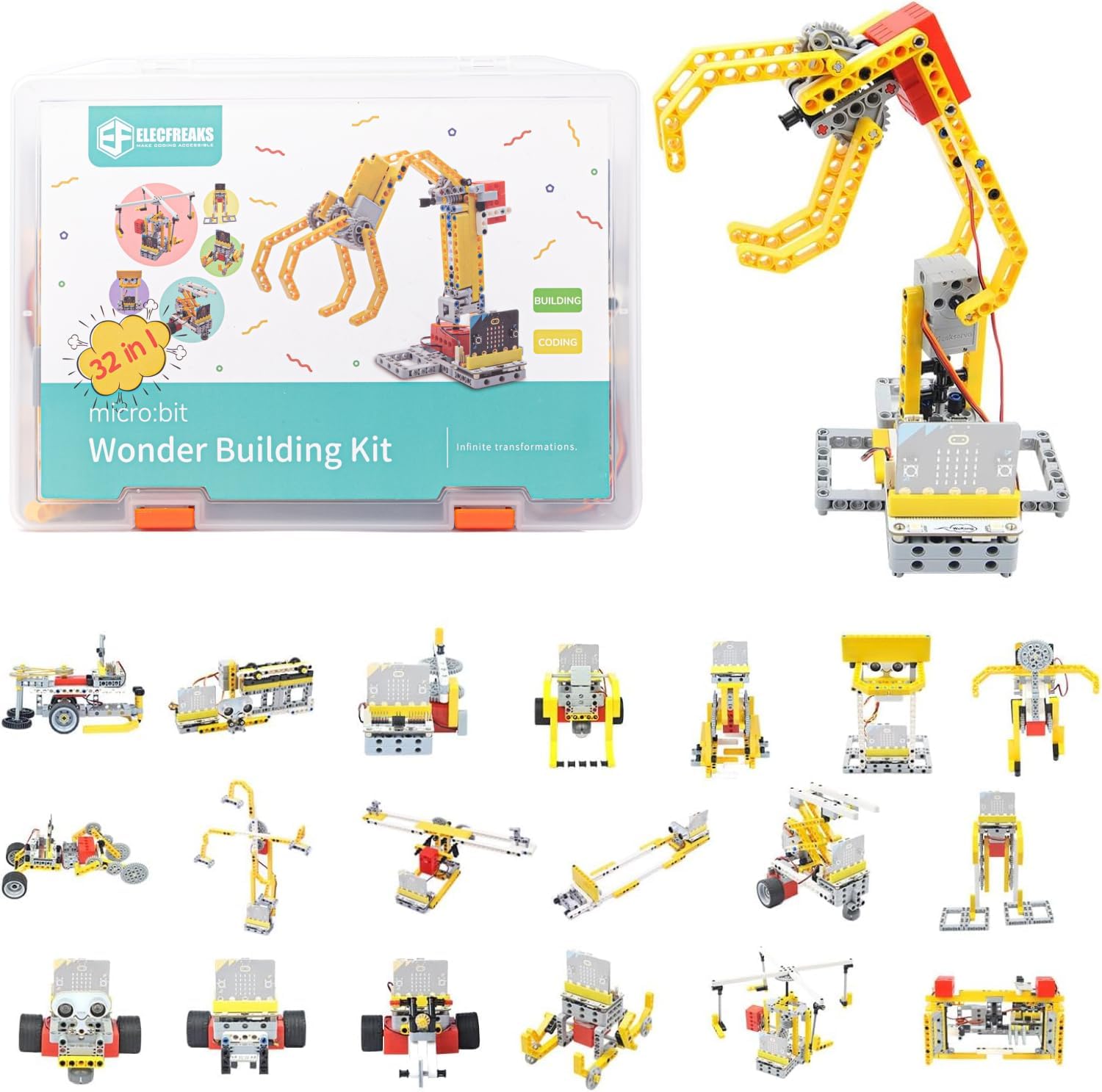
The ELECFREAKS microbit 32 in 1 Wonder Building Bricks Coding Kit is an innovative educational tool designed to inspire creativity and enhance STEM skills. With 400+ building blocks and 3 electronic sensors, this kit allows users to create interactive projects while learning coding and engineering principles. Perfect for young innovators, it promotes hands-on learning and teamwork.
| Item Weight | 1150 Grams |
| Number of Pieces | 400 |
| Special Features | Fun coding, Puzzle Building, micro:bit & Wukong expansion board compatibility, Water level sensor, Line-following sensor, Sonar:bit |
| Toy Building Block Type | Interlocking Toy Building Block |
| Educational Objective | Team Building Skills, Creative Thinking, STEM |
| Material Type | Rubber |
| Theme | Educational |
| Color | Wonder Building Kit |
O**
Amazing kit
Amazing kit for microbit, it was a gift for my boy, he's using at school and he loves it.
M**Y
Needs instructions
It’s a nice kit with a good starter selection of Lego Technic blocks and some basic components to integrate a Microbit and electronic components with them. The water sensor seems a bit of an odd choice as it isn’t very useful and I don’t really want electronics and computers near water. Some bump switches would be a better choice. If you’ve used Microbit before most of it is self explanatory but there were no instructions at all in the package. I found the instructions online and they provide a basic step-by-step guide to building several projects. Not all the pieces you need for all the projects are actually included in the kit. The instructions poorly explain the components in the kit and how to use them. There is an opaque warning about breaking the servo but no explanation of how to properly use it. Setting it to 360 mode on the port plugged in and just using the desired angle seems to work but no idea what the warning meant. Most of the electrical components are not adapted for Lego and need to be screwed in. This seems extremely lazy. I’ll 3D print my own parts to make the components work better but it seems pretty lame that the company didn’t provide these. I like that the system isn’t as blackboxed as something like Mindstorms but selling it as Lego compatible without actually making the pieces fit with Lego pieces is too raw.I hope the company improves on these issues and releases more products that will integrate well with Lego and Microbit.
Y**U
It is a fun gift!
I bought this product as a gift for my friend’s brother. He liked it very much! As mentioned in the product description, there are many kinds of cases we can build, but we just tried 10 different ways to build. The built cases can move and light up via graphical programming, which was another point attracted my friend’s brother, he can learn an easy programming language in a fun way!
T**Y
Deceitful with image and price
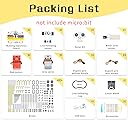
I would have paid $86 for the kit had I known that the main component required to make this kit work is not included, despite portraying it in every product image. Typical Asian bait and switch.
L**L
El producto es muy bueno y económico para todo lo que se puede hacer.
Fácil de usar y tiene un manual en la pagina donde se explica claramente el producto.
M**N
Fun, best if you're familiar with microbit already
My 9 and 11 year olds are already familiar with microbit coding, so they were able to jump right into this and really enjoyed it. My daughter (11) says that the instructions for coding are easy to follow but very simple, limiting what you can do if you don't know more coding yourself. If unfamiliar with microbit coding, you could copy the code given but wouldn't necessarily understand it. She liked writing her own code and pairing it with the joystick wireless control by the same company, allowing her to do more things. There are a lot of projects, and the kids say that some are absolutely awesome and others "don't work out as well and are boring with the code they give you."
A**R
There are better options if you know what you're doing
My goal was to buy a LEGO-compatible robot-building system that I could use to start introducing programming and robotics ideas to my 6-year-old. I liked the idea that I could use a Micro:Bit as the brains of the system.If you buy this, you need to know what you're doing, because the online instructions aren't great (parts of the build instructions are missing, sometimes the program images are missing, and there's not a lot of explanation about what's happening with the programs). If you have some experience with LEGOs, electronics, and programming a Micro:Bit then you should be able to figure out what's going on. If you already have a reasonable LEGO Technic collection then the most important parts of this kit are the Wukong board, the motors, and the sensors; if you know what to look for then you can pick these up separately for less.The Wukong Expansion Board Adapter is the heart of the system, and it is nice to work with, as long as you don't mind exposed connector pins. This is the piece that lets you use the Micro:Bit to control motors and lights, and read sensor data. The board comes with a small speaker, some NeoPixel-compatible LEDs on the top, and some plain old LEDs on the bottom that you can control the intensity of. I haven't been able to find any full documentation about how all the Micro:Bit pins are mapped to the inputs/output on the board, but some of the pin markings match the Micro:Bit pin numbering, so you aren't completely in the dark.The motors are compatible with LEGO bricks, so you can easily start adding your own creations if you have a LEGO collection.The sensors are NOT really LEGO-compatible, at least not in a really useful way. The boards have holes that are spaced the same as LEGO bricks, but have to use tiny screws to attach them to your LEGO creations. It isn't the end of the world, but it does mean that you'll spend more time fiddling with non-LEGO pieces than you would probably like.The documentation, including the build instructions, are hit-or-miss. If you have experience with LEGOs, electronics, and the Micro:Bit then you can probably get yourself going reasonably quickly, but if you're used to the kind of documentation you'd get from LEGO or some other larger brand you'll probably be disappointed.The bricks themselves are of high quality than I expected. Probably not quite up to LEGO standards, but certainly close enough that you won't constantly worry about breaking them.Programming is accomplished through the online Micro:Bit programming tools. There are extensions that support the Wukong board and the sensor board. It isn't as plug-and-play as the LEGO development environment, so there's a bigger challenge there, but it isn't that bad.At the end of the day the online documentation can be fixed, so if Elecfreaks has time to do this then I think they could have a more compelling product for the general user. If you know what you're doing and already have some LEGO Technic pieces then you might be better off buying the Wukong board, sensors, and motors separately according to your needs.
D**Y
Great entry level kit but not all parts included
This is a great low-cost option for a middle school Robotics class, we needed to either upgrade our Robotics kits to the new Robot Inventor Kit at $359 a set. I was disappointed to find out that the signature creation on the box: the Robotic Arm, as well as the Forklift and Aerial Ladder Truck require a Joystick Bit at about $25 and a second Microbit V2 to operate. So, 2 Microbits ($30 each), 1 Joystick bit ($25) and this kit ($90) and the total cost is about $175, still a bargain at half the price.
V**J
Really great kit for kids
The lego Technic compatible parts comes with it and the microbit compatible board is the highlight.The lego parts extend the possibility of building new things that are beyond the 32 projects mentioned.Really recommend it. The price is on the higher side from the Indian context.
Trustpilot
1 week ago
2 weeks ago