🚀 Unleash the Power of Portability!
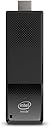
The Intel Compute Stick BOXSTK1A32SC is a compact computing device powered by a Quad-Core Intel Atom x5-Z8300 processor, featuring 2GB of DDR3L memory and 32GB of storage. With integrated dual-band Wi-Fi and Bluetooth 4.0, it offers seamless connectivity for all your devices. Perfect for transforming any HDMI-compatible display into a smart workstation or entertainment hub, this stick is lightweight and portable, making it ideal for professionals on the move.
| ASIN | B01AZC4I64 |
| Aspect Ratio | Unknown |
| Brand | Intel |
| Built-In Media | Computestick, power adapter |
| CPU Model | Atom |
| CPU Speed | 1.6 GHz |
| Color | Black |
| Connectivity Technology | Bluetooth, HDMI, USB |
| Customer Reviews | 3.6 out of 5 stars 25 Reviews |
| Global Trade Identification Number | 00735858308168, 00735858308175, 05032037081184, 05032037081191 |
| Graphics Card Description | Integrated |
| Graphics Card Interface | Integrated |
| Graphics Description | Integrated |
| Hardware Interface | Bluetooth |
| Human-Interface Input | Buttons |
| Item Dimensions | 4.44 x 1.49 x 0.47 inches |
| Item Weight | 13.44 ounces |
| Keyboard Layout | QWERTY |
| Manufacturer | Intel |
| Memory Clock Speed | 1600 MHz |
| Memory Speed | 1600 MHz |
| Memory Storage Capacity | 32 GB |
| Model Name | BLKSTK1A32SC |
| Model Number | BLKSTK1A32SC |
| Model Year | 2015 |
| Operating System | Windows 10 |
| Processor Brand | Intel |
| Processor Count | 4 |
| Processor Series | Atom |
| Processor Speed | 1.6 GHz |
| RAM Memory Installed | 2 GB |
| RAM Memory Technology | DDR3L |
| RAM Type | DDR3 SDRAM |
| Ram Memory Maximum Size | 2 GB |
| Specification Met | No |
| UPC | 735858308168 735858308175 |
| Video Processor | Intel |
| Warranty Description | Limited Warranty |
| Wireless Compability | 802.11a, 802.11b, 802.11g, 802.11n |
| Wireless Network Technology | Wi-Fi |
| Wireless Technology | Bluetooth, Wi-Fi |
Q**N
Minimalist Desktop Productivity Computer - Don't play games with me
If you want to pay not very much money for not very much PC, the Intel Compute stick may be what you are looking for. You just have to acknowledge that it's an inexpensive single board computer with minimal capacity and upgrade potential. If you have tasks to be done within its limited capabilities you may be pleased with the product. This particular product comes from Intel as bare bones PC. No operating system is installed. Apparently the ones with W10 pre-installed have a 'W' in the model number. Consult the Intel website for details. I got burned by a seller claiming the computer came with an OS installed which was not the case. Thus I tried a couple of things: 1) Ran it as a Chromebook using Neverware's CloudReady OS. Performance wasn't great, most likely because I was running it from a bootable thumb drive. 2) Installed 32-bit Windows 10 to the Compute Stick's primary drive, which is 32GB of flash memory. After partitioning that and installing W10 there isn't much space left, so I moved as much as possible to the 128GB micro SD card (not included). It was able to run LibreOffice and a web browser without any difficulty. YouTube videos played through the browser, not an app, and it had no issues keeping up. I was able VPN into the office with it, which is the primary use case for this computer. The Intel Compute Stick is just enough computer to run that software.
W**E
Great little mini pc!
This does not have an OS installed which is why it sells so cheap and allowing you, the user, to choose between Ubuntu, Linux, or Windows 10. I did try to install Server 2008 r2 (Core) but failed. I am happy with this item because it does exactly everything I bought it for and my sole complaint is that I was forced to install x86 Windows 10. I use this as a headless (no monitor for the untrained) mini server. On the USB 2.0 I have my Brother HL-2140 laser printer and on the USB 3 I have an 8 TB external hard drive. This device functions as a print, file, and media server and, surprisingly, does it well. I don't have any heat issues but I expect that that's because I don't have it connected to a monitor. File transfer is faster than I expected and media plays on my 4k Samsung TV without any stutter. All in all, this is a great little device. A note to those bad reviewers: research before buying. It's up to US to make informed purchasing decisions. Just because you were too lazy to do the research, doesn't make this little PC a bad purchase. Next time, try submitting a review about the product rather that your obvious stupidity.
P**E
One Star
It says it comes with Windows 10. It did not come with any operating system.
R**E
Never buy this
Product does not mention that it does not come with windows preinstalled...unacceptable...useless crap.
A**R
False advertising
There is no O/S on this device
P**T
OSはついてないけど、インストールはすぐにできた
OSは非搭載ですがUSBから30分で インストールできました Atom X5-Z8330搭載なので古いPCよりは動きます 技適はとっているのでWifiも使えます fire tv stickより少し大きいくらい ちゃっかりファンがついてますが音は無音に近いです
O**U
遊べる1本
利点:OS無しなので好きなOSを入れられる、安価!! 2980円で購入 最初にBIOSでUFEIを有効にしてOSをインストール。 1.Linux Mint20.2 :WIFIも全て認識し問題なし。 2.Batocera Ver31 :WIFIは認識したのですが音が出ない。 調べていたらALSAのCard 0, device 2で音が鳴りました、そこでALSAの設定ファイルである.asoundrcファイルのhw:0,0をhw:0,2にしてやるとうまくサウンドが出るようになりました。 1)Batoceraのシステム設定でAudioOut項目で 'Intel HDMI/DP LPE Audi Audio'を選択。 2)/SHARE/system/.asoundrcを編集 : pcm "hw:0,0" ----> pcm "hw:0,2" 現在Batocera Ver31を内部ストレッジeMMCにインストールしてゲーム機として使用しています。 AndroidTVBoxでEmuELECなどインストールして楽しんでいましたが値段的にも同じぐらいなのでそれならアーム系よりインテルX64系の方がインストールできるOSが多いのでより幸せになれると思います。 遊べる1本でした。
も**あ
何をするにもストレスを感じます。
とにかく動作がもたつきます。 今になってATOMを購入するのはお勧めできません。 安物買いの銭失いになってしまうので購入を考えていらっしゃる方は今一度検討し直すことをお勧めいたします。
A**R
コスパ最強
値段の割に性能がよくコスパがいいと思います。
A**G
Second Intel stick purchased and the second one is also being returned as faulty
This is the second Intel stick we have purchased, because the first one didn't work. Now after spending over an hour on the phone to Intel help desk the second stick is also being returned. Poor quality control
Trustpilot
1 day ago
5 days ago