🔌 Elevate your display game with flawless 4K clarity and rock-solid connection!
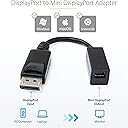
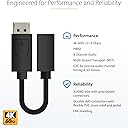
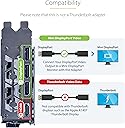
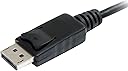
The Startech.Com DP2MDPMF6IN is a premium 6-inch DisplayPort to Mini DisplayPort adapter cable designed to deliver ultra-high-definition 4K video at 60Hz and 2K at 120Hz. Built with gold-plated connectors, robust ABS and PVC materials, and advanced EMI shielding, it ensures superior signal integrity and durability. Ideal for professionals needing reliable multi-display setups, it supports 8-channel audio and multi-stream transport, while molded latching connectors prevent accidental disconnections. Note: Not compatible with Thunderbolt monitors or iMac Target Display Mode.


| ASIN | B003N3DTKY |
| Best Sellers Rank | #150,553 in Electronics ( See Top 100 in Electronics ) #1,355 in Audio & Video Adapters #276,676 in Electronics Accessories & Supplies |
| Department | Default Category |
| Item model number | DP2MDPMF6IN |
| Language | English |
| Manufacturer | StarTech.com |
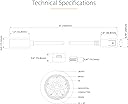
| Product Dimensions | 38.1 x 5.05 x 3.45 cm; 14 g |
A**G
Worked perfectly with Lenovo ThinkVision t14
Looks well made, the 6in cable is stiff
P**O
Good value
R**H
This is a perfect adapter for connecting proprietary cinema display of apple with pc or upgraded Mac Pro desktops with nvidia cards like gtx 960,9xx and even Pascal cards. The vendor has great service. Parcel was delivered before time . Ibhejo was helpful enough to answer the queries about parcel as the adapter is shipped from America. iSight and sound of cinema display both are supported by the adapter.
J**Z
Sirve para PRolongar HP Revert. Funcionó a la primera.
N**D
I've recently build my pc and I wanted to connect my apple monitor to the GPU! I can't express how much I'm happy with StarTech converter. It solved the issue connected and here we go. I'm also very happy with the fast delivery and the packaging. You guys rock \m/
F**0
We have just updated a work laptop from apple macbook to a dell laptop and I wanted to connect the 24in Apple Cinema display to this new dell laptop. This was a lot more complicated that I had expected since the apple cinema display uses mini display port and the dell laptop only had one VGA and three USB ports. So I looked into connecting it to the VGA port but that is very very complicated since VGA is an analog signal and the mini display port is a digital signal just buying a vga to mini display port connector is not enough you have to actually convert the signal which requires some very expensive signal processing hardware. So I read through the manual and two of the USB ports are actually USB 3.0 which can be used to connect a external monitor. So I found this StarTech USB 3.0 to DisplayPort adaptor then I bought the StarTech DisplayPort to MiniDisplayPort adapter (DP2MDPMF6IN) which allowed me to plug in the mini display port plug from the Apple Cinema Display into. After following the directions and installing the included software everything works great! I didn't think this would work, apple and pc hardware don't usually play well together. The picture on the 24-in Apple Cinema Display looks Stunning! No lag or other issues, the only problem is I can't figure out how to turn down the brightness. After connecting the USB plug from the Apple Cinema Display I was able to get the built in iSight camera working and the built in speakers along with the apple keyboard that was plugged into the displays usb hub on the back. Honestly I was ready to buy a new Dell LED monitor but I am very happy I could get the old Apple Display to work with the Dell Laptop, it is just a much more beautifully made object and the color and clarity of the display is better than I could have hopped for!
Trustpilot
1 day ago
3 weeks ago