

Desert Online General Trading LLC
Dubai, United Arab Emirates
Desert Online General Trading LLC
Dubai, United Arab Emirates



🔗 Connect, Charge, Conquer!
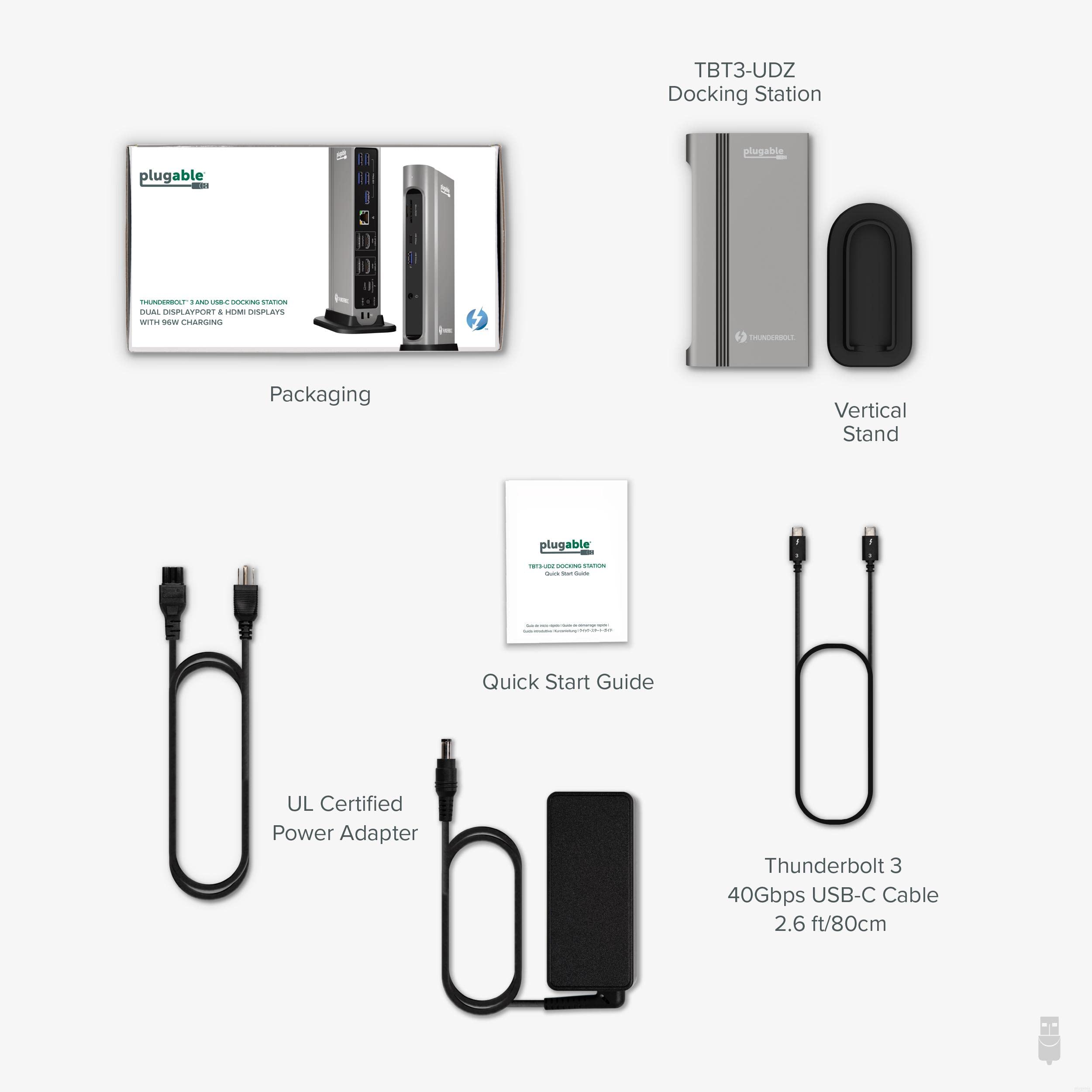
The Plugable 14-in-1 USB-C and Thunderbolt Dock is a powerhouse expansion hub that offers 40Gbps data transfer speeds, 96W charging capabilities, and compatibility with both Mac and Windows systems. With dual 4K display support and a variety of ports, it’s designed to enhance your productivity and streamline your workspace.


K**N
Exceptional high quality dock
1) IntroductionAlright, after an hour of extensive use of the dock, I think it's time to write a review about this baby. Usually I don't write reviews on Amazon, but for Plugable, I'll make an exception.I live in Belgium and like the rest of the world, our lives have been affected by COVID-19. My boss told us to work from home, but I still have to go to the office and visit customers occasionally. I don't want to plug/unplug all the cables when I leave home, so it's time to buy a docking station for my laptop (HP ZBook 17 Gen 3).After some research I've decided to pick this dock mainly because of it's display connectivities. It supports up to 2 DisplayPort OR 2 HDMI monitors in 4k 60 Hz. I'm not sure if you can mix DisplayPort with HDMI though.This dock doesn't come cheap. When I first added it to the shopping cart, Amazon said 309.70 EUR (374,89 USD import taxes + shipping included). But after selecting the coupon and subscribing to Amazon Prime (1 month free trial), the dock is discounted to 221.47 EUR. The price is still very steep, but uh, good quality comes with a premium price and that's what I'm willing to pay for, because this dock screams high quality.2) DeliveryThe dock was delivered pretty quickly. I ordered the dock on 30th November and ETA should be 24th December to 30th December, but Amazon gave me a surprise: the dock was delivered today (8th December). I was at the bike store for maintenance when UPS came. So the delivery guy left a note for me to pick up the dock. Luckily the pickup point was not that far, so I traveled by bike.3) UnboxingI pretty much know exactly what's in the box, so no surprises here. One thing that bothered me though, the dock came with a US power socket (actually not surprised). Luckily I still have some universal sockets lying around, so no biggie here.4) SetupAfter some struggle with cable management with my Ikea Bekant, I can finally switch on the dock (no power button, just plug in the power socket). Windows 10 immediately recognized the dock and started to set it up (installing drivers?). After a minute or so, the dock is ready to be used and a thunderbolt icon is added to the notification area.5) DisplaysAfter plugging in the HDMI cables, I've got 2 black screens. So I pressed Winkey + P to extend the displays and voila, I got some nice (distorted) images on my main monitor (Samsung CRG9, also bought it for WFH). Still no images on my second monitor (10 year old Dell U2711). After some checks, I noticed the HDMI cable came loose on the Dell. Plugging it back in solved the problem.Although I got images on both monitors, the resolutions were messed up (hence distorted). So I opened up Nvidia control panel to add some custom resolutions (I did this many times before, so no need to google). So 5120x1440 for the Samsung and 2560x1440 for the Dell. The image quality is now perfect. The refresh rate is also working like advertised (tested with testufo.com). One small issue though, for some reason the Dell won't turn on when the laptop display is on. So instead of extending the displays, I just display the second and third monitors in Windows, problem solved. This is my setup anyway before buying the dock, so no biggie here again.6) NetworkingI've only tested copying files from a remote desktop session. For some reason I can't access files on SMB shares on my desktop computer and vice versa. Maybe the corporate firewall software on my laptop is blocking it. I only get 10 MB/s via remote sessions. I expect the LAN speed will be much higher (100 MB/s) when copying files via SMB. The WAN speed is fine though. I'm getting close to 280 Mbit/s. Which is as fast as plugging in the ethernet cable directly to the laptop.7) The restI didn't test the audio port, because I'm too lazy to unplug the audio cable connected to my CRG9 (it's not easy to access the back panel). I play music with my Sony SRS-XB22 via Bluetooth anyway.I also didn't test the 5 USB3 type A ports (back), the USB3 type C port (front) and the SD card slots. I have no need for those ports at the moment, but I expect they'll work without any issues.I did test the front USB3 type A port though. My 3 year old OnePlus 5 charges just fine. I can also access files on my phone. So I am a happy Man (capital M because my last name is Man, no pun intended).8) VerdictAlthough I haven't tested everything on the dock (some day I will), I'm already very satisfied with my purchase. I feel like you can throw everything at the dock and it can handle it just fine. That's the price you pay for. Tiptop quality. 220 EUR is lot of money, but it spares me a lot of hassle every time I leave home for work. For someone who's constantly on the road, it's worth every penny.Cheers,Kevin
K**C
Great Customer Service
I used the Pluggable dock to connect my laptop with two external monitors, a webcam, mouse, keyboard, speaker, hard drive backup and wired internet connection. It was SO nice to be able to simply detach one cord from my laptop (the power cord from the dock to the laptop) and be able to take my laptop and use it while traveling. Previously I had to disconnect all of those peripherals before taking my laptop on the road - or to the kitchen table and then reconnect them upon return.This dock had some problems about 9 months into usage and the customer support team was super responsive with advice.I then had another problem that the company's support addressed by sending me the next generation of the dock as a warranty replacement. All the while I got great communication from the tech support team which is SO VALUABLE to me. With a less reputable company I'd probably never hear from the manufacturer.Ideally, there would never have been either of the problems but their responsive customer service and product replacement rates five stars for me.
O**E
Good so far
August 1, 2024: Set up without problem, and USB ports and monitor output work perfectly. I use it with a Dell XPS 15 and XPS 3 - on the XPS15 I get a yellow warning message on the power icon that it will not charge at maximal rate, but it charges fine despite this. The message does not appear on the XPS13 that requires less lower. In addition, two new drive icons appeared mysteriously on "My PC" when my XPS15 was docked -- it turns out these are due to two card reader ports on the front I hadn't noticed or cared about (useful for camera or music bugs I guess). This caused a problem for some of my data access routines, but took only a minute to fix by changing drive letter designations (this may be unique to the idiosyncratic way I work, but a heads up to others anyway).Why I bought Plugable: Years ago, I bought two expensive Dell docking stations (used for upper-end XPS15 and XPS13) and had problems with both docks that Dell wouldn't solve. I then bought a Plugable via Amazon for myself (so long back I don't remember when) and then a second one for my wife shortly after. Mine worked well but started having occasional connection problems six months ago and then suddenly died this week (it would only charge, not connect). I never like something to fail, but it earned its keep and I had found Plugable support excellent (although there is no longer a phone line, they did respond pretty quickly to an email request). The other one we have is still fine, but used less often. Based on this history, I replaced my dead one with this model. I'll add dated updates above if any problems occur.
R**N
Works well, Great support!
This dock has worked great with my 2019 intel 16" Macbook Pro. I am able to run my ethernet through the hub, as well as connect usb type-a external hard drives, keyboard, etc. and power my Macbook. I gave it four stars because every so often it doesn't communicate with the Macbook and I have to unplug it and plug it back in again.I would give Pluggable support 5 stars; however, because about a year and a half after I got it, it completely failed to connect no matter what I tried. I contacted Pluggable support and they were very helpful. They quickly determined that it was likely a problem with the dock and sent me a replacement right away. I am now using the replacement every day.
Trustpilot
2 weeks ago
2 months ago