
🎶 Connect like a pro, play like a legend.
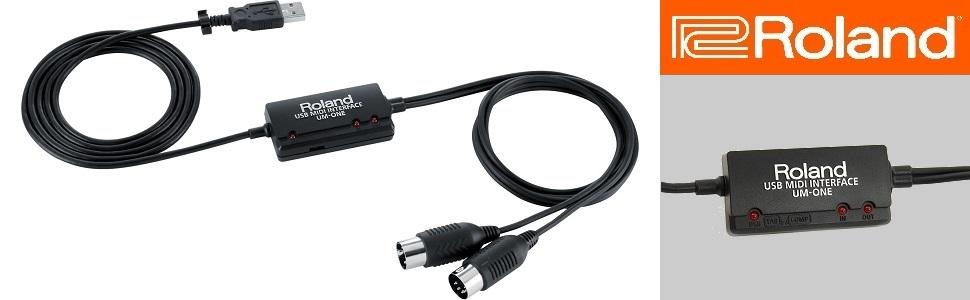
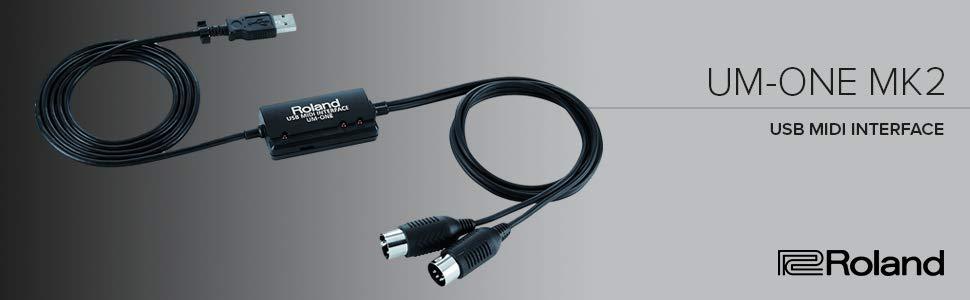
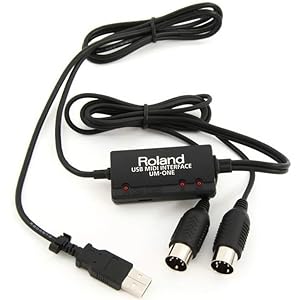
The Roland UM-ONE-MK2 is a compact, reliable MIDI interface offering one MIDI input and two outputs with high-performance FPT processing for low latency. USB bus-powered and compatible across Mac, Windows, and iOS platforms, it features integrated USB and MIDI cables plus LED data indicators, making it the go-to choice for professional musicians and producers seeking flawless MIDI communication.
| ASIN | B00967UN50 |
| Best Sellers Rank | #2,177 in Musical Instruments ( See Top 100 in Musical Instruments ) #6 in Computer Recording MIDI Interfaces |
| Compatible Devices | Midi Devices |
| Connector Type | USB Type A |
| Customer Reviews | 4.5 4.5 out of 5 stars (2,812) |
| Date First Available | September 18, 2012 |
| Hardware Interface | USB 2.0 |
| Is Discontinued By Manufacturer | No |
| Item Weight | 3.2 ounces |
| Item model number | UM-ONE-MK2 |
| Operating System | All |
| Product Dimensions | 2.4 x 1.2 x 0.6 inches |
| Supported Software | ['Mac, Windows and iOS'] |
F**N
Works Perfectly for my Application
After some research I bought this Midi Interface Cable because it was the cable of choice for my needs. I am using it to interface my Korg Volca FM2 with my Macbook Pro and Arturia Keystep 32 Keyboard. This allows me to connect the Volca FM2 to my MacBook Pro in order to us the DEXED and SYNTHMATA Applications (and some others) to edit the Volca FM2 sounds and also to Upload Sysex Files into the Volca FM2. At the same time I can use my Keystep 32 to play the Volca FM2. Part of this review is to help others as the included instructions were useless. It's important to first download the Drivers for the MacBook Pro (or what ever computer you are using, such as Windows), install them and then Restart youy computer. Once you do this the Roland UM-ONE-MK2 should be recognized by your computer. Also there is a little switch on the side that needs to be in the COMP position. It's TAB (Tablet) to the left and COMP (Computer) to the right as you face the unit. Make sure you set this before you connect it to your Computer (or Tablet). The switch is recessed and a bit tricky to see and move, I needed a thin paperclip to set it and was not sure at first if the switch even moved so I tried it a few times just to be sure and it did. Roland could have designed this a little better. One of the important points about the Roland UM-ONE-MK2 is it handles Sysex File Transfer perfectly. Many of the off brand Midi Interface cables do not, they either drop parts of the file, corrupt it or won't transmit them at all. Pros: It works for my needs and has been 100% reliable Cables lengths are long enough for most applications. LED lights let you know it's functioning Cons: A bit Pricey but hey if it works it's worth it Mode Switch could be easier to see and use Included Instructions are useless Not really a big deal but I would have preferred they used the newer USB C Connector instead of the older USB A, so I am using an adaptor.
G**E
Made by Roland…..top quality and reliable!
Works much better, and keeps working, as opposed to other “off brands” that claim to do the same thing. I am a professional musician, and I use this device to connect my iPad to my other music gear. I tried many other brands with mixed results….glitches, dropped or false MIDI info transmitted, and most wound up failing completely. Once I discovered this one made by Roland, I have had absolutely no issues!
A**R
Problem Solver!
I've been having a big issue with "stuck notes", missing notes, and even junk notes (notes I didn't even play). I've been using the MIDI adapter on my audio interface -- a Focusrite Scarlett 2i4, so I assumed it was a good MIDI adapter. Keyboard controller is an old but excellent Kurzweil MIDIBoard, and computer is a fast MSI laptop. I've had this problem with my DAW (Reaper) and also directly within instrument software, so I knew it wasn't Reaper. The computer is not overloaded in any way, and I didn't have another controller handy to try. I suspected possibly that pushing audio through the Focusrite at the same time trying to use MIDI might cause some data issues. So the easiest/cheapest thing was to try another MIDI adapter. Problem solved. I looked at several others in Amazon that were slightly cheaper, and ended up choosing this one as some of the others had reviews that pointed to some issues. Since I started using this adapter instead of the one in my audio interface I have not had one stuck note, missed note, or wrong note (except those that I played myself). The only aspect of this adapter that I didn't care for was the fact that the MIDI cables are hard wired to the adapter. Between the USB cable (which is also permanently attached) and the attached MIDI cables, the unit was plenty long enough for me. But if you need an extra long reach, you'll need to get MIDI gender changers and then you can extend with a regular MIDI cable. Also since everything is attached, if one cable goes bad (MIDI in, out or USB) then you've got to replace the whole unit. Also, the actual adapter part of the unit is just a little in-line box, so you probably won't be placing it on your desk to look at the status lights. I would say this device was designed for the consumer who doesn't have any MIDI cables of any sort, and just wants a one-stop plug & play unit, which is exactly what this unit is. I'd give it 4.5 stars if I could for the minor hardware issues, but since I have to choose 4 or 5, I'll go with 5 because it seems to fit the needs of the intended audience. If I needed another MIDI adapter, I would purchase this one again instead of trying to save a few dollars on the no-name brands.
A**R
Transfers Sysex Data like a champ!!
This works great for transferring sysex data. I was able to connect to my Fractal Audio Axe FX III and update the firmware. Now I can use my Axe FX III as was intended and I also have the cable to transfer files from and to my VGS 2120. If you need a cable that transfers sysex data flawlessly I highly recommend buying this cable, it sure saved me.
T**L
Funktioniert am iPad wie versprochen, zumindestens an dem neueren mit usb-c Adapter getestet. Auch am Handy kein Problem, ging sofort.
L**Ë
Fonctionne parfaitement avec mon vieux piano numérique de 1992, de la marque Roland également. Contrairement à certains câbles sans marque et moins chers, celui-ci est isolé électriquement conformément aux spécifications de la norme MIDI (créée entre autres par Roland) et ne risque donc pas de provoquer des interférences ou d'endommager votre équipement. Le raccordement est très simple, la prise MIDI (IN/OUT) à laquelle la fiche doit être branchée est inscrite dessus. La longueur totale du câble est de 2m ce qui devrait convenir à la plupart des usages. De plus, sous Windows et MacOS, l'interface du câble est utilisable par plusieurs logiciels simultanément (ce qui n'est pas le cas de la plupart des périphériques MIDI), à condition d'utiliser le mode COMP (sélectionnable avec l'interrupteur sur le côté du boitier) et d'installer le pilote spécifique (ce processus est automatique sous Windows 10 et 11). En mode TAB, l'interface est compatible avec l'ensemble des appareils (ordinateurs, tablettes etc.) et aucun pilote n'est requis. En revanche, elle n'est plus utilisable par plusieurs logiciels simultanément.
P**O
Excelente qualidade, não apresentou atraso ao ser utilizado com uma bateria eletrônica.
G**I
Una marchio una garanzia. Utilissimo.
C**8
El cable es muy fácil de usar, aunque trae el disco de instalación en mi caso sólo tuve que conectar mi piano a la computadora y ya. Yo lo uso conectando un piano Casio Privia a FL Studio y a Kontakt y todo corre de maravilla. Vale la pena hacer la inversión en este cable.
Trustpilot
3 weeks ago
1 month ago



