Some deliveries may take a little longer than usual due to regional shipping conditions.

DOWNLOAD THE APP


Customer Services
Copyright © 2025 Desertcart Holdings Limited
DOWNLOAD THE APP


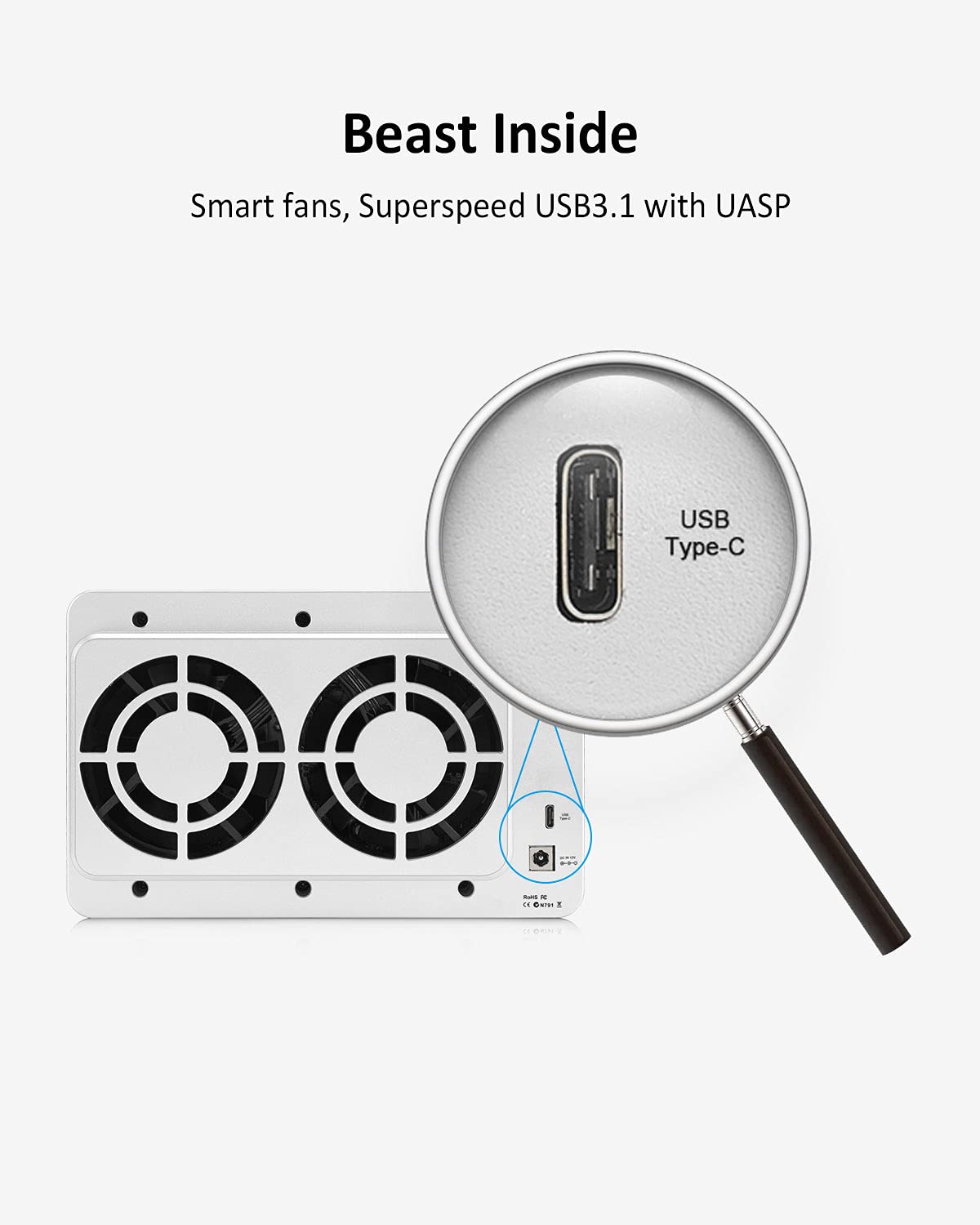

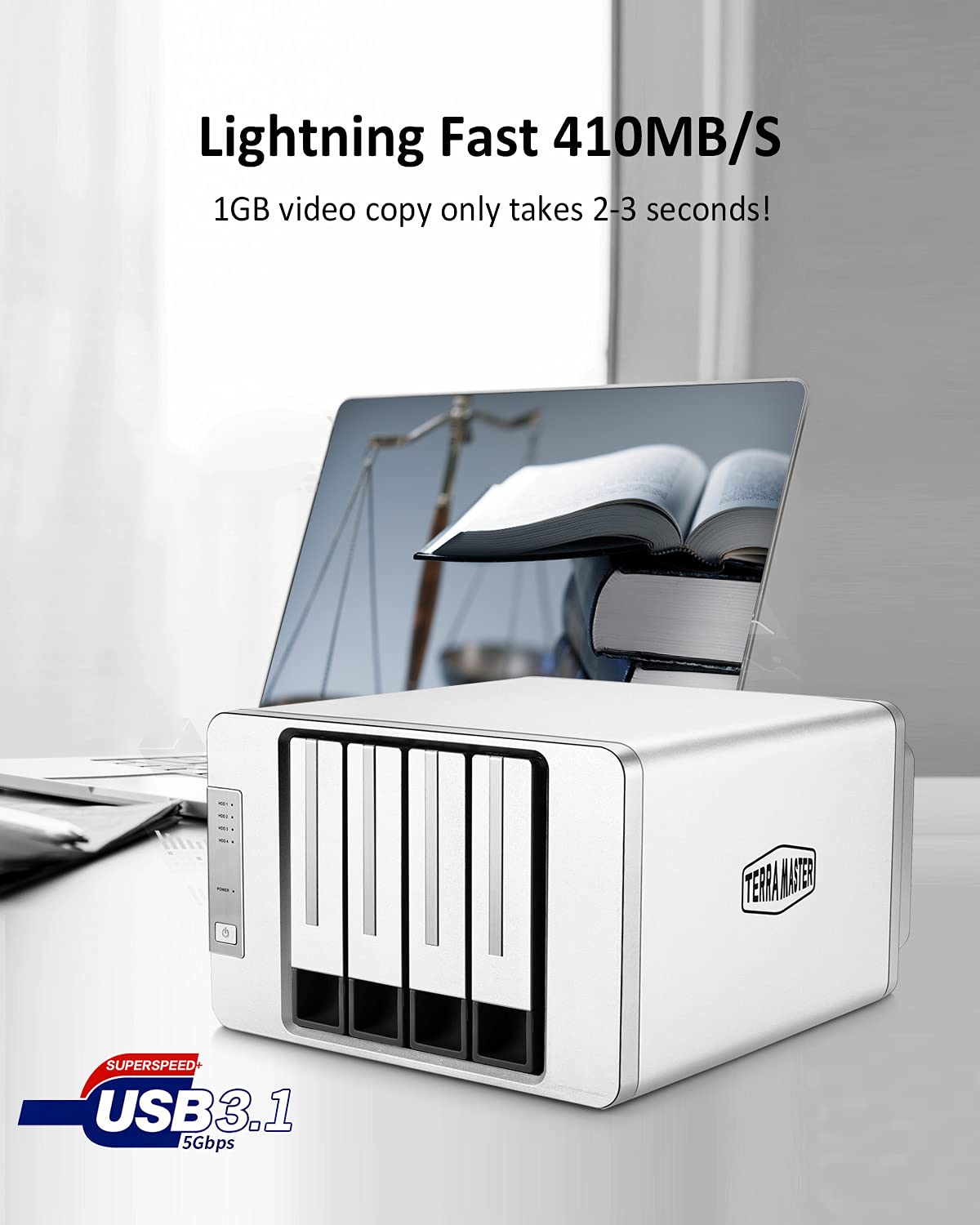

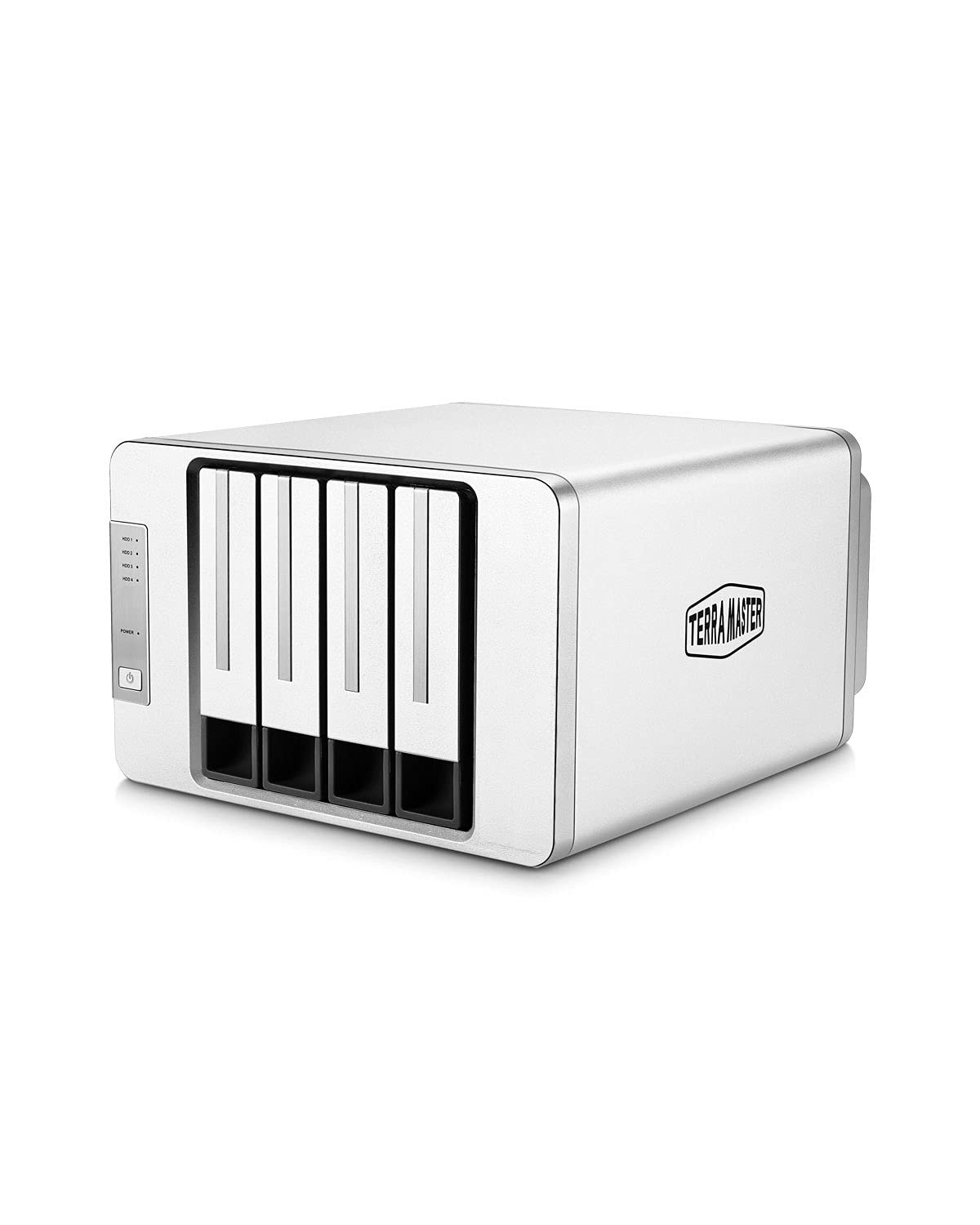

💼 Elevate your data game with sleek, silent, scalable storage.
The TERRAMASTER D4-300 is a robust 4-bay external hard drive enclosure featuring USB 3.1 Gen1 Type-C connectivity with 5Gbps transfer speeds. Supporting up to 80TB of combined storage across 3.5” SATA HDDs or 2.5” SSDs, it enables hot-swapping without RAID functionality. Designed for professionals needing fast, driverless, cross-platform compatibility, it includes intelligent temperature-controlled cooling for quiet operation, making it ideal for video editing, backups, and large media libraries.













| ASIN | B08CN4Z4PC |
| Best Sellers Rank | #144 in Enclosures |
| Compatible Devices | Windows, Mac, Linux |
| Connectivity Technology | Usb |
| Customer Reviews | 4.0 4.0 out of 5 stars (885) |
| Data Transfer Rate | 10 Gigabits Per Second |
| Date First Available | March 6, 2019 |
| Hard Disk Form Factor | 3.5 Inches |
| Is Discontinued By Manufacturer | No |
| Item Weight | 4.69 pounds |
| Item model number | D4-300 |
| Manufacturer | TERRAMASTER |
| Material | Aluminum |
| Max Number of Supported Devices | 1 |
| Memory Storage Capacity | 80 TB |
| Product Dimensions | 8.86 x 8.94 x 5.35 inches |
M**S
Use with Plex Server
I purchased two of these to be used with a Plex server running on a Mac Mini, one for the main server and one for offsite backup. I populated both of them with WD RED NAS drives and everything is working great. I am getting around 200 mb/s per second on each drive. Considering the WD website says that the drives are rated at 180 mb/s, these speeds are better than I had hoped. It was extremely easy to setup as well and the Mac recognized the device without any drivers needed. I popped in the first hard drive and named/formatted. Once done I did the next. I did this for all four drives. I just popped in the next drive while the device was still on. I did this so that the drive names on the main server and backup would not only be the same, but in the same spot in the device. I am not sure how you would know which drive was in which slot if you simply threw all the drives in and plugged it in. This approach would be fine for most people, but I need the backup setup the same as the main so I can swap drives when necessary. My experience so far has been great. Drives showed up instantly, no issues with naming/formatting, speeds are where they should be, and no fussing with drivers/software. The drives also seem to sleep while not in use, which I like from a power saving perspective. This is a 24/7 server and having the drives go to sleep is an added benefit if they are not in use. I have had no issues with them waking up as soon as needed. The device is mostly silent. You can hear a slight noise when the fans kick on, but no complaints on the sound. The build quality is nice as the device is made of metal, except that the trays that hold the drives are plastic. Would have been nice if these were metal, but if pushed in properly they should hold up fine. The box also came with stickers for labeling the drives and additional feet in case they come off. This isn't a big deal, but I found it to be an extra nicety.
D**E
So far so good! Works right out of the box. Does not use any proprietary file system or encryption.
Disclaimer: I've only used this for two days. I was hesitant to get this at first. I saw on another brand (QNAP) that it stated "The files and data stored on drives moved to/from a NAS (or another device) will not be recognized." and I wasn't sure if that was specific to them or if it was that way all around. For my purposes, I wanted my drive to be able to be read in pretty much any system. If this broke or was damaged or stopped working, I wanted to be able to put my drives into something else and be able to read them - I didn't want the data to be only able to be read in this box. And this was the case! I have plugged three hard disks in, each one containing data, and it read each of them just fine. Plugging disks is as simple as popping them in the tray, popping the two plastic side pieces in (no screws needed, though you could use them instead of the plastic side pieces, if desired), and pushing it in the bay. That's it. Disks go in easy enough, but they are latched in there, and though they are easy enough to unlatch, they are firm enough that I don't see it possible to "accidentally" unlatch them. The bays are numbered 1-4 on the bottom. My suggestion is to name the enclosure (BackUp, Media, etc.) and then name each drive after their position in the enclosure (Backup_1 or Media_3) etc. This way you can easily tell in Explorer which drive is which, if you were wanting to remove one. I actually ordered a second one. The first one will be used as my primary storage device, plugged into my router (it has a USB port for an external drive). The second will be used as a backup of that. I currently have a variety of drives in it - from a new 18TB to a smaller 8TB, to a really tiny and old 500GB drive I had laying around. It read all of them just fine. The 500GB had much slower write speeds, obviously, but the two larger (and newer) drives were capable of 100-200MB/S speeds. I am very happy with this and I'm glad I bought it. I think I would have liked the option to be able to turn individual drives off, but it's not that big of a deal. So far that's my only complaint, and it's not really much of a complaint!
L**S
As stated in the title, if you even breathe in the direction of the cable and the cable going into the USB port on the terramaster moves a little, it drops the connection. Unbelievable, very disappointed.
E**Z
Excelente producto. Muy poco ruido. Facil de configurar. En 2 bahias tengo un raid y en las otras 2 bahias discos independientes. Velocidad de proceso altas. Entra un modo hibernacion una vez que el pc tambien lo hace.
S**K
Obudowa dobrze się spisuje służy jako magazyn, kopia. Obudowa jest dobrze spasowana i nie przejmuje wibracji z dysków. Szuflady na dysk pozwalaja go zamontować bez narzędzi. Kopiowanie na dysk jest szybkie jeżeli wykorzystamy USB 3.2, mimo chłodzenia aktywnego wentylatora praktycznie nie słychać i nie przeszkadza w użytkowaniu. Dyski przechodzą w stan uspienia po wyłączeniu komputera. 😀
M**0
Honnêtement, il fait parfaitement le job. Je l’ai associé à un serveur NAS Beelink, c’est reconnu tout de suite, on peut faire du ZFS dessus sans aucun souci, le tout est hyper stable. Côté compatibilité, rien à dire, c’est plug & play. J’ai juste remarqué que les infos SMART remontent sur certains disques et pas sur d’autres, mais franchement ce n’est pas bloquant. Le RAID fonctionne , l’interface USB-C est rapide et fiable, c’est simple, ça marche et je n’ai jamais eu de mauvaise surprise. Pour le prix, la qualité est vraiment au rendez-vous, c’est bien construit, pas cheap du tout. C’est aussi un super choix pour tous ceux qui en ont marre de Synology et de leurs restrictions ou de leur matos devenu obsolète. Aujourd’hui, avec des OS open source comme TrueNAS, OpenMediaVault ou UnRAID, on peut avoir une vraie liberté et une machine qui tourne comme on veut, sans se prendre la tête. Faut juste accepter de réapprendre un peu un nouvel OS, mais ça vaut largement le coup. Bref, je recommande à fond ! J'ai même commandé un D2-320 en plus :) pour mon PC et MAC
M**A
Habe lange überlegt welches TerraMaster Festplattengehäuse ich mit zulege. (dieses hier oder eines der 5-Bay mit RAID). Die Recherche war nicht ganz leicht, da sowohl hier als auch auf der Herstellerwebsite durchaus unterschiedliche Informationen zu finden sind. Der TerraMaster Support über Live-Chat war allerdings sehr kompetent und hilfreich und hat offene Fragen innerhalb von wenigen Minuten klären können. Jetzt zum Produkt: Das Festplattengehäuse hat ein massives Metallgehäuse (Alu?) und sieht sehr wertig aus. Auch die Verarbeitung ist sehr gut. Die Festplatteneinschübe selbst sind aus Kunststoff, was aber völlig ausreichend erscheint. Sie passen perfekt, nichts wackelt oder klappert. Das montieren von 3,5 Zoll HDD's als auch 2,5 Zoll SSD's auf den Einschüben geht problemlos mit jeweils 3 Schrauben. Sicherlich sind die Einschübe nicht zum täglichen Wechseln ausgelegt, dann hätten sie wohl aus Metall sein müssen, aber wer macht das denn bei Consumer-Hardware schon? Der Lüfter ist überraschend leise und durch die weichen Gummifüße werden auch keine Vibrationen übertragen. Selbst auf dem Schreibtisch direkt neben dem PC sind die Geräusche kaum wahrnehmbar. Aktuell steht das Gerät in einem Schrank mit Lüftungsöffnungen. Nachts (bei völliger Stille) ist ein ganz leises Rauschen wahrnehmbar. Dies ist aber leiser als jede Klimaanlage oder Kühlschrank. Sowohl der Stecker den Netzteils als auch der USB-C Stecker des mitgelieferten Kabels passen gut und sitzen sehr fest, was ein versehentliches herausziehen praktisch unmöglich macht. Zu meinem Setup: Ich betreibe die TerraMaster D4-300 an einem Proxmox-Server als Datenspeicher und für tägliche Backups. Deswegen habe ich mich gegen die anderen TerraMaster Variaten mit RAID entschieden, da ich das für meinen Zweck nicht brauche. Die Möglichkeit jede Platte einzeln anzusprechen ist genau das wonach ich gesucht habe. Ich betreibe in den 4 Slots 2 SSD's und 2 große HDD's im Mischbetrieb. Das ist ohne Probleme möglich. Das Temperaturmanagement des Gehäuses ist erstaunlich gut. Auch bei den nächtlichen Backups, wo alle 4 Platten unter Last laufen, steigt die Temperatur der einzelnen HDD's und SSD's nicht über 38 Grad. Das Gehäuse wird maximal handwarm (im geschlossenen Schrank), bei geöffneter Tür nicht wärmer als Zimmertemperatur. Der Stromverbrauch liegt im Idle so grob bei 10-15 Watt, was ich für ganz okay halte. (Habe aber keine Einzelmessung der TerraMaster, nur des Gesamtsystems) Fazit: Wer einfach eine bezahlbare Speicherlösung sucht und kein teures NAS braucht, ist mit den Festplattengehäusen von TerraMaster auf der sicheren Seite.
Trustpilot
2 weeks ago
2 weeks ago