
DOWNLOAD THE APP


Customer Services
Copyright © 2025 Desertcart Holdings Limited
DOWNLOAD THE APP
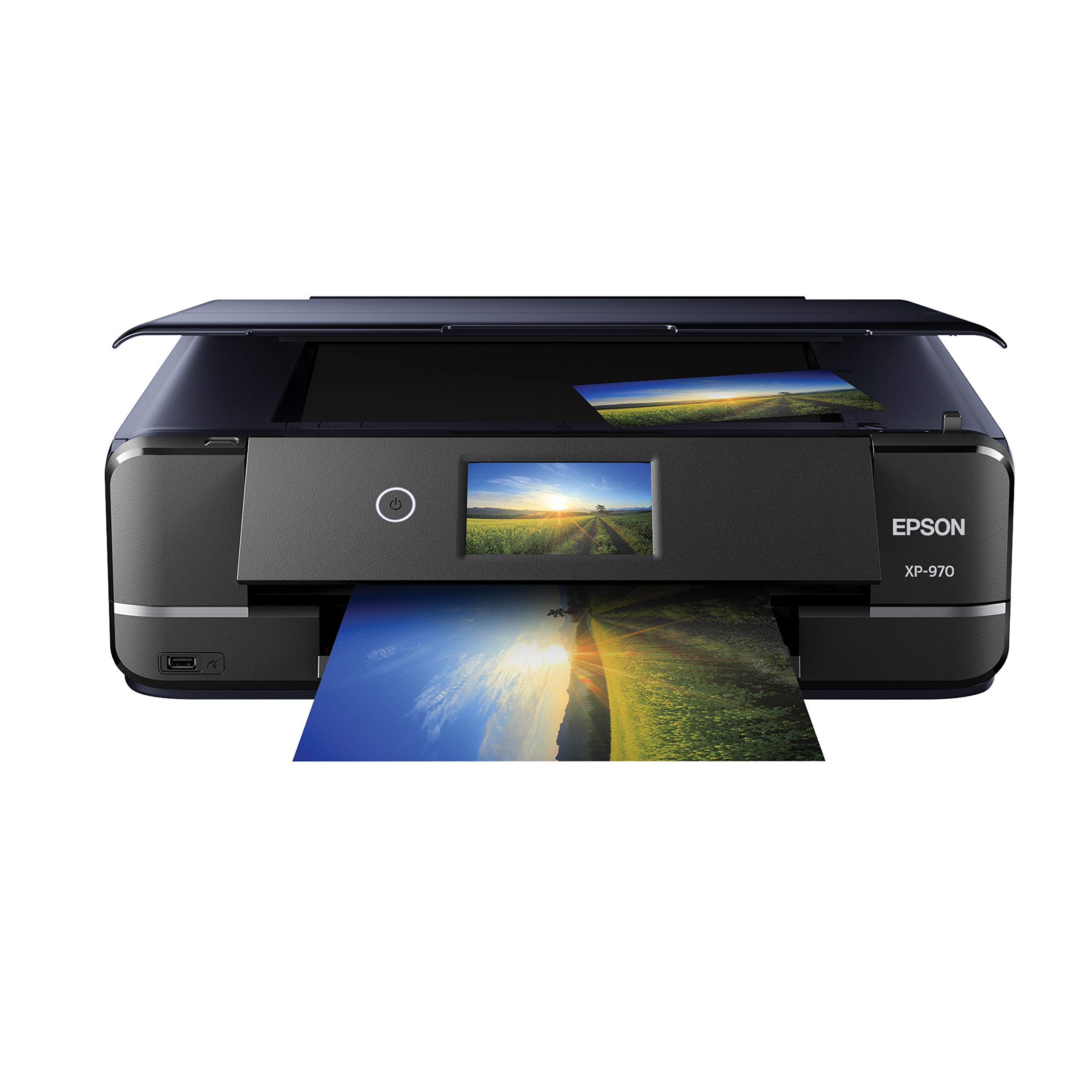
🖼️ Elevate your prints, impress your world.
The Epson Expression Photo XP-970 is a premium wireless all-in-one photo printer designed for professionals and enthusiasts who demand vibrant, borderless prints up to 11x17 inches. Featuring 6-color Claria Photo HD inks, fast 4x6 photo printing in 11 seconds, and versatile media support including CDs and specialty papers, it combines high-resolution output with seamless mobile connectivity and an intuitive touchscreen interface for effortless, creative printing.

| ASIN | B07X3YSKDP |
| Are Batteries Included | No |
| Best Sellers Rank | 23,693 in Computers & Accessories ( See Top 100 in Computers & Accessories ) 67 in All-In-One Printers |
| Colour depth | 24 bits_per_pixel |
| Compatible devices | Laptops, PC, Smartphones, Tablets |
| Connectivity Type | Wi-Fi |
| Controller type | Android |
| Customer Reviews | 4.2 4.2 out of 5 stars (627) |
| Date First Available | 20 July 2019 |
| Dual-sided printing | Yes |
| Form Factor | Printer |
| Guaranteed software updates until | unknown |
| Hardware Platform | Smartphone, Tablet |
| Included components | Expression Photo XP-970 Small-in-One printer, CD-ROM for product setup, power cord, maintenance box. 6x Claria Photo HD 277 Ink cartridges9 (1x Black, 1x Cyan, 1x Magenta, 1x Yellow, 1x Light Cyan, 1x Light Magenta) |
| Item Weight | 8.8 kg |
| Item model number | C11CH45201 |
| Manufacturer | Epson |
| Max copy speed (black and white) | 8.5 ppm |
| Max input sheet capacity | 100 |
| Maximum Supported Paper Size | 4x6, 5x7, 8x10 tum |
| Maximum black and white print resolution | 600 x 1200 dpi |
| Maximum colour print resolution | 4800 x 1200 dpi |
| Number of USB 2.0 Ports | 1 |
| Operating System | Mac OS 10 15 Catalina, Mac OS X 10.6 Snow Leopard, OS X 10.10 Yosemite, OS X 10.11 El Capitan, OS X 10.8 Mountain Lion, OS X 10.9 Mavericks, Windows 10, Windows 7, Windows 8, Windows 8.1, Windows Vista, macOS 10.12 Sierra, macOS 10.13 High Sierra, macOS 10.14 Mojave |
| Power consumption | 20 Watts |
| Print media | Glossy photo paper |
| Product dimensions | 35.6D x 48W x 14.7H centimetres |
| Scanner type | Photo |
| Sheet size | A4 [NO] |
| Warranty type | Limited Warranty |
| Wattage | 20 watts |
P**S
Excellent printer
Good quality printing
I**R
Value
Epson quality and the additional add-ons ie all in one 👍
T**T
New bigger XP 970
Bigger than my last model but uses same ink cartridges. Very quick and quiet printing. Set up quick with my Mac and quality of prints in colour are outstanding. Price little more than other models but my last model lasted me since 2017, so I hope this one does not disappoint.
D**T
You can get photo quality from an ink jet printer..........
I have never had any make other than Epson in printers, and scanners but as separate units. This one is keeping the banner flying. and saving me some desk space. The printer wasn't too difficult to sett up. The quality is so very near to a photo that I am very happy, as this is my interest. Compatible inks can give you a very similar result to OEM , without the cost. Compared to a friend who uses a Canon and pays almost £200-00 for a full set of inks, I have to say that I will remain an Epson supporter.
B**D
The printer needs online access
It takes a long time to set up the printer
A**R
Needed a printer that could do 11x17 or larger for proofs to replace an irritating HP, and looked around for a couple months at options. Photography people kept saying 'Epson' but I was more familiar with Canon or HP. So I was suspicious. I'm a suspicious kinda guy. Saw this on sale on Amazon, and figured for the price, I may as well give it a try. I am very impressed with this. They even have linux drivers! I'm a Unix/Linux guy, and hate having to boot up a windows or mac box to have to print anything. So this was great. The printer is a bit cantankerous to set up. Takes forever to warm up ink cartridges on install, took 3 firmware updates, and the paper trays are just... well... poorly thought out. But... I didn't get it to store paper. I got it to print. The print quality is an amazing upgrade for me. No banding, no oversaturation, no smudging or bleeding... With a lustre paper, the prints are indistinguishable from photo prints. Best of all, with the right monitor setup, the colors you see on the screen are the colors you get in the print. I have a high end setup. 30 bit color monitors and quadro video cards, so your mileage may vary. But if you have the right setup, you can get matched colors on prints without messing around and experimenting with tons of ICC profiles. Also I LOVE the true borderless printing. Best I have used. Some people complain about having to manually feed the 11x17 paper in, and yeah, that's a pain if you want to do a lot of prints at a time, but honestly, for the cost of ink... if I am going to be doing enough that becomes an issue, I am just gonna go to a real print shop. Seems silly to do a bulk run on a studio printer. Ink useage is reasonable compared to Canon or HP, which are just bloody ink hogs. I've done quite a few full color image prints and the ink levels are only down about 5%. The cartridges may seem pricey, but if you've been stuck with the horror of HP for the last few years, these are cheap in comparison. So, for proofs, references, or one off specialty printing, at the price, I am quite impressed.
S**R
A very polished machine. Largish but not as bulky as you would think given it can handle up to A3 paper. Not the fastest printer but quality of text and photos is excellent. Wireless connection works well and not too difficult to set up. Premium features like the touchscreen and self opening / retracting output tray give it some wow factor too. Super happy with this.
P**V
I did a lot of research before I bought this printer, including all the reviews and I am glad I did, So far it has performed as Epson said it would. I am not a pro, this is for home use, but I do print a fair amount of photos, documents, and greeting cards, and in my opinion the quality is great. There were a lot of negative comments about set up and connectivity, this is my experience. I unboxed it very carefully and followed the instructions to the letter, set up was a snap, I did go old school with a USB connection, and again I did the software download as instructed, total time about 45 minutes. I then test printed a photo, a document, a greeting card, and did a bed scan and print, I have not done any fine tuning yet and the results are much better than my Canon Mx922. The next day I got an update notice from Epson and downloaded it, so the software is functioning correctly. I have compared print quality with previously printed items and the Epson quality is far above what I compared it with. I did find XL ink packs are hard to find, so I ordered direct from Epson, competitive price and fast delivery. As to functioning, it is fast, and quiet, compared to other printers I have had. One thing I noticed that may cause concern at first is that the first time you do a task, such as a photo or greeting card, it does take awhile to print, but after that it is very fast, I think it is the software interfacing with the PC program. I have now done all of my programs and the print is fast and great quality. I hope my comments are helpful.
D**A
Mal, hasta la fecha no he podido encontrar cartuchos compatiles, ni tengo ningún tipo de soporte para adquirirlos
R**N
Excellent printer. The photo quality is top-notch. It took me a little time to figure out where and which type of paper to load, but once I got used to it everything was easy. 11×17” prints look incredible.
Trustpilot
4 days ago
2 months ago