
🔥 Own the game with power, style, and speed ⚡
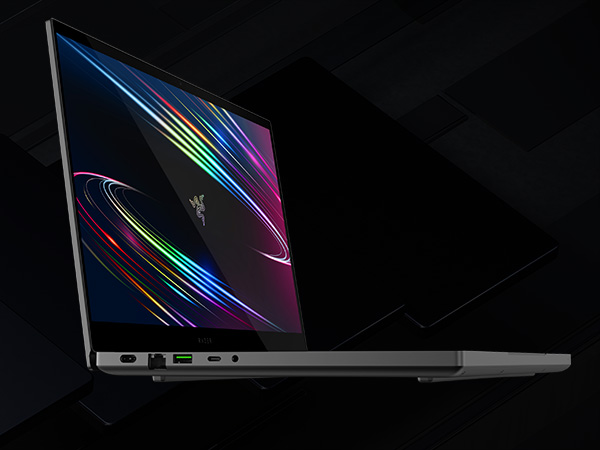
The Razer Blade 15 Base 2020 is a premium gaming laptop featuring a 10th Gen Intel Core i7 6-core processor, NVIDIA GeForce RTX 2060 GPU with ray tracing, and a 15.6" Full HD 144Hz display. Housed in a sleek CNC aluminum chassis just 0.78" thin, it offers high durability and portability. With 16GB DDR4 RAM, 512GB SSD storage, customizable RGB keyboard lighting, and advanced connectivity including Thunderbolt 3 and Wi-Fi 6, it delivers a desktop-class gaming and multimedia experience for professionals and gamers alike.












| ASIN | B086MGYM49 |
| Audio Output Type | Headphones, Speakers |
| Battery Cell Type | Lithium Ion |
| Best Sellers Rank | #111,654 in Computers & Accessories ( See Top 100 in Computers & Accessories ) #19,207 in Traditional Laptop Computers |
| Bluetooth support? | Yes |
| Brand | Razer |
| Built-In Media | Laptop, AC Adapter |
| CPU Model Generation | 10th Gen |
| CPU Model Number | Intel Core i7-10750H |
| CPU Model Speed Maximum | 5 GHz |
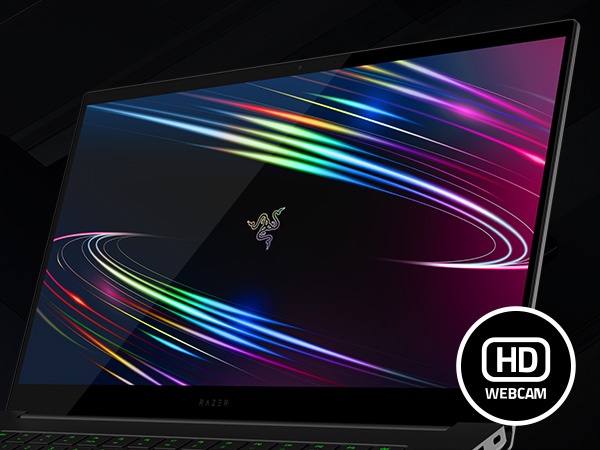
| Camera Description | Front, Video |
| Cellular Technology | Wifi |
| Color | Black |
| Compatible Devices | Laptop, External Monitor, Keyboard, Mouse, Storage Devices, Printers, etc. |
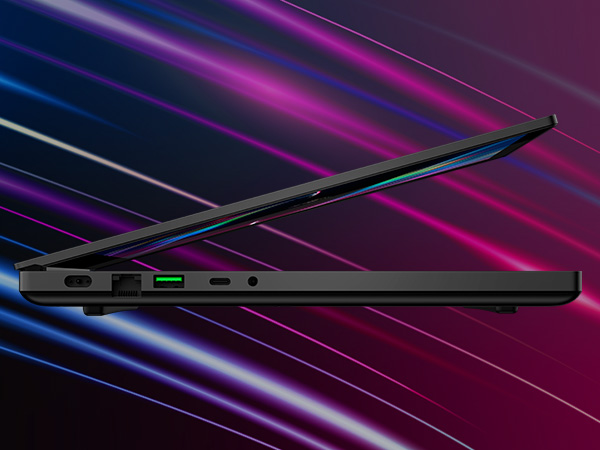
| Connectivity Technology | Intel Wireless-AX201 (802.11a/b/g/n/ac/ax), Bluetooth 5.1, Gigabit Ethernet |
| Customer Reviews | 4.1 out of 5 stars 1,473 Reviews |
| Display Resolution Maximum | 1920x1080 Pixels |
| Display Technology | LED |
| Display Type | LED |
| Form Factor | Laptop |
| Graphics Card Ram | 6 GB |
| Graphics Coprocessor | NVIDIA GeForce RTX 2060 |
| Graphics Description | Dedicated |
| Graphics Ram Type | GDDR6 |
| Hard Disk Description | SSD |
| Hard Disk Interface | USB |
| Hard-Drive Size | 512 GB |
| Hardware Interface | USB |
| Human-Interface Input | Keyboard |
| Item Dimensions L x W x Thickness | 13.98"L x 0.78"W x 9.25"Th |
| Item Height | 9.25 inches |
| Item Weight | 9 Pounds |
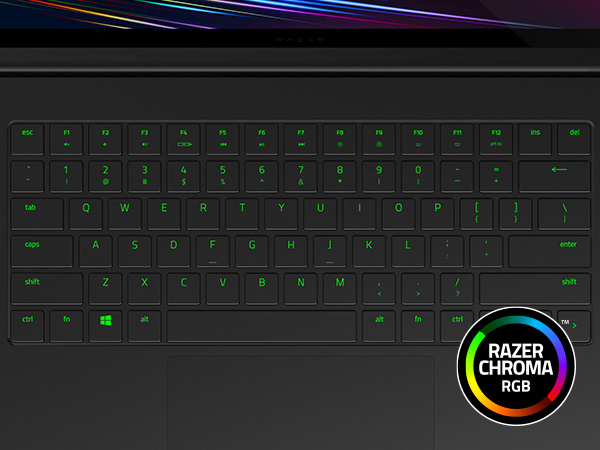
| Keyboard Description | Single-zone RGB powered by Razer Chroma |
| Lithium-Battery Energy Content | 65 Watt Hours |
| Manufacturer | Razer |
| Memory Clock Speed | 2933 MHz |
| Memory Speed | 2933 MHz |
| Model Name | Blade 15 |
| Model Number | RZ09-03286E22-R3U1 |
| Model Year | 2020 |
| Native Resolution | 1920 x 1080 pixels |
| Number Of Cells | 4 |
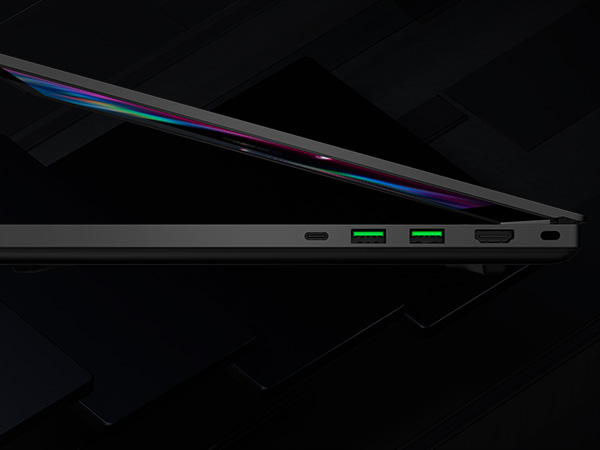
| Number of Ports | 7 |
| Operating System | Windows 10 |
| Optical Storage Device | No Optical Drive |
| Processor Brand | Intel |
| Processor Count | 6 |
| Processor Series | Core i7 Family |
| Processor Speed | 5 GHz |
| RAM Memory Installed | 16 GB |
| RAM Memory Technology | DDR4 |
| RAM Type | DDR4 SDRAM |
| Ram Memory Maximum Size | 64 GB |
| Refresh Rate | 144 Hz |
| Resolution | 1080p |
| Screen Size | 15.6 Inches |
| Specific Uses For Product | Gaming, Multimedia, Personal |
| Total Number of HDMI Ports | 1 |
| Total Usb Ports | 5 |
| UPC | 811659036858 |
| Video Output | HDMI |
| Video Processor | NVIDIA |
| Voltage | 230 Volts |
| Warranty Description | 1 year manufacturer |
| Warranty Type | Limited |
| Webcam Capability | No |
| Wireless Compability | 802.11a/b/g/n/ac, Bluetooth |
| Wireless Technology | Wi-Fi |
O**C
Amazing 15" laptop with lots of power!
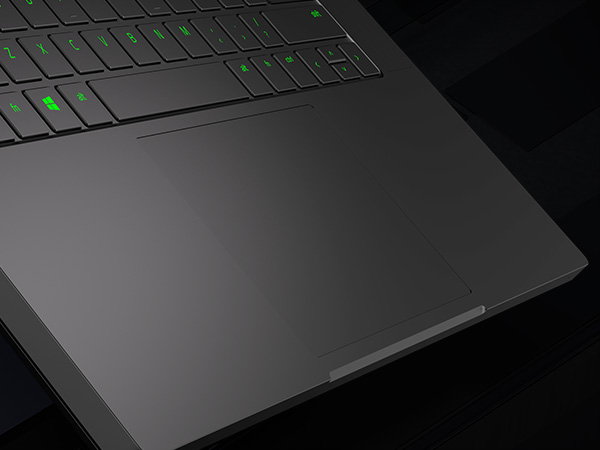
Ok, so we are going on a trip and I needed a laptop to continue be able to do my website/graphic design, video editing and other managed services that I provide through my company, Ocala Website Designs LLC. After much research (two weeks) it came down to two options: the ASUS ROG Zephyrus G14/G15 and the RAZER BLADE 15. Due to price, I was strongly leaning towards the ASUS as it was several hundreds of dollars cheaper. I have had an ASUS ZENBOOK before and it was a great laptop for many years, and these G14s and G15s are coming with the amazing power of the RYZEN 7 4800 processor which has been topping a lot of the charts for video encoding. I was about to hit the buy button on the ASUS, but was having a difficult time making sure I was getting the proper loadout that I wanted due to the many many different variations listed on Amazon. The confusion made me decide to re-review all the YouTube videos about each and re-visit all buying options again. That's when I realized that I could also buy the Razer on Amazon through the official Razer company store front (not third party companies) and there were a couple different loadouts than what was available on their company sites and at a lower price point with better parts. There I found the Razer Blade 15 2020 model with a full RTX 2060 NVidia card and 500GB SSD and an extra open M.2 slot for upgrading, which was the model that was getting a ton of praises by the reviewers on YouTube, for a little less than $1500, which put the razer squarely back on my radar and I spent another couple of days again comparing the Razer to the ASUS models. I finally decided to go all in on the Razer. I have a Razer Ornata Chroma keyboard, The Razer Mamba Tournament-Edition mouse, Firefly LED mouse pad and Orb Weaver keypad, Razer Thresher Headphones and another pair of Razer Kraken headphones already, and they all are fantastic products although my Threshers are starting to fall apart at the headphone seams I just noticed. I didn't realize I had collected so much Razer hardware through the years. I could live with the i7 6-core processor which gives me Thunderbolt connections, I'm not heavy into mobile video editing and would mainly do that type of work on my main computer with the ASUS ROG RAMPAGE V EDITION 10 motherboard with 96GB of RAM and larger monitors. However, I can certainly output video on this Razer with the i7 with little effort if I needed to. It's a great processor. The laptop is high-quality for sure, right down to the aluminum frame and braided power cord. Some were knocking the proprietary power connector but I really like it, it's secure, thick and doesn't feel like its going to slide out. One guy didn't like that it blocked the USB ports but apparently didn't realize that it can be plugged in both ways, which is cool, see photos. I am finding it a little difficult to get used to typing on the keyboard, but I'll have that down in a few days of using it. The keys are solid and doesn't take much effort to press them. I work mainly on the Razer Ornata Chroma Keyboard on my main computer so the keys are much much different, which is to be expected on a laptop. The laptop comes with a great graphics card: NVIDIA GeForce RTX 2060. That's important for Cinema 4D rendering. Battery life for regular work seems to be great so far. I don't do a ton of gaming, but I would probably have it plugged in anyways for gaming, I like a bright screen and don't want to risk losing my game progress because I wasn't paying attention to the battery lol. One of the ONLY things I dislike about it right off the bat is that with all the LED stuff they offer in their products, you would think that the track pad would have a thin light ring or bezel so you can see the outer edge better. As you can see in the photos, you can't see the trackpad hardly at all, even in a lit room. In lit areas, the shadows from your hands do a good job hiding the edges of the track pad so I have a hard time telling where i'm at on it. The good thing is that it's a huge trackpad, which is awesome, but I feel like I get lost on it until I lift my hands up to see exactly where i'm at on it to make sure i'm clicking the right click. It's not a big deal, and i'm sure I will get used to it soon enough. You can't go wrong with this Razer Blade. I have no trouble recommending this as a great laptop. Great job Razer!
S**T
Great Laptop, Hot Performance, and I mean HOT!
Its a great laptop, build quality is class leading, very solid, heavy, design is "Mac like", but still unique. The keyboard is mediocre when compared to other gaming laptops I have used, but better than your average run of the mill laptop. Performance is great the 2nd NVMe slot is absolutely awesome to have on the base model. The gaming performance is good, I have the 2080 MaxQ and at 1080p this thing will run most games at max. The display is very nice and crisp, not as bright as advertised, but still good. For thermals this thing gets HOT HOT HOT! if you don't turn up the fan to max. On balanced mode I saw GPU temps reach 85 to 90C. Setting the fan speed to full manual brings those down to a more manageable 70 to 80C. You will need headphones at that speed. Lastly, battery life is a joke, but its a gaming laptop so who cares anyways. On battery with power saver turned on, Ill get a admirable, albeit short, 3 to maybe 4 hours of usage. Overall a great laptop, hope to get many good years out of it.
S**Y
Checks all the boxes👍
I've had this for about a week now and I could not be happier overall The Good: 1) Lightweight and easy portability. It was important for me to have a powerful laptop that wasn't very heavy 2) Battery life is really good for just ms word, excel, web browsing ect. (Not the case for heavy gaming which is understandable) 3) Elegant design with beautiful back lit keyboard 4) NO Unnecessary bloat software/spyware which I am really happy with. 5) The Laptop stays quiet and cool when using it for normal studying/ work tasks 6) 144Hz is a LIFE CHANGER, I played Resident evil 2 and it was so clear and crisp to perfection. I started noticing in game details I have never seen before and the SSD blasted through the loading. 7) Charges extremely fast which is very fun to experience 8) Built for Easy upgradability The bad: 1) Bulky and expensive charging cable (but charges fast) 2) Gets very hot under gaming demands 3) The aluminum body is beautiful and sleek but it LOVES fingerprints. 4) Battery is drained very fast under gaming demand 5) Base models have to low SSD space, specially for gamers so you will most likely have to add another SSD in the additional provided slot 6) Key board is a bit different so you will have to adjust and get used to this particular lay out. All in all I am very pleased with this product. This laptop checks SO Many boxes so far. Gaming portability speed and for work and quiet. Who could ask for more? The screen alone is impeccable. Thank you Razor for such a well put product!
H**X
Amazing Laptop remember to buy on Amazon and not Razer's site
So just this quick tidbit make sure to buy this laptop on Amazon rather than on Razer's own website. Some people have experienced issues and getting a return or replacement has been recorded as painful with Razer but easy on Amazon. So as someone who typically buys Gaming PC brands like iBuyPower and Alienware I was shockingly surprised how great this laptop is. FOR THE GOOD: First, there is no bloatware aside from Windows 10 crap, but yes no third party bloatware. Razer has removed it all! There is also Razer's own application which when you go to play a game they have optimized it will stop processes and restore them once your out of the game giving you more ram and memory. The Lighting on the keyboard can be changed at will, its very easy. So when the laptop is plugged into a power outlet there is a significant upgrade with FPS and graphics and you'll know if you're playing on your TV if someone accidentally unplugged it. With that being said Razer also offers another item in which you can buy where you can easily plug this laptop into an almost PC and your laptop will turn into a full on desktop. I have had this item for almost two months now and I still happy about this purchase. THINGS YOU NEED TO KNOW: The computer uses Thunderbolt power supply, it's very expensive to buy another brick and the brick does make a HUGE difference with gaming. You are going to want to buy a laptop stand or Razer's own laptop stand when using this laptop. The fans are at the rear end and when this thing is plugged into the outlet it gets loud and hot back there very quickly. If you do not use a stand there is a chance your laptop will melt down within two years as this is a very powerful device. The Negatives So I haven't had this problem, but others here on Amazon and on Reddit in Razer forums noted there is a chance for you to get a defective Laptop from Razer. Do not buy it from Razer's website as their customer service is awful from personal experience and also from what other people have said. Amazon makes returns simple and easy! If you're going to buy an expensive laptop like this make sure you buy it from a Merchant aka Amazon that makes your life easy. Note this laptop will look messy as your fingerprints will get all over the place. I also recommend a laptop or Razer's own laptop case for this. If you look in the second photo I noticed a sticky substance I am not sure what it is but it was there ever since I got the computer. OVERALL: So far I think I am going to stick with Razer. Unlike alienware which is owned by Dell you are not going to get bloatware on this computer again aside from whatever Microsoft forces on you.
Z**N
Blade 15 2020 Base Model w/ 4K OLED - Does it get any better?
My Laptop Version: Razer Blade 15 Base Gaming Laptop 2020: Intel Core i7-10750H 6-Core, NVIDIA GeForce RTX 2070 Max-Q, 15.6" 4K OLED, 16GB RAM, 512GB SSD, CNC Aluminum, Chroma RGB, Thunderbolt 3, Creator Ready, Black My uses for this laptop are video editing (Davinci Resolve), gaming, word processing, and web browsing. PROS: -Dat screen. I mean...have you seen a better one on a laptop? Any 4K movies or shows you watch on this are sure to dazzle on that practically unrivaled OLED screen. Sure, it's only a 60hz refresh rate but very few computers can run 4K at 60FPS anyway. You have to see the look of the screen in person to really understand. Very bright and vivid colors. Especially if you are into video editing or Photoshop, this will add a whole new dimension to your workflow. -Build quality. I've never owned a laptop that was built better and looked snazzier than the Razer Blade 15. Everything about it screams quality. It's as if Apple designed it, and you caught them during a year when they like black and high-end gaming. It's a high compliment to the team at Razer. Besides, I needed a gaming laptop that I could also bring around clients, and this meets that need bigtime. Slap a dBrand skin on it if you don't like the snake logo. -Performance. Outriders came out yesterday. I played it at 4K 30fps; it was gorgeous, and rarely ever had a hitch or stutter. It was surprising how smooth it played. Not every game is this way though, it may depend on how the game is optimized. Crackdown 3 for example, CHUGS at 4K Ultra or High, and there are just some games where you have to turn the overall graphics/texture quality down to achieve a stable framerate. OR you could downscale to 1440p and be totally fine. I don't count that against the Razer Blade. Because then I check out other games like Forza Horizon 4 in 4K, and I drool all over again. Keyboard: There has been a lot said about if this is a good keyboard or not, is this enough travel distance for the keys, blah blah blah. Me personally, I really like this keyboard. I have been doing some intense writing on it lately, and I am FLYING on it. At no point did I think to myself that this isn't comfortable or I don't like this keyboard. I wasn't even thinking about it, just typing away. I was worried that I wouldn't like the design of the arrow keys, but I ended up having zero problems with it when actually using it. Trackpad: Before this laptop arrived at my door, I was shopping for which Razer mouse to pair with this. Now that I have tried the trackpad, I genuinely don't know if I will go through with ordering an additional mouse (I mostly game on the laptop with an Xbox Controller for Windows, so no need for a gaming mouse). The trackpad is that good, and I typically hate using trackpads. The trackpad is huge, and does everything you need it to. There have been a few instances where some part of my hand will accidentally brush against it as I am typing, and my cursor in Word will warp me to earlier in my paragraph. But it is not a huge issue whatsoever. -RGB Lighting: For the Base model, it is not per-key lighting, it is the same RGB lighting for the entire keyboard, and you pick your color and/or how you want the color cycle to go. It's all very easy through the Razer Synapse app. This kind of lighting is really sharp looking and more than enough for me. CONS: -As many reviewers have mentioned, the laptop runs a little hot when gaming, video editing, or doing some other intensive task. IMHO, the major hot spot is not where the hands should rest in front of the keyboard, it is the space between the screen and the keyboard that gets surprisingly hot. But that's a spot you would rarely ever touch. The heat is virtually non-existent if you are doing something like web browsing or word processing. Me personally, I bought a laptop cooling pad and never looked back. I have gotten precisely zero BSODs or game crashes. -There may be times you open up your laptop and the OLED screen is acting like it just woke up from a nap and is not all there yet. It's dimmer than you remember, or just suddenly looks like a normal laptop screen. One of two things will happen. Either the OLED screen will eventually brighten all on it's own after sufficiently waking up, or you can tap that brightness Function key to make it snap out of it. This setting is on by default and I have not yet discovered how to prevent the auto-dimming, but it is not a major issue, just a slight annoyance to have to wait a moment to see that OLED greatness. - As beautiful as the laptop design is, the black aluminum chassis is a fingerprint magnet. It does come with a Razer branded microfiber cloth to buff them out, and it does work. But I personally recommend some kind of non-alcoholic wet wipe, such as a Dude Wipe or Baby Wipes, as it dries quickly and the end result is spotless. But what will likely happen instead is that you just accept it how it is, fingerprints and all. Who has the time to constantly buff all that out? -Speakers? I don't know, I see reviewers complaining about lesser quality speakers on this, but I watched Zack Snyder's Justice League on the Razer Blade and enjoyed the heck out of the audio. I'm kind of an audiophile myself and I never noticed an issue with the sound quality or volume level. But if you do notice something, use headphones. You were probably going to anyway. In conclusion, this is quite simply the best laptop I've ever owned, and I do not regret the purchase one iota. Sure there are some slight cons, but there are workarounds to each of them, I've shown you what they are. Besides, any perceived con you think that this laptop has will be washed away by the 4K OLED goodness. It's a treat to use it, and I don't think you'll regret it.
G**.
Fine, with issues.
Powerhouse in a small enclosure. Trackpad is awesome, no other like it on windows laptops. The factory calibrated screen is a blessing to look at, very nice! Gaming performance is great, the sound it produces while doing so, not so much, ear piercing. Under volting helps but then you plug in your TB3 dock then the fans start spinning up again, good bye silent work space. Gaming laptop with HDMI, rather had Display Port so I could hook up a 144Hz screen directly without having the fans spin up when using displays through a TB3 docking station. Have to be care full when picking up the laptop as you might bent the aluminium enclosure into the fans. Battery is great when you know how to tune windows. Supplied power brick is custom from Razer, big plus for that. A lot of other manufacturers give you some cheap 3rd party plastic oversized brick, not this one. Just wish the connector was round like the Dell so the cable can move, cable is very though and the angled connector gives me headaches, could be improved! As of writing there seems to be a problem with the bios, it prevent the new Nvidia drivers being installed, running on months old drivers and it's causing problems in my environment. Bios is also completely locked down, only options are password and Turbo Boost on/off. Little lackluster for a higher end laptop like this, guess it shows who the audience is. Love the laptop but this will probably be my first and last gaming laptop until these things can run quieter and cooler. All you need is simple hardware Nvidia video decoder and game through Steam link or Parsec, but, on the go, it's nice to have capability though. Let's see how it hold up. UPDATE: Noise when connected to a TB3 dock is unacceptable. Also when waking up from sleep the screen often looks like the above, requiring a reboot. With the TB3 dock connected and 2 external screen you can NOT boot up with the dock connected, disconnect and you need to setup your screen configuration every single time windows boots. When gaming, you need to disable the Intel graphics adapter because it won't switch to the build in Nvidia one, leaving you with black screens when disconnected from the TB3 dock, requiring another reboot. The noise, and the noise alone are for me a factor to never ever buy a gaming laptop again, even when doing trivial tasks when connected to the dock it just spins up the fans. All temps look fine, all below 40°C so why it needs to make that noise when connected top a dock is beyond me. I can now not recommend this laptop anymore! (from 4 stars to 1) October 2022 Update. Laptop completely unusable, will not boot. Battery swollen 2 months earlier and is taken out.
T**L
It’s HOT. Both figuratively and literally.
This thing is a gaming beast. It easily handles MW Warzone. Everything is really smooth. A real powerhouse. Recording music is also really good. I don’t have to limit my buffer size anymore and that helps a ton. This laptop can also perform well with AutoCAD 3D. No lag when panning across any axis on even the biggest job that I’ve drawn. The WiFi 6 card picks up just about all of the Mbps that I pay for with my service provider. I’m getting about 280-300 Mbps when I run tests on Fast.com. Ping time is better than my PS4. It does support ray tracing but I don’t know why. The laptop can’t handle the extra load well with ray tracing while paired with another monitor. It gets hot quick and I’m afraid that I will cook the CPU. The battery life lasts about 2-3 1/2 hours depending on what I’m doing so I have to make sure I can plug it in anywhere I go. Would not be good for a long flight or car ride. NOW ABOUT THE HEAT... It does get really hot. I downloaded the Intel extreme tuning application and from there I can monitor core temps. It DOES get upwards to 95-98 degrees Celsius under high demand. I bought a 20 dollar laptop fan and it took the temps down by 20 degrees Celsius while under load. When I called Razer support, they said that these core temps are normal for this laptop. It seems a bit extreme seeing as the space between the keys and the screen can get hot enough to sear a raw steak. Literally. I cannot hold my finger there as it starts to burn without the extra laptop fan underneath cooling the chassis while under load. It will literally raise the temperature of the room that the laptop is in. Great heater for winter. That’s the only bad thing though. It gets hot. As I said, the 20 dollar fan helped a great deal. All of the other laptops at this price point had similar cooling issues. I hope that Razer comes up with another solution to cool their laptops because the vapor chamber can’t keep up. Other than that, fantastic laptop. If the CPU doesn’t burn up, I will probably have this laptop for a while. If it does burn up, hopefully it’s still under warranty when it happens.
R**O
Great performance
If you are someone who wants to game while having the ability to use the Razer Blade Laptop for work or to browse the web- This machine does just that and much more. The design is very minimalistic compared to others in its class, Meaning; It's aesthetic will not stand out in work meetings or in other settings (Asides from the Razer logo) Do note that the material is very fingerprint prone so you will need a skin to prevent this. You can buy a Razer Blade skin at Dbrand. Other things to note below 1. SSD may need upgrade if you get the 512 Gb depending on the amount of games you want to download 2. RAM is upgradeable 3. Laptop does get hot but personally it does not bother me- Just make sure your room is cool so it does not become too stuffy 4. To game and for optimal performance for AAA titles keep your laptop connected 5. Make sure your drivers are up to date when configuring your laptop 6. Keyboard is nice but it will take some time to get used to Now for my personal view perhaps it applies to you. I am a casual gamer and I use computers all through the day for work and for leisure activities. I was in the market for a machine that is light, portable and able to handle AAA titles. The razer blade came to mind while researching laptops that met my specifications. I was afraid that the laptop was going to be bulky and heavy since my previous experiences with gaming laptops was just that. The razer blade was nothing like that. It is light and very sleek. That is wat makes it a must buy, Now that is if you want to spend 1500+ on a laptop. Again overall it all falls down to what you want out of laptop and how price sensitive you are. The Razer Blade will be yours for years but of course through time as technology increases you ay want to upgrade- Also you can buy last years model. You most likely will not use the razer blade to its full potential so be aware of that as I have watched YouTube videos with the ,ax out specs that was crazy and made me double think my purchase so just know what you can afford and how much power you need for your use. Lastly if you want an expensive laptop to last you must take care of it. Clean it inside and outside. Give it care.
Trustpilot
2 months ago
4 days ago



