🚀 Elevate your vision — fly smarter, shoot sharper, and own the sky!
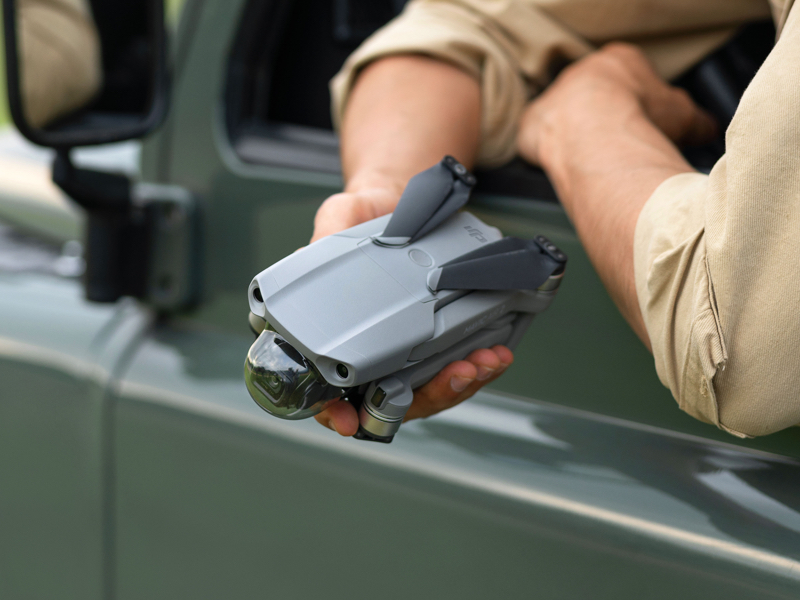
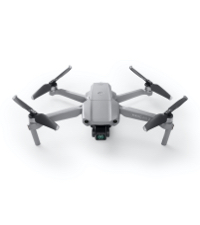
The DJI Mavic Air 2 Fly More Combo is a compact yet powerful drone featuring a 48MP camera with a 1/2-inch CMOS sensor, 4K/60fps video capture stabilized by a 3-axis gimbal, and intelligent flight modes like ActiveTrack 3.0. With up to 34 minutes of flight time and OcuSync 2.0 technology enabling 10 km 1080p video transmission, it’s designed for professionals and enthusiasts seeking high-quality aerial content creation with enhanced safety and connectivity.


| ASIN | B086XCGMN7 |
| Age Range (Description) | 16 Years & Up |
| Age Range Description | 16 Years & Up |
| Are batteries included? | Yes |
| Battery Cell Composition | Lithium Polymer |
| Best Sellers Rank | #156,595 in Toys & Games ( See Top 100 in Toys & Games ) #582 in Hobby RC Quadcopters & Multirotors |
| Brand | DJI |
| Brand Name | DJI |
| Color | Gray |
| Connectivity Technology | USB |
| Control Type | Remote Control |
| Customer Reviews | 4.7 out of 5 stars 6,874 Reviews |
| Effective Still Resolution | 12 MP |
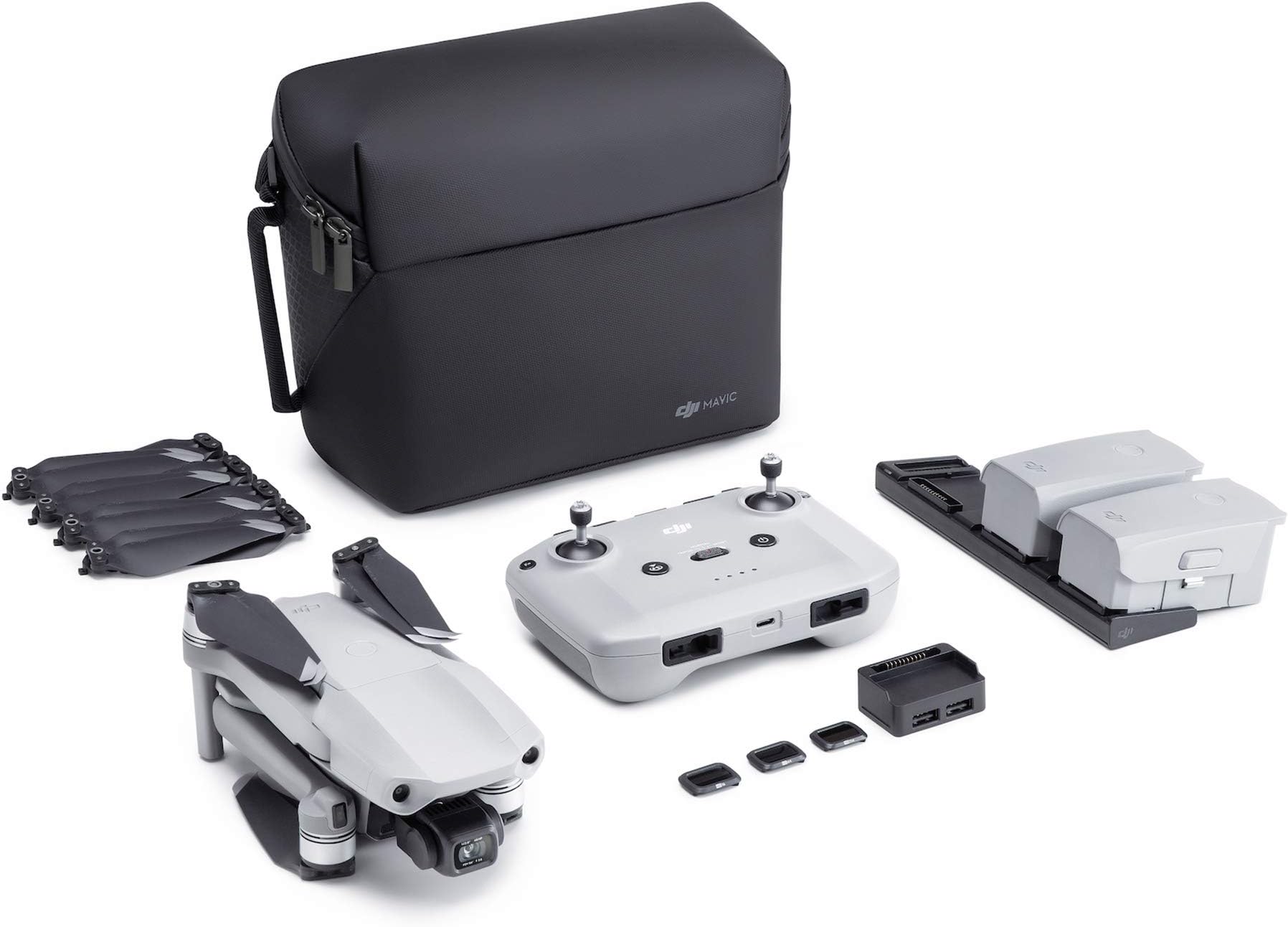
| Included Components | Mavic Air 2 Aircraft, Remote Controller, 3x Intelligent Flight Battery, 6x Low-Noise Propellers (Pair), RC Cables (USB Type-C, Lightning, Standard Micro-USB), Control Stick, Gimbal Protector, Battery Charger, Battery Charging Hub, Battery to Power Bank Adapter, Shoulder Bag, ND Filters Set (ND16/64/256), Manuals, AC Power Cable, Type-C Cable. |
| Includes Rechargeable Battery | Yes |
| Includes Remote? | Yes |
| Item Dimensions L x W x H | 7.09"L x 3.82"W x 3.31"H |
| Item Height | 8.4 centimeters |
| Item Weight | 20.11 Ounces |
| Manufacturer | DJI Service LLC |
| Material | Plastic |
| Maximum Range | 18.5 Kilometers |
| Media Type | Micro SD |
| Model Name | DJI Mavic Air 2 |
| Optical Sensor Technology | CMOS |
| Remote Control Technology | Wi-Fi |
| Skill Level | Beginner |
| Special Feature | Powerful camera, intelligent shooting modes, 48MP photos, 4K/60fps video, 3-axis gimbal, OcuSync 2.0 video transmission Special Feature Powerful camera, intelligent shooting modes, 48MP photos, 4K/60fps video, 3-axis gimbal, OcuSync 2.0 video transmission See more |
| Special Features | Powerful camera, intelligent shooting modes, 48MP photos, 4K/60fps video, 3-axis gimbal, OcuSync 2.0 video transmission |
| Supported Image Format | DNG, JPEG |
| UPC | 190021016132 |
| Unit Count | 1.0 Count |
| Video Capture Format | MP4 |
| Video Capture Resolution | 4K |
| Video Output Resolution | 4K HD |
| Warranty Description | DJI warranty applies |
| Wireless Communication Technology | OcuSync 2.0 |
D**E
Super Easy to Fly
When I opened the packaging, the first thing I noticed was the high quality. I wanted to get flying as soon as possible, so I started charging the batteries and the controller right away. However, I didn't bother to check the battery level of my phone, so I ended up having to wait for that to charge after everything else was already good to go. BTW, the charging hub will accommodate three batteries, but will only charge one at a time. I had never spent more than $50 for a drone before, so I was a bit nervous about flying this the first time. I took it to an open field, set everything up, hit the "takeoff" button, and it just hovered in place a few feet off the ground. I played around with the controls and found that when you release the joystick, the drone will stop in place - no drifting. After flying it around for a while, I hit the RTH button and it came back and landed in the same spot and orientation that it took off from. I have not tested RTH with obstacles in the way yet, so I don't know how this will work. The camera quality is great! So far, I have only tested 4K 60fps video, but it smooth and the gimbal does a good job keeping the camera straight and level when adjusting the drone direction. The collision detection also works well. Anytime I fly anywhere near the house, it slows down, then stops before hitting anything. It also worked with a chain link fence. I just got the drone yesterday, so these are just my first thoughts. The Air 2 is really fun and easy to fly. I would highly recommend this to a first time drone buyer that wants next level features.
M**S
Spectacular First Impression
At first, I wasn't sure that I wanted to spend this much money on a drone. I initially settled for getting a Ruko F11 Gim2 for about half the price. While fun, I was seriously underwhelmed with the Ruko F11 Gim2. Luckily, it went insane and crashed itself and broke the last time I flew it. Amazon was cool AF and allowed me to return the Ruko for a full refund. So, I went ahead and bought the DJI Mavic Air 2 (which is what I really wanted anyway). Gotta say, I was blown away with the level of quality and sophistication that was apparent immediately upon opening and which became jaw dropping during my first flight. The thing is incredible and performs beyond what I expected. I was looking for something to do some real estate aerials with and this is absolutely perfect. The image/video quality is stunning given the small size of this drone. I have barely scratched the surface of the automated shooting modes, but they are simple to use and pack some serious utility. It offers multiple panoramic modes for photos and multiple video modes from 4K, to 2.7K, to 1080p. The 48MP stills are stunning given the tiny size of this camera. Not anywhere close to a good DSLR, but good enough for all but serious professionals who do this for a living. Overall impression was just: WOW! Keep in mind that this drone may not let you fly or take off in restricted air space. So check the area that you intend to use this in before you buy. B4UFLY is a good app that shows interactive maps of applicable air spaces and restrictions. Also just a tip, you can order from Amazon and then purchase the protection plan strait from DJI and link it to your drone within the first 48 Hrs of activation as long as you bought it brand new.
B**B
Best bang for the buck and with great imaging
This is my first drone, and boy is it worth it. I got the Fly More package, and if you add it all up, that extra $189 gets you something like $420 in extras. I preordered it and received it around May 16. There are other more expensive options out there, but I've had it now for three months, and I've yet to crash it even though it has only forward, reverse, and downward vision. I don't do things that I would need upwards vision, and side vision would be nice, but I'm happy with my decision and got the most bang for the buck here. As an amateur photographer, I'm super picky about image quality and lens issues. I can't believe the quality and sharpness of the photos and videos, and it's a fixed focus camera. It beats out most consumer cameras I've seen, although without any zoom. The 180 degree panorama (see attached) is my current favorite; I hope the image I attach retains some of the pop it has in full resolution. This image is straight off the drone as it was taken. This particular panorama mode takes 21 photographs and stitches them together to 8192x3290 pixels. DJI continues to add features with updates, so check with them periodically to see if something you want has been released yet. I've only flown it about 2200 feet away, even though it's rated for far greater distance (10 Km, or 6-ish miles). However, I'm a bit nervous about losing it if I go that far, even though it has an automatic return if it can't connect to the controller. I've flown it in the badlands of the Anza Borrego desert in 110 degree heat, and that was really fun standing at the precipice and flying down into that valley. I've yet to have any gimbal problems or overheating in direct sun, which was a concern. It's also amazing to see how well it deals with wind (it's rated to handle up to ~23 mph wind). The videos are rock solid with that awesome gimbal, even when the drone is clearly compensating for wind--if it's low and nearby, you can see it tilting and moving against the wind. Amazing technology. The real time image and video transmission has been flawless, it alerts me if I'm approaching a geo-fenced area like a local Marine base or an airport (even a small local air strip), it alerts if there is manned aircraft nearby, it can track a person in some of the video modes and in hyperlapse, I can go on and on. It is fun and impressive. I've even had it flying at its top rated speed of 42 mph. One thing I would suggest is buying the custom hard case from Nanuk. Their cases rival Pelican and Storm cases, and they make one (linked here ) just for the Fly More combo. Unfortunately, it doesn't have any extra room for even one additional accessory, but it's still a great value. ** Update 8/13/2020 ** This weekend I got bold and flew the drone over a mile away while sitting inside my truck with closed doors, and without any communication issues. DJI also updated the firmware this week adding several features, including 4K hyperlapse, up to 4x digital zoom, and a safe flying mode that disables side-to-side movements since it doesn't have obstacle sensors on the sides. Digital zoom isn't usually that great unless you're Google, but it might be a surprise if it proves as good as the rest of its imaging. Even if not, you never know when it might be handy.
J**R
So much fun and it looks amazing too!
This drone is fantastic, it is densely feature packed, the camera is unreal, and it is so easy to fly i took this video after just 2 days of flying it. A few things to know: you need to update all the firmware before flying and they are pretty hefty so make sure you hook up things while in your wifi. Also you have to do it for EACH battery. So make sure you put each one in while running the app and get the updates. Also when it tells you it is time to update anything on it just do it as soon as you can, there is a lot of stuff the app does and a lot of info it provides you. Aside from that everything couldn't be easier, you can fly and take videos and set way points so easily, all the actions perform so swiftly and simply anyone can do it in a matter of minutes. The controller also has an excellent range on it and works super well with GPS even in lower coverage situations. Overall I couldn't be happier with my purchase. One other thing: make sure to pick yourself up a better case, the one it comes with is fine but it is a compact and kinda doesn't seem to offer a lot of protection for something that is a bit of an investment. Also make sure you go on the dji website and get the refresh plan for 80 bucks, it is a very good value.
R**Y
Be Aware - Check Phone Compatibility and Manual Could be Better - Read my Updates
Just got my drone today and took it out of the box. Here's what to be aware of. The props are not labeled "A" or "B", the labeling is on the small package the props come in. You need to identify the props by the small white mark on the "A" props that matches the white mark on the motors and there is no mark on the "B" props or motors. The props must be installed correctly. Plugged the three batteries onto the charger, only one appeared to be charging so I am assuming they charge in a serial fashion rather then at the same time. The usb cables and other accessories were in the pouch under the carrying case "lid"; I started to think they were missing, so look in all the pockets. The manual on the website is for the older Air 1 and is not usable with the Air 2. I contacted DJI support and they directed me to YouTube videos on how to setup and fly the drone. I'll update after the batteries are charged and I have had a chance to fly the drone. UPDATED Several Hours Later: The description says the App will work on an Android phone. Have downloaded and installed the App several times; will not install on an Android Samsung Galaxy Orbit 3. Verify if it will install on your android phone before ordering. Upon closer examination I noticed the App would work with a Samsung but only certain models. I now have to order a new phone just to use with the drone to get it to work. Purchased an Iphone 7 for less than $100 which works perfectly with the controller and drone. Watched the recommended video which was very well done. DJI support was extremely responsive and insured I was satisfied. I'm ready to fly. FYI: In addition to the DJI app get the B4UFly app which uses the phones GPS location to determine if there is any restrictions from the FAA for your location. Follow the rules, fines are expensive. UPDATED 14 July 2020: This Drone is amazing. In no time at all I had mastered the controls and felt confident in flying it. Took it on a 2.5 week vacation in the Cascade Mountains of Washington State. Took great pictures of the campground the lakes, streams and just had FUN. The pictures and videos were clear and color was spot on, I'm a outdoor photographer so color accuracy is very important. I considered using the drone to photograph real estate for agents than found out you have to have a commercial sUAS (small unmanned aerial system) remote pilots license to fly in the NAS (national air space) controlled by the FAA (federal aviation administration). Test preparation books are available on Amazon and one also needs a UAS pilot Log book. This drone is my second one and I highly recommend it for new and experienced drone pilots. Be patient and don't try to master everything the first time you fly, get used to the controls first than advance to the fun special effects capabilities of the drone. The only accessory I recommend is a hard case. Lykus is coming out with one (Titan M200), not yet available on Amazon but available from DJI. I wanted the extra protection for our vacation so got the Titan M110 from Amazon which is not specifically made for this drone but works OK. It provides better protection for the drone than the case that comes in the package. Go Have Fun with this amazing drone.
M**A
Product very good
Great delivery timing . Product is a great ratting I do recommend to buy it . It does the work so far . Thank you
D**D
Awesome drone with some frustrating battery issues.
1 year update: Drone and photos are awesome, but the batteries keep getting worse! They have a chip in them to make them discharge, and keeps a record of how many times they have been charged. I hate picking up the drone, only to find that the batteries are at 50% or less, after only a few days from being 100% charged! They are designed to only allow xxx amount of re-charges. Guess this is their way of making you purchase mor $100.00 batteries. 6 month update: After hours of flight time, the only real complaint I have is the battery life. Fully charged you get 25-30 minutes, but if they've been sitting around for a week, you get 10-15 minutes at best. The batteries automatically deplete themselves over a period of several days to around 50-60%. The camera is great, video great, new update with zoom and obstacle avoidance is a great improvement, but the batteries draining is a big issue. Especially if you just want to grab your bag and head out, only to find they've drained to around 50% within a weeks time. Can be very frustrating when you're on the road taking a vacation! This is my 3rd drone. My first DJI drone. I purchased the fly more combo, plus an extra 4th battery. Very easy to fly. Great camera. Lots of photo and video options. I am very satisfied with the Drone. Remote is very simple and user-friendly. #1 It has some object avoidance issues. #2 and My biggest issue is with the batteries. You will NEVER get 30 minutes of flying time if you do not fly immediately after charging the batteries. After being fully charged and stored in the case, a week later the batteries are down to a 50%-60% charge. The longer you wait to fly it, the more the batteries will automatically discharge. This cuts your flying time drastically. I can understand if it were several months without use, but sitting idle and losing 5% over night, and 40%-50% in a week? Is this DJIs way of making you purchase more batteries at $115.00 each in order to increase you flying time? There's also an issue with charging the batteries that have "gone to sleep" as DJI calls it. Once the batteries sit idle and automatically discharge, you must put the batteries back in the drone to wake them up. You have to power up the drone, let it sit for several minutes, then turn it off, take them back out and let them sit for a few minutes, then put them on the charger. There are multiple complaints on other reviews on these same 2 issues. The multi charger that came with it never did work. Amazon quickly refunded the replacement cost, and I ordered the TOMAT 6 way multi charger. It is a must have! It charges everything at the same time. Why the idle discharge on the batteries is a mystery, and wish they'd fix it.
L**E
this thing is unbelievable seriously
this is my first drone I figured I would buy the good stuff since uncle sam was paying for it everyone said I was stupid to buy this for a first drone and having no experience flying but I said whaever well I told myself not to even open box untill I knew everything there was to know about the controler and the air2 so I spent atleast 25-30 hrs. reading,listining,watching u tube reading reviews and read many things 2 and 3 times and replaying videos Im signed up with FAA and AMA so Im ready right ? you damm right I am aand I will tell you I havent come close to crashing it and its so easy to fly a caveman could do it ! its stable and responsive like nothing I ever imagined goes out about 5 miles if you have it in normal mode I havent gone farther yet the only thing Im alittle upset and overlooked when I bought it was it will not support FPV goggles I tried and tried to make them work but so far nothing and that totally sux because this was biggest reason I wanted the damm thing I really like everything else tho so I dont want to send it back or upgrade im crossing my fingers DJI adds this option to my air 2 soon I dont know how it all works but Im thinking its just programming so WTF would make them market this without that option is beyond me ...if not I will end up adding an aftermarket FPV hdmi device to my unit so I can use the damm goggles I have quarantined new in its box and set on standby mode for now sadly but wow what a fun device this little air2 is ...theres so many functions to play with and I know everyone of them I promiss! you can set it up manually or set some or most of them to auto if you desire watching this smart little device do its thing I found it easy to take off and land on my own but the auto take off,auto return to home and auto landing is very cool too if you want to set the controller down and run inside for a fresh battery lol I use a mini ipod4 as a dedicated device and it works sweet you have to buy a little $5 extension thing for the ipod mini4 to fit the controller but it makes it fit perfect this thing hovers as long as you want and it wont move a 1/4 inch this thing was alot of money but worth every penny from my experience so far theres not alot of accesseries yet cuz its so new I guess but there is some stuff availible
Trustpilot
2 weeks ago
1 week ago