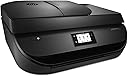
๐จ๏ธ Elevate your home office game with smart, sustainable printing!
The HP OfficeJet 4650 All-in-One Wireless Printer combines high-quality color printing, scanning, copying, and faxing with smart mobile connectivity. Featuring automatic two-sided printing, a user-friendly touchscreen, and HP Instant Ink compatibility, it delivers professional results while saving time, space, and resourcesโperfectly tailored for the modern home office.


| ASIN | B013SKI4X8 |
| Additional Printer Functions | All In One |
| B&W Pages per Minute | 9.5 pages_per_minute |
| Best Sellers Rank | #151,515 in Office Products ( See Top 100 in Office Products ) #115 in Ink Tank Printers |
| Brand | HP |
| Built-In Media | Printer Accessory |
| Color | Black |
| Color Pages per Minute | 6.8 pages_per_minute |
| Compatible Devices | Laptops, PC, Smartphones |
| Connectivity Technology | USB, Wi-Fi |
| Control Method | App |
| Controller Type | Vera, iOS |
| Customer Reviews | 4.1 out of 5 stars 6,624 Reviews |
| Display Type | LCD |
| Duplex | Automatic |
| Global Trade Identification Number | 00634154332238, 00889296269809 |
| Hardware Interface | USB 2.0 |
| Ink Color | Black |
| Item Dimensions D x W x H | 14.53"D x 17.53"W x 7.5"H |
| Item Type Name | Multifunction Printer |
| Item Weight | 14.4 pounds |
| Manufacturer | HP |
| Maximum Copy Resolution Black and White | 600 x 300 dpi |
| Maximum Copy Resolution Color | 600 x 300 dpi |
| Maximum Copy Speed Black and White | 9.5 pages_per_minute |
| Maximum Media Size | 8.5 x 14 inch |
| Maximum Print Resolution Black and White | 4800 x 1200 dpi |
| Maximum Sheet Capacity | 100 |
| Maximum print Resolution Color | 4800 x 1200 dpi |
| Model Name | F1J03A#B1H |
| Model Number | 4650 |
| Model Series | OfficeJet |
| Number of Trays | 1 |
| Other Special Features of the Product | Auto Document Feeder |
| Output sheet capacity | 100 |
| Paper Size | Letter |
| Print media | Paper (plain) |
| Printer Connectivity Type | USB, Wi-Fi |
| Printer Output Type | Color |
| Printer Type | Inkjet |
| Printing Technology | Inkjet |
| Processor Count | 1 |
| Resolution | 4800 x 1200 |
| Scanner Type | Document/Photo |
| Series Number | 4650 |
| Special Feature | Auto Document Feeder |
| Specific Uses For Product | Home, home office |
| Total USB 2.0 Ports | 1 |
| Total Usb Ports | 1 |
| UPC | 634154332238 889296269809 |
| Unit Count | 1 Count |
| Warranty Description | One-year limited hardware warranty; 24-hour, 7 days a week limited support |
| Warranty Type | Limited Warranty |
H**U
4.5 stars
Edit: It randomly died 5 years later. Not bad for a printer under $100 I guess. It started flashing all kinds of weird error codes. I couldn't find anything helpful online. One of the error codes might have meant something about a power issue. I could get it to work for a little while by unplugging and powering on and off. Eventually it just died and wouldn't turn back on. I even tried ordering a replacement power cord but that didn't do anything. I did really like this printer. So far so good! I've only had this printer about a week but I don't really have any complaints. I bought this to replace my old one after I dropped a rice cooker on it and shattered the glass panel. I've printed from my laptop and phone without problem. It was really easy to set up, took me maybe 10 or 15 minutes. Having to take out the paper if a different size is needed is not that much of annoyance. I had to do it with my old one and isn't needed often. I haven't had an issue with the speed at which it prints. Didn't seem particularly slow, definitely faster than my old one. The black + color replacement ink bundle is around the same price as my old one so it wasn't a deterrent. My one complaint is about the 'arm' that catches printouts. It's a piece of plastic about 2.5-3 inches wide. I wonder how sturdy this is, how much paper can it really hold? The nice thing is that you can push into the printer so it's not sticking out and it will pop out when printing. Issue solutions/advice: 1. 'Instant Ink'. Make sure you are purchasing the printer bundle you want. Apparently the Instant Ink choice isn't for everyone and cancelling it means your ink cartridges won't work. I followed another reviewer's advice and didn't put the CD into my computer. I connected the printer to the Wifi on the printer itself, very easy to do on the touchscreen. My computer was able to find the printer on the network and 'add' it. I was able to print from my laptop and phone without a problem. No installation of software or signing up at the HP site as it asks you to do in the instructions. Which saves me from being harassed by the instant ink thing apparently. 2. You can still connect directly from the printer to computer with a USB cable cord for this model printer (as found by another reviewer). Just search for HP 4650 and it should pop up in search results. I tried to do a product link but it comes up as a book (weird). It was $10 last I looked. One could argue that it should be included at this price but sadly that's no longer standard with wireless printers. 3. Watch the price. A week later and the price has dropped $10 (for my bundle). I also saw this model on sale in store ads ($55-$60) for less/same as it's priced on here. It might even go cheaper with school starting up. I purchased the printer + standard ink bundle. The ink was the same price as it would be if I purchased it separately so I just went ahead to have it on hand. Overall, it's a nice printer with good capabilities for a competitive price. The print quality seems good, at least for my general household purposes. It was a little more than I wanted to spend but hopefully it'll prove it's worth. Update: It's been nearly a year and I still like this printer. I've printed photos and they've come out great. Copying works fine. I've scanned documents and they've automatically popped up on my computer. It's a big improvement on my old one so I don't have much to complain about. Still would recommend.
J**B
I almost didn't buy this printer, but I'm so glad I did.
Because of all the negative review regarding the InstantInk program, I almost didn't buy this printer. I'm not one to leave a lot of product review (only left one before and that was for a candle lol) but I feel I need to inject some sane analysis of this program for those who are on the fence like I was. Purchasing this printer only made sense to me if I was going to join the InstantInk program. I'm not proud to admit it, but I've habitually purchased printers in the $30-40 range and then simply thrown them away once the ink ran out - as the actual printer was cheaper than the refills. This is obviously extremely wasteful and, again, I'm ashamed to admit this was my MO. For a $70 investment, I needed to know that I could refill the ink at a reasonable price and InstantInk seemed to answer this need. But all the negativity regarding InstantInk gave me pause. After a lot of research and testing the program myself, I'm convinced the negative reviews of this program are from people who can't comprehend the subscription program, or were simply expecting to receive one shipment from InstantInk, then cancel their subscription, and continue to use the "free" ink...which is not what happens...because that would be scamming HP and I don't blame HP for putting controls in place to avoid blatant theft of their ink. You can EITHER use InstantInk cartridges, provided to you on a subscription basis (which means if you cancel your plan, they cancel THEIR ink cartridges) OR you can purchase your own cartridges and use those as freely as you like - after paying the $40+ for them. First the printer. It's amazing and we love it! No wireless glitches, fast 'n quiet, great printing jobs for full color photos and BW docs, many options for pre-formatted pages and a Stamps.com app. Not too shabby! Secondly, InstantInk. I signed up for the $2.99/month plan as we really don't do much printing here. It came with three free months during which time I can print up to 300 pages (full color photos if I'd like) and they provide ink refills for free during these three months. Setup was super easy and within two weeks, well before my initial ink has run out, I've already received replacement cartridges...and I haven't paid them a dime yet. So what's the scam? How are they trying to "own" you? I just don't get it. I love the printer, love the service (and it will save us money!) and highly recommend this to anyone who's willing to read the plan's terms and has the capacity to understand a subscription-based service.
K**K
Not Dual-Band Compatibile
This printer is delightful, as long as you don't have a dual-band router. If you do, don't get this, or ANY HP printer. Apparently, and this was told to me by an HP's Case Manager's Technician, "HP printers are not compatible with dual-band routers" (which more and more routers are). What this means in terms of use is that it will not stay connected to the Internet for any length of in-active use, or even a few hours later after an initial print (several HP customer reps tried to convince me this is the router company's issue, and not theirs - man up, HP, take responsibility). I need to mention that I have never had a problem with the Wi-Fi in my house; no other device in the household has any problem staying connected, and the printer itself even tells me it has connection (forever and always has shown a solid blue light, which means it's connected). It's also less than 3 feet away from the router, with nothing in-between. When I print the Status Report, it claims it has the highest signal strength - a perfect "5 out of 5". But alas, every single time I want to print for the first time in a day, I have to turn the printer off and back on to re-establish Internet connection, and sometimes I even have to un-install and re-install all the driver software. Every. Single. Time. Often times, I have to go through this awful process multiple times a day. This also means no Wi-Fi direct, which means no mobile compatibility. Of course, HP's response to this is simply "use the USB". Great, thanks. I have to use a USB to use my wireless printer, which when I do, does not give me options like double-sided printing. Oh, and the scanner doesn't work (no connectivity - but when I fix the scanner, suddenly I lose the ability to print in color?). Of course, no refund is allowed because "there is no issue with the printer". Now I know what you're thinking: "turn off the second band on the router". Well, I did that, and no change. "Try a different unit" - currently on my SECOND replacement (no refund, but they were willing to send a replacement after 9 separate HP online support chats - those few months were excruciatingly painful, to the point where by the last few chats, my manners were abysmal because the technicians refused to listen and I was beyond sick of this entire experience). At that point, I was put under the care of a Case Manager, who then sent a second replacement because the original replacement had the same problem as the original (along with this second replacement, but now I'm told to deal with it). "Turn off the sleep mode entirely". That did not work, either. I openly challenge a representative for HP to say anything contradictory to what I have just stated (I have the contact information of the HP Case Manager whom I quoted above), but only on the grounds you take my case; otherwise the words of your potential response to this are utterly meaningless. For my sake, I of course hope you don't fail like the other, literally, 11 "professionals". Should HP FIX THIS ISSUE OF DUAL-BAND COMPATIBILITY, I would give this product a satisfactory 5-stars, describing how it prints all pretty and the wonders that is HP Instant Ink (which is literally the only reason I haven't abandoned this all-together and gone with a different brand of printer). Or, I would give 3 stars if this BIG PROBLEM were clearly established in the description, since that would be a fair warning and would have saved me from this recurring headache and frustration I suffer through on a daily basis. Yes, HP, this is a PROBLEM, and it is YOURS to solve. Now if you'll excuse me, I have to go un-install and then re-install some software.
A**I
Paper Tray smaller, Can Take a While for Larger Print Jobs to Actually Start Print
We purchased and have been using this printer for about two and a half months now after our old printer sputtered and died. Ok, no actual sputtering, I tried to print something on it to discover it was dead as a door nail and nothing either of us could do would revive it. My husband installed and set up this printer, and said there was nothing out of the ordinary about that process, it was easy enough. Switching out ink cartridges is easy enough. There are some things I like about it, and some things I don't like about it. I like that the support bar for the paper that is coming off the printer is thinner and can be slid inside the device in such a manner that our son can not pull it out and chew on it. He used to do that with support arm on our old printer, and sometimes, he'd run off and do things like shove it behind bookshelves before I could get to him. Which resulted in some pretty interesting contortions to retrieve it depending on where he shoved it. So, I love that about this printer. I think the paper tray though, I would love it if it held more paper. Sometimes I print things more then 50 pages, more then 100 pages, and the printer tray on this definitely won't hold that, so I have to babysit it more when I'm printing things. Also, if you are printing something with more then say, 10 pages, it doesn't automatically start queuing to the printer the way our old printer did. You could be waiting a few minutes for it to begin printing, especially if it's something 30+ pages. Now I swear, I have insane amounts of patience with some things. Tons. But I've become so used to technology moving quickly, and based my schedule around it, that when it doesn't, you can probably see smoke coming out of my ears if you look hard enough. Maybe squint your eyes just the right way. Anyways, it drives me just a little batty, and I've had to start taking deep breaths and reminding myself if I have to print something larger and there's any way I can put it off, to do it after my son is in bed so I can step away from the printer and do something else. When he's awake, he tries to run off with the papers and chew on them if you're not right there, so I have to stand right next to it if I want to avoid a mangled mess. So,., just be prepared to wait a little if it's a larger print job. Otherwise, we haven't had any quality control issues with this and it is working fine.
R**Y
Great device! I am loving HP!
I love this printer!! Easy to set up and nice to look at! The product works good too. This is my third printer in 10 years. First was a Lexmark, it worked ok for a while but always needed to have the heads cleaned and always need ink all the time and I also had troubles when I upgraded my computer. My next printer was a simple desk jet! Worked whenever I upgraded computers and ink seems to last a long time. I still have the desk jet and it still works four computer upgrades later. I decided I wanted to upgrade to wireless since it seems that everything else in my house is. This printer is amazing. It has good scan quality prints like a dream. I signed up for the instant ink. 2.99 a month to start with. Ink was sent right after I signed up! I get to finish the ink that came with the printer. I usually buy ink once a year so I consider this interest free financing on the ink! LOL! I am now able to print with out pulling out my little printer and hooking up the cables. Then putting it all away until the next time I print. Keep in mind I print maybe 50 pages a month. Now I print from my laptop and my cell phone!!! The only feature I have not tried is the fax feature. I do not have a land line in my home. I love the look and style of this device. It is a heavy sturdy device. So far I have no issues. Very happy and satisfied. This was a very affordable item. I compared many products before deciding on this device! All my computing products are HP. Very happy to have them in my home.
A**T
A Simple Replacement for a Deceased Simple HP 1210xiPrinter
I had a HP 1210xi printer that died after 15 years of great service. After reading countless reviews of printers and having bought a Canon Pixma photo printer (MX522) for my wife a couple of years ago, I was really depressed about the prospect of having to buy another printer. The Canon was a bear to set up as I had to look to somewhere in South Asia or Australia for drivers (we run Linux systems) and then fiddle with it for hours. The thing is a monster with 47 different buttons and 23 menus and uses expensive cartridges that dry out quickly if not used. Most reviews of printers echo a lot of this and along with myriad complaints covering a range of failings. Conventional wisdom is that inkjets are just a scam that are sold below market and then you are sucked into expensive feeding of their need for cartridges. Imagine how happy and surprised I was when I discovered that this printer was, in function, nearly a duplicate of my trusty old 1210xi! It does basically the same stuff--print, copy and scan with almost no menus to run or buttons to push. It's just real basic and simple and is a snap to insert cartridges or clear paper jams. It additionally offers fax, but I don't need that and didn't bother to set up. Does anyone use fax any longer? It was a snap to set up with HP's HPLIP drivers made especially for LInux systems. They offer some kind of deal on cartridges that has been covered by other reviews, so I'll skip that. I've had it for 2 months and am still on the starter cartridges so it's pretty obvious I don't print a lot. But I do scan a lot and that works great. It also has a feeder that the old 1210xi lacked for legal size scans or for a large job with a lot of pages in a row. So for now, I say I love the thing. Today one would be a fool to expect anything not made in America to last for 15 years, so I am just hopeful this little gem will keep going for 6 or 7 years. If not, I'll be back to update this review. I want to say again for fellow Linux users-- it was a snap to set up on Ubuntu 14.04. Your mileage may vary depending on your distro, but odds are it will work fine. HP should be commended for their Linux support.
T**S
Must be set to Static IP to work properly.
I had a lot of issues with this printer losing network connectivity all the time. I had to do back flips (cycle printer, cycle router, cycle PC etc.) to get it to connect, then it would fart out half a page and lose connectivity again. I read HP's FAQ several times which told me to disable windows firewall and security software!!! After several weeks of frustration (I do heavy printing maybe once a week), I did some extra research and found that HP sets the printer to roaming or "auto" IP by default. By setting the printer to a static or "manual" IP address, I've had no more issues with printing via WiFi. HP publishes nothing about roaming vs static IP addresses in the users guide but does state "temporarily disable your firewall and check if the problem goes away." This is horrible advice to give any user as it opens their network to any cut rate hacker with half a brain. I'm surprised that statement even got by HP's lawyers. To set a static IP is very simple, go into the printer's network menu and print out the network config sheet. This will tell you the printer's IP address as assigned by your router, the subnet mask and default gateway and all other pertinent info you might want to know. In a new browser window, type your printer's IP address in the address bar and press enter, you should get your printer's config "site" click over to the network page and click "wireless (802.11)" then click "IPv4" witch will load the network config page you need. Click the radio button for "manual IP" and the IP address, subnet mask and default gateway will auto populate. Change the last group of numbers in the IP address to what ever is in there (a low number like 3 or 4) to a relatively high number like 250. Also make sure the radio button for "manual DNS server" is selected and make sure the address matches the default gateway. Don't change anything else. Click "apply" and then close the window. Cycle your printer and router and you should be good to go. I suspect that HP assumes most people have only a few wifi enabled devises and doesn't want us messing around with the IP address, but to suggest users disable their firewall or security software is playing with matches. I bought this printer for work, and get a liberal budget for ink and paper, so I don''t really mind that it is a hog on ink. As with any modern printer, be sure to get licensed ink and spend the little extra and get the XL or high capacity cartridges for better economy. Other than that it is a great printer. I have yet to try out all the other features, but I like printing photos from my phone, it's like having a Polaroid again! I needed crisp color print outs of floor plans for my work and this does just the job and much better than my older USB only HP printer. It is a little slow, but that's ok for me, I just budget the time I need for my print days and that's that.
T**D
Very nice printer
HP OfficeJet 4650 Wireless All-in-One Photo Printer with Mobile Printing, Instant Ink ready (F1J03A) Got this to replace a 3-year old HP all-in-one printer which I killed by spilling a glass of wine into it (turned the rubber rollers to sticky mush). My bad. Anyway, here's my review. 90% of my work with this printer involves the scanner. I like the feeder but wish it worked two-sided. In scanning to PDF using the feeder (which is what I normally do) It's very slow compared to putting the paper on the glass directly. However if the item you're scanning is normally one-sided you can put in a stack, kick it off and go do other work while it chugs away. When scanning from the glass it's quite fast and gives good quality scans. Print is good quality and relatively fast. I don't do photos so can't comment there. Also can't comment on the FAX feature since in the days of PDF and email I never use FAX. But it came with the printer, so - oh well. The ink is expensive, even if you use the "Instant Ink" but that doesn't bother me since I never buy OEM ink. I get it from aftermarket sources and pay a fraction of the cost. I've never had a problem with ink bought this way. The printer is attractive and has a nice small footprint. I like the touch screen and the wireless. I use Linux and had no problem setting up using HPLIP. Can't comment on setup with Windows but it's probably easy Plug&Play. At any rate, go into your router and set the printer for a static IP address. This isn't mentioned anywhere I can find, but at least with Linux you'll lose wireless connectivity whenever the printer renews its lease if you leave it as dynamic and the IP changes. One last thing, unrelated to this particular product. Any time you write a review on Amazon, be sure to use the "Insert Product Link" button when writing your review. Very often Amazon will include multiple similar products in a single review thread. Including the link lets the reader know exactly which product you're reviewing.
J**S
AU TOP
Trรจs bon produit facile ร installer
R**S
You dont get what is advertised. !!!!!
The new machine installed software is problematic. Disappointed with the automatic install software. Our cell phones and Ipads now dont even recognise the new printer. Also you use to be able to scan in Mulipage PDF format, now you cant. The old problem is they trying to get too clever with their upgrades. Particularly every other week there is a new software upgrade. Try contacting HP by phone, near impossible. I replaced old HP printer with supposed to be exactly the same, but it is not ?? Received a HP office-jet 4650 instead of the HP office -jet 4651. There is apparently a difference. Yet what you receive and what you get. There is no difference. Only reason I have kept it, because the unit size will fit into my office desk shelving.
J**E
Excellent! No printing problems with my MacBook
I just received this today and set it up within 5 minutes (the printer itself and Wi-Fi settings). I got worried over nothing using my MacBook to print. My MacBook found it effortlessly (literally) and printed without a problem. I printed my first set of document and was surprised about the printed tray popping out by itself haha. I thought that was a bonus feature. I haven't set up the fax option as the sole purpose of getting this printer is for home/personal use only. I thought that the price was excellent with the features you get. Yes, it prints both sides without manually re-loading the pages. My family has been using HP printers for years now and the only disadvantage is the price point of the ink cartridges. I advice that you set up your printer step-by-step and then the printer will prompt you to download an app (I tried but I was too impatient). I then set up the Network settings and omitted the app it prompted me to set up. Also, before anything else check all the drawers of the printer before plugging it in. There's a piece of carton in the ink cartridge drawer (it's very obvious btw).
K**G
Dischetto
IL DISCHETTO DI INSTALLAZIONE NON FUNZIONA, MI SPIEGATE COME CAVOLO FACCIO IO A CONFICIRATR LA STAMPANTE CON IL COMPUTER CHE FINO AD AGOSTO NON HO INTERNET? A ME LA STAMPANTE SERVE DEVO LAVORARE.
B**E
Fantastic! Set-up was dead easy by following the guide ...
Fantastic! Set-up was dead easy by following the guide and screen and I was printing in a few minutes. The printer is quiet and prints great photos/pages. I also signed for the instant ink - a must and great deal over buying cartridges! I used Airprint and other wireless printing options, and all work flawlessly. Not sure why others are having issues with this (maybe they did not follow the instructions properly)? It's not the fastest printer - but that is not an issue for me. Holds a decent amount of paper. A superb deal at $59 on sale! I'd buy this printer again in a heartbeat.
Trustpilot
3 weeks ago
4 days ago