Buy anything from 5,000+ international stores. One checkout price. No surprise fees. Join 2M+ shoppers on Desertcart.
Desertcart purchases this item on your behalf and handles shipping, customs, and support to Malaysia.
🚀 Dominate your digital domain with the Nighthawk X8 – where speed meets smart control!
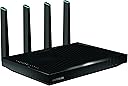
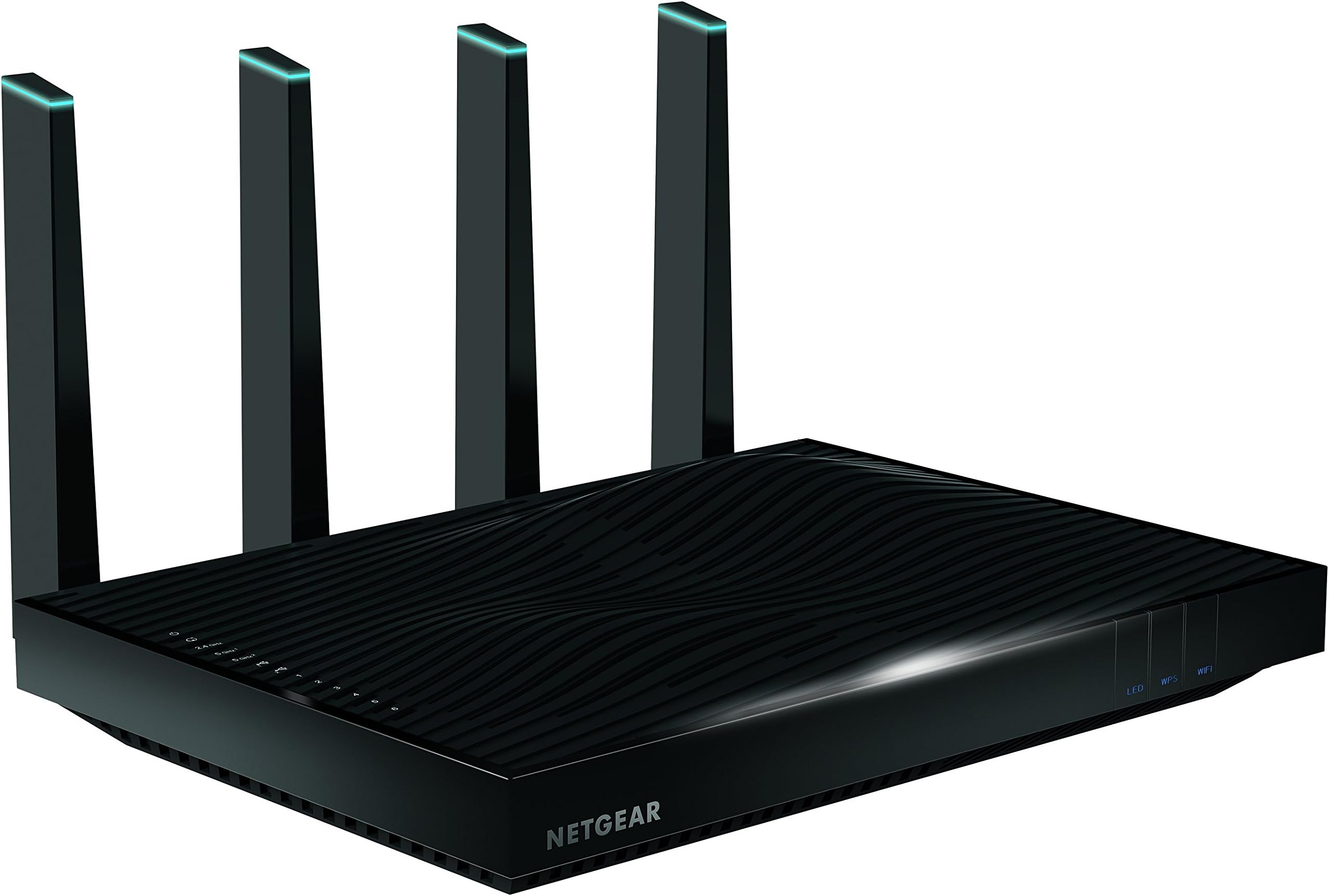
The NETGEAR Nighthawk X8 AC5300 is a tri-band WiFi router delivering ultra-fast combined wireless speeds up to 5.3 Gbps. Equipped with 8 powerful antennas and MU-MIMO technology, it ensures expansive coverage and simultaneous streaming to multiple devices. Featuring 6 Gigabit Ethernet ports with link aggregation and smart band selection, it supports advanced home and office networking needs. Compatible with Amazon Alexa for voice control, this router is designed for professionals demanding high performance and seamless connectivity across large spaces.

| ASIN | B015PD3HOC |
| Antenna Location | Home |
| Antenna Type | Internal |
| Best Sellers Rank | #82,011 in Computers & Accessories ( See Top 100 in Computers & Accessories ) #1,888 in Computer Routers |
| Brand | NETGEAR |
| Color | Black |
| Compatible Devices | Personal Computer |
| Connectivity Protocol | ethernet, wi-fi |
| Connectivity Technology | wireless |
| Control Method | Voice |
| Controller Type | amazon_alexa, vera |
| Coverage | Up to 5,300 sq ft wireless coverage |
| Customer Reviews | 3.7 out of 5 stars 1,391 Reviews |
| Data Transfer Rate | 5300 Megabits Per Second |
| Frequency | 5 GHz |
| Frequency Band Class | Tri-Band |
| Global Trade Identification Number | 00606449109474, 10606449109471 |
| Has Internet Connectivity | Yes |
| Has Security Updates | Yes |
| Is Modem Compatible | Yes |
| Item Weight | 3380 Grams |
| LAN Port Bandwidth | 6 gigabits per second |
| Manufacturer | Netgear Inc |
| Maximum Upstream Data Transfer Rate | 5300 Megabits Per Second |
| Mfr Part Number | R8500-100NAS |
| Model Name | R8500 |
| Model Number | R8500-100NAS |
| Number of Antennas | 8 |
| Number of Ports | 8 |
| Operating System | Windows 7, Mac OS |
| Other Special Features of the Product | anti-shock |
| Router Firewall Security Level | High |
| Router Network Type | Multi-band |
| Security Protocol | WPA, WPA2-PSK |
| Smart Home Compatibility | Smart Home Compatible |
| Special Feature | anti-shock |
| UPC | 606449109474 |
| Voltage | 100240 Volts |
| Wi-Fi Generation | Wi-Fi 6 |
| Wireless Communication Standard | 802.11ac |
| Wireless Compability | 802.11ac |
M**E
This IT Gal is truly impressed.
I replaced my DLink DIR855 Dual Band router with this product. With a teen hogging bandwidth for his phone games, I need something for my IT and home office to work efficiently; all the while, allowing my husband to have his internet too. So many devices hooked up to our home networks that it's impossible to keep routers for more than 4 years - technology is ever evolving and fast too. That said, this router is AWESOME!!! I originally had my eyes set on the DLink DIR895L with it's availability supposedly this year, it's been months and no sign of it being live for purchase. Therefore, I bought this beast and it is worth every penny I paid for it, $355.64 and got free same day delivery for my PRIME Account. My download speed almost tripled at 127 mbps and upload is 12.5 mbps with devices using bandwidth: streaming netflix, 4 smartphones, 1 laptop. I have not tested the speeds without any devices using the router, I'm sure I'll get off the chart speeds if I did kick all devices off for a moment! My internet plan is- Cox preferred internet service alloted 50 mbps download / 10 mbps upload. the UI is simple and packed with many features. I have a Surface Book with Windows 10 Pro and could not install the Genie app (needed for parental control) on my desktop, it is not compatible. So I just use my Samsung Note 4 and downloaded the Genie app via Google Play until Netgear can make it compatible with Windows 10 Pro. My teen now has full bars upstairs in his room. it has not dropped the signals on any of the bands, I've dedicated the 2.4 ghz for my teen and older devices. The 1st 5 ghz band is for my husband and other wireless devices; and the 2nd 5 ghz for my IT and Home Office, the Admin band is what I say it is. I do Advanced Home Networking, Business Consultant for NonProfit, Development of Corporate Administrative Infrastructure, Ministries, and I also do Real Estate Transactions while running a small RE firm for a broker virtually! So I do alot of work at home and also travel much so I do a lot of remote accessing of my Network as well! I do not have an elaborate IT set up and do not use any servers, I use what is quality, within my modest budget (I barely get paid for my services - except with RE work), and utilize cloud based free services as much as possible to keep mine and my client's costs down. I will eventually need to create a workgroup network to keep things separated, but I'm holding out on that until I can start getting decent pay for my IT & Business Consulting work. Anyway, I'm glad I can easily monitor and control my home network with efficiency and ease. Previously using DLink and Cisco UIs, the NetGear UI is simple. The 5.3 Ghz wifi speed is top notch. My Note 4 was downloading the genie app and before I can exit out to wait for it to do its thing, it was already finished. Literally took 2-3 seconds to download a 100 mb+ app on Google Play, I couldn't even blink yet and it was done downloading. I love the aggregate ports, I can now use one for my DLink Green Switch and room for an NAS. I also like how it has the 3.0 usb and 2.0 usb ports which can be used for system backups (the 3.0 usb that is). Below are all the devices I'm running on this beast of a router on a 2 story plus a garage below and 1402 sq ft townhome again with Cox preferred internet service (50 mbps download / 10 mbps upload). You won't regret this router! And if you are in IT like me, you will appreciate it's advanced capabilities along with it's simple UI for your clients if you recommend the product. Devices I have on the network: Samsung 60" Smart TV (Wired via cat 6 switch) Samsung 50" Smart TV (Powerline via cat 6 on Switch) Samsung 55" Smart TV (Powerline via cat 6 on switch) Samsung S5 (5 ghz wifi) Samsung Note 4 (2ndary 5 ghz wifi) Samsung Note 3 (used for streaming att uverse app on the Samsung 50" TV) - 5 ghz wifi. Samsung Phone (2.4 ghz wifi) LG Phone (2.4 ghz wifi) iPhone (2.4 ghz wifi) Surface Book (i7, 8gb ram) 2ndary 5ghz wifi HP All-In-One Desktop (i7, 8 gb ram) 5ghz wifi. Toshiba laptop (i3, 4gb ram) 2.4 ghz wifi Samsung Slate tablet (i5, 8gb ram) 5 ghz wifi. Canon Pixma (2.4 ghz wifi) Kindle (2.4 ghz) XBox 360 Modern Warfare Edition (Powerline via cat 6 on Switch)
K**L
Buggy rebooting piece of junk
I had a few routers that were all a few years old. With all the wifi devices I have now, iPads, phones, laptops, FireTV, myQ garage doors, alarm system and on and on the mesh of different routers was a mess. None could handle the throughput needed, most were connected to old 2.4 b/g and my only old Netgear 5GHz was only n so it was time for an upgrade. I wanted a triband router and actually ordered a Asus AC3200 at a great Black Friday deal of $197 at a competitor, but then stumbled across this new Netgear AC5300 X8 Nighthawk and saw rave reviews and at a Black Friday prices of $299 on Prime I could not resist. Got it setup and tweaked and this thing screams. Hopefully it will be as reliable as my old Netgear router and the interface is the same so I love their advanced settings. All the devices are getting excellent signal and throughput. It is a bit iffy at the far end of the house 2 floors up, but I picked up a TP-Link C7 as an access point for the single device up there. This thing is huge, but my guess is they needed the size to avoid fans for cooling and all the components needed to support 3 bands, 6 Ethernet ports, 4 external and 4 internal antennas. Looks like the Asus will go back as soon as it arrives. 1/16/2016 Update So after 2 months of ownership I wanted to update my review. This is still an awesome router. It does have a few quirks. First the UI gets sluggish which should not be the case with all the processing power this beast has. Also the UI does not always show correct status of the LAN ports as they are up, but the UI shows them down. Also anytime you make adjustments to the overall QOS settings (not devices) the router basically reboots, very annoying. And the most annoying bug is I have several Roku devices hardwired and if you videos on the CNET channel on Roku the router reboots, basically rendering the CNET Roku app useless. 2/3/2016 Update. Well I am dropping this to 1 star. Netgear has been unable to resolve the issue and is incapable of understanding the issue. This has become a $300 boat anchor and I will be exploring options for another brand. Too bad I have been a long time Netgear owner of various products. 2/14/2016 Update Netgear has been jerking me around for weeks (4 to be precise) and unable to fix this piece of junk. Works for very basic things, but watch any online video services and this thing will randomly reboot and it takes like 2+ minutes to reboot. Netgear is clueless and while their support tries they do not succeed in getting it fixed. They refuse to refund my purchase or replace the router. Update 10/2016 Router is now fairly stable, but QOS is a dog on performance and buggy as hell. Also still no MIMO support, last Broadcom based router I will buy and last Netgear as their support is bad. Update 12/2016 Finally added MIMO support, but this router is a pig. UI is slow and bloated and now newer devices like iPad Pro can't be set up in QOS as it doe snot know what to do with the device. After years of Netgear routers this is the last one. Bad support and buggy bloated code, not to mention huge security hole in all their recent routers. [...]
R**M
Wish I'd bought it sooner...
This thing was not cheap, but it was definitely worth every penny and I wish I’d done it sooner. Here’s why: We live in a 2,800 square foot, two-story stucco house in New Mexico. The flooring on the second story is ceramic tile on top of cement board, which is a little tough for WiFi to penetrate. The Comcast demarc is near the southwest corner of the house, and the Comcast router is located on the floor by the demarc. I’ve had it on top of the credenza that’s under the TV and electronics in the past, but it didn’t seem to help. Wireless reception was OK in the living room where the router was, but the further one got from it the worse things got. Upstairs was so bad that I used MOCA adapters on the in-wall coax cabling to get wired Ethernet up to my office on the second floor since the computers there would routinely drop off the WiFi. I also used MOCA adapters on the coax to get Cat5 connectivity to the guest room (workout equipment room) on the other side of the ground floor so that I could set up a separate access point and SSID for the Roku in that room (it could not connect properly to the Comcast router that was only 35 feet away because of all the walls in between). Then I bought a Ring video doorbell. Even though the Ring doorbell was only about 35 feet from the router, it was outside the house on the other side of two stucco walls. I finally knew that it was time to do something about the crappy WiFi, and instead of filling the place up with repeaters/boosters (Ring and Sonos both sell their own) I decided to go with a new WiFi access point. I’m not the kind of guy to do tons of research on everything that I buy, but in this case I’m glad that I did because I learned one crucial thing about WiFi access points (and it’s so obvious once you think about it that I’m almost embarrassed that I didn’t think of it right away). I had been looking for the most powerful WiFi transmitter since I thought if I was going to fix this then I was going to light the place up with the strongest signal possible. Well, what took me a day or two to suddenly grasp, is that sending a strong signal only takes care of half of the conversation. Having a signal that your device can hear through floors and walls doesn’t fix the problem if the router can’t hear your device’s puny WiFi card meekly talking back. You need awesome antennas to go with the awesome transmitter so that both halves of the conversation can take place! Cutting to the chase, I went with the AC5300 and yes, it’s awesome! Not only did the Ring doorbell work as soon as I set the AC5300 up, but the WiFi signal (and reception) is so good now that I’ve added a bunch more Ring devices by doors and even around the yard. They all work flawlessly, as does every device in and around the house. Here is what we’re running now: Half a dozen laptops (including my office ones since my WiFi is now faster than wired over MOCA was) Four tablets Three phones Two Roku receivers Four Sonos speakers Seven Ring devices (2 video doorbells, 2 chime devices, and 3 stick up cams) As a bonus, I got to turn off the wireless function in my Comcast router and got rid of that damn xfinitywifi network that they piggyback onto everyone’s router (and will turn back on a couple weeks after you call then to “opt out”). The only ding I would give it is that you have to use Netgear’s hoaky Genie user interface for managing the thing instead of going right into it for admin purposes. (It may be that there is a way to manage it without Genie, but I haven’t taken the time to try to figure it out an none of the documentation says anything other than to use Genie.) (I paid full price for this product and therefore have no subconscious compulsion to reciprocate by saying nice things about it.)
P**A
Decent hardware let down by an unfortunate bug and lackluster support
November 26, 2016 After upgrading to the latest firmware, I added a star. My issue mentioned in the review below was finally fixed and I no longer have to rely on an unreleased version of the firmware. While it has been a wonderful performer and rock solid, I can't bring myself to give it 5 stars due to a tough price/value comparison with the competition depending on how many of its features you need and also the less than stellar support that I received from Netgear. The pricing has improved some since I bought it though. If I were on the market, I might have considered the R7800 first. Initial Review I bought this router for Black Friday since there was a deal on it. The first thing that struck me with this device was its size. It's huge! The fact that it only has 4 antennas rather than 8 was a nice touch. I upgraded from an Airport Extreme hoping to improve the signal in my upstairs bedroom. It definitely helped in that regard. Signal strength increased significantly upstairs and my devices are no longer dropping out. Unfortunately, I quickly realized that I seemed to be capped at 400mbps. After some troubleshooting, I figured it was due to the WAN port. Now unless you are one of these lucky people who has access to gigabit internet, this will probably not affect you since that kind of speeds are still rare (although quite a few of 500mpbs offerings are starting to come to market). However, if like me you already have a router in your network and want to use your R8500 purely as an AP, you have a problem. Right there, I should probably have called it quits and returned it. Poor firmware in routers on release are nothing new and it usually takes about a year to fix most serious issues, but the considering how good the signal strength was, I figured I'd give Netgear's support a try and report the issue. I clearly outlined all the steps I took to troubleshoot and what the issue was. Having worked in support in a former life, I always try to be nice and non-condescending. The person I spoke to clearly lacked the basics of networking to understand the issue. Fair enough, I let her run through her script and I finally proceeded to demonstrate the issue. No amount of convincing would do, she needed me to run a bunch of irrelevant tests with my old AP because she was convinced it was an issue with wireless even after having been proven that it was the WAN port. It took over a week to get the issue escalated, and that's only after I resorted to post in other forums and somebody else from Netgear got in touch. Then it got silent for a while, I got a firmware that did nothing, went silent for another while, got another useless firmware, went quiet for some more, and finally got a firmware that did in fact fix my issue. The whole process took over 2 months for what should have been a trivial issue to reproduce. It was also a bit annoying that no explanation of what the issue was was provided considering all the help I provided, but whatever, at least I finally had what I wanted. The firmware they provided me was an unreleased version. Not great, but it's better than nothing. Today a new firmware showed up with a firmware version number much higher than the one they provided me. You'd think that it would include my fix, and you'd be wrong, I'm back to having my WAN port throttled. I mean, I understand my issue only affects a minority of people, but seriously? Sure, in the greater scheme of the things, it's not the biggest issue in the world and the router is still usable if limited, but considering how expensive these routers have become and the fact that it's the top of the line, one could expect more. In conclusion, if you require less than 400mbps from your WAN port (probably true for most people), you'll probably be fine. Wireless performance is pretty good and having 2 separate wireless networks is handy. Also, except for my issue, the router has been pretty stable, which is unfortunately rare for new releases. Whether this justifies the premium price considering other cheaper offerings in the Netgear lineup that provide similar functionality is debatable. If you want to use this router as a pure AP, definitely give it a pass, at least for now. As for me, I'm probably going to stick it out for now while daydreaming about taking a loss on this router and getting an ASUS. I miss my RT-N66U which was a reliable workhorse. I was also very happy with the Airport Extreme (the tower version) which was a very good performer, but definitely struggled with signal strength through walls. I might increase the rating to 4 stars if this issue ever gets fixed reliably. I would definitely not give it 5 stars due to the price premium not really being justified in comparison to other models with a similar performance profile
A**.
So far so good and FAST!
We've had this plugged in now for almost 24 hours. I've combined the X8 with Linksys WUMC710 around the house. At first just for Tivo Bolt and Mini combination but then went around and put more wireless access points in both our home offices too. This is after coming off of N600 Buffalo Technology routers and wds bridges. First off, as others mentioned this router is massive. It is installed in the utility room in our basement and the signal reaches well to our 2nd floor and out to the garage and alley way. But the impressive part is the speed. On the old tech we used to barely get the rated speed through the Buffalo routers. Now we're getting darned near the 175/10 speeds the cable modem provides! Set up with the WUMC710 through the WPS buttons could not have been less painless. The router log is good. It also points out DoS attempts and which methodology was tried. The router did force download the latest firmware on first startup which I liked. While it doesn't have the depth of DDWRT it is still workable. The Genie app download to the Mac seems to have less functionality than the admin webpage. My wife's skype session with her dad went smoother than ever this morning. And my VoIP calls have been much clearer with no noticeable distortion like I used to get prior to the X8 install. Considering I work from home that was important as it was getting harder to bare the calls with all the distortion. Video streaming over the Fire TV Stick also seems to have improved dramatically. I enabled the Dynamic QoS for video streams so it does seem to detect video correctly. We'll see later tonight how Netflix holds up. So I'll update in the future. So far though I can't say anything negative. The router has been up and running and while it does seem some people have had issues at least some of these units do work as advertised. Worth the price of the upgrade. Update Dec 7 : still rock solid. Added WUMC710 to the home offices and Tivo Bolt (living room) + Mini (basement). Everything is working great. The stream from the Bolt to the Mini is solid. Also the comments about no wireless Access Point capability is false. From the admin page go to the Advanced tab then select Advanced Setup and then Wireless AP and enable the wireless access point feature. I have not tried this as my X8 is running as the router. Maybe if I buy a 2nd one in the future I'll try this out. Certainly could see getting a 2nd one for the 2nd floor to run as an AP but need to budget at the moment as we have a lot of home improvements going on currently. May 2016 - Upgraded to firmware V1.0.2.54_1.0.56 a few months back and the Netgear has performed even better! We also have a 2nd one as an AP upstairs. This really let me segregate the WUMC devices and really improve the overall throughput internally in the house. Man, if you buy any router this is the one!
L**N
Product worked for 7.5 hours, then took 3 hours of my life I won't get back. We'll see if the replacement works.
I installed my R8500 Nighthawk X8 yesterday, including updating the firmware to the latest version as of Dec. 27th, 2016. It was pretty easy even for a newbie like me, and an immediate improvement given that we have 3 security cameras running 24/7, plus a host of apple TV's, google home units, etc. I was really excited about this product when I went to bed at midnight. Then I got up at 7:30am today to find there were zero NetGear networks anymore. I rebooted, still nothing. Its like the unit is not even plugged in. (It is.) I called support at 8:16AM, searching the netgear support community while on hold. Obviously this is a recurring problem they haven't bothered to fix, since the first post about disappearing networks was in 2015. For the $350 price tag I expect better. PS Netgear: Your website is broken all along the way to submitting a ticket. it refused to accept my serial number even though it was correct. I battled your auto-refresh for 6 tries until I tricked the site into advancing to the next page. There were a ridiculous number of clicks to find the phone number. Customers get the message loud and clear: you have no intention of helping us given the barriers you installed to getting live help - not to mention the repeated insinuations that we might have to pay to get it. And having your hold message repeat that "call volumes are higher than normal" at 8:16AM Eastern Time just reinforces to me how poor your products must be. You may want to rethink that. Update about my 3+ hour customer service experience: After 1 hour and 18 minutes on hold, my tech rep RJR was polite to a fault and obviously knowledgable. In 15 minutes he identified I had faulty hardware. But then the procedure for replacement was terrible. Netgear was to email me an RMA form to send back, and charge me to ship the new hardware. After 78 minutes hold time, the very suggestion was outrageous. My time is valuable too, Netgear. I refused to get off the line until RJR filled out the RMA form himself (although turned out he didn't do it), and then I asked him to waive the next day shipping charges. RJR put me on hold, and came back saying his supervisor refused. Apparently, they would have charged me for 3-5 day shipping or overnight shipping - and the supervisor agreed to waive the 3-5 day shipping fee instead. Am I supposed to be grateful for Netgear's leaving me offline for 3-5 business days free of charge? I then waited another 17 minutes to speak to the supervisor myself, which brings my customer service experience to a total of 2 full hours. The supervisor first had RJR try to get me to contact Amazon myself - after originally suggesting they would ship it themselves (obviously trying to get rid of me). I held out to speak with the supervisor anyway, and she repeated their "procedure" a fair number of times, polite, but seemingly unsympathetic of customers who spend 2 hours attempting to recover from their faulty product. Basically I said I was staying on the call until somebody gave me a fedex overnight shipping confirmation number. While on hold I emailed netgear customer service the order details I was asked for (note if you ordered on Amazon: They ask for a screenshot of the order details page, but what they really require is a screenshot of the Invoice). I was put on hold 2 more times sorting out the screenshot confusion, and 20 minutes later they agreed to ship overnight free of charge if I left them my credit card number as collateral - I agreed. The whole episode took 3 hours and 9 minutes. NETGEAR: iIt must be nice to be so self-assured of your success that you can completely disregard and disrespect your customers' time. Your reps did the best they could, but your process is near fatally broken.
G**H
Great Router - Cautionary Tale With Fiber Optic Internet Though
I've been using this router for about eight months now. My old router had been choking a bit trying to run nine wifi HD security cameras streaming pics and video upon motion capture, two Apple TV boxes, two cell phones, four tablets and two laptops. Still, I was reluctant to shell out $400 for this unit. One day last November I log in and it's apparently on sale for $300. Didn't ask any questions, just hit "buy." Glad I did, it's been working great for me. I've had all my routers including this one sitting on a wire stand to help cooling but this one seemed to run a little hot for my tastes (maybe due to all the traffic?). I added a USB fan underneath it AC Infinity MULTIFAN S3, Quiet 120mm USB Fan for Receiver DVR Playstation Xbox Computer Cabinet Cooling just to make me feel better. Now the router stays cool. One caveat I'm going to mention here. It caused me quite a bit of headache and I'll tell you about it. I live in Phoenix, AZ and recently I received a notice from Cox that they were going to run fiber optic cable in our neighborhood and then offer us "GigaBlast," their brand of gigabit internet. Oh yay, I already have a gigabit router, bring it! So eventually the install day arrives, the techs show up, run fiber into the house and here we are in my office while they mount the Optical Network Terminal or ONT (what passes for a cable modem in the fiber optic world) on the wall. They're telling me they are providing me, as part of the install, a "free" Netgear R6300 router. I point to my X8 and say, "I can keep using this one though, right?" "Oh yeah, that one is better." Whew. So they install everything and we head to Speedtest.net and I'm looking forward to these gigabit speeds and ... won't go over the 400s. Won't do it. Guy gets his laptop from his truck and plugs the ONT directly into it. Speedtest is in the 900s. Plug back into my X8 - 400s. They claim it's because I have a switch inline and it's all my equipment, not theirs. Good Luck, See Ya. I shed the gigabit switch; no joy. I do what they did and run the ONT straight to my computer; 900s. Back to the router; 400s. I spend the next two weeks with Cox support, trolling forums, quizzing my engineer friends, nothing. Finally I post this dilemma to the Netgear forum and a genius tells me, "using QoS, Access Control or any other service that makes the router do calculations is going to slow it down. Turn all that stuff off and try it." Well, at this point Access Control was the only thing I hadn't turned off yet, so I went ahead and turned it off. Speedtest says ... yup, 900s. Okay, admittedly Access Control in a residential setting may be overkill and perhaps strong passwords are plenty of security. But I liked it. It was a feature that came with the router and they didn't tell me if I turned it on I could effectively half my bandwidth. For most people (like me prior to fiber optic internet), you aren't even going to notice it, but seriously a little warning might at least have kept me from banging my head against the wall wondering what was going on. Despite this glitch, I'm still impressed with the performance so I didn't dock the review. Heck, I even get speed tests in the 300s on my laptop in the living room on wifi with all this other stuff running simultaneously, what's not to like about that?
C**R
Might Be Faster, but That's Where the Good Ends...
- - - Update - Ended up with Synology RT2600ac after returning the RT-AC5300 I was looking at replacing a Netgear R6300 v1 (1300 Mb) because it's been 1.5 years since the manufacturer updated it and one existing security flaw only has a workaround; I’m sure there are other undisclosed flaws. Unfortunately these consumer devices are not maintained for long by manufactures and are abandoned with security flaws waiting to be exploited. I’ve been segregating wireless devices with separate WiFi routers and the newer “tri-band” models combining two 5GHz radios into one unit showed promise. This thing is HUGE, gets hot quickly on the bottom and not sure what they were thinking when they created the warped top casing. Maybe they were getting warped due to the heat and wanted it to look like it was part of the dumb design? I've used Linksys, D-Link, Netgear and Asus consumer wireless products and Netgear continues to use their dated and tired looking interface. For those that have complex configurations, it’s a tedious process of make entries, click apply and wait, reboot and wait some more; repeat often. I don’t know why they stopped allowing you to use HTTPS on a LAN segment to manage the router; older units had this function but later firmware killed the option. The only way to use the HTTPS feature is if you allow WAN administration. I’m forced to use an Ethernet connecting every time I want to administer any Netgear router and one reason I’m done with them. They also still don’t allow you to configure your own NTP server IP address and have their own built-in database of what they want you to use. Their feature set is limited compared to ASUS’ and the logging is anemic; good luck troubleshooting firewall rulesets. Luckily I’m using it in AP and don’t have to deal with the basic firewall that’s integrated into the unit. It’s pricy as is ASUS’ equivalent the RT-AC5300, even at a sale price of 280. I upgraded to 1.0.2.80 firmware and then to 1.0.2.86 after it came out. This was apparently for the web exploit Netgear claimed didn’t affect the R8500; a LOT of Netgear routers had the same vulnerability. I’m not sure if it was coincidence but my 2.4GHz quit working at least a day afterwards. The light showed it was active as did the software and enabling the Guest network didn’t revive it. No wireless devices were able to pick it up and none of my wireless scanning tools detected the MAC address that was once on the air. I worked with support and got to second tier where they wanted me to downgrade which I already did as well as multiple resets (soft and hard). The second tier person wanted me to keep trying to downgrade further down; guess he was hoping it would magically revive it. I gave up and got an RT-AC5300. I read of radio issues with the ASUS model as well as this one but gave it a shot. They both share the same Broadcom chipset and wondering if they all have issues because of it. I’ve read others saying it could be the Vietnam units having issues. There appears to be at least some power supply issue, radio issue and reboot loop issue…pretty bad. I actually had a previous unit from Best Buy from China with a 4D serial but returned it because they wouldn’t price match a 96 buck price drop from Amazon. I didn’t have it long enough to test if it had an issue. The first one from Amazon was from Vietnam and a 4P serial number. Unfortunately I didn’t capture the SN or country of origin on the Amazon replacement unit I mention below (3rd). After getting the ASUS I didn’t have the radio issue but was getting BSoDs using their own USB-AC68 but that’s for another review. That adapter worked well with this model. I got a replacement R8500 and upgraded it to 1.0.2.86 and one of the 5GHz radios died the same death the following day. I contacted support again and gave them the previous case and was told the notes said I declined second level engineering support which I didn’t; I wasn’t going to play the downgrade game. While she was on the line running through basics I was working on the first unit downgrading to the initial 1.0.0.28 release but said it wasn’t compatible. I started going up from there and got the same error until I hit 1.0.2.54 and then it got stuck in a reboot loop with a solid amber light, dim white lights, blue antenna lights, off and repeat. Not even a hard reset saved it. The shipping version was 1.0.2.64. The sad thing is that the support person wasn’t interested in waiting to hear about my results with the downgrading that the first support person wanted me to play with. She would only offer me an RMA which I quickly declined saying I didn’t want another’s problem when I could get a new one from Amazon. I was fed up with the tri-banders. I initiated a return for refund on the second R8500 and wasn’t going to place another order and wait around for deliveries that may not come before heading out of town and headed to Best Buy where I picked up an ASUS RT-AC3100 and RT-AC1900P with an Amazon price match; it’s only a 5 minute drive and either one charges me sales tax. To make an already too long story shorter I got the same BSoDs with these ASUS models but I found a wireless setting that was causing it and since performance was less than the RT-AC5300 and the price is higher for both units compared to one, they’re going back and staying with the RT-AC5300…for now. I ran through typical use cases but transfers are something I really care about between clients and my NAS. Even though the R8500 is faster overall, it’s the only thing going for it and everything else wrong with it outweighs it. I kept MIMO on the R8500 with no issues and that could be the reason it outperformed the RT-AC5300’s broken (STILL alpha!) MIMO with erratic results. Used an ASUS USB-AC68 USB 3.0 3x4 (1300 Mb), PCIe Half Mini Card Intel AC 7260 2x2 (867 Mb) and Netgear A6200 USB 2.0 (867 Mb) adapters for testing. * Only adding notable comments for RT-AC3100 USB-AC68 using 3.0 client: RT-AC5300 just couldn’t keep up with R8500, even with MIMO R8500 – 320 Mb peak / 224 Mb typical download 432 Mb peak / 320 Mb typical upload RT-AC5300 – 128 Mb peak / 128 Mb typical download (RT-AC3100 136 Mb peak / 112 Mb typical download) 240 Mb peak / 232 Mb typical upload (RT-AC3100 272 Mb peak / 256 Mb typical upload) 232 Mb peak / 168 Mb typical download w/MIMO 200 Mb peak / 264 Mb typical upload w/MIMO (RT-AC3100 32 Mb peak / 24 Mb typical upload) USB-AC68 using 2.0 client: R8500 slightly better in download but same on upload R8500 – 272 Mb peak / 240 Mb typical download 224 Mb peak / 216 Mb typical upload RT-AC5300 – 256 Mb peak / 248 Mb typical download 224 Mb peak / 216 Mb typical upload (Same upload rates on RT-AC3100) 32 Mb peak / 24 Mb typical upload w/MIMO enabled! (RT-AC3100 maintained same rates w/MIMO) Internal 7260: R8500 best performance with RT-AC5300 not far behind as long as MIMO wasn’t used R8500 – 368 Mb peak / 312 Mb typical download 224 Mb peak / 176 Mb typical upload AC5300 – 328 Mb peak / 304 Mb typical download 184 Mb peak / 168 Mb typical upload (RT-AC3100 192 Mb peak / 184 Mb typical upload) 128 Mb peak / 120 Mb typical download w/MIMO (RT-AC3100 320 Mb peak /168 Mb typical download) 288 Mb peak / 272 Mb typical upload w/MIMO A6200 USB 2.0 adapter: R8500 crushes on the download but about same on upload R8500 – 232 Mb peak /224 Mb typical download 200 Mb peak / 192 Mb typical upload RT-AC5300 – 88 Mb peak / 88 Mb typical download 200 Mb peak / 184 Mb typical download Gigabit Ethernet: R8500 consistent performer with RT-AC5300 having higher upload speeds but bad download. Maybe the reason we tend to see better upload performance on that unit. R8500 – 912 Mb peak / 864 Mb typical download 912 Mb peak / 888 Mb typical upload RT-AC5300 –536 Mb peak / 504 Mb typical download 920 Mb peak / 904 Mb typical upload
Trustpilot
1 day ago
2 weeks ago