Desertcart purchases this item on your behalf and handles shipping, customs, and support to Malaysia.
⚡ Upgrade to speed, reliability, and power efficiency — because your workflow deserves the best!
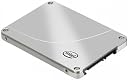
The Intel 2.5-Inch 120 GB Internal SSD delivers lightning-fast read speeds up to 540 MB/s with a compact SATA 6.0 Gb/s interface. Designed for ultrabooks, laptops, and desktops, it combines power-efficient performance with world-class NAND reliability and a 5-year warranty. Ideal for professionals seeking rapid boot times, enhanced multitasking, and secure data storage in a sleek, small form factor.
| ASIN | B00F0RD5H8 |
| Additional Features | End-to-end data protection (ANSI), Intel Rapid Storage Technology, Native Command Queuing (NCQ) |
| Best Sellers Rank | #2,234 in Internal Solid State Drives |
| Brand | Intel |
| Cache Memory Installed Size | 120 |
| Color | Black |
| Compatible Devices | Laptop, Tablet |
| Connectivity Technology | SATA |
| Customer Reviews | 4.5 out of 5 stars 710 Reviews |
| Data Transfer Rate | 600 Megabytes Per Second |
| Digital Storage Capacity | 120 GB |
| Form Factor | 2.5-inch |
| Global Trade Identification Number | 00675901230155 |
| Hard Disk Description | 1x120GB |
| Hard Disk Form Factor | 2.5 Inches |
| Hard Disk Interface | Serial ATA-600 |
| Hard-Drive Size | 120 GB |
| Hardware Connectivity | SATA 6.0 Gb/s |
| Hardware Platform | PC, laptop |
| Installation Type | Internal Hard Drive |
| Item Part Number | SSDSC2BW120A4K5 |
| Item Weight | 1 Pounds |
| Manufacturer | Intel |
| Media Speed | 490 Megabytes Per Second |
| Mfr Part Number | 929865 |
| Model Number | SSDSC2BW120A4K5 |
| Number of Items | 1 |
| Read Speed | 540 Megabytes Per Second |
| Special Feature | End-to-end data protection (ANSI), Intel Rapid Storage Technology, Native Command Queuing (NCQ) |
| Specific Uses For Product | Personal |
| UPC | 735858264501 675901230155 605355645809 735858264518 |
A**R
An Honest Review
!update 3/3/2016 On the very bottom is the update (pretty important)! Looking for vital information, below my experience review you'll probably find what you want. So I bought this since I was tired of having my OS on a Terrabyte hard drive and I wanted my OS to be isolated from everything else so it won't be affected. i went to install my OS windows 8.1, on a normaly on a HDD it takes around 1hr and 30 min to 2hrs. With this SSD it took less than 30 minutes to install heck not even 20. Orginally with my HDD it took 30 sec to 1 min for my PC to boot up. now it's less than 10 SECONDS!!! Take note I have a Intel core i3 3.5GHz along with 32GB. Considering I'm a college student and in the field of Computer Software Engineering/cyber security I want to make sure I've got enough ram and a decent processor to handle everything. Along with the solid state came a sticker with the words SPEED DEMON, and I have to say, it looks beautiful on my pc. Now to get to the important stuff. -If you want to make sure you can put it into your Tower PC you'll need the reseller kit as it comes with an extention for fit a 3.5 HDD slot/tray (screws included) or a black plastic add on for your Laptop (I'd recommend getting a larger SSD for a laptop so you have something to work with instead of constant worry over storage space.) It also comes with a SATA cable and a power supply cable. -Now some places it says that you need to do a few things in order to use a SSD. This is not the case, I simply hooked it up and installed my OS without any issues at all. (no there is no Driver and the disk that comes with the kit is only a bunch of manuals and warranty which you don't need to register it) -This Intel 530 SSD 120GB is most certainly large enough for an Operating System like Windows 7,8,8.1 and so on. I even have all my drivers (motherboard and graphics card) installed along with McAfee, Microsoft Office 2013, Google Chrome, Printer Driver and with it all up to date (with a lot more programs that come with windows 8.1) I still have 62.1 Gb left on it. *Size was my ultimate worry when it came to purchasing this product, which is why I am having this up for those with worry about storage space. you have enough space for essentials but I can't say you have enough for games.* -Note that you can make a SSD faster with TRIM but not having TRIM turned on will NOT affect an SSD, it'll just allow it perform better when uninstalling and reinstalling. I can't say this is something to worry about when it comes to something of this size since 120GB is not really enough space for gamers. Are there any cons with TRIM active, I wouldn't know since I'm not planning on using it since I have an OS on mine. I don't want to chance it. If you're asking, "Is buying this really worth the money I mean, it's seriously expensive?" Yes it's expensive but for the fact that it uses less electricity, runs faster, can take many more hits (falling on the ground or hammerd hits) than an HDD but the best part of all of these features, with Intel you get a 5 YEAR WARRANTY!!! 5 YEARS, just having that is worth the money. In short I am pleased with this product. It works very nicely. If you come up with issues then you had bad luck. Take note I'm reviewing this as a BRAND NEW product straight from Intel through amazon. Hope this review helps. !update! So it's been a little over a year now and my pc is still running at blazing fast speeds. after a year of having it I still have 38.1 GB (why below) left on it. I will probably be upgrading it soon though, you don't want to have too much on a SSD or any storage device other wise it'll have some issues and potentially crash. Other than that I'm still running just fine, to think I have 4 years of warranty left on this thing. I would like to point out the 16.5 of the data is due to my OneDrive automatically downloading and writing to it. I would advice disabling this feature on an SSD because it can shorten the life of it. I don't know if you can change the drive to download and write too but this should be something you should be aware of.
M**R
Awsome drive
This was my first SSD, so wasn't quite sure what to expect. I went with Intel as I've always had good luck with their other components. So, I cloned my old spinning platter drive to this one, and all worked fine on the first try. This is the most performance gain for the money of any changes I've ever made to my computer. Of course it won't change a Pentium 4 into an i7, but you will see a noticeable difference. Now for some details that may help others... I highly recommend buying the retail kit for the few extra dollars. The Intel SSD Toolbox software that comes with it is really nice as it keeps track of the usage and gives an estimated life remaining. It also tweaks your system for best performance. A couple of notes though, it appears to have changed my display monitor's sleep setting to 20 minutes. I thought the system had died the first time it happened as I originally had the monitor set to never sleep since I use the system nearly all the time. I simply changed it back to never sleep and all is well. The kit also has a mounting bracket (for Desktops) and a nice plastic shim (for Laptops) and some cables in case you need them. Included in their software is an Optimizer that's recommended to run each week. I'm not sure what it does, but figure Intel knows what's best, so I'll do what they say. Another item worth mentioning, when running the Optimizer it will sit at 85% for quite a while and then finish. You might think the system is locked-up, but it will eventually finish after a minute or two. So, about performance... I am very happy with the speed increase. My Windows Experience Index went from 5.9 to 7.7. Applications such as Nero, MS Word and Streets and Trips open in less than half the time now. My e-mail compacting is lightning fast as well. My boot time is much less and smoother. This drive also solved a known Windows 7 annoyance of the tray icons not always appearing due to Win 7 not giving enough time for the apps to finish loading one icon before moving onto the next one. Another user said that an SSD solved this for him, so kudos to him for pointing this out, it fixed mine as well. So in summary, performance is a no-brainer. I just hope the life expectancy is at least a couple of years and that the Intel SSD Toolkit will let me know when it's getting close to time for a replacement. Would I recommend this to others, well of course. In fact I just bought a 2nd one.
J**S
Fast and reliable
Pros - the price point was very competitive - around $0.60 per GB, add the 5 year warranty - it is really a great deal. Highly responsive customer support - the Intel cust support were really nice, and was with me for more than ONE FULL HOUR and also recognised my skill levels - though they couldn't solve the issue! I have now upgraded my laptop to this drive and using it for the last two weeks - it is really fast! Cons - 1. The retail kit is for desktop upgrade - so you will need a separate USB/SATA adapter for laptops. However this is a known fact and I was OK with this, and would still give 5 stars. 2. I upgrade the SONY VAIO SVE model Win8.1 laptop and I had used USB/SATA enclosure - which I had used for upgrades on my Lenovo Win 7 laptops without any issues. However, the Intel branded Acronis s/w downloaded from Intel's site failed to transfer the data on Sony laptop. This is where I reached out Intel Support - though they spent so much time with me, they concluded that it is a the USB/SATA enclosure that is not compatible and causing the failure. I proved to them that I was able to do the same upgrade with the same SSD and USB enclosure on another Lenovo laptop-but they still maintained the stand. This is the reason I reduced one star. The upgrade process was not smooth at all. 3. As the Acronis didn't work, and I didn't want to use my good old Norton Ghost, I ended up buying a SATA Wire 3.0 and used the EZ Gig s/w to clone the disk. This was not successful, because when I replaced the SSD, the system didn't boot - with a message that the disk is corrupted. I had to put the recovery disk and reset to the factory settings - meaning lost all s/w that I had installed and wasted the money on the SATA Wire. I don't blame the SSD for this as it is more of a Sony laptop protection mechanism - but Intel should recognise the same and educate their support teams that upgrade of the HDD on all laptops are not the same and easy. So overall excellent drive with fast performance and reliability - but with not so nice upgrade experience (on the Sony laptop)
W**N
This one has the speed and value in it!
This is my first SSD and I installed it onto my PC. It contains a pad that is of the size of the SSD (for laptop; I don't why it needs that), a SATA cable (not sure if it is SATA 3 but it is black), power cable that links from your PSU (if it is compatible with your PSU socket), 3.5-inch HDD bracket and several screws. The kit will help you to install on any general CPU with the given parts. The bracket will free your worry for not having a 2.5-inch SDD bracket in your CPU. In my case, I did not used any of theirs because my CPU case has all that I need. After wiring up the SSD to my computer, I reinstalled my Windows 7 onto my new SSD. Installation from CD was quite OK since the transfer rate is restricted by my DVD drive. After that, the loading is fast and my Windows 7 is loaded up! With the SSD as my main drive, I am so relieved that I have a (almost) noiseless PC sitting beside me. I've now using the SSD for more than 1 week and used like almost 50% of the total space. I installed Steam games, Diablo 3, Guild Wars 2, Adobe applications, VMwares and etc. All of them launched really fast. My startup after the black screen and shutting down are also fast, almost at an instant. Overall, I am really happy with the SSD performance. It may not be the best SSD of all. But it is also not the worst. I have read several reviews about this SSD and compared with other SSDs. I trusted Intel for their reliability and the review performance statistics show that it is more like an above-average SSD. For the price of $149.99, I have been tempted and thus I bought it. I wouldn't buy another one and install it on my laptop.
G**N
Hardware is fine, but Intel data migration software has problems
The hardware itself works as expected. Haven't used it long enough to comment on the reliability though. Speed, what speed? When you buy a SSD, the least you should be concerned of is the speed. It is unfortunate that so many people are obsessed on reading specs which simply do not matter in real life. When it comes to SSD, all that matters is the reliability, because even the slowest SSD are fast enough, to a point that anything faster would be virtually unnoticeable in daily routine use. Reliability is an entirely different matter. In contrast to the speed, there are many unreliable SSDs out there. When they have problems, they tend to be very costly problems. Therefore, approach SSDs with a practical mind. It is not a gadget you can game with. Buy the most reliable, and forget about the specs. I chose to stick with Intel, both because of their track record, and because of my personal experience. I bought this SSD to replace a three-year-old Intel 320 SSD, which has had absolutely no problems on a system that is almost never shut down 24/7 in the last three years. I decided to replace it because I've run out of space on it. SOFTWARE PROBLEM: But I would like to alert users that the Intel data migration software is not a reliable tool. It is very easy to use, and works mostly, but fails to do a complete clone migration. I run into a problem, which is seemingly minor but time-consuming to fix. The QuickBooks Pro 2012 failed to recognize the license and therefore could not be run on the new drive after migration. I believe this problem with QuickBooks is not isolated. These programs probably are designed to defeat users transferring the program from one system to another. To prevent this, only an exact clone of the disk would work. I ended up erasing everything, and using the Windows 7 Restore to do the migration again. This method was far more difficult, and would need some fairly high level computer knowledge, but it did fix the problem of the QuickBooks Pro license problem. Here is how you do a restore on your Windows 7 (you need a backup hard drive in order to do this): (1) While you are still using your current system and current hard drive, go to Control Panel, and click on "Backup and Restore". (2) On the left side panel, click "create a system image", and follow the instructions to create a system image on your backup drive. (3) On the left side panel, click "create a system repair disc", and follow the instructions to create a system repair disc, if you don't already have one. (4) Make sure that your computer is set to boot from a CD drive.. (5) Turn off your computer and connect your new SSD hard drive to your system. You may need to replace the old hard drive, but on some desktop computers, if you have enough power connectors and SATA connectors and cables, you may not need to take off the old hard drive. So it depends, but regardless, you will need your new SSD hard drive to be installed at this point. (6) Place the system repair disc in a CD drive, and reboot your computer from the system repair disc. (7) Choose in the system repair menu "repair using an existing image" (or something like that, I don't quite remember the exact phrase). (8) Select the backup drive on which you saved the system image as the source drive. (9) Select the new SSD hard drive as the target hard drive on which the system is going to be "restored to". (10) Follow the instructions to complete the process of restore. It may take up to 30 min. depending on the size of your drive. I know this is quite complicated, but this is a far more reliable method to ensure that you really are getting an exact clone of your hard drive. If you have some programs like QuickBooks on your system, this is how you get it work. The Intel data migration software failed on this important details although it does seem to work mostly. However, strangely enough, even with the windows system restore based on an image, Microsoft office document cache is messed up on the new drive after the restore. The regular functions of the Office work just fine, but office document cache does not. I had to manually fix it. It is not a very serious problem, though. You can probably ignore it and continue to use the Office because it will gradually build a new cache and leave the old one behind. But it was annoying enough that I felt it had to be fixed. Had it not been these problems, upgrading to this SSD would take less than an hour total, and it would be fun to do. But it was no fun to go about these nasty problems. To the end, all worked fine, but given the time that I had to spend on this to fix those problems, I wish I didn't have to make this upgrade.
J**N
I would kiss intel if I could
Let me tell you what, this may be the best 160 bucks I have ever spent. I got the 240 gb to handle the Solidworks and high capacity programs I need on my computer. I "splurged" on this because I wanted my Lenovo T510 to last a few more years and thought that an upgrade to the hard drive might be just the ticket to reviving the speed. UMM I thought right. Wow. I was getting terrible starting times before upgrading. Typically 2 minutes or more just to start up my computer and even then it would wade through the start up programs for another couple minutes before I was really ready to rock and roll... NOW? Try 25 seconds. 30 if you include the time it takes me to screw up my login password. MY GOSH. This is drive is worth its weight in gold. It took about 30 minutes to transfer all my files to the new drive and then I just opened up my laptop pulled out the old drive and plugged in the intel ssd. Easy peasy. A caveman could do it ;). Item was shipped on time and comes with the drive transfer software on a CD. It also comes with a small tray for a desktop, but I was able to plug mine into the current spot on my laptop. Words of caution to those with laptops: Make sure your laptop computer is compatible. I had to get different rubber grips so that the SSD was fully secured in the computer. Its not a huge deal, but if you are spending the money, might as well spend a little extra to make sure it fits securely. ALSO, when you transfer files from your old drive DO NOT MIX THE DRIVES UP. MAKE SURE YOU KNOW WHICH ONE IS THE NEW SSD AND WHICH ONE IS THE OLD DRIVE. If you F that up you will literally be stuck there with a bunch of computer parts that won't do squat.
D**Y
Great device... what you need to know for a laptop...
This is my second Intel 530 Series SSD I have purchased. My first one was for a Desktop I built about nine months ago and I was quite happy with the performance. In the desktop it drastically reduced my start up times and gives me quick application open times. My laptop recently has seemed to perform slower and slower, especially the start up times so I thought I'd swap out the stock drive for this SSD. I purchased the Reseller kit which only half helped. The drive came with a help CD that contained a link to download the Imaging software needed to image the old drive to the new drive, but I had no way to connect both drives at the same time. When loading the software without the Intel drive present it will notify you that you are not permitted to use the software as the required drive is not present. I ran out to the local computer store and picked up a Sabrent Ultra Slim 2.5-Inch IDE to USB 2.0 External Aluminum Hard Drive Enclosure (which is available for a cheaper price here on Amazon). The Sabrent case allowed me to connect to my laptop and thus complete the drive image. TIP: Get the drive enclosure and not the cable, with the enclosure you can put the old laptop drive in the enclosure and use it as an Ultra portable external hard drive on any computer, thus having a great way to either backup a drive or transfer very large files among computers!
Z**R
like most things Intel
Had to replace it with a new one at full cost cause I broke the plastic connection socket. My fault but the piece that broke is an incredibly thin piece of unsupported plastic whereas the rest of the drive is very solid metal. "The forces involved to break it were minimal and caused by tension on the cable. That shouldn't happen. How hard could it be to make the socket sheath out of either thicker plastic or metal? Otherwise, like most things Intel, it works great, very fast.
H**S
Buah!
Es algo increible lo que se nota en mi pc, y además Intel es una marca magnifica, y este tiene algo mas de horas de uso que las de otras marcas, como Samsung u otros. Y el ahorro energetico es vastante notorio
D**D
Rapide et efficace
Je suis passé d'un disque dur 7200 Tours a ce modèle ma première impression fut "pourquoi avoir attendu si longtemps" en effet la réactivité et le démarrage n'ont plus rien a voir. Le démarrage avec Windows 8.1 est plus rapide que le démarrage de mon IMac (qui lui est en disque dur traditionnel), au niveau sensation j'ai la réactivé semblable au iMac, c'est à dire que du bon. Au niveau installation, aucun problème, ce modèle est accompagné d'un support métallique pour la fixation, d'un câble sata, aucun besoin d'acheter de l'accessoire supplémentaire. Ma carte mère gigabyte support 2011 l'a reconnu sans aucune difficulté, j'ai simplement suivi un des nombreux tuto disponibles sur le net pour configurer Windows et préserver la durée de vie du ssd (exemple les caches ont été déplacés sur un disque disque dur mécanique). Enfin j'ai choisi le modèle Intel car au niveau fiabilité il fait tout simplement partie des meilleurs.
T**E
Alles drin, was man braucht!
Habe mich bewusst für die INTEL SSD 530 Series entschieden. In den Bewertungen schneiden andere Platten teils besser ab, aber hier ist alles enthalten, was zum Einbau in PC oder Notebook erforderlich ist (Rahmen, Kabel, Schrauben, etc.). Daneben liegt die notwendige Software zum Umzug auf die neue Platte bei (Acronis True Image) und selbst die Software zum Löschen der alten Festplatte (Acronis DriveCleaner) ist enthalten. Ich würde mich immer wieder für die INTEL SSD 530 Series entscheiden!
水**野
起動の速さに驚きました
DELL Inspiron 13zに交換。 既存HDD内容の複製も素人でも簡単に行えました。 交換後は起動の速さ、アプリケーションの立ち上がりの速さに驚いております。 あと冷却ファンの音が大人しくなった気がします。 もっと早く交換していればと思います、とても気に入っております。
M**.
Ottimo come sempre per Intel
Probabilmente non sarà l'SSD che, ad oggi, garantisce il picco di prestazioni migliori, ma come ogni SSD Intel che io abbia provato (X-25M, 320, 335) funziona in maniera perfetta su qualunque sistema, datato o recente che sia. Montato sui computer più disparati (da un Pentium 4 HT ad un Core i5 Haswell per laptop, passando per un Pentium Dual Core ed un Core i3 Haswell ULV), con controller SATA più o meno recenti, mai avuto problemi di compatibilità o di affidabilità. Questo nonostante al suo interno monti un controller Sandforce della serie 2000, che in altri SSD di altri produttori ha causato inizialmente non pochi problemi di stabilità. Confezione con dotazione ottima (adattatore 2.5"->3.5", viti di fissaggio, spessore per adattarlo da 7 mm a 9 mm, adesivo decorativo) e garanzia di 5 anni.
Trustpilot
2 weeks ago
2 months ago