
下载应用程序



⚡ Print smarter, faster, and greener—because your office deserves the best.
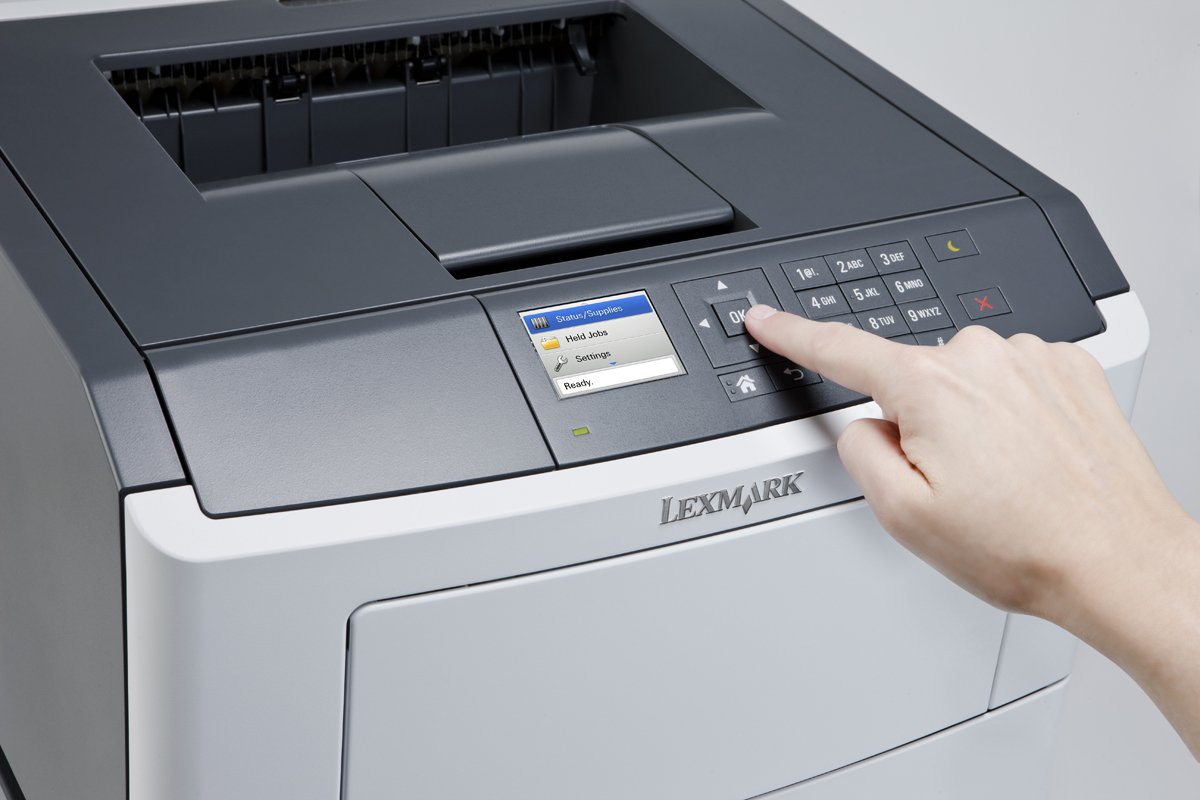
The Lexmark MS315dn is a compact monochrome laser printer designed for professional environments, delivering up to 37 pages per minute with a quick 6.5-second first page. Featuring a 2.4-inch color LCD, built-in duplex printing, 256 MB memory, an 800 MHz dual-core processor, and gigabit Ethernet networking, it combines speed, efficiency, and connectivity in a sleek footprint.
A**R
Great product
Great product for the cost. Been using this about 5 months - no issues - simple and easy set up - very fast document print. Recommend this product
D**.
Worked out well.
Received a copier that did not work as described. Lexmark immediately sent a new one next day delivery that works well. Provided shipping label that covered return shipping. Very professional service. We are pleased.
A**C
Fast printer. Lots of paper jams. Envelope feeding tray not automatic selected
After 1+ year of using the printer, I get to hate it. I gave it 5stars initially, now I have to drop the rating.The printer jams whenever I least like it, with paper not completely ejecting. Clearing up the jam and restarting causes yet another jam. The only way to get it out of this state is to power it off, remove toner and print head, put all back and power back on. Waste of time.I hate the envelope feeder - on my old HP printer, putting a paper/envelope in the manual tray was automatically selecting it (preference to the manual feeder). With Lexmark, one has to explicitly select the feeder when sending print jobs. And selecting from Windows doesn't work either (still uses tray1); in driver I have to select 'use printer setting' and actually make another paper selection change in printer menus. And revert all these when I'm done printing the envelope...Sucks again.At this point I regret not paying more for a HP :-(-----------------I upgraded to this from a ~10yo HP2200 that stopped working. That was a good & printer at its time, and I loved it for its startup time.Lexmark 315 is faster in both accounts, I get the first page out of printer in ~6 seconds (~10 if it's waking from sleep), still very fast.The LCD display is great for making small settings adjustments or just checking or printing settings/status.For sub ~200$, it's a great price on a fast mono laser; I think my HP2200 was more than double when I bought it.The starter toner cartridge has less ink than a new one, and will probably require buying a full one soon - it's a common practice for all printers as far as I can see. Anyway, it still claims it will be good for 3000 pages.The printer has a Centronics parallel port, though it didn't came with a cable for it. I'm surprised this is still present, computers don't have such port anymore. More useful would be to come instead with internal Wi-Fi, and not as a ~50$ MarkNet N8352 add-on to hang outside the printer.Unpacking was a bit challenging, it came with 2 sheets of instructs full of pictures and no description text. I didn't want to pull hard on things for fear of not breaking something (e.g. paper or tape attachments it's clear they have to be removed, but I wasn't sure about a red plastic thing on which I had to pull harder to get it off). One of the paper instructions sets (the one on the toner cartridge) showed I had to remove 2 extra tapes(?) that didn't exist on the imaging unit.Installing the printer was a breeze. I just plugged in to wired network, powered it on, and in ~30 seconds it acquired an IP address and printed a settings page.On computers (Win 8.1, Win 10, Win2012) the install was simply through AddNewPrinter, it was found in the network, next, it downloaded and installed drivers (and the drivers CD that came with the printer was not even necessary).
P**M
Good seemingly robust printer for a decent price. REVISED: TONER LIFE IS AWFUL!
It works great, it hooks up easily, the "out of the box" experience takes just a few minutes, and it prints what you send it.Seriously, at this point you really can't lose with any major-name laser printer, as the technology is decades old. It's a big box, but fit on a pretty small shelf for me just fine. As is typical with network printers, the network setup will only make sense if you know how to do network setup and understand some of the terminology, but it wasn't that hard.What is hard is trying to understand why printer manufacturers ship their printers with a teeny little toner cartridge that lets you print just a few pages. I would think the company that priced them so that you got a full toner cartridge would make out in the "good will" department. But I didn't ding the printer for that.Haven't used it with a PC yet, but worked fine with my Mac.I am revising my review of this printer and only giving it 2 stars. After using it quite a while, I can report that the toner cartridges last a woefully short period of time, and I will probably even discontinue my use of this printer because of that. Just get a real printer from HP.
M**D
then fine to keep printing
Decent quality. Quiet. Slow as heck. Warns up. Prints 1 page. Keeps whirling 30 seconds next page, then fine to keep printing. I bought 2 and they both do the same thing. Easy enough to setup. One on wifi, one on LAN
M**Y
Love this printer!
I've had this printer over a month now and absolutely love it! Still using the starter toner. Prints sharp b&w images as well as crisp lines and text.So super happy with this. The response time via the wireless peinting from my mobile devices is real fast.*you must download the Lexmark app to print from mobile devices, but it works great once you do.
E**E
Great buy!
It's reliable and it's easy to operate. It has speed and I like the two-sided copies. I recommend it.
C**E
Four Stars
working as design
TrustPilot
3 周前
2 周前