We remain fully operational. Our teams are working around the clock to ensure your deliveries continue safely.

下载应用程序


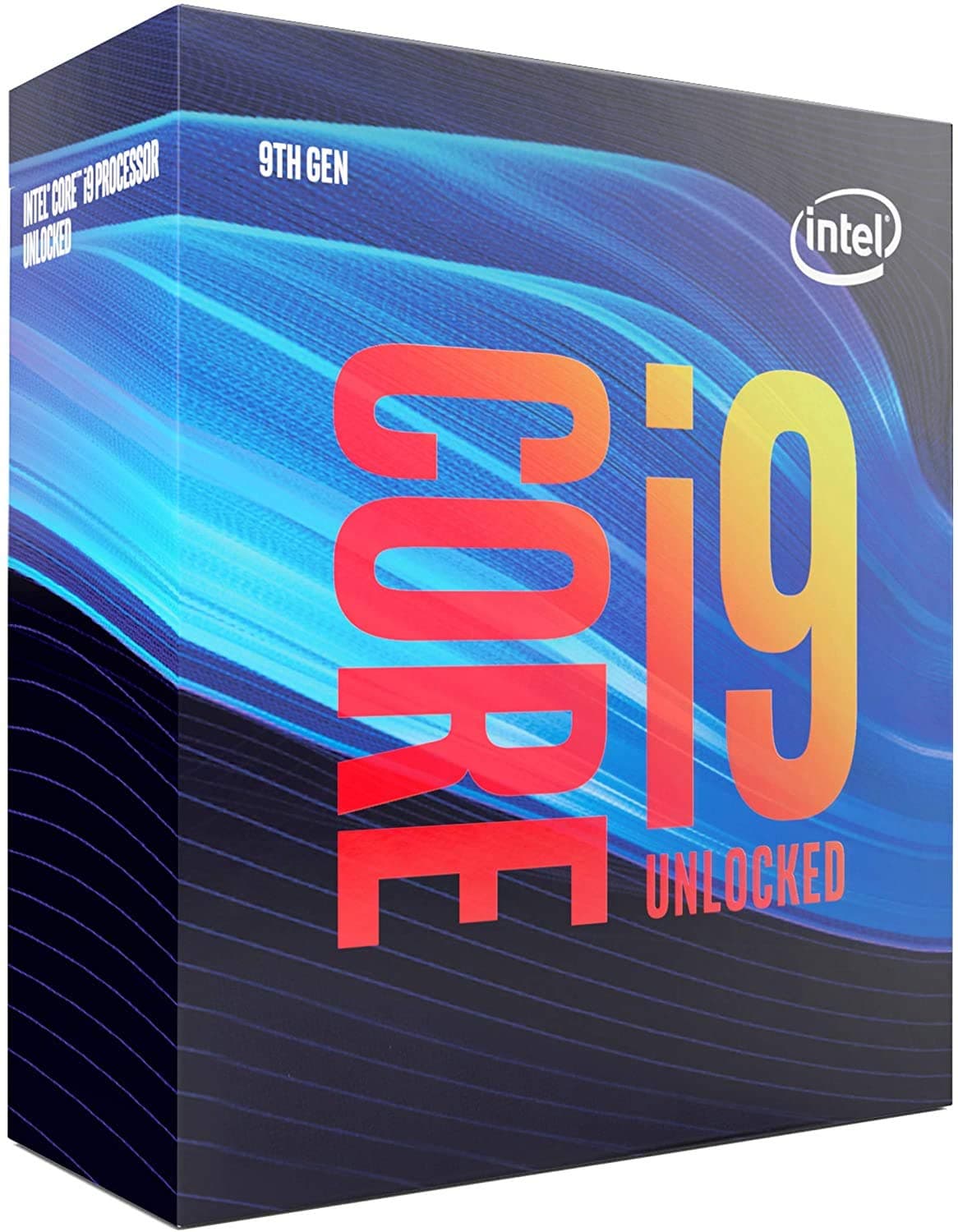
⚡ Unleash the beast: Power, speed, and precision in one chip!
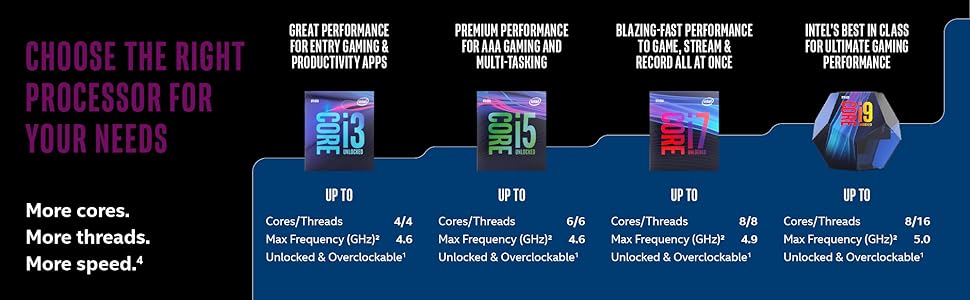
The Intel Core i9-9900K is a high-performance 9th Gen desktop processor featuring 8 cores and 16 threads, capable of turbo boosting up to 5.0 GHz. With 16 MB of cache and unlocked architecture, it supports intense multitasking, gaming, and creative workloads. Compatible with Intel 300 Series motherboards and equipped with Intel UHD Graphics 630, this 95W CPU remains a formidable choice for professionals seeking raw power and overclocking potential.




| ASIN | B005404P9I |
| Best Sellers Rank | #74 in Computer CPU Processors |
| Brand | Intel |
| Cache Memory Installed Size | 16 |
| Customer Reviews | 4.8 4.8 out of 5 stars (6,263) |
| Global Trade Identification Number | 00675901763660, 00735858392426 |
| Item Dimensions L x W | 2.91"L x 4.41"W |
| Item Type Name | Unlocked Desktop Processor |
| Item Weight | 0.5 Grams |
| Manufacturer | Intel |
| Model Number | BX80684I99900K |
| Platform | Not Machine Specific |
| Processor Brand | Intel |
| Processor Core Count | 8 |
| Processor Count | 8 |
| Processor Number of Concurrent Threads | 16 |
| Processor Series | Core i9 |
| Processor Socket | LGA 1151 |
| Processor Speed | 5 GHz |
| Secondary Cache | 16 MB |
| UPC | 735858392426 675901763660 |
| Warranty Description | Altering clock frequency or voltage may damage or reduce the useful life of the processor and other system components, and may reduce system stability and performance. Product warranties may not apply if the processor is operated beyond its specifications. Check with the manufacturers of system and components for additional details. |
| Wattage | 95 watts |
J**I
A BEAST in its day
This CPU was a monster when it came out. Intel was finally forced by Ryzen to put more than 4 cores on consumer chips and we got the 8700K and 9900K, two of the best CPUs ever for their respective eras. That Coffeelake was also the best IPC jump Intel had since Haswell made it a great platform. Both were fast enough to keep up for several generations. And being 8c16t, 9900K still has very relevant performance today. It still performs well in the latest titles excepting a few broken ones; especially so when overclocked. All that being said this was where Intel started to hit the wall with 'Lake' architecture, and it is a fairly power hungry CPU. With even a mild overclock to 4.9GHz this chip uses around 180-200W to achieve what a 5700X or 5800X can do at 65W and 105W respectively. The Ryzen chips even outperform it in emulators and in many modern PC games. Also, at the time anyway, this CPU was not a worthwhile upgrade over 8700K unless you had a specific use-case. The 8700K with an overclock got pretty much identical performance in most things and threw WAY less heat into the room. For me 9900K gave a nice boost in RPCS3 and a few compression related things and not much else. I ended up moving on from it earlier than planned and jumping to a 7900X3D. 3D V-cache gaming performance, combined with the high clock scaling of the non-3D CCD, in a 12c24t CPU makes it a perfect jack of all trades. Nearly twice as fast as 9900K in a few scenarios. That it can do all this at 120W makes the 9900K seem very silly indeed. Granted Zen 4 is a newer CPU by a few years, but that was the comparison I experienced. 10th and 11th gen only got hotter and more power hungry and Zen 4 spanks them pretty hard too. I used this CPU to push a 3080 and then a 3080Ti at 1440p and it did the job wonderfully. I'd still be using it if it weren't for emulators. The 9900K still gave me top-tier performance in most dedicated PC titles and did workstation tasks very nicely. My 7900X3D absolutely mauls it in RPCS3 and Dolphin though. And those are applications where CPU performance legitimately matters and can make a difference between playable and unplayable. Nowadays I wouldn't recommend buying this CPU new OR used. It's still expensive and you can match or beat its performance with a 5700X/3D or 5800X/3D for much cheaper, using less power, and on a platform with newer capabilities. If you can get it very cheap however, or are still using one, there's not an urgent need to get anything better. Particularly if you only use a mid-range GPU like a 4070 or game at 4K where the chance of a CPU bottleneck is less.
S**Y
Are you risky enough to go for medium price MB and beast 9900k?
At first I ordered the 9700k and Asus Z390 Prime-A motherboard. You may ask Why ASUS board why not Gigabyte etc? I used to use Asus all my life (beginning from core 2 duo processors or even Pentium 4). So, the system was ready to go and it was fast, quiet desktop with Fractal Design R4 case and Noctua D15 cooler( with two fans). No more fans than stock ones in my FD case (one for intake and other for outtake at the back). I OCed the system to 48Ghz at 1.26 Adaptive voltage or so (I don't remember exact number of voltage but 100% it was lower than 1.3v). And I created my computer and I looked at it and it was nice :) But then I started to view benchmarks, assessments in syntetic tests and noticed that 9700k is faster than 8700k in most cases. It faster than 7820x in most scenarios but.... But 9900k is much more faster in rendering, photo editing and streaming tasks. In two words, in those cases where multithreading takes place and all real cores + virtual cores are used at their 100%. And ... I made a decision to purchase 9900k. It's a costly investment but I thought I would sell my current X99 5820k computer + sell 9700k processor. It's as good as done. My 9900k was in my hands and.... And only then I discovered from various reviews about bad VRMs out there for medium line ASUS Z390 boards. I was frustrated. How come? Why ASUS did so? Should I buy new motherboard now? My Z390 Prime-A is a medium line MB (in one line with Strix and maybe a little worse than Z390 Maximus Hero). I started to research and came to conclusion (having tons of sources in the net, including video reviews + comments to them, articles, reviews from community etc etc) that my ASUS Z390 Prime-A will be suffice for 9900k with moderate OC. To which extent - this is the question. Will I surrender or try? Am I a risky person? No I am not. But... how hard I wanted to try... I could not control myself and I did it. So... ASUS z390 Prime-A + 9900k + 32Gb 4x8 Corsair Vengence + Noctua D15 + PSU Corsair 650X + two more 140mm fans for my case (one for upper outtake and one additional for front intake) Thermal paste I applied to the processor is Arctic MX2 Also, I must specifically note for people who will use the config. I used discreet graphics card (XFX RX 580), I did not use internal graphics. Maybe usage of internal graphics may cost you more in temperatures and wattage. When I first started my computer I entered BIOS and I STRONGLY RECOMMEND YOU TO IT: TURN MCE OFF IN BIOS. This is the most important thing you can do. Why? Main reason to do so is the MCE puts very high default voltage to the processor. Then increase power limits: Long Duration Package Limit is 190W Package power time window is 2sec Short duration power limit is 220W. Current CPU capability is 170% CPU SVID support Enabled VRM Spread Spectrum Disabled SVID Behaviour Typical Scenario IA AC and IA DC load lines to 0.01 CPU Load Line Level 5 (not sure this parameter works at all due to set previous ones to 0.01) VT-D enabled (ignore if you don't use virtual machines like VmWare or Virtualbox) VMX enabled (ignore if you don't use virtual machines like VmWare or Virtualbox) Now, I played a lot with core multipliers and voltages and came to these results: Core mutlipliers for 2 first cores: 50 Core mutlipliers for another 6 cores: 49 Cache multiplier 43 AVX offset: 3 (I strongly recommend to put this offset) Voltage: Adaptive (I know, many reviewers and commenters do not like adaptive voltage. I like it.) Adaptive Additional Turbo voltage 1.25 Adaptive Offset : +0.015 For memory I set XMP I profile (3200Ghz 16-18-18-36 2T) For your system these voltages may not be appropriate, all depends on your die's quality. Also I played a lot with offset for the Adaptive voltage (see below why). Now the system is ready to go. My ambient temperature in room is 22 C Tests I used: 1/ Prime95 Small FFT non-AVX version. 30 minutes with 4900 on all cores. CPU package temp (hottest core as usual): 75 C Total power to processor according to hwInfo utility: 177W (max) 2/ Prime 95 Small FFT AVX version 30 minutes with 4600 on all cores CPU package temp (hottest core as usual): 76 C Total power to processor according to hwInfo utility: 179W (max, though I notices some peaks to 181W rarely) Where I played the most was the Prime95 with AVX enabled. The issue was that some cores stopped intermittenly (one or two cores) during full load (in 5 minutes or even in 15 minutes). The community recommend to increase VCore a bit in that case. In the continuous process of playing with all this I came the above voltages. I suppose I could put 50 to all cores and 3 AVX offset and get 80 C temperatures but I did not do it as I don't like so high temps. Of course, with regular apps and even other stress testing apps like Cinebench, Realbench, Aida or Asus Exteme Tuning Utility you do not get those temps at all. I double you can actually load the processor that hard (16 threads with 100% load) with any regular app. Let alone for so continuous time... Also I tuned my fan curves so they spin at 90% when CPU temp goes upper than 65 C. So at high load even so super silent case like Fractal Design R4 is loud like a rocket. This all makes me conclude that all those talks about loose VRMs on these boards are no more than just talks. Of course I don't know for how long the processor + MB will last in my scenarios but it works nice so far (3 weeks) with regular loads: compilation, photo editing, virtual machines etc. From this point I can compare my old computer (Asus X99-E + 5820k overclocked to 4200Ghz) to this new one. Forgot to mention, by the way, I use NVME Samsung 960 EVO 500Gb drive in my system. On older one I used Samsung 860 EVO 500Gb. Everything runs faster, and works blaze faster on newer PC. The system with 5820k even OCed at 4200 was somewhat meditative at moments (maybe old Win7 OS with bunch of trash slowed it down or what). I will make additions to the review when I will have something to add.
P**R
Is it i9. Don't make me laugh, if tou use your SL no and batch no. In intel site then there is only 2.7 years of warenty. And if you benchmark it then it performs like a i5. We know that there is a shortage, but bro you chose a wrong person to sell this overpriced processor. I have already filed a complaint. But there is so much delay in processing that. Let's see what will happen
D**O
Works as intended, slightly pricey especially with the multiple high end options available nowadays but fantastic performance.
R**O
Reduje 40% el tiempo de render
P**O
Ahora que ha salido la décima generación supongo que habrá bajado de precio si lo pillas en torno a los 350 euros es un micro increíblemente bueno, me decante por este y no por AMD Ryzen porque lo tengo montando en un Hackintosh y va como la seda, atentos con las temperaturas, yo lo tengo a sus frecuencias nominales nada de overclock pero me consta que sube muy bien todos los cores, eso si, si vas a necesitar un buen disipador, no viene incluido, yo lo tengo con una refrigeración liquida y no me pasa de los 35 grados trabajando con el en programas de edición
S**N
Good product! I'm Using Since 2020 Still No Issue
TrustPilot
1天前
2 周前