We remain fully operational. Our teams are working around the clock to ensure your deliveries continue safely.

下载应用程序


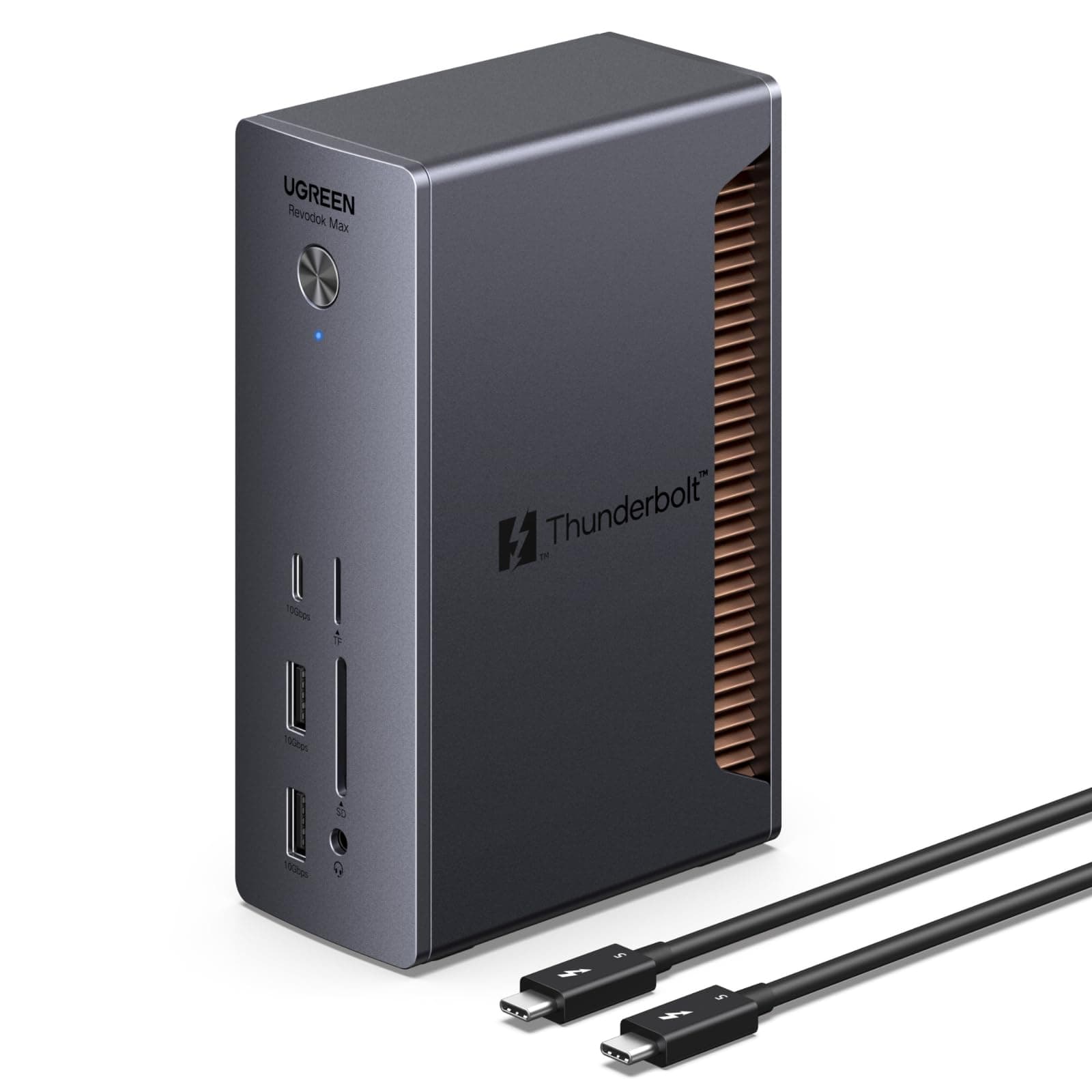

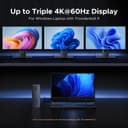
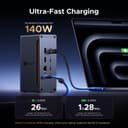
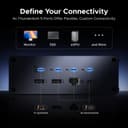
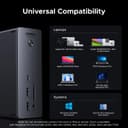
Shop UGREEN USB Hub 3xTBT5 2xUSB-A3.2 1xUSB-C3.2 2xUSB-A3.0 SD/TF. Free delivery and returns on eligible orders. Review: I bought this to replace my older UGREEN 7-in-1 USB-C hub. In hindsight, the upgrade might not have been strictly necessary for my setup, but I was running that hub about 8 hours a day off my MacBook Air M2, and it would get noticeably hot, especially while also acting as a PD charging source. I did not want to cook the hub over time or risk it failing in a way that could potentially cause issues for my laptop, so I started looking for a more “stationary” long-term solution. That is what pushed me toward a dock. Docks are basically the all-in-one, leave-it-on-your-desk solution, but most of the premium options are expensive. The obvious high-end choice is CalDigit, but once you get into TS5 / TS5 Plus pricing it was hard to justify for me. At those prices, I would rather let a cheap hub eventually die and replace it. After comparing a bunch of options, I landed on this UGREEN Revodok Max 2131 for $270 (down from $299). It checked the boxes I actually cared about: * A brand I already trusted for hubs and docks * Something designed to run as a desk “lifeline” long-term * At least one higher-power port (30W) so I can charge an iPad and other devices without adding extra bricks/cables * Plenty of high-bandwidth ports for current and future use Once I got it, it was basically perfect for what I wanted. It has been a clean, single-cable dock setup for my MacBook (first the Air M2, now my MacBook Pro M4) and it feels like a much more serious, set-and-forget solution than a small travel hub. Right now I am in a dorm with limited space, so the dock currently sits on top of my cable box just to keep my desk usable. Even in that awkward placement it has been reliable. When I am back home and can actually keep it on my desk where it belongs, it looks very sleek and fits the “one cable” desk setup perfectly. The one downside is a USB-A compatibility quirk with my setup. My UGREEN USB switch/KVM (for sharing a keyboard and mouse between my Windows PC and Mac) did not work on the rear USB-A ports the way it did on my older UGREEN 7-in-1 hub. It did work on the two front USB-A ports, so it is not really a functional problem, but it is slightly annoying for cable management/aesthetics since I wanted everything plugged in behind the dock. If you also run a KVM/USB switch, keep that in mind. Otherwise, this has been a great dock that offers most of what I wanted from the premium brands without the premium price. Review: Thunderbolt5対応で、近々PC更新予定のある方が将来性見越して買っても良い商品。 セール時の購入がオススメであるが、Thunderboltの口を3口に増やせる物の中では比較的安価。(2口増やせるものはあるが3口はまだ少なめ) 注意点としては映像出力が無いので、モニタ繋ぎたい方には不適。ThunderboltとUSB-C、USB-Aを増やしたい方向け。















| ASIN | B0DCNZNCFH |
| Brand Name | UGREEN |
| Customer Reviews | 4.0 4.0 out of 5 stars (81) |
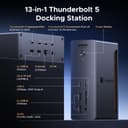
| Hardware Interface | 3.5mm Audio, Ethernet, Secure Digital Card, Thunderbolt 4, USB 3.0, USB 3.2 Gen 2, USB Type C |
| Manufacturer | Ugreen Group Limited |
| Number of Ports | 13 |
| Total USB Ports | 5 |
| Wattage | 140 watts |
Z**S
I bought this to replace my older UGREEN 7-in-1 USB-C hub. In hindsight, the upgrade might not have been strictly necessary for my setup, but I was running that hub about 8 hours a day off my MacBook Air M2, and it would get noticeably hot, especially while also acting as a PD charging source. I did not want to cook the hub over time or risk it failing in a way that could potentially cause issues for my laptop, so I started looking for a more “stationary” long-term solution. That is what pushed me toward a dock. Docks are basically the all-in-one, leave-it-on-your-desk solution, but most of the premium options are expensive. The obvious high-end choice is CalDigit, but once you get into TS5 / TS5 Plus pricing it was hard to justify for me. At those prices, I would rather let a cheap hub eventually die and replace it. After comparing a bunch of options, I landed on this UGREEN Revodok Max 2131 for $270 (down from $299). It checked the boxes I actually cared about: * A brand I already trusted for hubs and docks * Something designed to run as a desk “lifeline” long-term * At least one higher-power port (30W) so I can charge an iPad and other devices without adding extra bricks/cables * Plenty of high-bandwidth ports for current and future use Once I got it, it was basically perfect for what I wanted. It has been a clean, single-cable dock setup for my MacBook (first the Air M2, now my MacBook Pro M4) and it feels like a much more serious, set-and-forget solution than a small travel hub. Right now I am in a dorm with limited space, so the dock currently sits on top of my cable box just to keep my desk usable. Even in that awkward placement it has been reliable. When I am back home and can actually keep it on my desk where it belongs, it looks very sleek and fits the “one cable” desk setup perfectly. The one downside is a USB-A compatibility quirk with my setup. My UGREEN USB switch/KVM (for sharing a keyboard and mouse between my Windows PC and Mac) did not work on the rear USB-A ports the way it did on my older UGREEN 7-in-1 hub. It did work on the two front USB-A ports, so it is not really a functional problem, but it is slightly annoying for cable management/aesthetics since I wanted everything plugged in behind the dock. If you also run a KVM/USB switch, keep that in mind. Otherwise, this has been a great dock that offers most of what I wanted from the premium brands without the premium price.
A**ー
Thunderbolt5対応で、近々PC更新予定のある方が将来性見越して買っても良い商品。 セール時の購入がオススメであるが、Thunderboltの口を3口に増やせる物の中では比較的安価。(2口増やせるものはあるが3口はまだ少なめ) 注意点としては映像出力が無いので、モニタ繋ぎたい方には不適。ThunderboltとUSB-C、USB-Aを増やしたい方向け。
G**J
This dock is great. I have it connected to my M4 Pro MacBook Pro and it's fantastic. Great selection of ports. So nice to have all the ports I need instead of just the USB/Thunderbolt ports on the MacBook. Provides all the power needed to charge my MacBook. Also provides a connection to my monitor and external drive. I put my MacBook on the desk and only have to plug in one Thunderbolt cable to turn it into a desktop machine. Wonderful. It's pricey, but you can't beat the performance and convenience. It's really cleaned up my desk. I can't really speak to the I/O speed. I haven't run any actual tests but so far, moving large files to and from multiple connected SSDs around seems ridiculously fast. I looked at every dock I could before I decided on this one and I'm really pleased I chose it. It's working out perfectly.
紅**梅
iPad pro(M5)で 外部モニターに画面出力しつつ充電もできて、音声はDACを介してスピーカに出力したい。加えて机上でiphoneの充電や、ipadのデータをSDや外部SSDに移したい。机上に据え置けるものがいい。折角買うなら、高くてもこの先長く使える最新規格のものが欲しい。 これらの要望を満足するものを探していて見つけたのがこの商品。 そもそもこのタイプのドックはmacやwinノートPC用で、ipadで画面出力できるかは怪しかったが、この商品はipadに対応との表記があったため購入。 他にもANKERのAnker Prime ドッキングステーションがありましたが、こちらはipadに対応との表記がなかったため、除外した。 前面の差組口がアップストリームと思い込んで、Thunderbolt 5ケーブルを使用し接続してしまい、画面出力ができなかった。あまつさえ、別途Anker Nano USB-C & HDMI ケーブル(タイプC-HDMIの変換ケーブル)を購入し、試したが当然ダメだった。 説明書を読みなおし、やっと間違えに気づき、差し直したところ、問題なく表示された。 背面のtype-cダウンストリームと、type-Aの差込口はどちらも音声出力ポートとして使用できます。 そのままスピーカーに接続してもいいし、DACに接続してもいいです。 私のような使い方は稀でしょうが、差し間違えには気を付けてください。 ipadのデータを移せるか否かは、試していないのでわかりません。
A**R
Nice Dock with plenty of power and ports. I typically am really satisfied with Ugreen products and would have given 5 stars. However, this Dock will not work with YoutubeTv and Max using MacOS. It has an issue with HDCP (High-bandwidth Digital Content Protection) when trying to stream on an external monitor through the USB-C connection. Wish they would put a Display port on this.