
下载应用程序



⌨️ Elevate your workspace with the sleek, smart, and hygienic keyboard everyone’s talking about!
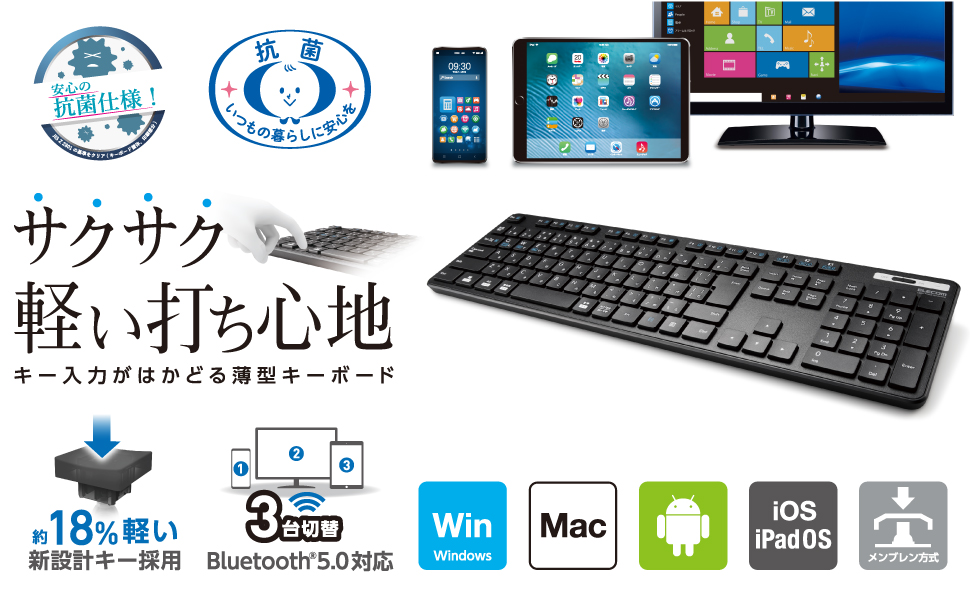
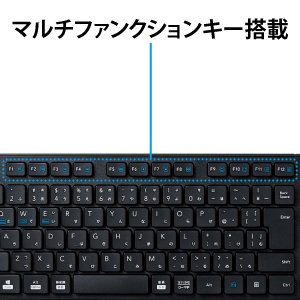
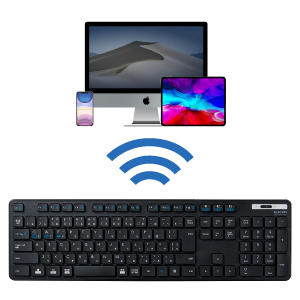
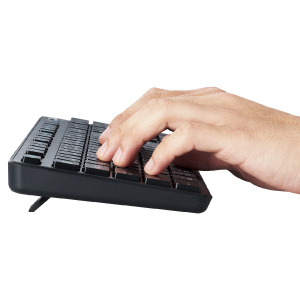
The Elecom TK-FBM120KBK/EC is a full-size wireless Bluetooth keyboard featuring a JIS antibacterial surface, Bluetooth 5.0 connectivity with up to 3-device multi-pairing, and a slim, lightweight membrane key design. Compatible across Windows, macOS, Android, and iOS, it offers an 8-month battery life and ergonomic typing with a 19mm key pitch and 2.5mm keystroke, making it a versatile and hygienic choice for professionals on the go.











| ASIN | B08TMK8GSC |
| Amazon Bestseller | #380 in Computers ( See Top 100 in Computers ) #7 in Computer Keyboards |
| Batteries Included | Yes |
| Batteries Required | Yes |
| Brand | エレコム(ELECOM) |
| Color Name | Black |
| Compatible Devices | Compatible models: Windows OS, macOS, Chrome OS, IOS, iPad OS, and Android OS that support the HOGP profile, Compatible operating systems: Windows 11, Windows 10, Windows 8. |
| Connectivity Technology | Bluetooth |
| Customer Reviews | 3.7 3.7 out of 5 stars (2,993) |
| Date First Available | February 1, 2021 |
| Included Components | 1 x AAA alkaline battery for confirming operation |
| Item Model Number | TK-FBM120KBK/EC |
| Item Weight | 0.5 Kilograms |
| Item model number | TK-FBM120KBK/EC |
| Manufacturer | エレコム(ELECOM) |
| Material | Plastic |
| Operating System | Compatible models: Windows OS, macOS, Chrome OS, IOS, iPad OS, and Android OS that support the HOGP profile, Compatible operating systems: Windows 11, Windows 10, Windows 8. |
| Product Dimensions | 44.15 x 12.76 x 2.5 cm; 500 g |
| Release date | March 16, 2021 |
| Size | フルサイズ |
| Special Features | Antibacterial, Low Profile |
M**L
A great budget keyboard that is easy to use, even by foreigners.
I had ordered my TK-FBM120 to aid me in learning Japanese (when I have time), and so far, it is doing very well, with minimal configuration needed from my side with my preferences for different OSs (Linux (Solus), Windows (10), Android), and none needed for just typing (even Elecom's app was not needed on Android, since GBoard provides the necessary keyboard layout). Oddly enough, on Android, with both GBoard's layout and Elecom's layout (which are identical), the Kana are not mapped properly, however, which requires me to rely upon autocorrect with Romaji, rather than directly type the Kana I wish, on Linux and Windows I have no such issues. It seems to have a very similar, if slightly different, design to my PC230A (manufactured by Shenzhen Qianhai Patuoxun for PONVIT and by Dongguan Yuzhenrong Trading Corporation for Lovaky, as well as for other brands), but with slightly higher quality, so I wonder if Elecom works with the same factories. 2 things I would have preferred different are 1. having LED indicators for Numlock and Scroll Lock (Scroll lock would have also been nice, if very niche nowadays and not really needed); 2. A 2.4Ghz non-Bluetooth mode, with a 2.4Ghz non-Bluetooth adapter included. All else, though, is absolutely great, from the replaceable battery (rechargeable NiMH, like Panasonic's/Sanyo's Eneloop or IKEA's Ladda, would have been very nice to see), to the easily accessible battery and adapter compartment, to the on/off switch, all of which should be more common amongst wireless devices such as keyboards.
N**E
接続もスムーズですぐ認識されました。 複数のPCでの使用が出来る機能を期待していたので、Bluetoothの子機が一つも付属されて無い点だけが残念。
く**み
3台切り替えて使えるのでレビュー読まずに注文 100%個人的な感想 静音性→良い 打鍵感→好きじゃない ストローク→イマイチ中途半端 スムーズさに欠ける 再接続性→キーボードスリープを知らずに入力すると焦る 今どのチャンネルかキーボードには表示されない ここまでの状況を総合すると私にはチャタリング多発するキーボード認定 想定している文字が入らない・押せていない・押しすぎている状況が多発してストレス溜まりました。 改善するのは無理なので慣れるしかないのが現状です。 追記で 接続性→OKだけど初期接続セットキーの作法を忘れるのでキーボード裏に貼ってほしい いちいち検索してELECOM該当ページの使用方法探すのが面倒
H**O
Elecomの日本語配列のコンパクト・薄型キーボードです。 キーボード本体も非常に軽く、でも足の部分にゴムがついて いますので、ずれる事もありません。 キータッチも軽め。ノートパソコンのキーボードに近い 操作感です。 私自身は US 配列に特化した体になってしまいましたので、 EnterキーやBackspaceキーなどで打ち間違いが多いです。 日本語配列に慣れている子供が外付キーボードとして 使用するには十分です。 TKLなので幅が狭いのも良いところです。テンキーは 別置きで置いた方が、個人的には良いと思います。 Bluetooth の接続性もよく、途切れることはありません。 日本語配列が好みの人で、ノートパソコンの外付キーボードとして 使うのであれば、コスパは間違いなく良い品だと感じました。 オールプラ性で安っぽく見えますが、価格相応だと思います。
ク**ー
マウスの時もそうだったけれど、エレコムの製品にはBluetoothアダプターが付属していません。スマホ、タブレット、ノートパソコンなど端末にBluetooth接続機能がついてる分には問題ありませんが、一般的なデスクトップパソコンにはついていない場合が多いです。そのためデスクトップパソコン用のキーボードとして購入を検討される場合は、自分のパソコンにBluetooth機能がついてるかどうかの確認は必ず行う必要があります。 Bluetoothアダプターも別で買えば1000円を超えてきますので、それを省いて価格を抑えているのかと思いきや、同価格帯でアダプターの入ってる製品はあります。確認するのが面倒くさかったら他の製品を買った方がいいでしょう。 昔は付属していたであろうくぼみの金型も修正せず、今時Bluetoothのついてないパソコンなんか使う方が悪いのだから外せという自分勝手な考え、製品にもわかりやすくそのことを警告しない無神経さ。これら全ての点においてエレコムというメーカーの姿勢がよくわかります。2度とエレコムの製品は買いません。 ちなみにBluetoothアダプターはあると便利なので新規に買いました。それとこれは別問題。坊主憎ければ袈裟まで憎い。
シ**ル
3台のパソコンの切り替えができるので購入。今は1台のパソコンのみで使用。パソコン側の問題化もしれませんが、Bluetoothが時々切れてしまい、電源を入れなおしても反応なし。パソコン側でBluetoothをOff→Onすると復活。
き**う
同価格帯の商品と迷いに迷ってこちらを購入しました 静音性を重視していたのですが、打鍵音はほぼ聞こえません! ネイルが長いとカチャカチャはしちゃうけど、気にならない程度 在宅仕事のため、仕事用のPCとプライベートのiPad・iPhoneで使用したく、接続端末の切り替えをボタン一つで操作できるのは大変助かります! 機種によってキーボード配列も変えられて不便なく使用できています 無線だからといって接続が悪いこともなくストレスフリー!購入して良かったです^_^
Y**A
無線キーボードは一番下左側のCtrl-Win-Alt-無変換の間にFnキーを置きがちですが、このキーボードはそれが無くてとても良いです。 PCの接続も切り替えも問題ありません。 機能、サイズ感、キー配列ともに良かったのですが、チャタリングが酷いので処分する事にしました。 同時に買った同じ機能のTK-FBM111BKはチャタリングしなかったです。