We remain fully operational. Our teams are working around the clock to ensure your deliveries continue safely.

下载应用程序


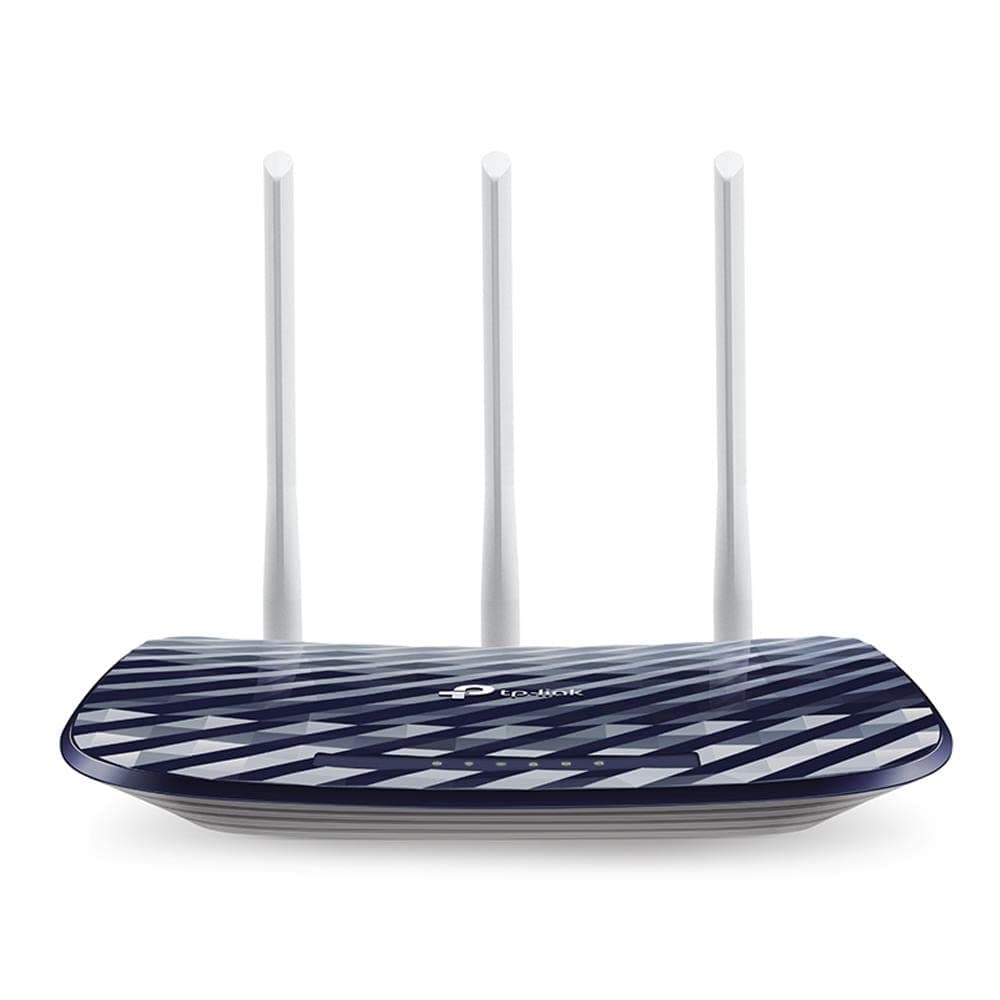

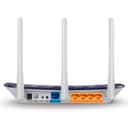
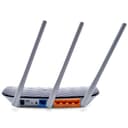
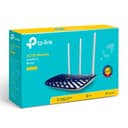
🚀 Upgrade your network game with TP-Link Archer C20 — speed, control, and style in one sleek package!
The TP-Link AC1350 Archer C20 Wireless Router delivers next-gen 802.11ac dual-band Wi-Fi with speeds up to 1350 Mbps, 3x faster than wireless N. It features a convenient Wi-Fi on/off button for EMF-conscious users, robust security, and can double as an access point to extend your network. Compact and stylish, it’s a reliable, budget-friendly choice for professionals seeking fast, flexible home networking.
| ASIN | B016LL724S |
| Antenna Location | Security |
| Antenna Type | Fixed |
| Best Sellers Rank | #98,596 in Computers & Accessories ( See Top 100 in Computers & Accessories ) #2,186 in Computer Routers |
| Brand | TP-Link |
| Built-In Media | Package Contents AC750 Wireless Dual Band Router Archer C20Power AdapterRJ45 Ethernet CableQuick Installation Guide |
| Color | Purple/White |
| Compatible Devices | Personal Computer |
| Connectivity Protocol | Ethernet, Wi-Fi |
| Connectivity Technology | Wireless;USB |
| Control Method | Touch |
| Coverage | strong |
| Customer Reviews | 4.5 out of 5 stars 6,651 Reviews |
| Data Transfer Rate | 867 Megabits Per Second |
| Frequency | 5 GHz |
| Frequency Band Class | Single-Band |
| Global Trade Identification Number | 06935364080730 |
| Is Modem Compatible | No |
| Item Weight | 590 Grams |
| LAN Port Bandwidth | 100 Mbps |
| Manufacturer | TP-LINK |
| Maximum Upstream Data Transfer Rate | 867 Megabits Per Second |
| Mfr Part Number | Archer C20 |
| Model Name | ARCHER C20 |
| Model Number | Archer C20(US) |
| Number of Antennas | 3 |
| Number of Ports | 4 |
| Operating System | Linux [guess] |
| Other Special Features of the Product | WPS |
| Security Protocol | WEP, WPA-PSK, WPA2-PSK |
| Special Feature | WPS |
| UPC | 845973091606 845973080730 |
| Voltage | 220 Volts |
| Warranty Description | No Warranty |
| Wireless Communication Standard | 802.11ac |
| Wireless Compability | 802.11ac |
H**O
You can turn the Wi-Fi signal on and off with a simple button.
Perfect for those who prefer to avoid too much wireless EMF radiation this router gives the option to turn it off and on with an easy button without having to reconfigure anything in the setup. It also give the option for it not to be used as a router but as an access point to become an extension of the ports of your internet provider base. Accessing configurations and setting it up is still not as user friendly so you need to be prepared to do some reading if you plan to customize this to your needs but once you figure it out, it works well every time.
R**R
Problems Setting Up
I was having several problems with setup. After a couple hours I decided it was not worth the effort and am returning it. I only bought this to use while my main, more expensive router, was getting warranty work, and as a future backup. My guess is that once set up it probably would be a good router. Price is certainly very attractive.
C**R
Good
The setup was very easy, and the UI is great for anyone to navigate.
V**O
Not Very Happy With This Router
My previous router had become increasingly unrealizable, to where I had to reboot it frequently every day, so I decided to replace it with this super-cheap router. For the $20 I paid, I probably shouldn't complain too much, but it doesn't work particularly well for me. Basically the signal is terrible. One small room away, the signal barely reaches, and two rooms away there's nothing. I have a decent IT background and thought it was really easy to set up. I first tried to set it up as a range extender (it's one of the setup options), but the software was so full of bugs that I had to abandon that configuration and set it up as an access point. In the end, I kept this router because it was at least fully reliable, and I no had to keep rebooting it. I would add that it's ridiculously light (in a bad way), and has plastic, not rubber feet, causing any Ethernet cable plugged into the back to pull it right off the shelf (cable is heavier than router. You'll have to mechanically secure it somehow. If you're on an extremely limited budget and only need a router to work within one medium-sized room, and don't need super-high speeds, this might be okay for you. I'd recommend purchasing a better one which will probably costs more, as this isn't a good way to save money. Fast shipping; packaged well.
R**K
internet speed 85mbps
Not satisfied with this wifi. 300mbps plan i have and this wifi give only 80mbps speed. west of money
A**R
ethernet cord
was crushed after rolling breaking the wires in several spots and rendering it useless.
R**Z
Won’t get over 100 mbps
This product is advertised with a very high Mbps and most of us will never get these speeds because the WAN connection (your wired connection to your cable modem) is limited to 100 MBps by the hardware.
T**L
Dropped speeds. Slow
The router is only 3 feet from the adapter and it keeps dropping speed. You have to wait for webpages to load and I haven't seen that in long time. Either the WiFi chip gets too hot or the firmware is not good
TrustPilot
1 个月前
4天前