
下载应用程序



🚀 Compact Powerhouse: Big Performance, Tiny Footprint!
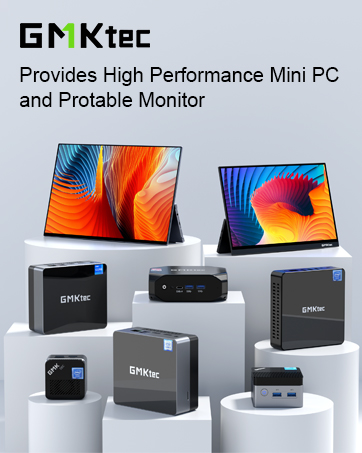
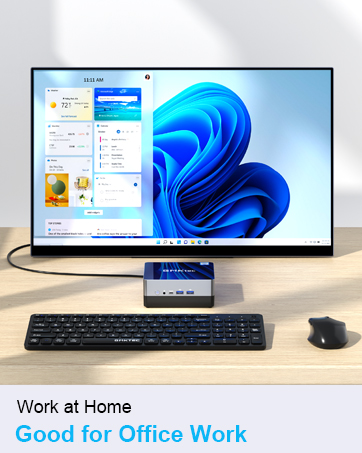
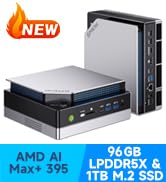
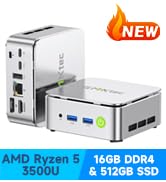
The GMKtec Mini PC packs an Intel Core i7-1185G7 processor with speeds up to 4.8GHz, 16GB DDR4 RAM, and a 512GB NVMe SSD into a sleek, compact chassis. It supports triple 4K displays, WiFi 6, Bluetooth 5.2, and 2.5Gbps Ethernet for ultra-fast connectivity. Designed for professionals craving high performance with low power consumption and silent operation, this mini PC is perfect for multitasking, media editing, and demanding office workflows.













| ASIN | B0DM4WL2JQ |
| Best Sellers Rank | 7,128 in Computers & Accessories ( See Top 100 in Computers & Accessories ) 20 in Desktop PCs |
| Brand | GMKtec |
| Colour | Black |
| Computer Memory Type | DDR4 SDRAM |
| Connectivity Type | Wi-Fi |
| Customer Reviews | 4.5 4.5 out of 5 stars (654) |
| Date First Available | 6 Nov. 2024 |
| Graphics Card Description | Integrated |
| Graphics Card Interface | Integrated |
| Graphics Card Ram Size | 16.0 |
| Graphics Chipset Brand | Intel |
| Graphics Coprocessor | Integrated |
| Graphics RAM Type | DDR4 SDRAM |
| Guaranteed software updates until | unknown |
| Hard Disk Description | SSD |
| Hard Disk Rotational Speed | 7200.0 |
| Hard Drive Interface | PCIE x 16 |
| Hard Drive Size | 512.0 |
| Item Weight | 1 kg |
| Item model number | GMKtec NUCBOX |
| Manufacturer | GMKtec |
| Maximum Memory Supported | 32 GB |
| Memory Clock Speed | 3200 MHz |
| Memory Technology | DDR4 |
| Number of HDMI Ports | 2 |
| Number of USB 3.0 Ports | 4 |
| Operating System | 11 Pro |
| Package Dimensions | 18 x 16 x 14.99 cm; 1 kg |
| Processor Brand | Intel |
| Processor Count | 1 |
| Processor Socket | BGA 1528 |
| Processor Speed | 5.0 |
| Processor Type | Intel Core i7 1185G7 |
| RAM Size | 16 GB |
| Resolution | 3840x2160 |
| Screen Resolution | 3840 x 2160 |
| Series | GMKtec NUCBOX |
| Wireless Type | 802.11ax |
S**.
Just an awesome machine! A+++
I recently took delivery of the GMKtec K10 with 32GB RAM and a 1TB SSD, and I have to say, it's seriously impressive. This is actually my second mini PC from GMKtec, the first was the Nucbox m3 plus and at this point, I wouldn’t consider buying from anyone else. The k10 outperforms the m3 and I would say is worth the extra cost if you use you computer for tasks requiring substantial power such a gaming etc. The packaging was solid and secure — you could tell they put care into it — and the unboxing is of premium quality. Performance-wise, it’s fast, quiet, and handles everything I throw at it — from office work and multitasking, heavy editing which includes media playback and uploading is done in a snap. Boot times are almost instant, apps open quickly, and it doesn’t even get warm under pressure. It’s compact but powerful, easy to set up, and the range of ports is great for dual monitors and peripherals when trading and or editing too. Honestly, for the price, I don’t think there’s a better option out there right now and I will be recommending GMKtec and these machines to others.
Y**R
What a machine - no heat and brilliant performance (512GB / 16GB version)!
I've had my NUCBOX K10 a week, so it's early days - it's the cheapest in the range with 512 GB memory and 16 GB RAM, but enough for my use. Bought at a good price on an Amazon timed deal prior to Black Friday. I was attracted by the 8 USB ports, seperate "industrial" COM port which I may later use, and the metal case. Also the external WiFi antennae were a stand out - not that I use them just now as I couple to the Internet via CAT5. I'm a radio amateur and not a gamer - which means I need all the 8 USB Ports and more via a hub to connect to communications equipment - these are two transceivers for short wave comms and VHF, a Morse Code electronic keyer, a software defined receiver, two antenna rotator controllers and then the usual stuff like a wireless keyboard, mouse, printer, scanner and SSD for backups that most readers of this review will use. I have two 24" iiyama monitors connected via HDMI - I may go to three later. I run Office 2024 applications and use the usual browsers and utilise over 40 programs for amateur radio and general office/admin type use in my home. To say I am impressed with this small unit is an understatement. It sits on my desktop in complete silence in use. I have never yet heard the fan operating and there is no heat apparent on the outside of the case for the use it gets. It boots up quickly, runs all my programs simultaneously on Windows 11. It is an absoloute delight. Previously I have used HP ex-corporate desktop computers with SSDs installed which were available cheaply. These are fast PCs and lasted for years. However, despite running Windows 11 the ageing processors were more than 10 years old and Microsoft have been unable to provide security updates for several months - so I bought this Nucbox K10 and I am delighted with it. My only criticism is the pre-installation by GMKtec of around 13 different language programs for Windows 365 and Windows One Note. As a licenced user of Microsoft Office 2024 I have no use for these programs. It took me over an hour to remove the files before configuring the PC with my own software and settings. Just a minor point I thought I would mention. If you buy one I wish you well - I'm very satisfied with what I got for my money.
S**V
Really good machine for office, programming and HOME LAB - got Ubuntu on it
I work in IT and currently own around 17 PCs, but I’ve recently grown to really appreciate modern mini-PCs. They’ve become surprisingly powerful and efficient. I’m using this one as a Kubernetes node in my home lab, and it’s also running several Docker containers without issues. I connect to it via SSH and have Ubuntu installed — everything works smoothly. For everyday use, this mini-PC is more than enough for tasks like office work, browsing the internet, or streaming videos. It’s also a great option if you want to set up a small personal lab environment. I also own a high-end mini-pc that cost me around £1,000, which is fantastic for gaming but overkill for lab purposes. That’s why I chose this mini-PC - and I highly recommend it if you’re looking for something compact, affordable, and reliable.
M**S
Do NOT connect to your network for the initial setup.
Initially, very disappointed as I had problems with it freezing during the initial setup. I had connected the PC to my local network for setup. When packing the item for return, I read the small yellow label that was over the network socket. This is in microdot format, and I needed a magnifying glass to read it. The label instructs you NOT to connect to your network for the initial setup. Setting up with the PC not connected to my network, all went well, and I am very pleased with the performance. Normally, a Windows device needs to have a network connection for the initial setup. The handbok may be OK but the print is so small I cannot read it.
D**L
Great value
Great piece of kit Arrived the day after I ordered it. Easy set up without any hitches. Quiet, compact and easily capable of handling my home office 365 stuff. Brilliant price. Can’t comment on longevity, time will tell.
T**O
5 ⭐
Absolutely brilliant, easy to install, fast, very quiet, well built worth every penny
P**S
Superb mini computer.
The mini computer is excellent, the startup process was easy and the configuration went without a problem. It is the i9 and is more than I expected performance wise, but perhaps some people might prefer the i9 ultimate. Overall I am delighted with its performance and the reasonable price.
J**Z
Equipo compacto, eficiente y de baja sonoridad. Es ideal para tareas de ofimática, media center e incluso juegos ligeros. La actualización de la CPU del Intel N100 a la Intel N150 te da un plus de rendimiento, sobre todo a nivel de gráficos, que hace que la experiencia de usuario sea mas fluida. En multitarea si que se siente un poco mas limitado, sobre todo cuando Windows esta actualizando, pero en general se comporta bastante fluido. Si eres usuario de Linux, con Ubuntu tendrás una experiencia mejor, y sin limitaciones. En Idle consume unos 12-14W, y a plena carga, con CPU+GPU al máximo, llega hasta unos 29W, todo ello con una sonoridad muy baja. En resumen, compra recomendada si estas buscando un equipo compacto para tareas sencillas sin desembolsar un importe elevado.
M**A
Super,
P**L
✅ Prestazioni: sorprendenti 📄 Sysbench I/O – 5GB file test, 4 thread, 30s (con fsync attivo) - test realistici, perfetti per valutare performance NAS/server: - Lettura sequenziale: 16.3 GB/s - Lettura random: 13.9 GB/s - Scrittura sequenziale: 524 MB/s - Scrittura random: 26.86 MB/s Non sono benchmark teorici: sono numeri "real world" con sincronia attiva, ideali per workload come backup, journaling e database. La scrittura random è particolarmente buona per un NVMe su piattaforma low-power. 🧠 Sysbench RAM: - Scrittura memoria: 25.3 GB/s (16 GB in 0.64s) 🌐 iperf3 – LAN 2.5Gbit: - throughput reale: 2.35 Gbps bidirezionali (quasi massimo teorico saturato!) 💡 Cosa mi ha colpito: - CPU Intel N150 efficiente: 4 core/4 thread, buoni clock boost e TDP ridottissimo - Dual M.2 SSD → RAID software e IO eccellenti per un mini-PC - LAN 2.5GbE Intel i226-V stabile e supportata nativamente su Linux - Consumi bassi anche sotto stress (~5W idle, ~24W max carico) - Nessun throttling termico, silenzioso anche sotto carico 🎯 Ideale per: - Proxmox VE o PBS - Jellyfin/Plex - NVR (Frigate, Scrypted NVR, etc) using openvino or Coral - Pi-hole, AdGuard, Docker - Mini NAS o server per backup automatici - Uso ufficio 🔻 Unico limite: - GPU Intel UHD adatta a desktop/video, ma non a carichi grafici seri 💬 Conclusione Dopo test reali su Fedora e successivamente su PBS, posso dire con certezza: il GMKtec G3 Plus è perfetto per uso ufficio o per un server compatto, efficiente e stabile. Ottimo per chi cerca un'alternativa a un NAS x86 tradizionale, già pronta per Linux, Proxmox, container, backup e storage serio. Tutto in una scatolina silenziosa da pochi watt.
M**.
Der GMKtec G3 Plus Mini PC hat mich wirklich positiv überrascht. Die Leistung des Intel Twin Lake N150 in Kombination mit 16 GB RAM und der schnellen 1 TB NVMe-SSD reicht locker für Office, Multimedia und sogar leichte Bildbearbeitung. Der kleine Rechner läuft leise, startet schnell und bleibt auch bei längerer Nutzung angenehm kühl. Besonders praktisch finde ich die vielen Anschlüsse und das kompakte Design, das kaum Platz auf dem Schreibtisch braucht. Insgesamt ein sehr solides Gerät mit starkem Preis-Leistungs-Verhältnis.
B**E
I love this little thing. The performance is impressive. It has 12 gigs of RAM so its quick. The hard drive that it comes with holds an adequate 256 gigs. Lucky for me it also has a micro SD slot for memory expansion. I added another 512 gigs SD card for a total respectable 768 gigs. I bought this mini-computer to use with flat screen TVs that that I have in the house. Now, while my wife watches her shows in the living room, I watch mine on the TV in the dinning room using the TV sound or Bluetooth headphones so as not to disturb anyone else. I can also edit YouTube videos and audio for our church podcast. It's so small that I can easily move it from room to room or take it with me. It came with Windows 11. I installed Linux Mint on it. I am impressed with the stylish plastic case and over all build quality. The fan is very quiet. This mini-computer has 3 USB and 2 HTML ports. I use the TV for the sound and also Bluetooth headphones which sound great to me. I use the WiFi to connect to the internet and there is a plug for direct wired connection to the network provided. I would buy this again.
TrustPilot
1 个月前
1 个月前