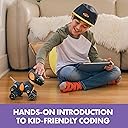
🐾 Code, Create, Connect — Your Kid’s New Best Friend in STEM!
Educational Insights PYXEL is an interactive coding robot designed for kids 8 and up, combining beginner-friendly Blockly and advanced Python programming. Featuring a rechargeable battery, touch and sound sensors, and secure Wi-Fi connectivity without internet access, PYXEL offers a safe, engaging way to develop STEM skills through playful robotics. Ready out-of-the-box with no assembly required, it’s the perfect Easter basket stuffer to ignite a passion for coding and robotics.


| ASIN | B0BQ8LJBR6 |
| Assembly Required | No |
| Batteries | 2 AAA batteries required. |
| Batteries Included? | No |
| Batteries Required? | Yes |
| Color | Mehrfarbig/Meereswellen (Ocean Tides) |
| Customer Reviews | 3.8 3.8 out of 5 stars (344) |
| Date First Available | 10 October 2024 |
| Educational Objective(s) | Teaching programming and robotics |
| Item model number | 1130 |
| Language | English |
| Manufacturer recommended age | 8 - 12 years |
| Material Type(s) | Plastic |
| Number of Game Players | 1 player |
| Number of Puzzle Pieces | 1 |
| Product Dimensions | 20.32 x 30.48 x 20.32 cm; 1.08 kg |
| Radio Control Suitability | Learning programming and robotics |
| tech_spec_battery_description_toys | Rechargeable Battery |
B**R
Das Produkt kam in einwandfreiem Zustand. Der Lerneffekt der Tochter (9 Jahre) ist sehr groß, Blockly macht ihr mal richtig Spaß. Phyton wird man damit nicht lernen. Manko: Der eingebaute Geräuschsensor benötigt wirklich laute Geräusche, ein einfaches Klatschen ist zu wenig
C**D
Pyxel pet This is a charming little ‘robo-dog’ and it’ll give young ones a great insight into the world of coding. It is touch sensitive so it’ll react to being stroked, it’ll even react to sound - just like a real dog. There are proximity sensors built in so that it can tell when it is getting close to something. It uses 2 coding languages, python and blocky, I like that it utilises its own password protected Wi-Fi so there’s need to worry about your young ones using the internet to connect to the robo-dog. There are tutorials incorporated, these compliment the instructions nicely - there are also clips on YouTube, so all bases seem to be covered. This is an excellent educational toy, is should encourage any young ‘would-be coders’ to pursue their interest in the subject.
A**R
Se trata de un pequeño robot con forma de perrito, el cual es una herramienta de aprendizaje para niños y que les sirve para aprender a programar de manera divertida. Los niños pueden usar la tablet para programar al perrito, que se llama Pyxel, con la programación pueden realizar acciones tales como cambiar de color, la expresión, hacer pequeños trucos, emitir sonidos y más cosas. Dentro de la caja nos encontramos con el perrito robot Pyxel, una batería recargable integrada, un cable USB-C, un activador de código (para el cual son necesarias 2 pilas AAA que no vienen incluidas), una guía y una interfaz de usuario integrada con dos lenguajes de programación: Blockly y Python. Este robot es válido tanto para principiantes que se enfrentan por primera vez a la programación como para profesionales, los dos lenguajes de programación que se enseñan son: Blocky y Python. Por un lado Blockly es un lenguaje de programación visual que utiliza bloques de código que se pueden arrastrar y soltar. Estos bloques representan diferentes funciones que se pueden realizar y estructuras de programación, como bucles, condicionales y variables. Blockly es especialmente útil para enseñar conceptos de programación a principiantes y a niños, ya que su interfaz gráfica es sencilla y permite que entiendan fácilmente la lógica de la programación sin tener que aprender la sintaxis de un lenguaje de programación. Por otro lado Python, es un lenguaje de programación más complejo y de alto nivel, el cual se usa en una variedad de aplicaciones, aunque Python es un lenguaje de programación basado en texto y puede parecer más complejo, su sintaxis es sencilla, por lo que es ideal para los principiantes, aunque también es usado por profesionales. Ambos lenguajes, son muy buenas herramientas para introducir a los jóvenes en el mundo de la programación. En este caso y si no tienen experiencia previa, es mejor que empiecen con Blocky y según vayan cogiendo experiencia, den el paso a Python. Si por el contrario ya saben algo del tema, pueden comenzar con Python directamente para sacarle mucho más partido al robot. Uno de los aspectos del robot es que no se requiere conexión a internet, ya que se puede conectar a través de nuestra wifi a la tablet directamente, lo cual siempre es más seguro. Creo que es un juguete estupendo para los jóvenes a partir de 8 años por muy diversos motivos, entre los que quiero destacar el desarrollo de habilidades de pensamiento lógico y la resolución de problemas, ya que el programar implica el uso de la lógica y la resolución de problemas. Por otro lado, ayuda a estimular la creatividad, ya que los jóvenes pueden experimentar con diferentes funciones y características del robot, y pueden usar su creatividad para programar el robot para hacer cosas nuevas y únicas, es decir no se tienen que ceñir a unas instrucciones, sino que pueden hacer lo que ellos quieran. Por último me gustaría destacar que la programación es una habilidad cada vez más importante en el mundo actual, por lo que el aprender a programar desde una edad temprana, los jóvenes pueden estar mejor preparados para el futuro, donde la programación y otras habilidades técnicas serán cada vez más demandadas.
A**N
Got this as a gift for brother and sister 7, 8- They could not wait to play with it- They were totally surprised when it sat right as you tuned it on. They knew it is a coding toy, so they got out their tablet and then asked how to connect to it- I had to read the instructions and it connects over WiFi- After we got it connected, they both knew a little bit about Blockly so they started making it dance and sit right away- I forgot to charge it, so I had to charge it with the usb cord. Then they were making it do all sorts of funny stuff- They played with it for about 30min and then they were in the "python" part and really didn't know what that was- so we looked at the page and found the tutorials- There was a lot to type- but then they found the page that had the python codes- then they showed me how to copy and paste into the python part. They did not quite get it at first-- but then I helped a little bit- They were making it fart too... There is a remote that is called a "code activator" - They loved pushing all the buttons and making it do more stuff- I would recommend this- it was easy to use and seems to have a lot of really fun stuff for kids to learn. They said they will play with this a lot.
L**N
Could not program.
TrustPilot
2 周前
3 周前